
R2G R2G MATE PRO
R2G Mate PRO Golf Laser Rangefinder User Manual
Model: R2G MATE PRO
Introduction
The R2G Mate PRO Golf Laser Rangefinder is a precision instrument designed to enhance your golf game by providing accurate distance measurements. Featuring a 2-color OLED display and ultra-high-speed measurement, this device offers reliable performance on the course. Its compact metal body ensures a comfortable grip and durability.
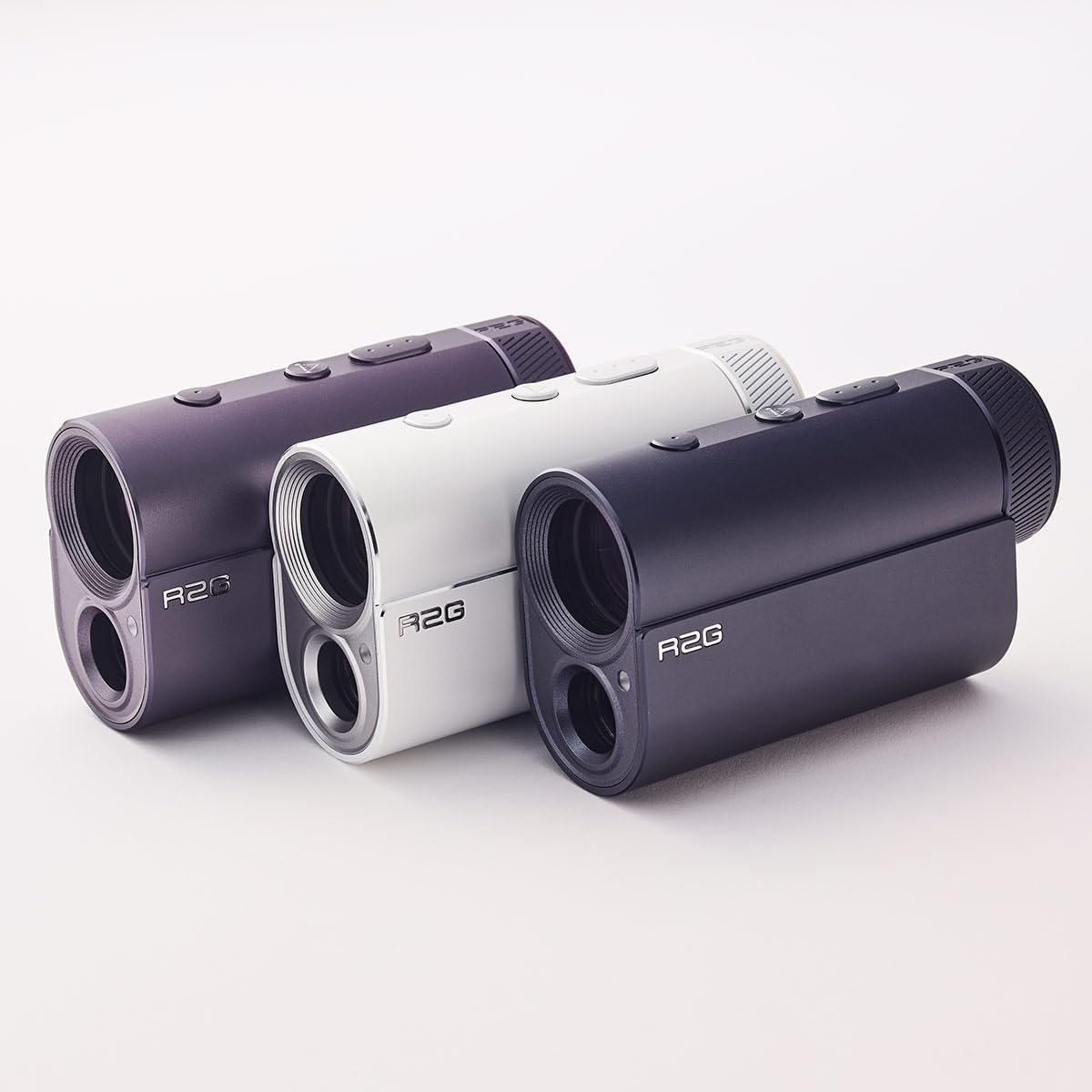
Figure 1: The R2G Mate PRO Golf Laser Rangefinder, showcasing its sleek white design.
Included Components
Upon unboxing your R2G Mate PRO, please ensure all the following components are present:
- R2G Mate PRO Laser Rangefinder Unit
- Leather Carry Case
- USB Charging Cable (Type-C)
- Cleaning Cloth
- Manual Book (this document)
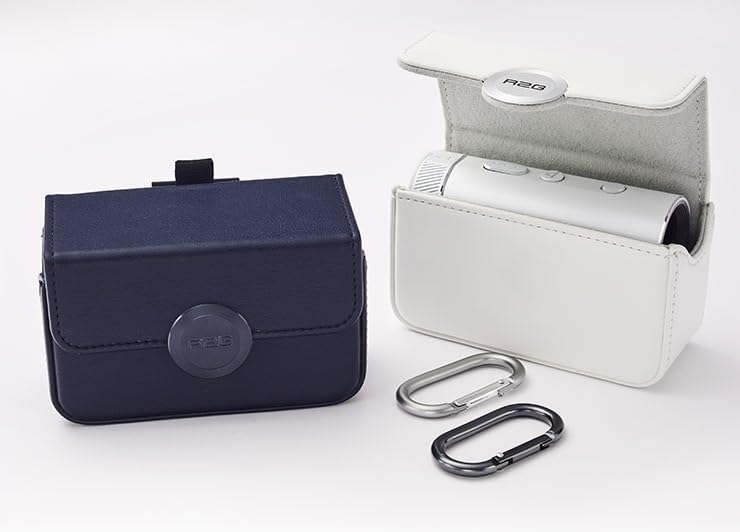
Figure 2: Included accessories such as the leather carry case and carabiners, shown with the rangefinder units.
Setup
Charging the Battery
The R2G Mate PRO is equipped with a rechargeable Lithium-Ion battery. Before first use, it is recommended to fully charge the device.
- Locate the USB-C charging port on the rangefinder.
- Connect the provided USB-C charging cable to the rangefinder.
- Connect the other end of the USB cable to a compatible USB power adapter (not included) or a computer's USB port.
- The device's display will indicate charging status. A full charge can provide up to 13,000 measurements.
Initial Power On
Press and hold the power button (usually located on the top of the device) for a few seconds until the OLED display illuminates.
Operating Instructions
Basic Measurement
- Look through the eyepiece of the rangefinder.
- Aim the crosshairs at your desired target (e.g., flagstick, bunker).
- Press the measurement button (typically the same as the power button, or a dedicated button).
- The distance will be displayed on the 2-color OLED screen within 0.05 seconds for targets within 120 yards.
Modes of Operation
The R2G Mate PRO features several modes to assist with different golfing scenarios:
- PIN Catcher Mode: Designed to easily lock onto the flagstick, even with background objects.
- Approach Mode: Provides quick and accurate measurements for approach shots.
- Slope/Non-Slope Mode: Allows you to toggle between modes that account for elevation changes (slope) and those that provide a direct line-of-sight distance (non-slope). Consult local golf rules regarding slope functionality in tournaments.
Refer to the on-screen menu or additional button functions for switching between these modes. The device also features 5-level automatic brightness adjustment for optimal viewing in various light conditions.
Maintenance
Cleaning
To maintain optimal performance and clarity of the lenses:
- Use the provided cleaning cloth to gently wipe the lenses and the device body.
- Do not use abrasive cloths, paper towels, or chemical cleaners, as these can scratch the lenses or damage the finish.
- For stubborn smudges, a small amount of lens cleaning solution designed for optical instruments can be applied to the cloth, not directly to the lens.
Storage
When not in use, store the rangefinder in its leather carry case to protect it from dust, moisture, and physical impact. Store in a cool, dry place away from direct sunlight and extreme temperatures.
Troubleshooting
If you encounter issues with your R2G Mate PRO, please refer to the following common solutions:
| Problem | Possible Cause | Solution |
|---|---|---|
| Device does not power on. | Low or depleted battery. | Charge the device using the provided USB-C cable. |
| Inaccurate or inconsistent measurements. | Dirty lenses; target too far or too small; environmental interference (fog, heavy rain). | Clean lenses with the cleaning cloth. Ensure target is within range and clearly visible. Avoid use in extreme weather conditions. |
| Display is dim or unreadable. | Automatic brightness adjustment is not sufficient for current light conditions; low battery. | Ensure battery is charged. The 5-level automatic brightness should adjust, but if issues persist, contact support. |
Specifications
| Feature | Detail |
|---|---|
| Model Name | R2G MATE PRO |
| Display Type | 2-Color OLED Display |
| Magnification | 6x |
| Measurement Speed | 0.05 seconds (within 120 yards) |
| Battery Type | Rechargeable Lithium-Ion |
| Battery Life (approx.) | 13,000 measurements per full charge |
| Material | Metal Body |
| Color | White |
| Item Weight | 153 Grams |
| Product Dimensions (LxWxH) | 3.67" x 1.38" x 2.24" |

Figure 3: Dimensions of the R2G Mate PRO Golf Laser Rangefinder.
Warranty & Support
Warranty Information
The R2G Mate PRO Golf Laser Rangefinder comes with a 1-Year Warranty from the date of purchase. This warranty covers manufacturing defects and malfunctions under normal use. It does not cover damage caused by misuse, accidents, unauthorized repairs, or normal wear and tear.
Please retain your proof of purchase for warranty claims.
Customer Support
For technical assistance, warranty claims, or any other inquiries regarding your R2G Mate PRO, please contact R2G customer support. Contact information can typically be found on the manufacturer's official website or on the packaging.
Manufacturer: R2G PEOPLE CO., LTD.
Ask a question about this manual
Ask about setup, troubleshooting, compatibility, parts, safety, or missing instructions. Manuals+ will review the question and use this page’s manual context to help answer it.