
Goodsby Style 10
Goodsby Backup HD Camera - Style 10
Rear View License Plate Night Vision Waterproof Camera
Model: Style 10 | Brand: Goodsby
1. Introduction
This manual provides detailed instructions for the installation, operation, and maintenance of your Goodsby Backup HD Camera, Style 10. This rear view camera is designed to enhance safety and convenience by providing a clear view of the area behind your vehicle when backing up. It is compatible with a wide range of Kenwood car radio models.

Figure 1: Goodsby Backup HD Camera, Style 10. This image displays the main unit of the camera, showcasing its compact design and integrated LED lights.
2. Key Features
- Enhanced Night Vision: Equipped with 8 super bright LED lights, the camera illuminates images in low-light conditions, significantly improving visibility and image sharpness during nighttime operation.
- Durable Construction: Features an IP-67 standard waterproof, shockproof, and dust-proof design, ensuring reliable performance in various weather conditions.
- High-Definition Imaging: Provides a 720P quality clean image with a real glass lens for superior clarity and detail.
- Easy Installation: Designed for straightforward installation, typically on the car's license plate or rear, without the need for extensive modifications or drilling.
- Wide Compatibility: Specifically designed to be compatible with numerous Kenwood DDX, DMX, DNX, DNN, DNR, and KVT series car radio models.
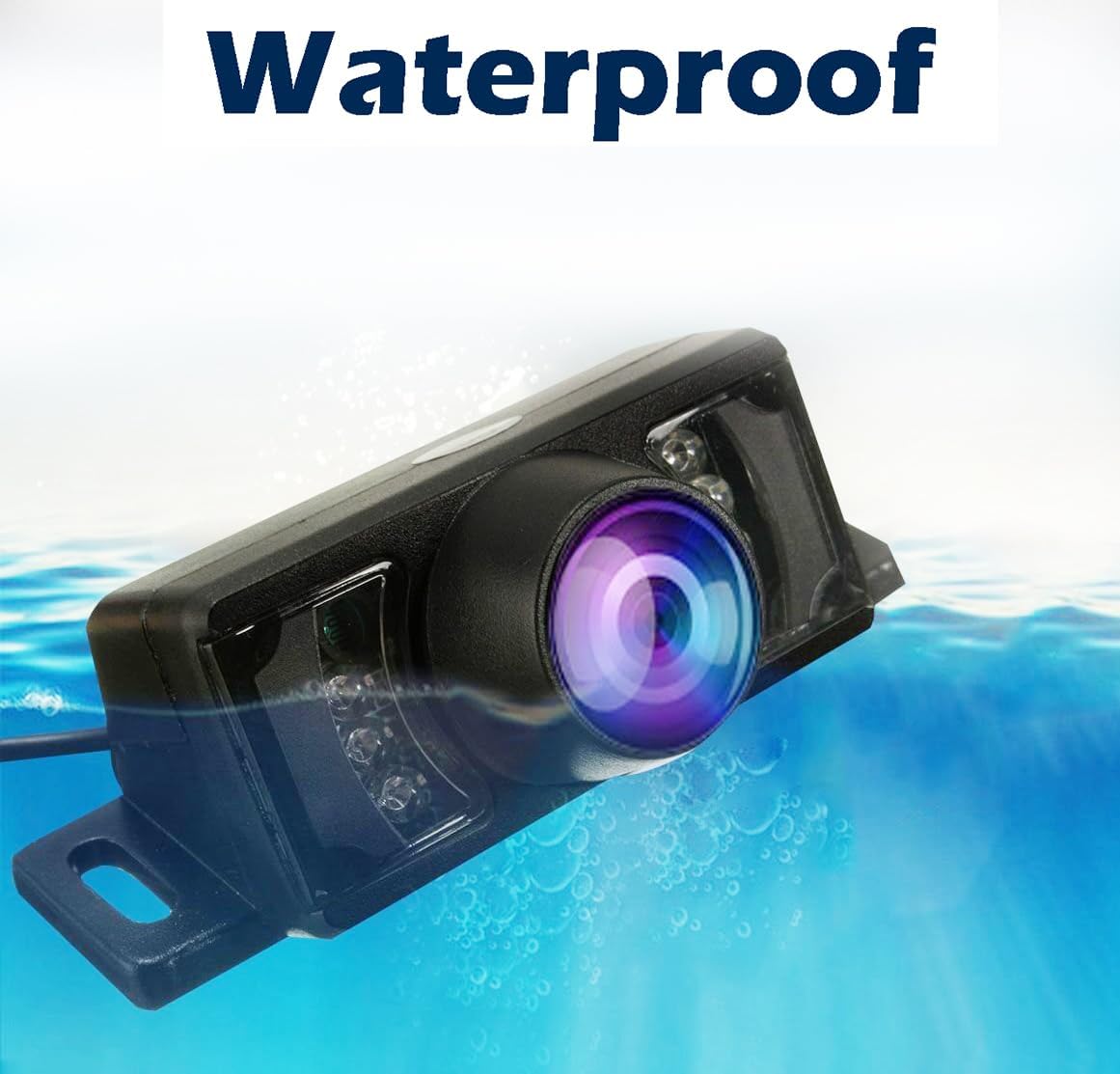
Figure 2: Waterproof Design. The camera is shown partially submerged, illustrating its IP-67 waterproof rating.

Figure 3: Image Quality. This image demonstrates the camera's 720P resolution and real glass lens, showing clear views in both daytime and nighttime conditions.
3. Package Contents
Upon opening the package, please verify that all components are present and undamaged:
- Goodsby Backup HD Camera (Style 10)
- Power Cable
- Video RCA Cable
- Mounting Hardware (screws, brackets)
4. Installation Guide
Before beginning installation, ensure your vehicle's ignition is off and the battery is disconnected to prevent electrical shorts.
4.1. Mounting the Camera
- Choose Location: The camera is primarily designed for license plate mounting. Identify a suitable position that provides an unobstructed view of the rear of your vehicle.
- Secure Camera: Use the provided mounting hardware to securely attach the camera to the chosen location. Ensure it is firmly fixed to prevent vibration and maintain a stable image.

Figure 4: Camera Dimensions. This diagram provides the physical dimensions of the camera (3.43in/87mm length, 1.26in/32mm width, 1.14in/29mm height) to assist with mounting.
4.2. Wiring the Camera
- Power Connection: Connect the camera's power cable (red wire) to the vehicle's reverse light power supply. This ensures the camera activates automatically when the vehicle is put into reverse. Alternatively, it can be connected to a constant 12V power source if continuous operation is desired (e.g., for a dash cam system). The black wire should be connected to a ground point on the vehicle chassis.
- Video Connection: Route the RCA video cable from the camera to your Kenwood car radio's video input. Ensure the cable is routed safely, avoiding moving parts, sharp edges, and heat sources.
- Secure Connections: Utilize the special interface for waterproof and shockproof connections where applicable, as shown in Figure 6. Ensure all connections are tight and insulated.

Figure 5: Connection Types. This image highlights the easy connection design of the camera's wiring, contrasting it with more difficult, traditional RCA connections.

Figure 6: Car Special Interface. This image shows the waterproof and shockproof connection interface, ensuring durability and reliability.
4.3. Connecting to Kenwood Car Radio
Refer to your Kenwood car radio's instruction manual for specific details on connecting an external backup camera. Generally, you will connect the camera's RCA video output to the designated 'REAR CAMERA IN' or 'VIDEO IN' port on your head unit. Ensure the head unit is configured to display the camera feed when reverse gear is engaged.
5. Operation
Once properly installed and connected, the Goodsby Backup HD Camera will automatically activate and display the rear view on your compatible Kenwood car radio screen when the vehicle's transmission is shifted into reverse gear. The integrated LED lights will automatically illuminate in low-light conditions to provide clear night vision.
6. Maintenance
- Cleaning the Lens: Periodically clean the camera lens with a soft, damp cloth to remove dirt, dust, or water spots that may obstruct the view. Avoid abrasive cleaners.
- Checking Connections: Occasionally inspect the power and video connections to ensure they remain secure and free from corrosion.
- Environmental Care: While the camera is waterproof and dust-proof, extreme temperatures or prolonged exposure to harsh chemicals should be avoided.
7. Troubleshooting
| Problem | Possible Cause | Solution |
|---|---|---|
| No image on screen | Loose power connection Loose video connection Incorrect head unit input selected Blown fuse in vehicle's reverse light circuit | Check and secure power cable Check and secure RCA video cable Ensure head unit is set to correct camera input Inspect and replace fuse if necessary |
| Poor image quality (blurry, distorted) | Dirty lens Damaged video cable Interference from other electrical components | Clean camera lens with a soft cloth Inspect video cable for damage; replace if needed Ensure proper grounding; re-route cables away from interference sources |
| Image flickers or cuts out | Unstable power supply Loose connections | Verify stable 12V power supply Check all power and video connections for tightness |
| Night vision not working | LED lights malfunction Insufficient power to LEDs | Contact customer support Verify power connection to camera |
8. Specifications
- Product Dimensions: 3.43 x 1.26 x 1 inches (87mm x 32mm x 29mm)
- Item Weight: 8 ounces
- Waterproof Rating: IP-67 Standard
- Optical Sensor Technology: CMOS
- Lens Type: Wide Angle
- Connector Type: RCA
- Optical Sensor Size: 1/3 inch
- Color: Black
- Manufacturer: Goodsby
9. Compatible Kenwood Models
This Goodsby Backup HD Camera is compatible with a wide range of Kenwood car radio models, including but not limited to:
Kenwood DDX-series models:
DDX23BT, DDX24BT, DDX25BT, DDX26BT, DDX271, DDX272, DDX276BT, DDX310BT, DDX318, DDX319, DDX320BT, DDX340BT, DDX350BT, DDX370, DDX371, DDX372BT, DDX373BT, DDX374BT, DDX375BT, DDX376BT, DDX392, DDX393, DDX394, DDX395, DDX396, DDX4018BT, DDX418, DDX418BT, DDX418BTM, DDX419, DDX419BT, DDX470, DDX471HD, DDX491H, DDX492, DDX512, DDX514, DDX516, DDX5706S, DDX5707S, DDX573BH, DDX574BH, DDX575BT, DDX57S, DDX5901HD, DDX5902, DDX593, DDX594, DDX595, DDX6017, DDX6019, DDX616, DDX6702S, DDX6703S, DDX6704S, DDX6705S, DDX6706S, DDX672BH, DDX6902S, DDX6903S, DDX6904S, DDX6905S, DDX6906S, DDX7015, DDX7017, DDX7019, DDX712, DDX714, DDX7140, DDX719, DDX770, DDX7701HD, DDX771, DDX771HD, DDX773BH, DDX774BH, DDX775BH, DDX790, DDX793, DDX794, DDX795, DDX8019, DDX8034BT, DDX812, DDX814, DDX819WBTL, DDX869, DDX8706S, DDX8901HD, DDX8905S, DDX8906S, DDX896, DDX9018BTS, DDX9140, DDX9702S, DDX9703S, DDX9704S, DDX9705S, DDX9706S, DDX9707S, DDX9716BTS, DDX9902S, DDX9903S, DDX9904S, DDX9905S, DDX9906XR, DDX9907XR, DDX9990HD.
Kenwood DMX-series models:
DMX1037S, DMX1057XR, DMX125BT, DMX4707S, DMX47S, DMX706S, DMX709S, DMX7704S, DMX7705S, DMX7706S, DMX7709S, DMX809S, DMX8709S, DMX905S, DMX906S, DMX907S, DMX908S, DMX957XR, DMX958XR, DMX9706S, DMX9707S, DMX9708S.
Kenwood DNX-series models:
DNX210EX, DNX5060EX, DNX5080EX, DNX5120, DNX512EX, DNX5140, DNX5160, DNX5180, DNX5190, DNX570HD, DNX570TR, DNX571EX, DNX571HD, DNX571TR, DNX572BH, DNX573S, DNX574S, DNX575S, DNX576S, DNX577S, DNX6000EX, DNX6020EX, DNX6040EX, DNX6140, DNX6160, DNX6180, DNX6190HD, DNX6703S, DNX690HD, DNX691HD, DNX692, DNX693S, DNX694S, DNX695S, DNX6960, DNX696S, DNX697S, DNX6980, DNX6990HD, DNX7000EX, DNX7020EX, DNX7100, DNX710EX, DNX7120, DNX7140, DNX7160, DNX7180, DNX7190HD, DNX719VHD, DNX771HD, DNX772BH, DNX773S, DNX775RVS, DNX8120, DNX874S, DNX875S, DNX890HD, DNX891HD, DNX892, DNX893S, DNX9140, DNX990HD, DNX994S, DNX995S, DNX9960, DNX996XR, DNX997XR, DNX9980HD, DNX9990HD.
Kenwood DNN, DNR-series models:
DNN770HD, DNN990HD, DNN991HD, DNN992, DNR1007XR, DNR1008RVS, DNR46EX, DNR476S, DNR876S.
Kenwood KVT-series models:
KVT512, KVT514, KVT516, KVT614, KVT617, KVT617DVD, KVT696, KVT7012BT, KVT715, KVT715DVD, KVT815DVD, KVT819DVD.
10. Warranty and Support
For warranty information, please refer to the product packaging or contact the retailer from whom you purchased this product. For technical support or further assistance, please reach out to Goodsby customer service through the contact information provided on their official website or through your purchase platform.
Ask a question about this manual
Ask about setup, troubleshooting, compatibility, parts, safety, or missing instructions. Manuals+ will review the question and use this page’s manual context to help answer it.