1. Introduction
This instruction manual provides essential information for the installation, operation, and maintenance of your DAYUDDRICAR SYMA X30 Drone Spare Part Kit. This kit includes CW (Clockwise) and CCW (Counter-Clockwise) motors and propeller blades, designed specifically for the SYMA X30 drone. Please read this manual thoroughly before attempting any installation or use to ensure proper function and safety.
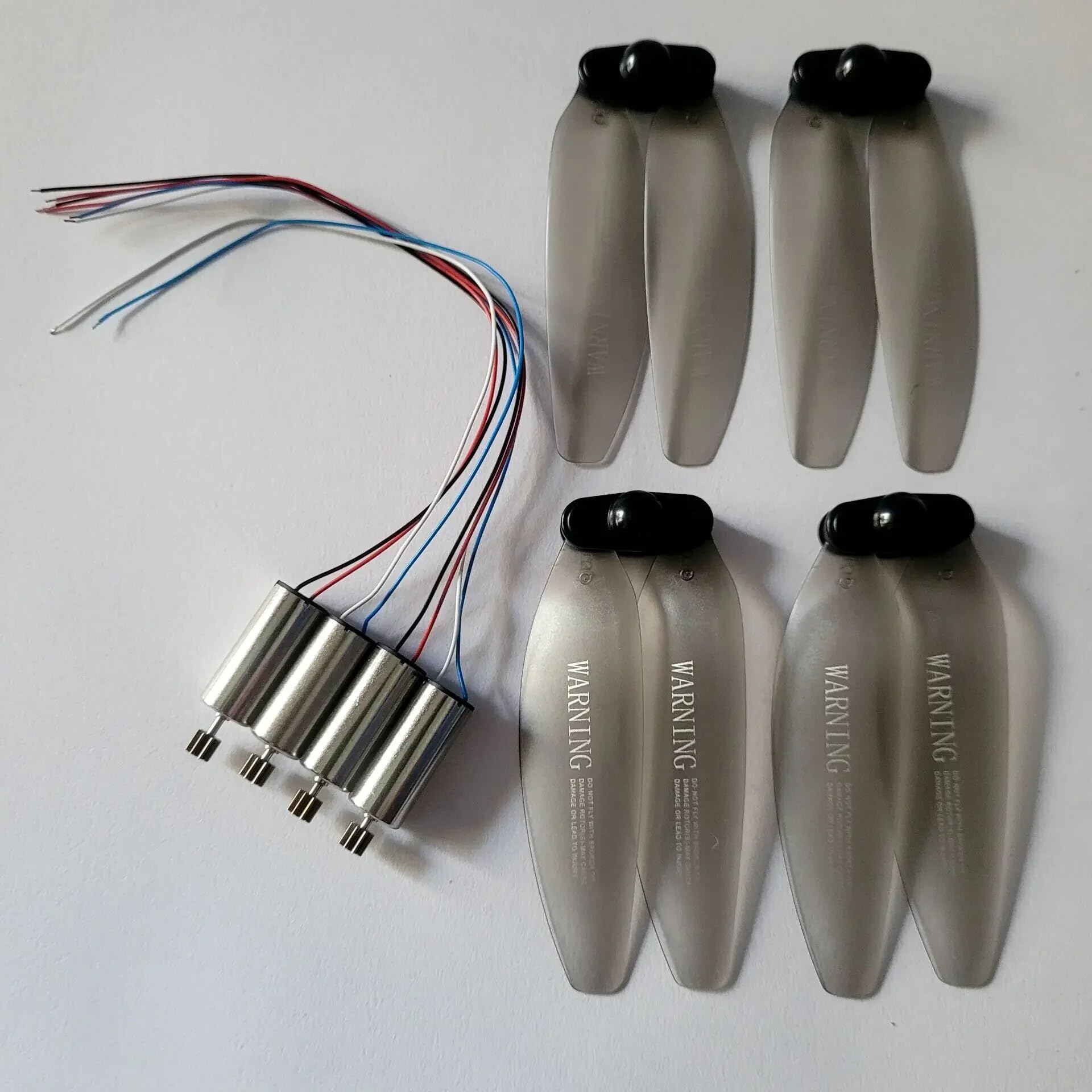
Figure 1: Components of the DAYUDDRICAR SYMA X30 Drone Spare Part Kit, including two motors (one CW, one CCW) and a set of propeller blades.
2. Setup and Installation
Before beginning installation, ensure your SYMA X30 drone is powered off and the battery is disconnected. Use appropriate small tools, such as a miniature screwdriver, if required.
2.1 Motor Replacement
- Identify Motor Type: The SYMA X30 drone uses both CW (Clockwise) and CCW (Counter-Clockwise) motors. These are typically marked or can be identified by the wire colors (e.g., red/blue for CW, black/white for CCW, but always verify with your drone's original wiring). Ensure you match the replacement motor to the correct arm of the drone.
- Remove Old Motor: Carefully unscrew any retaining screws holding the motor in place. Gently disconnect the motor wires from the drone's circuit board. Note the routing of the wires.
- Install New Motor: Connect the new motor's wires to the corresponding points on the drone's circuit board. Ensure polarity is correct. Secure the motor in its housing with the retaining screws.
- Test Motor Function: After installation, perform a brief power-on test (without propellers) to ensure the motor spins freely and in the correct direction.
2.2 Propeller Installation
Propellers are also designated as CW or CCW. They must be installed on the correct motor to ensure proper flight. Look for markings (e.g., 'A' or 'B', or a small dot) on the propeller and match them to the drone's arms or motor shafts.
- Match Propeller to Motor: Identify the correct propeller type (CW or CCW) for each motor. Incorrect installation will prevent the drone from flying correctly.
- Attach Propeller: Carefully push the propeller onto the motor shaft. Some propellers may require a small screw to secure them. Ensure the propeller is seated firmly and spins freely without obstruction.
- Verify Security: Gently tug on each propeller to ensure it is securely attached and will not detach during flight.
3. Operating with New Parts
Once the new motors and propellers are installed, it is crucial to perform a test flight in a safe, open area. This ensures all components are functioning correctly and the drone is stable.
- Pre-Flight Check: Before each flight, visually inspect all motors and propellers for any damage, loose connections, or obstructions.
- Initial Test Flight: Fly the drone at a low altitude and observe its stability and responsiveness. If any unusual behavior is noted, land immediately and re-check all installations.
- Balance: Ensure the drone feels balanced. Unbalanced propellers or motors can lead to instability and reduced flight performance.
4. Maintenance
Regular maintenance extends the lifespan of your drone's spare parts and ensures optimal performance.
- Propeller Inspection: Regularly check propellers for cracks, bends, or nicks. Damaged propellers can cause vibrations, reduce efficiency, and lead to crashes. Replace them immediately if damage is found.
- Motor Cleaning: Keep motors free from dust, dirt, and debris. Use a soft brush or compressed air to gently clean around the motor housing and shaft. Avoid using liquids.
- Wire Connections: Periodically inspect motor wire connections for any signs of wear, fraying, or looseness. Secure any loose connections.
- Storage: Store spare parts in a clean, dry environment away from direct sunlight and extreme temperatures.
5. Troubleshooting
If you encounter issues after installing the spare parts, refer to the following common problems and solutions:
| Problem | Possible Cause | Solution |
|---|---|---|
| Drone does not lift off or is unstable. | Incorrect propeller installation (CW/CCW mismatch). Damaged propeller. Motor not spinning or spinning incorrectly. |
Verify all propellers are on the correct motors. Replace any damaged propellers. Check motor wiring and ensure it spins freely. |
| One motor not spinning. | Loose wire connection. Motor defect. Incorrect motor type (CW/CCW mismatch). |
Check and secure motor wire connections. Test motor with a known good power source if possible. Replace if defective. Ensure the correct CW/CCW motor is installed. |
| Drone drifts significantly. | Unbalanced propeller. Motor issue. Drone calibration needed. |
Inspect propellers for damage or imbalance. Replace if necessary. Check motor for smooth operation. Perform drone calibration as per your SYMA X30 drone's manual. |
6. Specifications
- Product Name: SYMA X30 Drone Spare Part Kit
- Brand: DAYUDDRICAR
- Compatibility: Specifically designed for SYMA X30 Drone
- Components: CW Motor, CCW Motor, Propeller Blades
- ASIN: B0CLVRLKCW
7. Warranty and Support
Warranty information for this DAYUDDRICAR product is not provided within this manual. For details regarding warranty coverage, technical support, or replacement parts, please refer to the original product packaging or contact DAYUDDRICAR customer service directly through their official channels or the retailer where the product was purchased.
For further assistance with your SYMA X30 drone, please consult the drone's original instruction manual or the manufacturer's support resources.