
Introduction
This manual provides comprehensive instructions for the safe and effective use of your SUPRENT Professional Rechargeable Hair Clipper, Model HC715. Please read all instructions carefully before first use and retain this manual for future reference.
Important Safety Instructions
To reduce the risk of electric shock, injury, or damage, always follow these basic safety precautions:
- Avoid using the trimmer on irritated or damaged skin.
- Keep the trimmer away from water sources. Do not use it while bathing or showering.
- Do not use the trimmer near the eyes or on eyelashes.
- Unplug the trimmer when not in use or before cleaning.
- Follow the manufacturer's instructions for cleaning and maintenance.
- Do not use the trimmer on infants or young children.
- Use caution when trimming near the ears.
- Store the trimmer in a safe and dry place.
- Do not use the trimmer if it appears damaged or malfunctions during use.
- Always use the trimmer with the guards in place to minimize the risk of injury, unless performing detail work with the T-blade.
Product Overview
The SUPRENT Professional Rechargeable Hair Clipper (Model HC715) is designed for precision hair cutting and grooming. It features durable stainless steel blades, an adjustable taper lever, and a clear LED display for battery status.

Image: The SUPRENT Professional Rechargeable Hair Clipper and Trimmer Set, showcasing both devices and various accessories.
Key Features:
- Self-Sharpening Stainless Steel Blades: Designed for long-lasting sharpness and efficient cutting.
- Adjustable Taper Lever: Allows for precise cutting length adjustments from 0.8mm to 3mm.
- LED Display: Clearly shows the battery level and charging status.
- Powerful Motor: Operates quietly (less than 65dB) while providing strong cutting performance.
- Large Capacity Lithium Battery: Provides up to 3 hours of cordless use on a full charge.
- USB-C Charging: Convenient and fast charging via any USB-C power source.
- T-Blade Trimmer: Included for precise outlining, dry shaving, and fading, capable of cutting to 0mm.

Image: Close-up of the clipper's carbon steel blade, highlighting its adjustable length feature for precision cutting.

Image: The hair clipper showing its integrated LED display, which indicates power status and battery level.

Image: An illustration of the clipper's powerful 6000RPM motor, emphasizing its high performance and low noise operation.
Setup
Charging the Clipper
Before first use, fully charge the hair clipper. The LED display will show the battery percentage. A full charge provides up to 3 hours of cordless operation.
- Locate the USB-C charging port at the bottom of the clipper.
- Insert the provided USB-C cable into the clipper's port.
- Connect the other end of the USB-C cable to a compatible USB power source (e.g., computer, car charger, adapter, power bank).
- The LED display will illuminate and show the charging progress. Once fully charged, the display will indicate 100%.

Image: A close-up of the clipper's USB-C charging port with the cable inserted, demonstrating the charging connection.

Image: The clipper being charged, illustrating its high-capacity battery and various compatible USB charging methods.
Attaching Guide Combs
The kit includes 8 different guide combs to achieve various hair lengths (0.1-18mm).
- Ensure the clipper is turned off before attaching or removing guide combs.
- Select the desired guide comb.
- Align the comb with the clipper blade and push it firmly until it clicks into place.
- To remove, gently pull the comb away from the blade.

Image: The hair clipper with a guide comb securely attached, ready for use.
Operating Instructions
Powering On/Off
Press the power button located on the clipper to turn it on or off.
Adjusting Taper Lever
The adjustable taper lever on the side of the clipper allows for fine-tuning of cutting lengths between 0.8mm and 3mm without changing guide combs. Move the lever up for a shorter cut and down for a longer cut.

Image: A close-up of the clipper's adjustable taper lever, illustrating its mechanism for precise blade length control.
Using the Clipper for Haircuts
- Ensure hair is clean and dry.
- Attach the desired guide comb for the initial cutting length.
- Start cutting from the bottom of the head, moving upwards against the direction of hair growth.
- Use smooth, overlapping strokes for an even cut.
- For blending and fading, use different guide combs or adjust the taper lever.
Video: This video demonstrates the SUPRENT hair clipper in action, showcasing its ability to create clean fades and precise lines for a professional haircut.
Using the T-Blade Trimmer for Detailing
The T-blade trimmer is ideal for precise lines, edging, and intricate designs.
- Ensure the trimmer is charged.
- Use the T-blade directly on the skin for a 0mm cut, carefully outlining hairlines, beards, and sideburns.
- Exercise caution around sensitive areas.
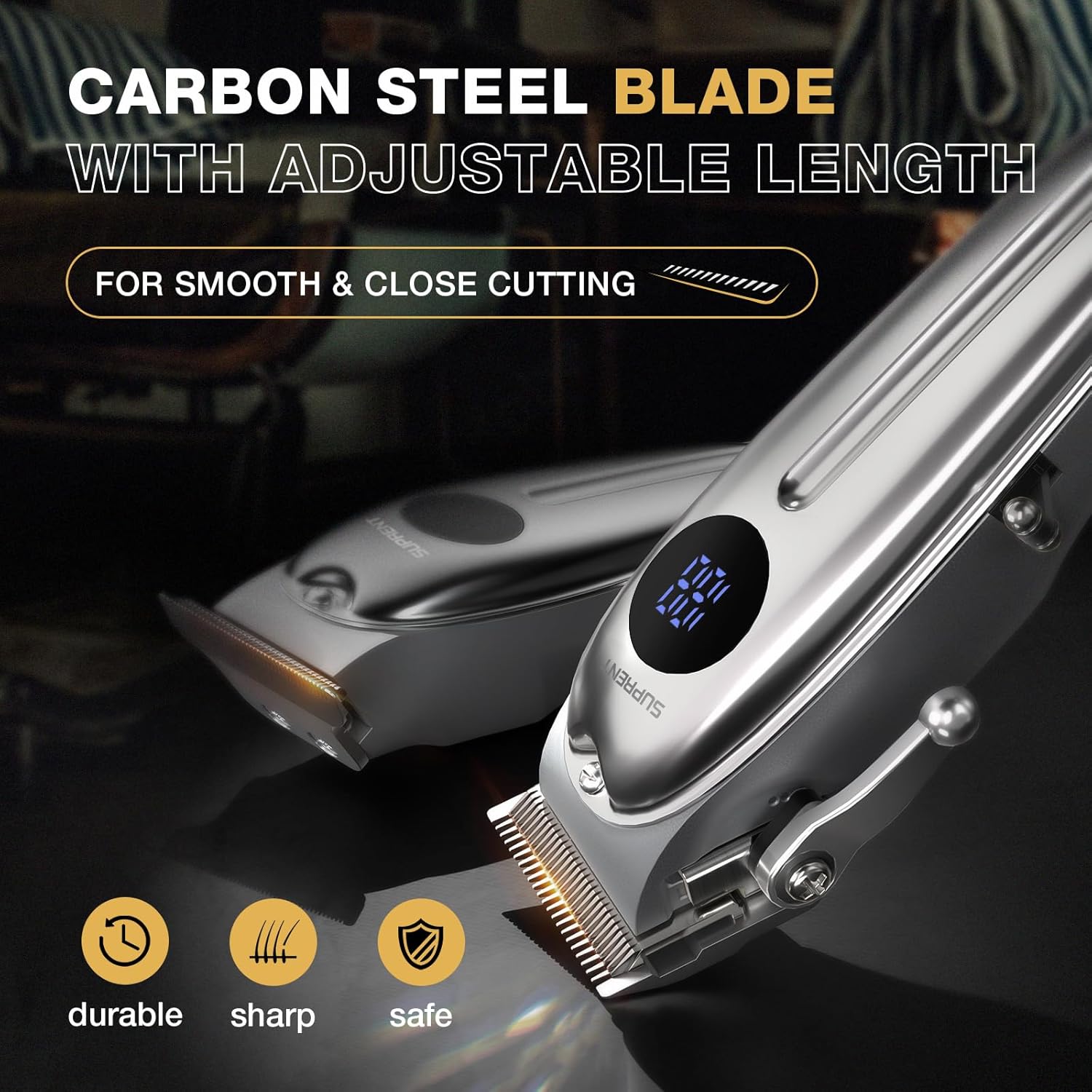
Image: The T-blade trimmer, designed for precise detailing, outlining, and achieving a close 0mm cut.
Video: This video provides an overview of the SUPRENT hair clipper and trimmer set, highlighting its features like the LED display, powerful motor, and various guide combs for versatile styling.
Maintenance
Cleaning the Blades
Regular cleaning ensures optimal performance and hygiene.
- Turn off and unplug the clipper before cleaning.
- Use the provided cleaning brush to remove loose hairs from the blades.
- The blades can be rinsed under running water. Ensure the clipper body is not submerged.
- Allow blades to air dry completely before reattaching or storing.
Oiling the Blades
Apply a few drops of lubricating oil (included) to the blades after every few uses or after rinsing to maintain smooth operation and prevent rust.
- Apply 1-2 drops of oil to the top and sides of the blades.
- Turn the clipper on for a few seconds to distribute the oil.
- Wipe off any excess oil with a soft cloth.
Storage
Store the clipper and its accessories in a dry, cool place, away from direct sunlight and moisture. Use the provided pouch for organized storage.
Troubleshooting
- Clipper not turning on: Ensure the battery is charged. Connect to a power source and check the LED display.
- Poor cutting performance: Clean the blades thoroughly to remove hair buildup. Apply lubricating oil. Ensure guide combs are correctly attached.
- Battery not charging: Check the USB-C cable and power adapter for damage. Try a different USB-C cable or power source.
- Excessive noise or vibration: Clean and oil the blades. If the issue persists, contact customer support.
Specifications
| Feature | Specification |
|---|---|
| Model Number | HC715 |
| Product Dimensions | 9 x 5.9 x 3.2 inches |
| Item Weight | 1.08 Kilograms (2.38 Pounds) |
| Power Source | Battery Powered |
| Blade Material | Stainless Steel |
| Adjustable Taper Lever | 0.8mm - 3mm |
| Haircut Lengths (with guards) | 0.1mm - 18mm |
| Battery Life | Up to 3 hours (180 minutes) |
| Charging Port | USB-C |
| Noise Level | Less than 65dB |
Warranty and Support
For warranty information or technical support, please refer to the product packaging or contact SUPRENT customer service directly. Keep your purchase receipt as proof of purchase.