
1. Product Overview
The UpBright AC/DC Adapter is designed to provide reliable power to your SwissTech Kompakt 200W Portable Power Station. This adapter ensures efficient charging with built-in safety features to protect your device.

Image 1.1: UpBright AC/DC Adapter and SwissTech Kompakt 200W Portable Power Station packaging.
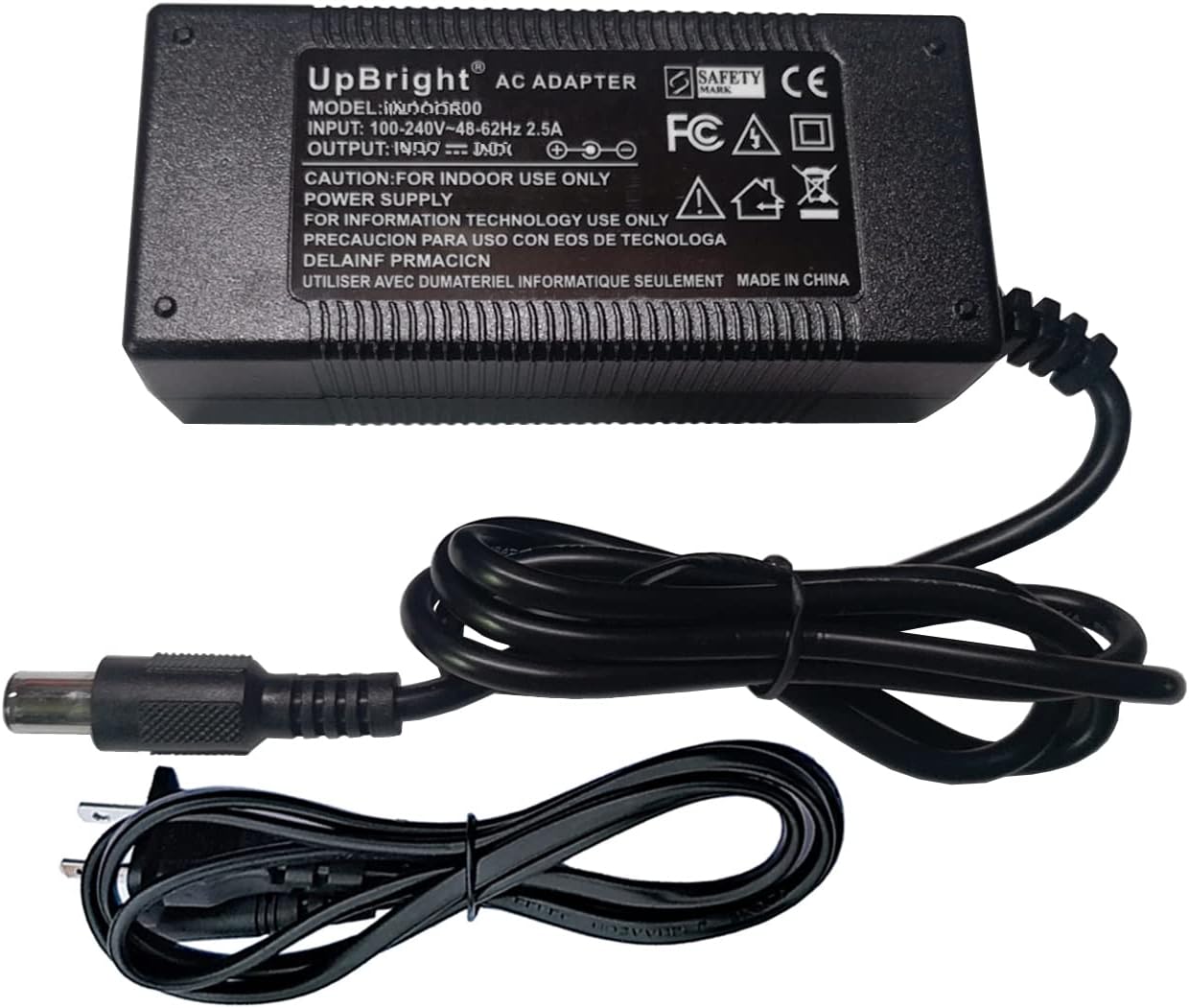
Image 1.2: The UpBright AC/DC Adapter with its integrated power cord.
2. Package Contents
Verify that all items are present in your package:
- 1 x UpBright AC/DC Adapter
3. Setup
Follow these steps to set up your AC/DC adapter:
- Connect the Adapter: Plug the barrel connector of the UpBright AC/DC Adapter into the DC input port of your SwissTech Kompakt 200W Portable Power Station.
- Connect to Power Outlet: Plug the AC power cord of the adapter into a standard 100-240VAC 50/60Hz wall outlet.
- Verify Connection: Ensure both connections are secure. The power station should indicate that it is receiving power or charging.
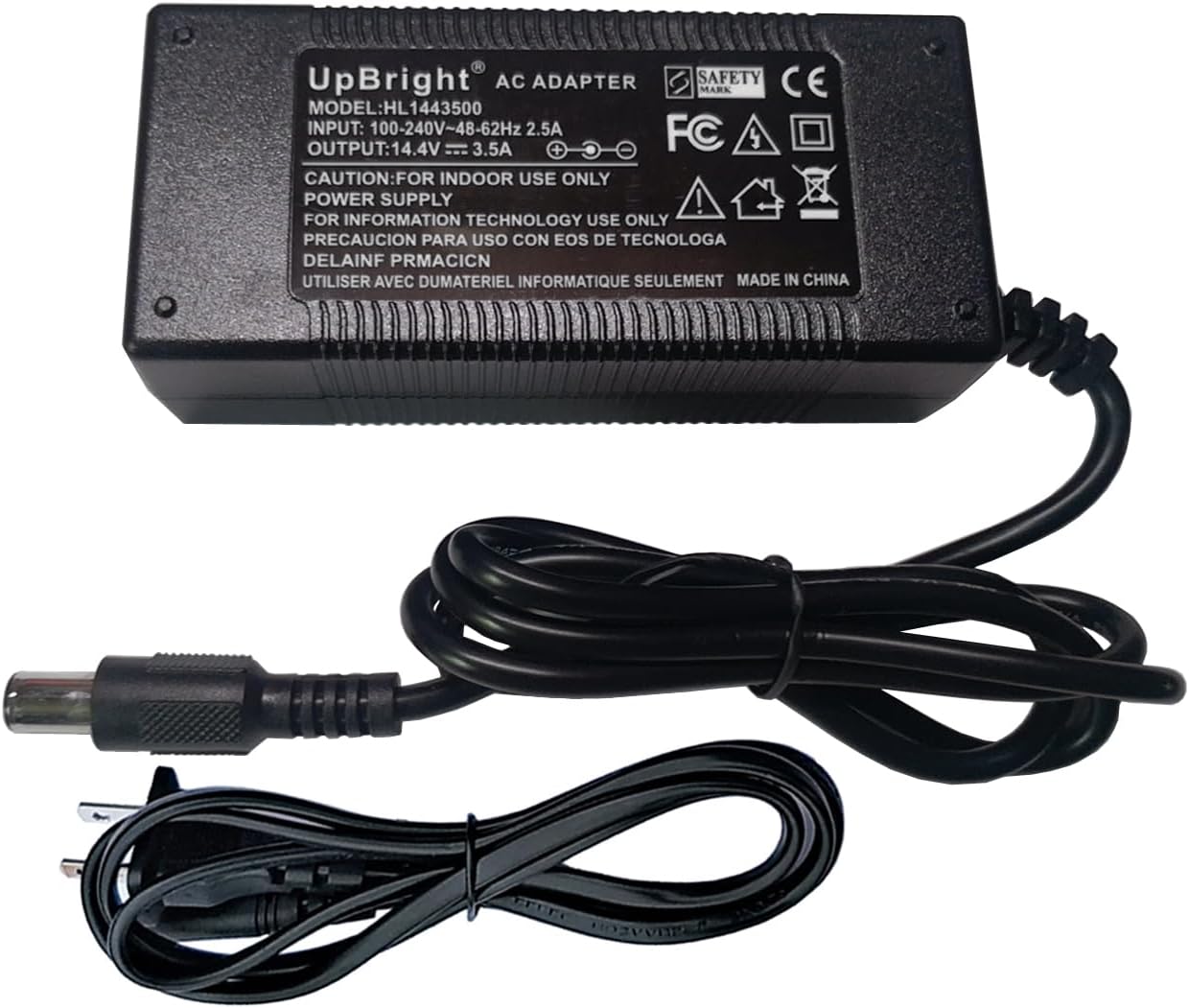
Image 3.1: The UpBright AC/DC Adapter showing its input and output specifications.
4. Operating Instructions
Once connected, the UpBright AC/DC Adapter will automatically begin charging your SwissTech Kompakt 200W Portable Power Station. Monitor the power station's display for charging status.
- The adapter is designed for continuous use during charging.
- Disconnect the adapter from the power station and wall outlet when not in use or when the power station is fully charged.
5. Safety Information
Please read and follow these safety guidelines to prevent damage or injury:
- Indoor Use Only: This adapter is intended for indoor use in dry conditions. Do not expose to rain or moisture.
- Ventilation: Ensure adequate ventilation around the adapter during operation. Do not cover the adapter.
- Protection Features: The adapter includes OVP (Over Voltage output Protection), OCP (Over Current output Protection), and SCP (Short Circuit output Protection) to safeguard your devices.
- Avoid Damage: Do not use the adapter if the cord or plug is damaged. Do not attempt to open or repair the adapter.
- Temperature: Operate the adapter within normal room temperatures. Avoid extreme heat or cold.

Image 5.1: Overview of the adapter's security protection features including overvoltage, overcurrent, and short circuit protection.
6. Maintenance
To ensure the longevity and proper functioning of your UpBright AC/DC Adapter:
- Cleaning: Disconnect the adapter from all power sources before cleaning. Use a soft, dry cloth to wipe the surface. Do not use liquid cleaners.
- Storage: Store the adapter in a cool, dry place when not in use. Avoid wrapping the cable too tightly.
- Cable Care: The adapter features a durable, flexible wire designed for resistance to wear and tear. Avoid sharp bends or excessive pulling on the cable.

Image 6.1: Illustration of the adapter's flexible and durable wire construction.
7. Troubleshooting
If you encounter issues with your UpBright AC/DC Adapter, refer to the following table:
| Problem | Possible Cause | Solution |
|---|---|---|
| Power station not charging | Adapter not properly connected; Wall outlet not active; Damaged adapter/cable. | Ensure all connections are secure. Test the wall outlet with another device. Inspect adapter and cable for damage; replace if necessary. |
| Adapter feels hot | Normal operation heat; Poor ventilation; Overload. | A slight warmth is normal. Ensure adapter is in a well-ventilated area. If excessively hot, disconnect and contact support. |
8. Specifications
Technical specifications for the UpBright AC/DC Adapter:
| Feature | Detail |
|---|---|
| Input Voltage | 100-240VAC, 50/60Hz |
| Compatible Devices | SwissTech Kompakt 200W Portable Power Station (Model No. 33649, XYX NT-150300AU) |
| Connector Type | Barrel Round Connector |
| Product Dimensions | 4 x 2 x 2 inches |
| Item Weight | 6 ounces |
| Color | Black |
9. Warranty and Support
UpBright products are designed for reliability and performance.
- Warranty: This product comes with a 30-day refund policy and a 24-month exchange warranty from the date of purchase.
- Customer Support: For technical assistance, warranty claims, or any questions regarding your UpBright AC/DC Adapter, please refer to the contact information provided with your purchase or visit the official UpBright store on Amazon.

Image 9.1: UpBright Limited Warranty Certificate and examples of international outlet adapters.
