
1. Setup
This section guides you through the initial setup of your BLACK+DECKER BXGNP3000E Gasoline Generator, including assembly and fluid checks.
1.1 Unpacking and Inspection
Carefully remove the generator from its packaging. Inspect for any visible damage. Ensure all components listed in the packing list are present.
1.2 Attaching Wheels and Handles
Attach the wheels and handles to the generator frame for ease of transport. Secure all bolts and pins as instructed.

The image above shows the generator with its handle in the upright position, indicating readiness for movement. Ensure the handle is securely fastened.
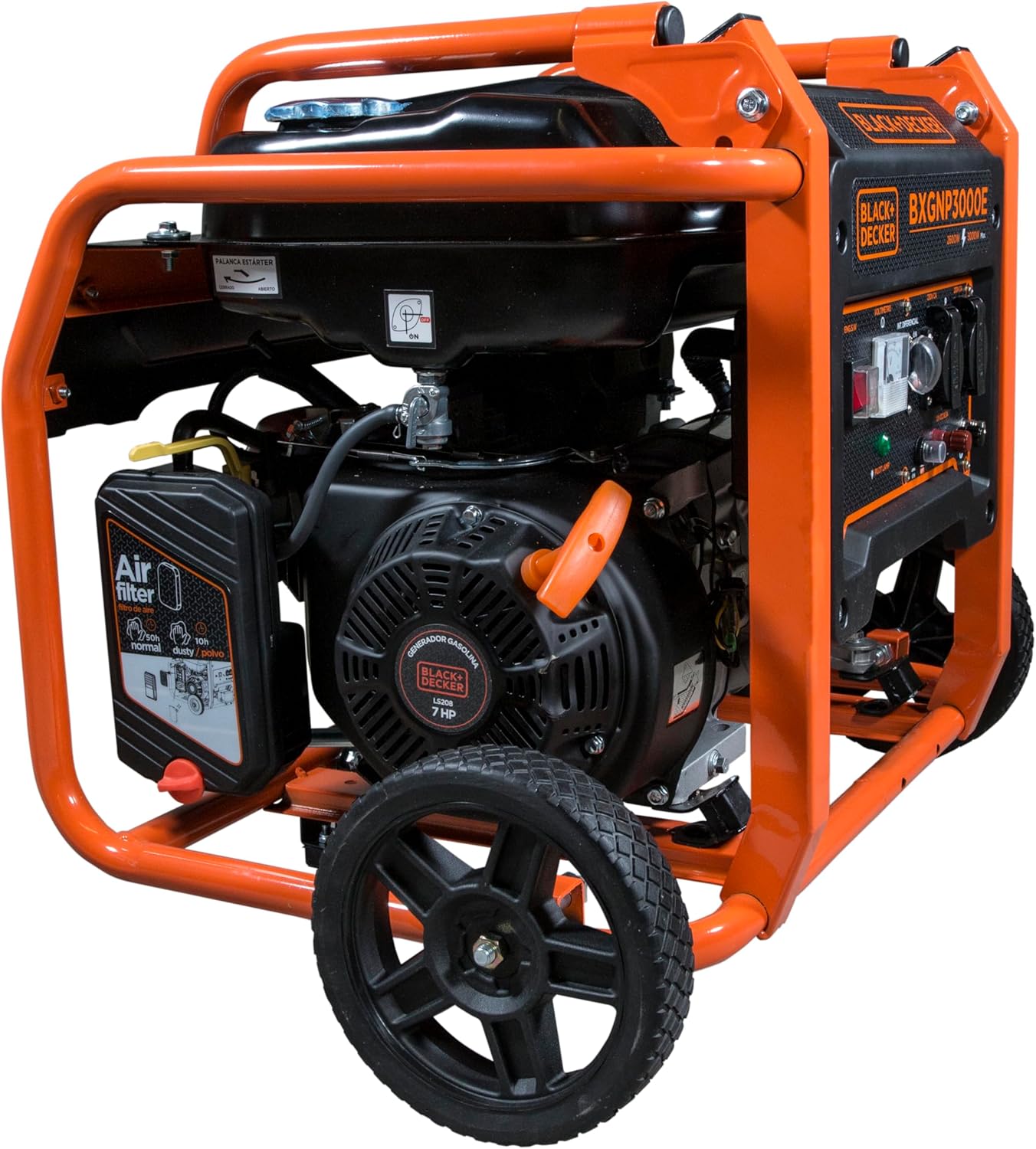
This image provides a side view, emphasizing the sturdy frame and attached wheels, which are crucial for moving the generator. Confirm that the wheels are properly installed and secured.
1.3 Adding Engine Oil
Before first use, add the recommended engine oil. The generator requires SAE 10W-30 oil. Do not overfill.

Locate the oil fill cap on the engine side of the generator. Unscrew the cap, insert a funnel, and carefully pour in the engine oil. Use the dipstick to check the oil level, ensuring it is between the 'L' and 'H' marks.
1.4 Adding Fuel
Fill the fuel tank with fresh, unleaded gasoline. The tank capacity is 15 liters. Do not use old or contaminated fuel.

Unscrew the fuel cap located on top of the generator. Use a clean funnel to add gasoline, being careful not to spill. The fuel gauge will indicate the current level.
1.5 Setup Video Guide
Watch this video for a visual guide on setting up the generator, including attaching wheels and handles.
2. Operating Instructions
Follow these steps to safely operate your BLACK+DECKER BXGNP3000E Gasoline Generator.
2.1 Pre-Start Checks
- Ensure the generator is on a level surface.
- Check engine oil level.
- Verify fuel level.
- Ensure all electrical devices are disconnected from the generator outlets.
2.2 Starting the Generator
- Turn the fuel valve to the 'ON' position.
- Move the choke lever to the 'CHOKE' position (for cold starts).
- Turn the engine switch to the 'ON' position.
- Pull the recoil starter handle firmly and smoothly until the engine starts.
- Once the engine starts, slowly move the choke lever to the 'RUN' position.
2.3 Connecting Electrical Loads
After the generator has stabilized (approximately 5 minutes), you can connect your electrical devices to the AC 230V outlets. Ensure the total load does not exceed the nominal power of 2600W.

The control panel features multiple AC 230V outlets and a DC 12V/8.3A output. Connect your devices here. The voltmeter displays the output voltage.
2.4 Stopping the Generator
- Disconnect all electrical loads from the generator.
- Turn the engine switch to the 'OFF' position.
- Turn the fuel valve to the 'OFF' position.
2.5 Operation Video Guide
This video demonstrates the starting procedure and general operation of a similar generator model.
Another video showing manual operation steps for a similar inverter generator.
3. Maintenance
Regular maintenance is crucial for the longevity and optimal performance of your generator. Always ensure the generator is turned off and cooled down before performing any maintenance.
3.1 Maintenance Schedule
| Item | Every Use | Every 25 Hours | Every 100 Hours |
|---|---|---|---|
| Check Oil Level | ✓ | ||
| Change Oil | ✓ | ||
| Clean Air Filter | ✓ | ||
| Check Spark Plug | ✓ | ||
| Replace Spark Plug | ✓ (or annually) |
3.2 Changing Engine Oil
To change the engine oil, place a suitable container beneath the oil drain plug. Unscrew the drain plug and allow the old oil to drain completely. Replace the plug and refill with fresh SAE 10W-30 oil.
3.3 Cleaning the Air Filter
Remove the air filter cover and take out the foam filter element. Wash the element in warm, soapy water, rinse thoroughly, and allow it to air dry completely. Apply a few drops of clean engine oil to the filter, then squeeze out any excess before reinstalling.
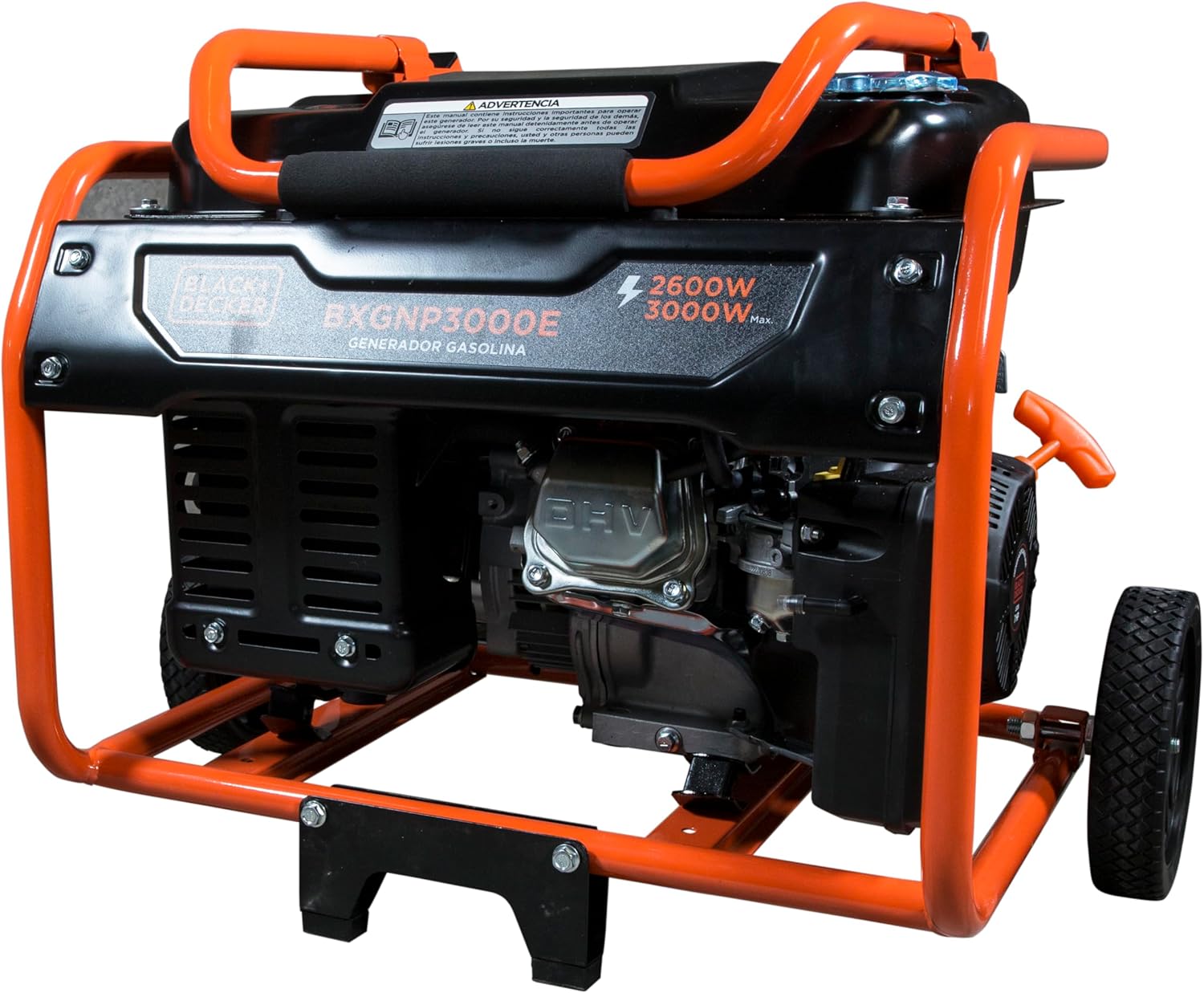
The image shows the location of the air filter housing. Regular cleaning of the air filter prevents dust and debris from entering the engine, ensuring efficient operation.
3.4 Spark Plug Inspection and Replacement
Remove the spark plug cap and use a spark plug wrench to remove the spark plug. Inspect the electrode for wear or carbon buildup. Clean or replace as necessary. Ensure the new spark plug is correctly gapped before installation.
3.5 Fuel System Drainage for Storage
For long-term storage, it is necessary to drain residual fuel from the carburetor to prevent fuel degradation and engine issues. Turn the fuel valve to 'ON', then loosen the carburetor drain screw to allow fuel to drain into a suitable container. Once drained, tighten the screw and turn the fuel valve to 'OFF'.
3.6 Maintenance Video Guide
These videos provide detailed instructions for various maintenance tasks.
4. Troubleshooting
This section provides solutions to common issues you might encounter with your generator.
4.1 Generator Will Not Start
- No Fuel: Check the fuel level and add fresh gasoline if necessary.
- Low Oil: Ensure the engine oil level is sufficient. The generator has a low-oil shutdown feature.
- Choke Position: For cold starts, ensure the choke is in the 'CHOKE' position. For warm starts, it should be in 'RUN'.
- Engine Switch: Verify the engine switch is in the 'ON' position.
- Spark Plug: Inspect the spark plug for fouling or damage. Clean or replace if needed.
4.2 Low Power Output or Engine Stalling
- Overload: Reduce the connected electrical load. The generator may have an overload protection system that trips.
- Air Filter: A dirty air filter can restrict airflow. Clean or replace the air filter.
- Stale Fuel: Old fuel can cause poor engine performance. Drain old fuel and refill with fresh gasoline.
4.3 No Electrical Output
- Circuit Breaker: Check if the AC circuit breaker has tripped. Reset if necessary.
- Overload: Disconnect all loads and restart the generator.
5. Specifications
Detailed technical specifications for the BLACK+DECKER BXGNP3000E Gasoline Generator.
- Model Number: BXGNP3000E
- Manufacturer: BLACK+DECKER
- Power (Nominal/Maximum): 2600W / 3000W
- Engine: 208cc 4-stroke
- Voltage: 230V
- Fuel Tank Capacity: 15L
- Autonomy (50% load): 10 hours
- Noise Level (at 7m): 69 dBA
- Power Source: Fuel (Gasoline)
- Special Features: Low oil shutdown
- Product Weight: 47 kg
- Dimensions: 65 x 54 x 50 cm
6. Warranty and Support
For warranty information, please refer to the documentation included with your product at the time of purchase. If you require technical assistance or have questions regarding your BLACK+DECKER BXGNP3000E Gasoline Generator, please contact Black+Decker customer support. Keep your purchase receipt and model number handy for faster service.
