
Introduction
The Callez C502A RJ9 Phone Headset is designed for clear and comfortable communication in office and call center environments. Featuring a noise-cancelling microphone and an adjustable design, this headset provides a reliable solution for landline phone systems. This manual provides instructions for setup, operation, and maintenance to ensure optimal performance.
Package Contents
Verify that all items are present in your package:
- Callez C502A RJ9 Phone Headset
- Cable (integrated with headset)
- Ear Cushions (pre-installed)
- User Manual (this document)
Product Overview
The Callez C502A headset is engineered for clarity and user comfort during extended use.
Key Features
- Noise-Cancelling Microphone: Reduces background noise for clear voice transmission.
- Acoustic Shock Protection: Safeguards hearing from sudden loud sounds.
- Adjustable Headband: Ensures a comfortable and secure fit for various head sizes.
- Soft Leatherette Ear Cushions: Designed for comfort during long periods of wear.
- 330° Rotatable Microphone Boom: Allows for precise microphone positioning and use on either ear.
- Inline Controls: Easy access to volume adjustment and microphone mute functions.
- RJ9 Jack Connectivity: Specifically designed for compatibility with a wide range of landline phones.
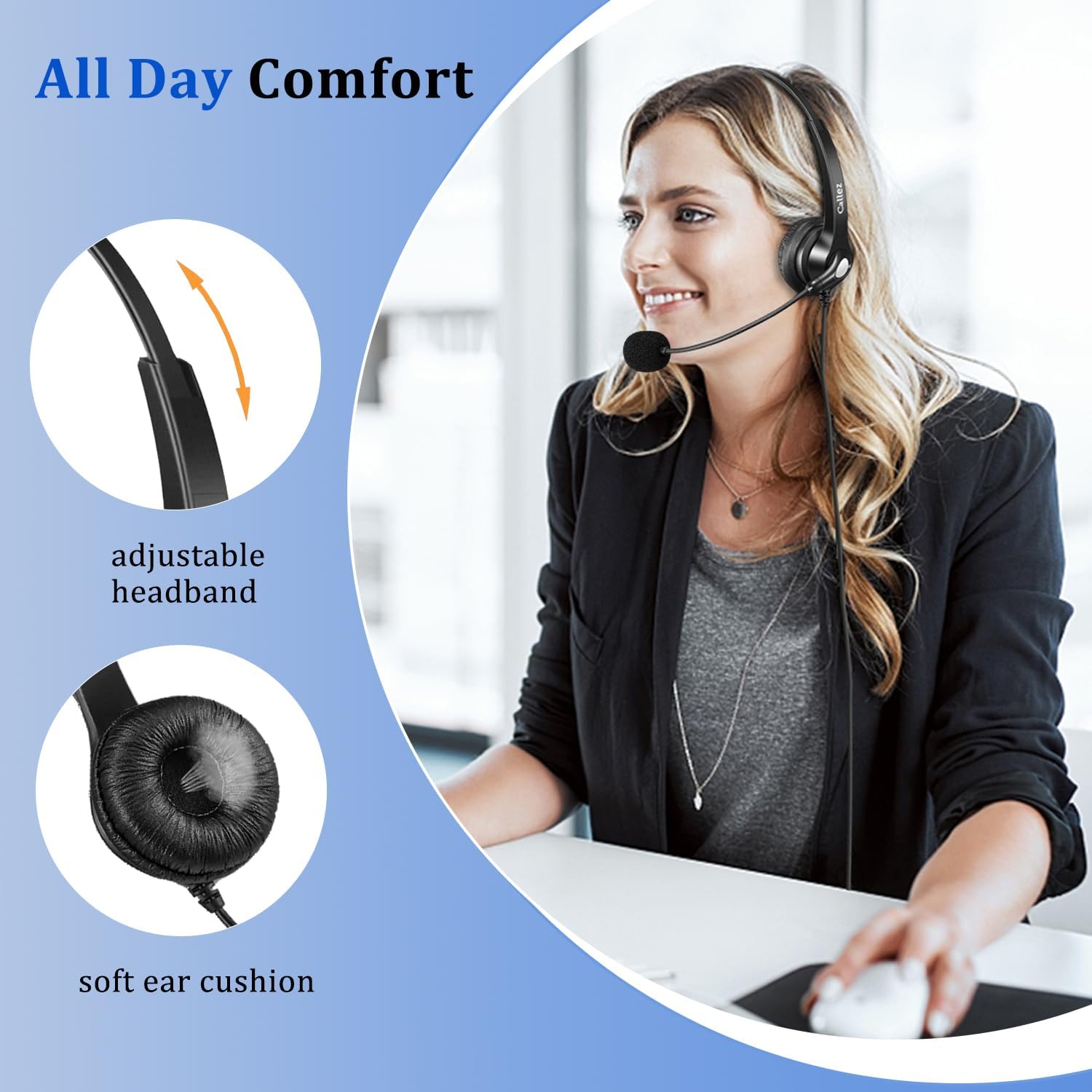
Image: The headset features an adjustable headband and soft ear cushions for enhanced comfort.

Image: The noise-cancelling microphone ensures clear communication by reducing ambient sound.

Image: Inline controls for volume and mute, along with a 330° rotatable and flexible microphone boom.
Compatibility
This RJ9 wired phone headset is designed for specific landline phone models. It is NOT compatible with cell phones or computers.
Compatible Phone Brands: Polycom, Avaya, Mitel, Plantronics, ShoreTel, NEC, Nortel, Allworx, Toshiba, Aastra, Zultys, InterTel, Altigen, Digium, Siemens.
Specific Polycom IP Phone Models: VVX411, VVX311, VVX410, VVX500, VVX400, VVX300, VVX301, VVX310, VVX501, VVX401, VVX201, VVX601, VVX250, VVX350, VVX450, VVX101, VVX150, VVX330, VVX600, CX300, CX500, CX600, CX700, SoundPoint 300, 301, 335, 430, 450, 500 (rev. E or later), 501, 550, 560, 600, 601, 650, 670.
NOT Compatible with Polycom SoundPoint Models: IP320, 321, 330, 331, Pro SE-220, SE-225.
For other phone models not listed, please contact Callez support for compatibility guidance.
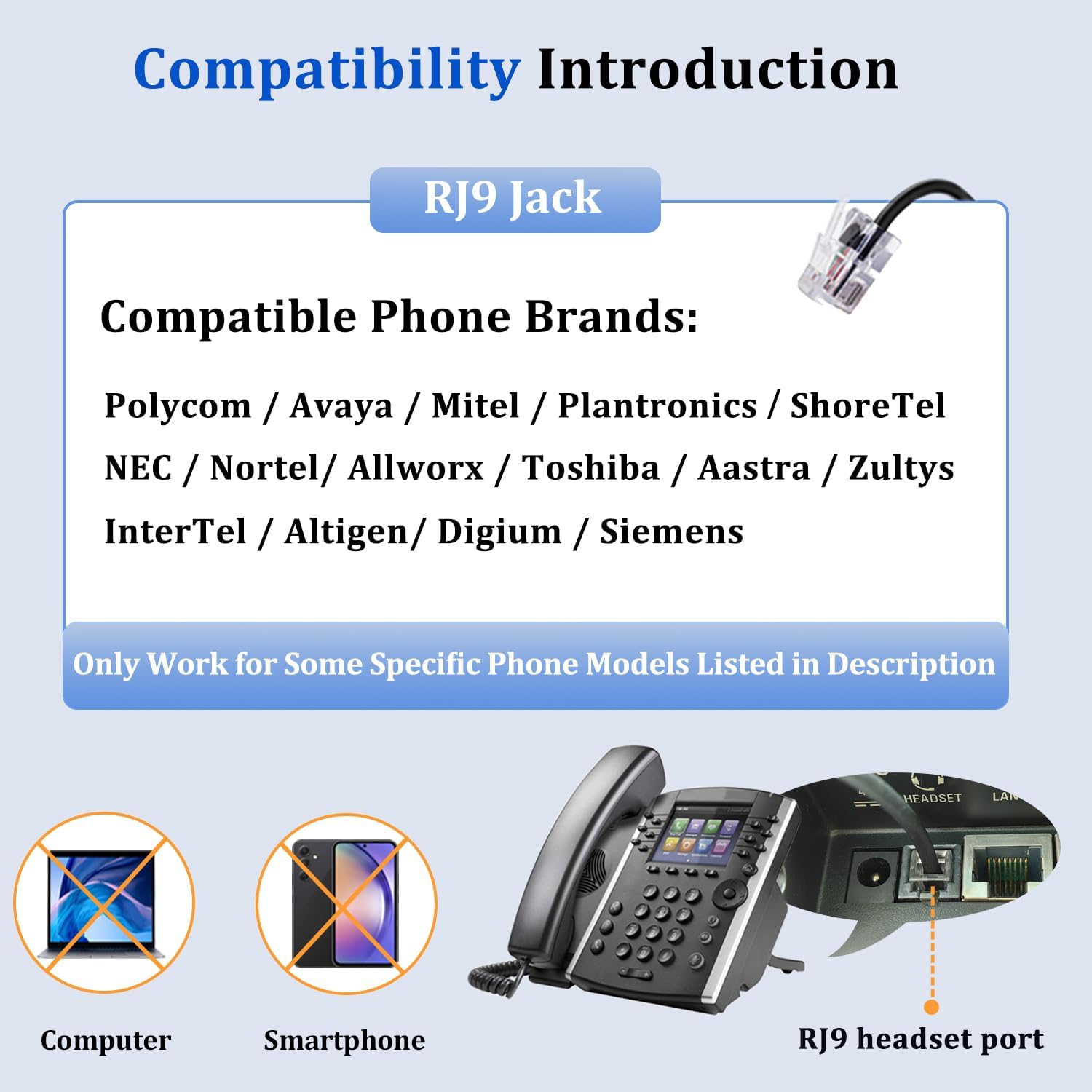
Image: Compatibility overview for the RJ9 jack, highlighting supported phone brands and non-compatibility with computers and smartphones.
Setup
Setting up your Callez C502A headset is a simple plug-and-play process.
- Locate the RJ9 headset port on your compatible landline phone. This port is typically labeled "Headset" or has a headset icon.
- Insert the RJ9 jack of the headset cable firmly into the headset port on your phone.
- Once connected, press the "Headset" button on your phone (if available) to activate the headset for calls.
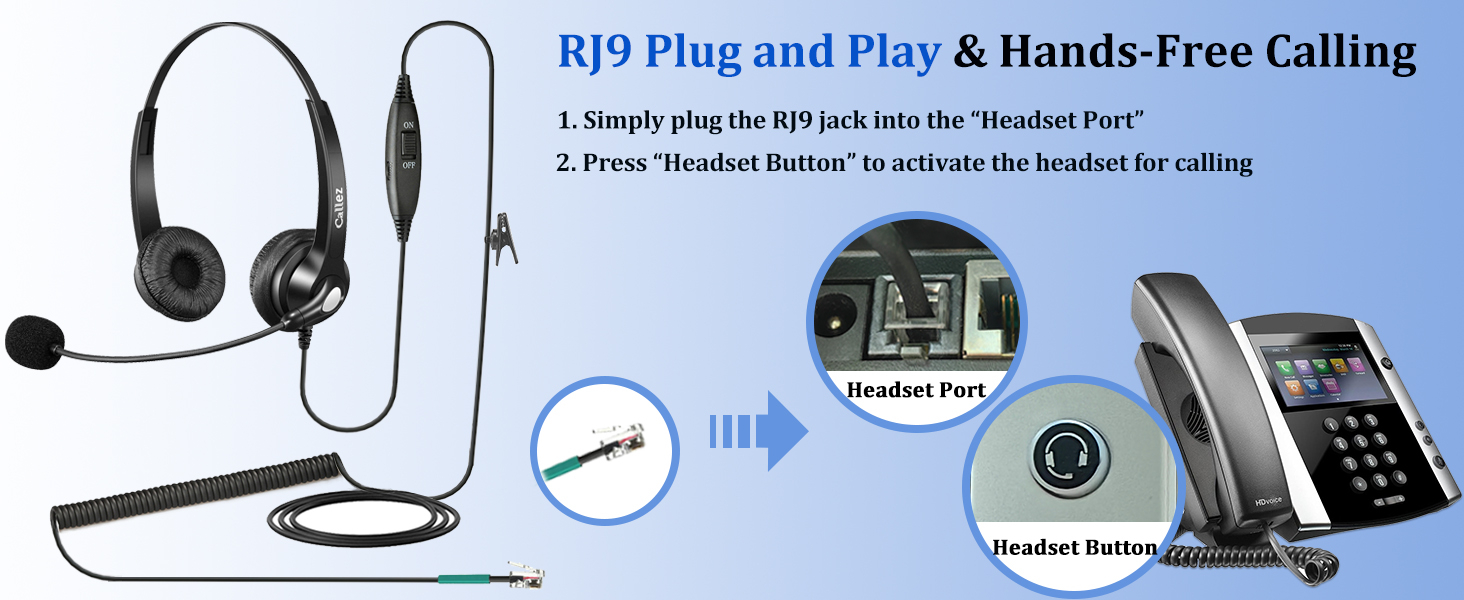
Image: Step-by-step guide for connecting the RJ9 headset to a landline phone.
Operating Instructions
Familiarize yourself with the headset's controls for optimal call management.
Wearing the Headset
- Adjust the headband to fit comfortably over your head.
- Position the ear cushions over your ears.
- Rotate the microphone boom to bring the microphone close to your mouth, approximately 1-2 inches away, for best voice pickup. The microphone can be worn on either the left or right side.
Inline Controls
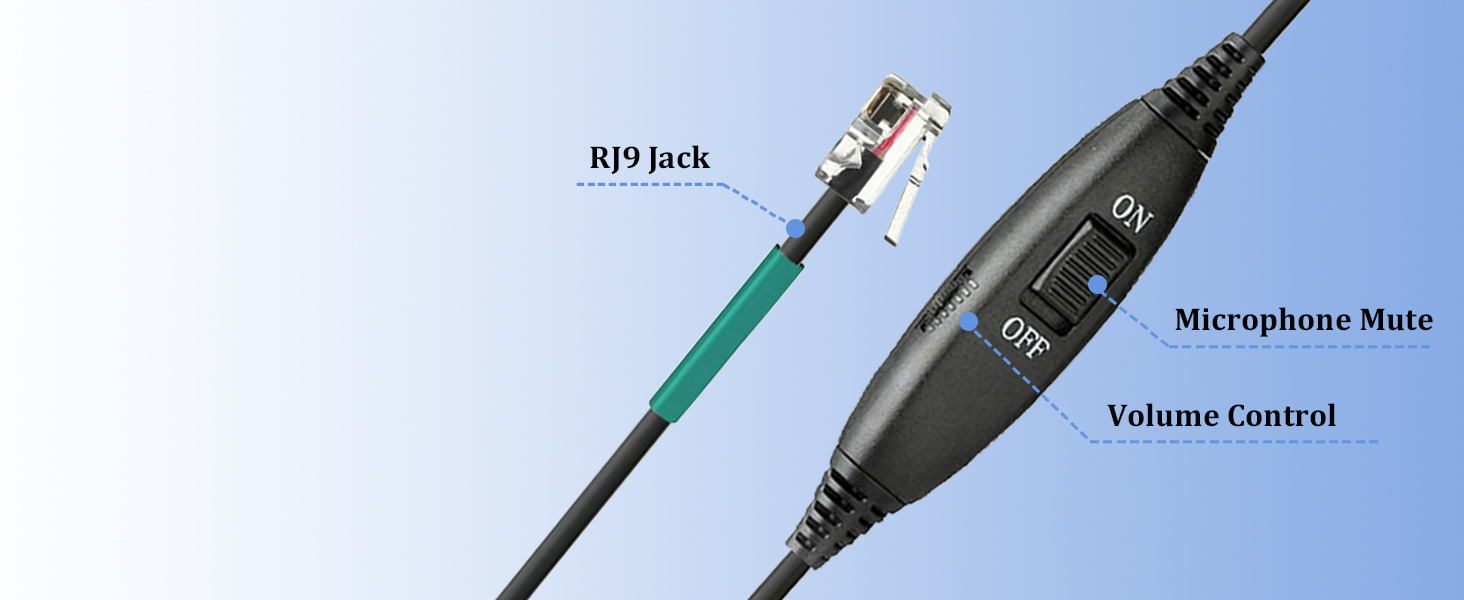
Image: The inline control unit provides easy access to volume and mute functions.
- Volume Control: Use the slider switch on the inline control unit to adjust the listening volume.
- Microphone Mute: Flip the "ON/OFF" switch on the inline control unit to mute or unmute your microphone. "OFF" typically indicates mute, and "ON" indicates the microphone is active.
Maintenance
Proper care and maintenance will extend the life of your headset.
- Cleaning: Wipe the headset and ear cushions with a soft, dry cloth. Do not use liquid cleaners or immerse the headset in water.
- Storage: Store the headset in a clean, dry place away from extreme temperatures and direct sunlight.
- Cable Care: Avoid sharp bends or excessive pulling on the cable to prevent damage.
- Ear Cushions: Replace ear cushions if they become worn or damaged to maintain comfort and hygiene.
Troubleshooting
If you encounter issues with your headset, refer to the following common solutions:
| Problem | Possible Cause | Solution |
|---|---|---|
| No sound from headset |
|
|
| Other party cannot hear me / Low microphone volume |
|
|
| Static or unclear audio |
|
|
Specifications
| Feature | Detail |
|---|---|
| Model Name | C502A |
| Connectivity Technology | Wired (RJ9 Jack) |
| Noise Control | Sound Isolation, Noise Cancellation (Microphone) |
| Impedance | 150 Ohms |
| Ear Placement | On Ear |
| Material | Leather (ear cushions), Plastic |
| Item Weight | 4.8 ounces (approx. 136g) |
| Special Features | Adjustable Headband, Lightweight, Noise Cancellation, Volume Control |
| Recommended Uses | Calling (Business, Call Center, Work) |
Warranty and Support
Callez provides comprehensive support for your product.
- Warranty: This Callez telephone headset is backed by a 2-Year Worry-Free Guarantee.
- Money-Back Guarantee: A 45-day money-back guarantee is offered.
- Customer Support: For any questions regarding compatibility, troubleshooting, or warranty claims, please contact Callez customer support. Refer to the product packaging or the Callez website for contact information.
Product Videos
Headset Demonstration
Video: A demonstration of the Callez RJ9 Phone Headset, showcasing its features and how it is worn.
Callez Binaural Telephone Headset Overview
Video: An overview of the Callez Binaural Telephone Headset, highlighting its design and components.

