Product Overview
The JAMFLY Fireplace TV Stand is a versatile furniture piece combining a media console with an electric fireplace. Designed with a modern farmhouse style, it features a durable wood construction with a walnut finish top and white body, barn-door style cabinet fronts, and an open shelf for media devices. The integrated electric fireplace offers realistic LED flames with adjustable brightness and two heat settings (500W/1500W) capable of heating up to 400 square feet. It includes a remote control for convenient operation and is designed with energy efficiency and safety in mind, featuring ETL certification and insulating glass.

Figure 1: The JAMFLY Fireplace TV Stand, showcasing its design and integrated electric fireplace.
Important Safety Information
Please read all instructions carefully before assembly and operation. Failure to follow these instructions may result in fire, electric shock, or personal injury.
- Ensure the product is placed on a stable, level surface.
- Do not block the air vents of the fireplace heater. Maintain proper clearance from walls and furniture.
- This appliance is for indoor use only. Do not use outdoors.
- Do not operate the fireplace if the power cord is damaged or if the unit malfunctions.
- Keep combustible materials such as furniture, pillows, bedding, papers, clothes, and curtains at least 3 feet (0.9 m) from the front of the heater.
- The fireplace features ETL certification for safety. The insulating glass remains cool to the touch during operation.
- Unplug the fireplace from the power outlet before cleaning or performing any maintenance.
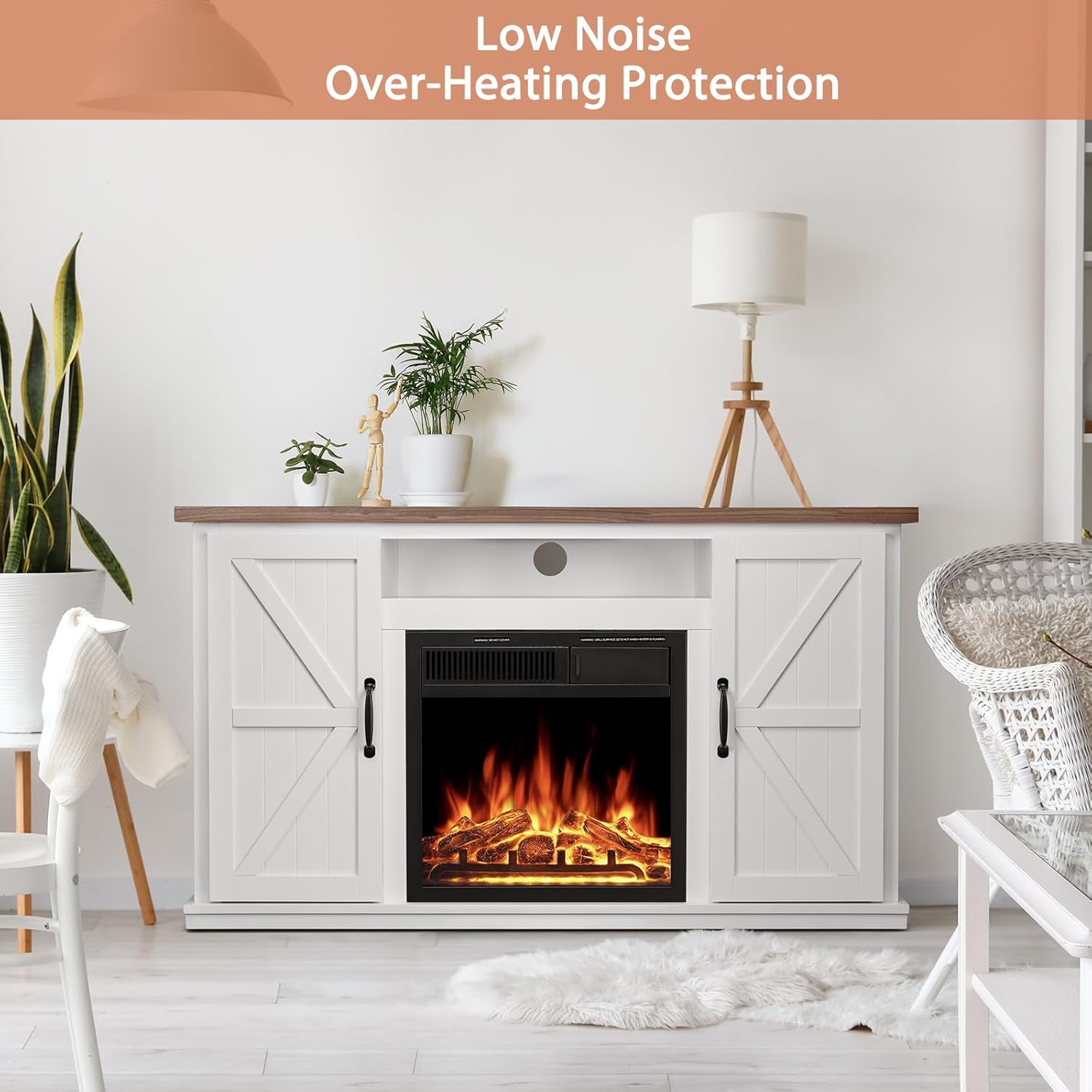
Figure 2: The fireplace unit is designed for low noise operation and includes overheating protection for enhanced safety.
Package Contents
Before beginning assembly, ensure all parts are present and undamaged. Refer to the assembly instructions provided in the packaging for a complete list of hardware.
- Fireplace TV Stand components (wood panels, hardware)
- Electric Fireplace Insert
- Remote Control
- Log Set (pre-installed or separate)
- Instruction Manual (this document)
Setup and Assembly
Assembly of the JAMFLY Fireplace TV Stand typically requires two adults and basic household tools (e.g., screwdriver). Follow the step-by-step assembly instructions included in the product packaging. Ensure all connections are secure before placing the electric fireplace insert.
- Unpack all components and verify against the parts list.
- Assemble the TV stand frame according to the provided diagrams.
- Install the electric fireplace insert into the designated opening.
- Attach the cabinet doors and any remaining shelves.
- Place the assembled unit in its desired location, ensuring it is near a grounded 120V outlet and on a stable, level surface.

Figure 3: Product dimensions for planning placement and assembly.
Operating Instructions
Powering On/Off
Plug the fireplace into a standard 120V AC grounded outlet. Use the main power button on the fireplace unit or the remote control to turn the unit on or off.
Flame Settings
The electric fireplace features realistic LED flames with 7 adjustable brightness settings. Use the "FLAME" button on the remote control or the control panel to cycle through the brightness levels to achieve your desired ambiance.
Heat Settings
The heater has two heat settings: Low (500W) and High (1500W). Press the "HEAT" button on the remote control or the control panel to select the desired heat output. The 1500W setting is capable of heating rooms up to 400 square feet.
Using the Remote Control
The included remote control allows for convenient adjustment of the fireplace settings from a distance. Ensure the remote has working batteries and is pointed towards the fireplace unit.
- Power Button: Turns the fireplace on or off.
- FLAME Button: Adjusts the flame brightness (7 levels).
- HEAT Button: Toggles between Low (500W) and High (1500W) heat settings.

Figure 4: The remote control for convenient operation of the fireplace.
Maintenance
Regular maintenance will ensure the longevity and optimal performance of your fireplace TV stand.
- Cleaning the Unit: Before cleaning, ensure the unit is turned off and unplugged. Use a soft, damp cloth to wipe down the exterior surfaces. Do not use abrasive cleaners or solvents.
- Cleaning the Fireplace Insert: The glass panel can be cleaned with a soft cloth and glass cleaner. Do not spray cleaner directly onto the unit.
- Dusting: Regularly dust the vents and interior components of the fireplace insert to prevent dust buildup, which can affect performance.
- Cord Inspection: Periodically inspect the power cord for any signs of damage. If damaged, discontinue use and contact customer support.
Troubleshooting
If you encounter issues with your JAMFLY Fireplace TV Stand, refer to the table below for common problems and solutions.
| Problem | Possible Cause | Solution |
|---|---|---|
| Fireplace does not turn on. | Not plugged in; power switch off; circuit breaker tripped. | Ensure unit is securely plugged into a grounded outlet. Check the main power switch on the unit. Reset the circuit breaker if necessary. |
| No heat output. | Heat setting off; thermostat setting too low; overheating protection activated. | Press the HEAT button to activate heating. Increase the heat setting. If overheating protection activated, unplug the unit, wait 15 minutes, then plug back in. Ensure vents are not blocked. |
| Flames are not visible or dim. | Flame brightness setting too low. | Press the FLAME button to increase brightness. |
| Remote control not working. | Dead batteries; obstruction between remote and unit. | Replace batteries in the remote control. Ensure no objects are blocking the signal path to the fireplace sensor. |
| Unusual noise from unit. | Dust buildup; fan obstruction. | Unplug the unit and carefully clean any dust from the vents. If noise persists, contact customer support. |
Specifications
| Feature | Detail |
|---|---|
| Model Name | M1807-WALNUT |
| Product Dimensions (D x W x H) | 15.51" x 47.52" x 27.2" |
| Material | Wood |
| Color | Walnut-47" |
| Power Source | Corded Electric |
| Voltage | 120VAC |
| Max Power Consumption | 1500 Watts |
| Amperage | 12.5 Amps |
| Heat Output | 5100 BTU |
| Heating Coverage | Up to 400 sq ft |
| Burner Type | Quartz |
| Special Features | TV Stand functionality, Adjustable LED Flame (7 settings), Remote Control, Overheating Protection, Low Noise Operation |
| Certifications | ETL Certified |

Figure 5: Key electrical specifications of the fireplace heater.
Warranty and Support
This JAMFLY Fireplace TV Stand comes with a Limited Warranty. Please refer to the warranty card included in your product packaging for specific terms, conditions, and duration of coverage.
For technical support, replacement parts, or warranty claims, please contact JAMFLY customer service. Contact information can typically be found on the manufacturer's official website or on the product packaging. When contacting support, please have your model number (M1807) and purchase information ready.
You may also visit the JAMFLY store on Amazon for more information: JAMFLY Amazon Store


