
WINGBO SYCF5401
WINGBO SYCF5401 54-Inch DC Ceiling Fan Instruction Manual
Model: SYCF5401
1. Important Safety Information
Please read and understand all instructions before beginning installation and use. Failure to follow these instructions may result in electric shock, fire, or personal injury.
- Ensure the installation site can support the fan's weight.
- All electrical wiring must be performed by a qualified electrician and conform to local codes and regulations.
- Disconnect power at the circuit breaker before installation or servicing.
- Maintain a minimum clearance of 7 feet from the floor to the fan blades.
- Do not operate the fan with damaged blades or housing.
2. Setup and Installation
This section outlines the steps for assembling and installing your WINGBO SYCF5401 ceiling fan.
2.1 Unpacking and Components
Carefully remove all components from the packaging. Verify that all parts are present according to the packing list.
2.2 Mounting Options
The fan supports both downrod and angled/sloped mounting. Two downrods (4.5 inches and 12 inches long) are included to accommodate various ceiling heights.

Figure 2.2.1: Fan dimensions and included downrods (4.5" and 12").
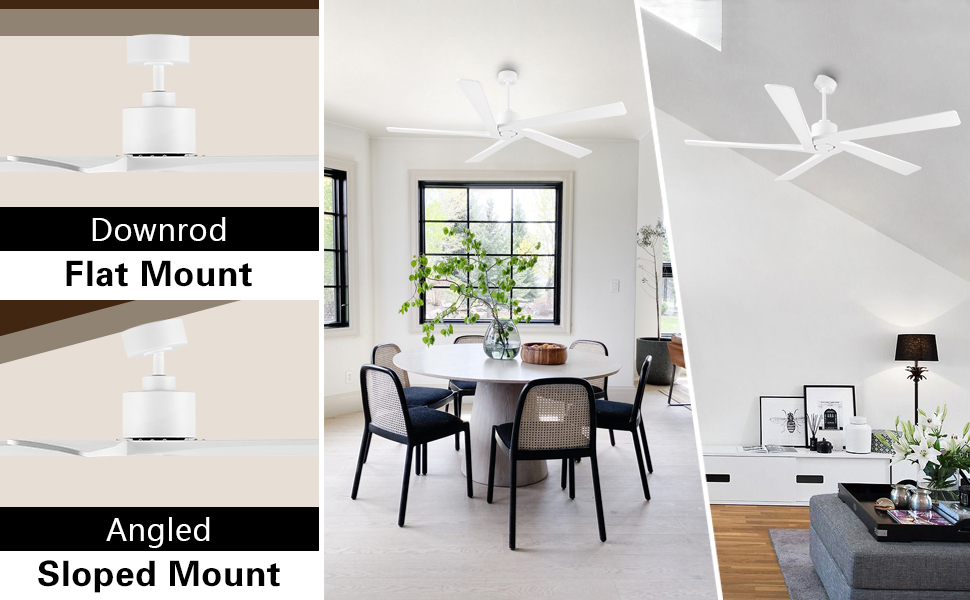
Figure 2.2.2: Downrod and Angled/Sloped mounting configurations.
2.3 Blade Installation
Attach the five solid wood blades to the motor housing using the provided screws. Ensure each blade is securely fastened to prevent wobbling during operation.
2.4 Wiring
Connect the fan's electrical wires to your household wiring according to the provided wiring diagram in the separate installation guide. Ensure all connections are secure and insulated.
2.5 Installation Video Guide
For a visual guide on the installation process, please refer to the video below:
Video 2.5.1: Detailed installation instructions for the WINGBO ceiling fan.
3. Operating Instructions
Your WINGBO SYCF5401 ceiling fan is controlled by a handheld remote. Familiarize yourself with the remote's functions for optimal use.
3.1 Remote Control Functions
The remote control allows you to adjust fan speed, direction, and set a timer.
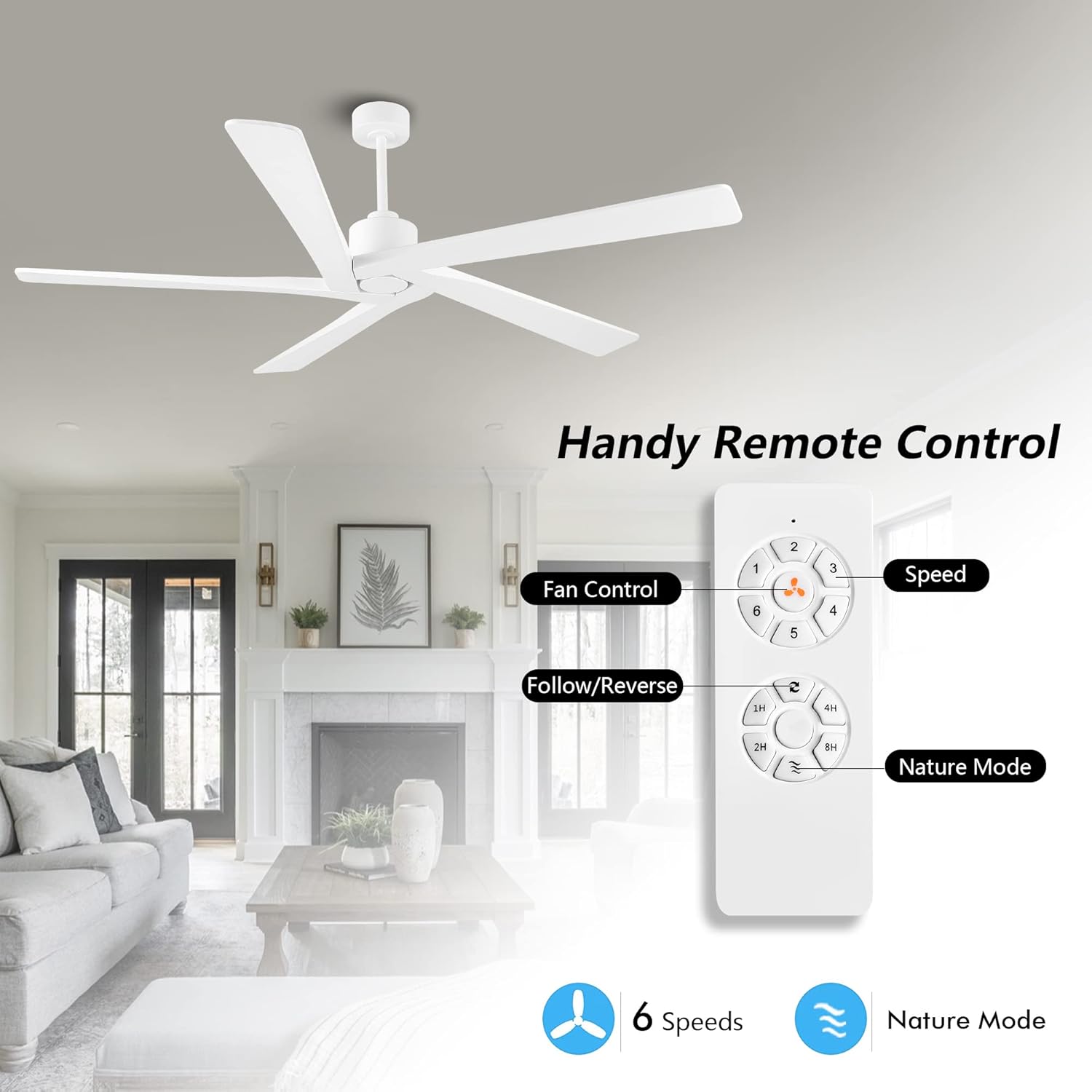
Figure 3.1.1: Handheld remote control layout and functions.
- Speed Control: Select from 6 fan speeds.
- Follow/Reverse: Changes the direction of blade rotation for summer or winter mode.
- Nature Mode: Cycles through different speeds randomly to simulate a natural breeze.
- Timer: Set the fan to turn off automatically after 1, 2, 4, or 8 hours.

Figure 3.1.2: Explanation of 6-speed reversible function for summer and winter modes.

Figure 3.1.3: Setting the fan timer for automatic shut-off.
3.2 Reversible DC Motor
The fan features an energy-efficient DC motor with a reversible function. In summer, the forward direction creates a downdraft, pushing cool air down. In winter, the reverse direction creates an updraft, drawing warm air up and distributing it evenly.

Figure 3.2.1: Reversible motor function for seasonal comfort.
3.3 Operation Video Guide
For a visual guide on operating your fan's features, please refer to the video below:
Video 3.3.1: Demonstration of fan operation and remote control features.
4. Maintenance
Regular maintenance ensures the longevity and optimal performance of your ceiling fan.
4.1 Cleaning
- Always turn off the power at the circuit breaker before cleaning.
- Use a soft, damp cloth to clean the fan blades and motor housing. Avoid abrasive cleaners that may damage the finish.
- Do not use water directly on the fan motor or electrical components.
4.2 Blade Care
The fan blades are crafted from solid wood. To maintain their appearance and integrity:

Figure 4.2.1: Premium quality solid wood blades.
- Periodically check blade screws for tightness.
- Avoid exposing blades to excessive moisture or direct sunlight for prolonged periods.
5. Troubleshooting
This section addresses common issues you might encounter with your ceiling fan.
| Problem | Possible Cause | Solution |
|---|---|---|
| Fan does not start | No power supply; Loose wiring; Remote control battery low. | Check circuit breaker; Verify wiring connections; Replace remote control batteries. |
| Fan wobbles excessively | Loose blade screws; Unbalanced blades; Loose mounting bracket. | Tighten all blade screws; Use the included balancing kit to balance blades; Ensure mounting bracket is secure. |
| Remote control not working | Battery depleted; Remote not paired. | Replace battery; Refer to the remote control pairing instructions in the full manual. |
| Fan makes unusual noise | Loose screws; Motor issue; Obstruction. | Check and tighten all screws; Contact customer support if motor noise persists; Ensure no objects are interfering with the blades. |
6. Specifications
Detailed technical specifications for the WINGBO SYCF5401 ceiling fan.
| Feature | Detail |
|---|---|
| Brand | WINGBO |
| Model Name | 54 Inch DC Ceiling Fan without Lights (SYCF5401) |
| Color | White |
| Electric Fan Design | Ceiling Fan |
| Power Source | DC |
| Product Dimensions | 54"D x 54"W x 21"H |
| Room Type | Bedroom, Living Room, Kitchen |
| Special Feature | No Light, Patent No.: D983955S |
| Recommended Uses | Indoor |
| Finish Type | Painted |
| Number of Blades | 5 |
| Blade Length | 54 Inches |
| Voltage | 24 Volts (DC) |
| Included Components | Remote |
| Indoor/Outdoor Usage | Indoor (Damp Rated) |
| Control Method | Remote |
| Efficiency | High (Energy Efficient DC Motor) |
| Number of Power Levels | 6 |
| Item Weight | 18.11 pounds |
| Mounting Type | Downrod Mount |
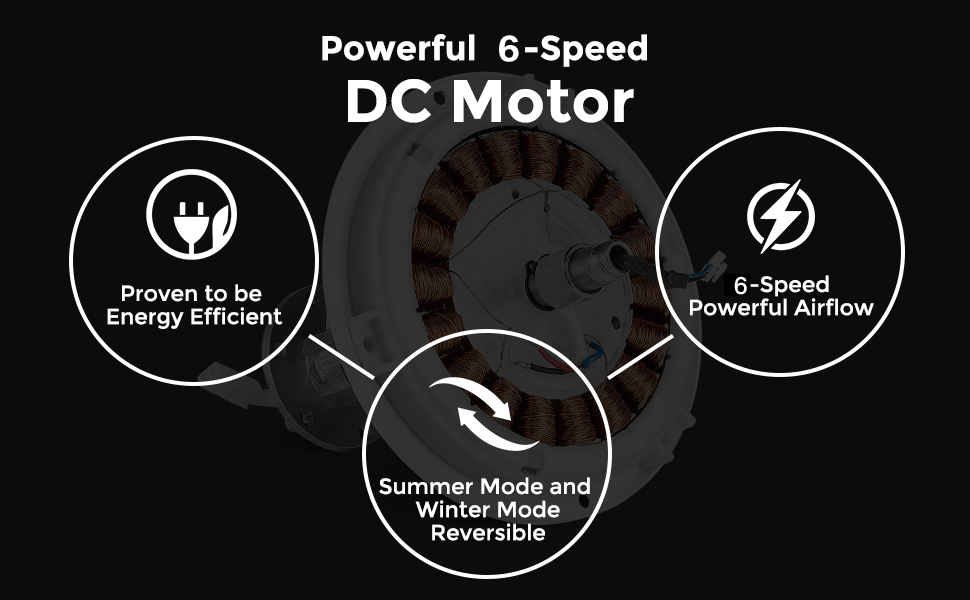
Figure 6.1: Energy efficiency rating for the DC motor.
7. Usage Environment
The WINGBO SYCF5401 ceiling fan is designed for indoor use and is suitable for damp locations. It is ideal for various rooms including living rooms, bedrooms, and covered outdoor areas.
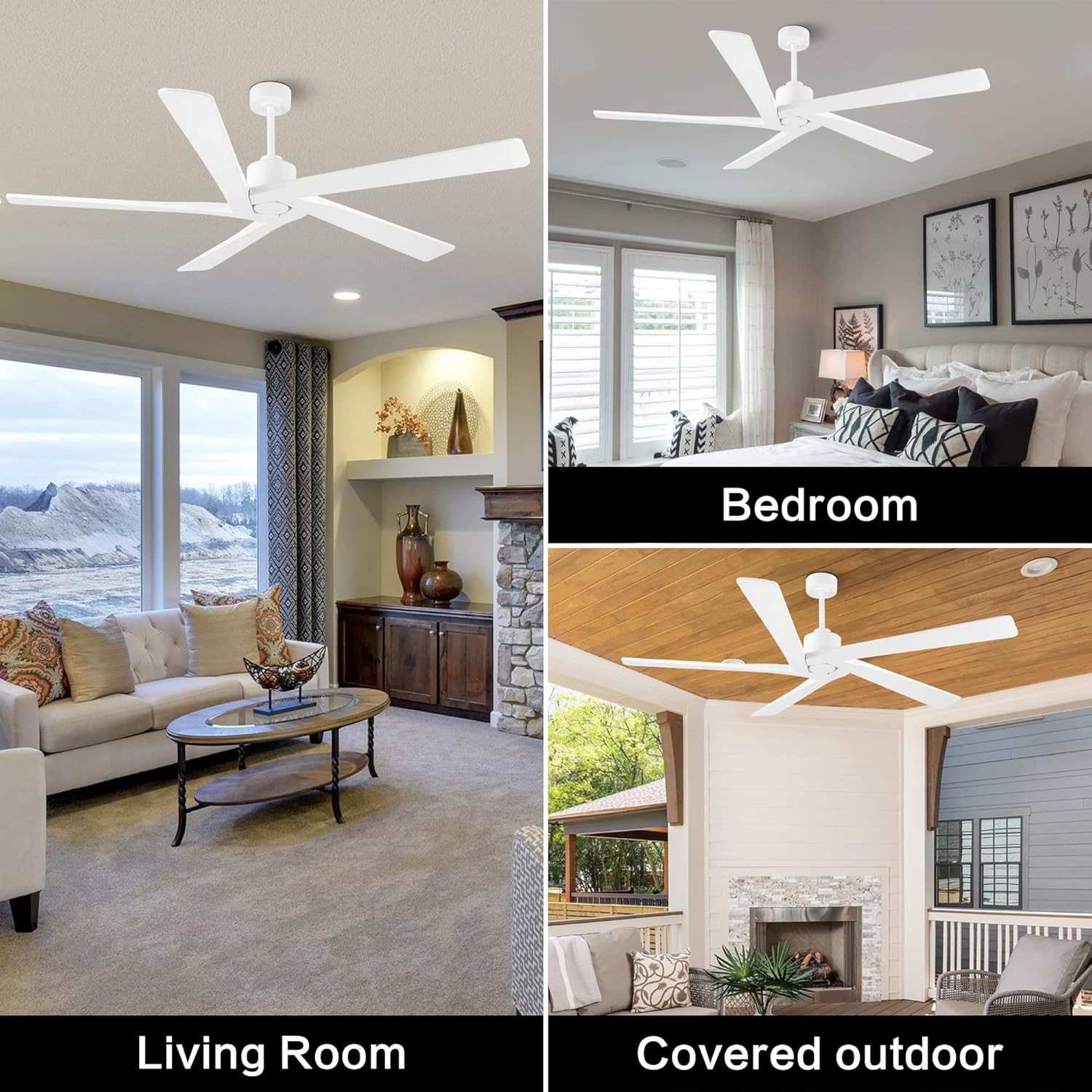
Figure 7.1: Examples of suitable installation environments.
8. Warranty Information
This product comes with a manufacturer's warranty. Please refer to the warranty card included in your product packaging for specific terms and conditions. Keep your proof of purchase for any warranty claims.
9. Customer Support
For further assistance, technical support, or to inquire about replacement parts, please visit the official WINGBO store or contact customer service.
Official WINGBO Store: Visit WINGBO Store on Amazon