
WINGBO 62f702d1-7dfd-4451-ab0d-aefa81a5b723
WINGBO 72" DC Ceiling Fan User Manual
Model: 62f702d1-7dfd-4451-ab0d-aefa81a5b723
Brand: WINGBO
Product Overview
The WINGBO 72-inch DC Ceiling Fan is designed to provide efficient air circulation and integrated lighting for large indoor spaces such as living rooms, bedrooms, and even damp locations. It features a minimalist and contemporary style with 8 plywood blades and an energy-efficient DC motor. The fan offers 6 speeds, dual-direction operation for year-round comfort, and an integrated LED light kit with adjustable color temperatures.

Image: WINGBO 72-inch DC Ceiling Fan in matte black with its remote control.
Setup and Installation
Proper installation is crucial for the safe and efficient operation of your WINGBO ceiling fan. It is recommended to have a qualified electrician perform the installation if you are not familiar with electrical wiring.
Components Overview

Image: Detailed view of the remote control for the WINGBO ceiling fan, highlighting timing, reverse, speed, and light control buttons.
The fan comes with a handheld remote for convenient control of all functions. It also includes three down rods (4.5”, 12”, and 24” long) to accommodate various ceiling heights and can be installed on angled ceilings up to 15 degrees.

Image: Diagram showing the dimensions of the 72-inch fan and the three included downrod lengths (4.5", 12", and 24") for different mounting options (downrod and angled).
Installation Steps
For a comprehensive visual guide, please refer to the official installation video below. The video demonstrates the step-by-step process for mounting the fan, installing the blades, connecting wiring, and attaching the light kit.
Video: Official WINGBO 8 Blade Ceiling Fan with Light Installation Guide. This video provides detailed instructions on how to assemble and install the ceiling fan, including mounting the bracket, attaching the arms and blades, installing the light, and connecting the wiring.
Step 1: Install Fan Mounting Bracket
Securely attach the mounting bracket to your ceiling junction box. Ensure it is firmly fixed to support the fan's weight.
Step 2: Install the Arms
Attach the fan arms to the motor housing using the provided screws. Ensure all screws are tightened securely.
Step 3: Install the Lighting
Connect the LED light source to the fan's wiring and secure it to the motor housing.
Step 4: Attach Blades
Carefully attach each of the 8 plywood blades to the fan arms using the designated screws.
Step 5: Install Downrod
Select the appropriate downrod length for your ceiling height. Feed the fan wires through the downrod and secure the downrod to the fan motor.
Step 6: Connect the Wires
Connect the fan's wiring to the receiver module, and then connect the receiver to the household wiring (Live, Neutral, Ground). Follow the wiring diagram provided in the manual and video carefully.
Step 7: Hang the Motor
Carefully lift the fan assembly and hang it onto the ceiling mounting bracket.
Step 8: Install Receiver Module
Place the receiver module securely within the canopy or mounting bracket area, ensuring wires are not pinched.
Step 9: Attach the Canopy
Slide the canopy up the downrod and secure it to the mounting bracket, covering all wiring connections.
Step 10: Install the Light Globe
Attach the light globe to the fan's light kit, twisting or securing it into place as per the design.
Operating Instructions
Your WINGBO ceiling fan is designed for ease of use with its included remote control.
Remote Control Functions
- Power On/Off: Press the power button to turn the fan on or off.
- Fan Speed Control: Select from 6 forward speeds to adjust airflow. The powerful DC motor ensures significant air movement even at lower settings.
- Dual-Direction (Reversible Motor): Use the reverse button to change the blade direction.
- Summer Mode (Forward): Blades rotate counter-clockwise to force air down, creating a cooling breeze.
- Winter Mode (Reverse): Blades rotate clockwise to gently draw air up, circulating warm air trapped near the ceiling.
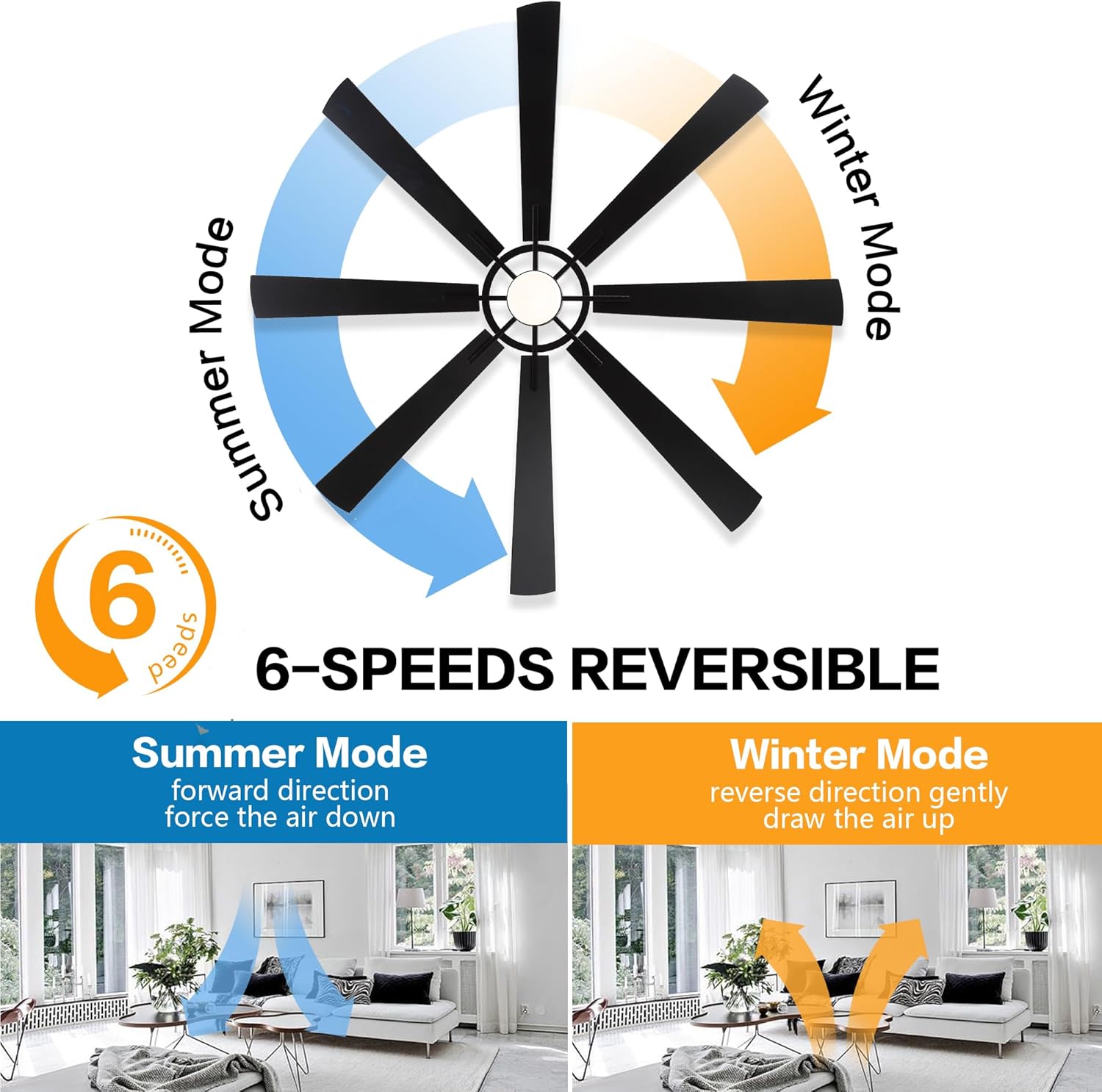
Image: Diagram illustrating the 6-speed reversible function, showing airflow for Summer Mode (forward direction, air forced down) and Winter Mode (reverse direction, air drawn up).
- LED Light Control: The integrated LED light source (24W) offers three color temperatures:
- 3000K (Warm White)
- 4500K (Natural White)
- 6000K (Day White)

Image: Visual representation of the three available color temperatures for the integrated LED light: Warm White (3000K), Natural White (4500K), and Day White (6000K).
The fan's energy-efficient DC motor ensures quiet operation and cost savings.
Maintenance
Regular maintenance helps ensure the longevity and optimal performance of your WINGBO ceiling fan.
- Cleaning: To clean the fan, wipe the blades and motor housing with a soft, damp cloth. Do not use abrasive cleaners or solvents as they may damage the finish.
- Blade Inspection: Periodically check the fan blades for any signs of warping or damage. The blades are made of high-quality compressed plywood for durability.
- Tighten Screws: Over time, some screws may loosen. Annually, check and tighten all screws on the fan assembly, including blade attachment screws and mounting bracket screws.
- No Lubrication Required: The DC motor is permanently lubricated and does not require additional oiling.
Troubleshooting
If you experience issues with your WINGBO ceiling fan, refer to the following common troubleshooting tips:
- Fan Does Not Operate:
- Check if the power supply to the fan is on.
- Ensure all wire connections are secure as per the installation instructions.
- Verify that the remote control batteries are not depleted and are inserted correctly.
- Confirm the remote control is paired with the receiver. Refer to the remote control pairing instructions if needed.
- Fan Wobbles:
- Ensure all blade screws are tightened securely.
- Check that the mounting bracket is firmly attached to the ceiling.
- Verify that the downrod is properly secured to both the motor and the mounting bracket.
- Ensure blades are not warped or damaged.
- Noisy Operation:
- Tighten all screws on the fan assembly.
- Check for any loose parts or wires inside the canopy.
- Ensure the fan is not touching any part of the ceiling or walls.
- Light Does Not Work:
- Check the light wiring connections.
- Ensure the light globe is properly installed and making contact.
- Verify the light function on the remote control.
If problems persist after attempting these solutions, please contact WINGBO customer support for further assistance.
Specifications
| Feature | Detail |
|---|---|
| Brand | WINGBO |
| Model Name | 62f702d1-7dfd-4451-ab0d-aefa81a5b723 |
| Color | Black |
| Size | 72 inches |
| Number of Blades | 8 |
| Blade Material | Engineered Wood (Compressed Plywood) |
| Motor Type | DC Motor (6-Speed Reversible) |
| Light Type | Integrated LED (24W, 3000K/4500K/6000K) |
| Control Method | Remote Control |
| Downrods Included | 3 (4.5”, 12”, 24”) |
| Angled Ceiling Support | Up to 15 degrees |
| Indoor/Outdoor Usage | Indoor (suitable for damp places) |
| Item Weight | 27.5 pounds |
| Product Dimensions | 72"D x 72"W x 33"H |
Warranty and Support
WINGBO is committed to providing high-quality products. While specific warranty details are not provided in the product description, customers often have options for extended protection plans through retailers. For any product-related inquiries, technical support, or warranty claims, please contact WINGBO customer service directly or refer to the contact information provided with your product packaging.
You can also visit the official WINGBO store for more information: WINGBO Store on Amazon.
Ask a question about this manual
Ask about setup, troubleshooting, compatibility, parts, safety, or missing instructions. Manuals+ will review the question and use this page’s manual context to help answer it.