
ANRAN G1
ANRAN Solar Security Camera System User Manual
Model: G1
1. Introduction
This user manual provides comprehensive instructions for the installation, operation, and maintenance of your ANRAN Solar Security Camera System. Please read this manual thoroughly before using the product to ensure proper functionality and safety.
The ANRAN Solar Security Camera System is designed for outdoor surveillance, featuring 4MP QHD resolution, battery power, and an integrated solar panel for continuous operation. It offers 360° coverage, smart alerts, and local storage capabilities.
2. Package Contents
Verify that all components are present in the package:
- 1x ANRAN G1 PTZ Camera
- Mounting Screws and Anchors
- USB Charging Cable
- User Manual (this document)
3. Product Overview
The ANRAN G1 camera features an integrated solar panel for self-sustaining power, eliminating the need for frequent battery recharges. It provides 4MP QHD video quality and offers pan and tilt functionality for wide area coverage.

Figure 3.1: Front view of the ANRAN G1 Solar Security Camera, highlighting its 4MP resolution and integrated solar panel.

Figure 3.2: Top view of the ANRAN G1 camera, showing the embedded solar panels designed to reduce energy loss and improve energy conversion efficiency.

Figure 3.3: Diagram illustrating the 355-degree pan and 90-degree tilt capabilities of the ANRAN G1 camera, allowing for comprehensive area coverage.
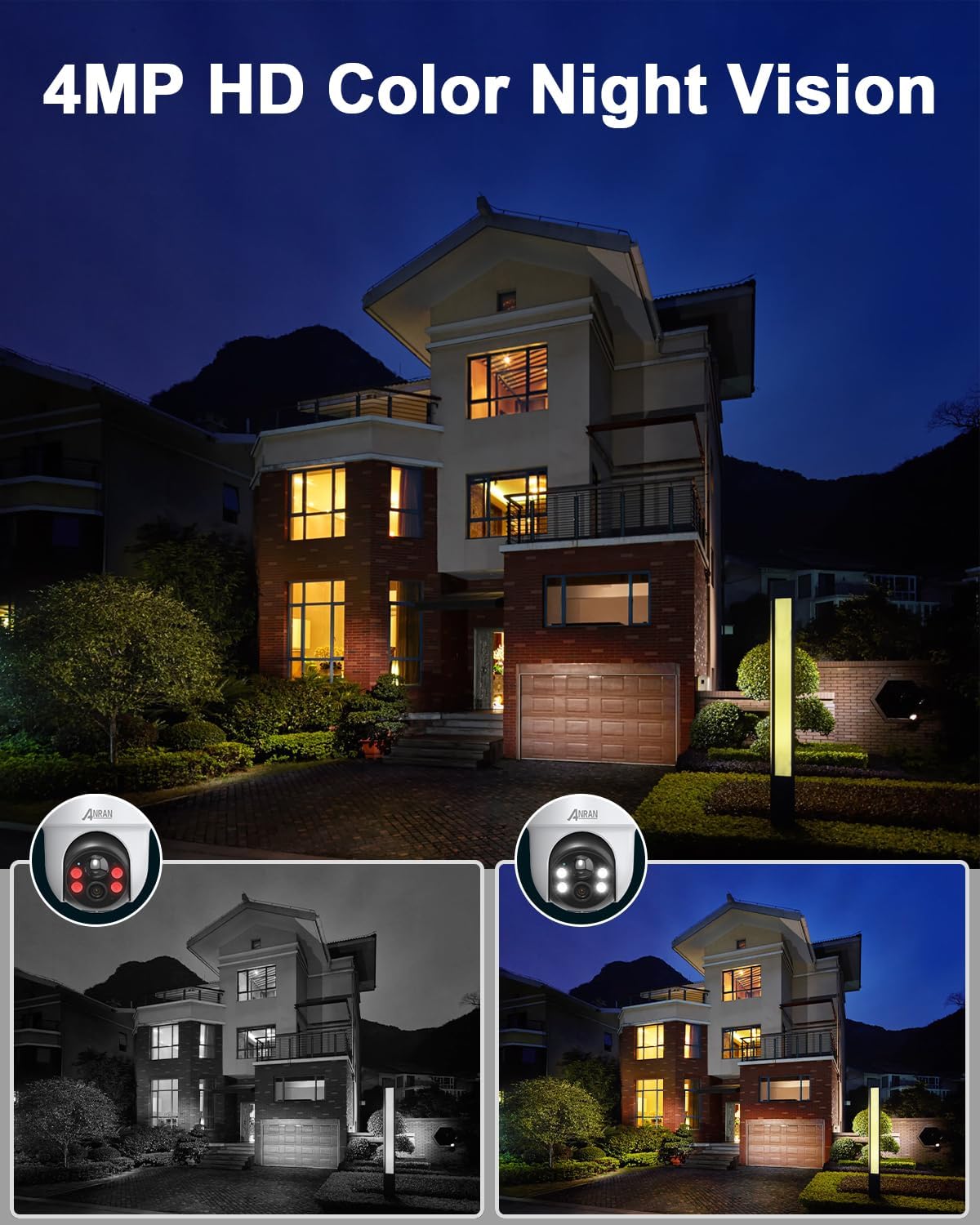
Figure 3.4: Comparison image demonstrating the 4MP HD Color Night Vision feature of the ANRAN G1 camera, showing clear color images even in low light conditions.
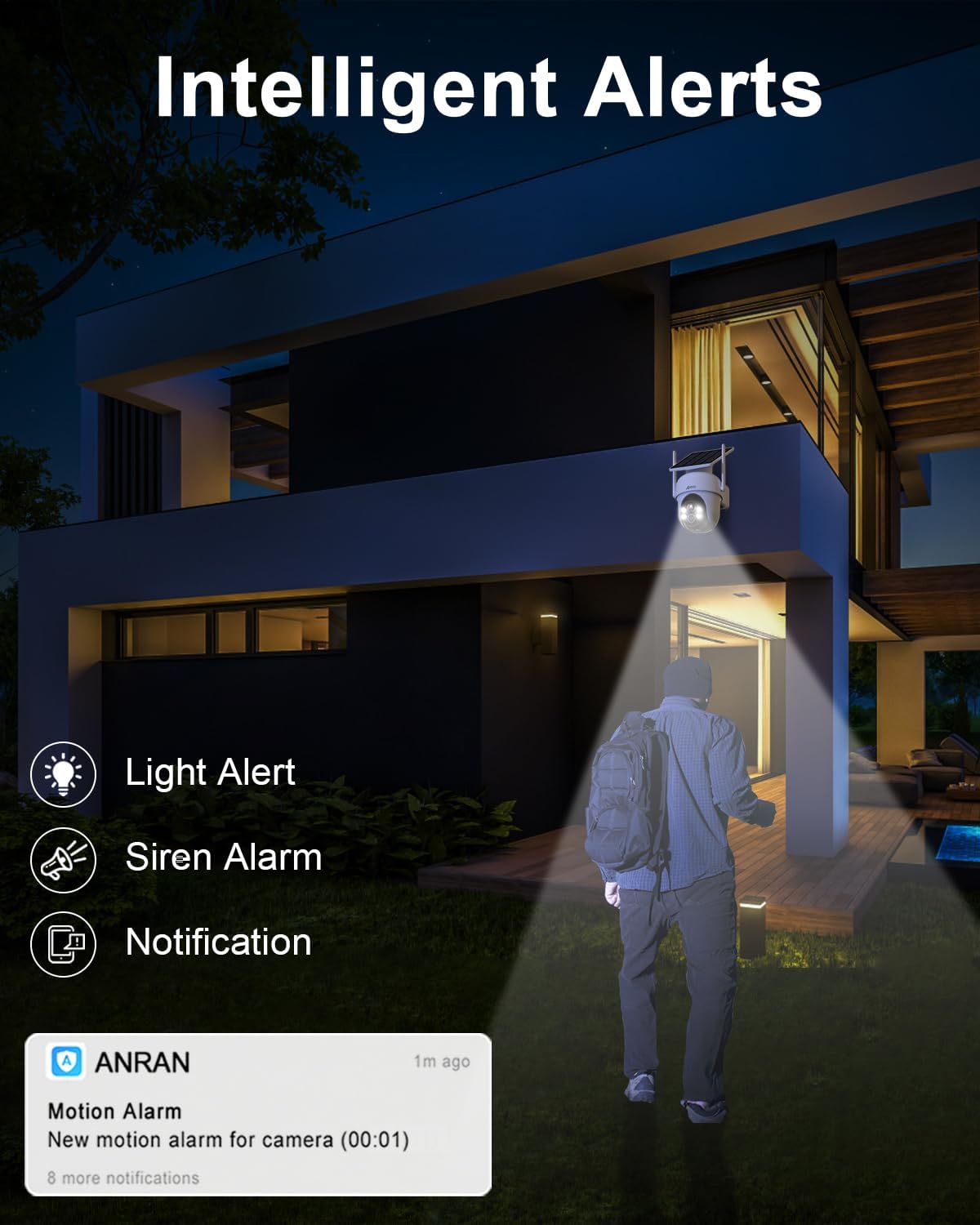
Figure 3.5: Illustration of the intelligent alert system, including light alerts, siren alarms, and push notifications for motion detection.
4. Setup and Installation
4.1 Charging the Camera
Before initial use, fully charge the camera's internal battery using the provided USB charging cable. Connect the cable to the camera's charging port and a standard 5V USB power adapter (not included). The charging indicator light will show the charging status.
4.2 App Download and Account Creation
Download the official ANRAN application from your smartphone's app store. The app is available for both iOS (App Store) and Android (Google Play).

Figure 4.1: Screenshot showing the ANRAN app interface on both iPhone and Android devices, indicating compatibility and multi-camera viewing.
- Search for "ANRAN" in the App Store or Google Play.
- Install the application.
- Open the app and follow the on-screen instructions to create a new account or log in if you already have one.
4.3 Adding the Camera to the App
- Ensure your smartphone is connected to a 2.4GHz Wi-Fi network. The camera supports 2.4GHz Wi-Fi only.
- In the ANRAN app, tap the "+" icon to add a new device.
- Select the appropriate camera model (G1) from the list.
- Follow the app's instructions to connect the camera to your Wi-Fi network. This typically involves scanning a QR code displayed on your phone with the camera lens.
4.4 Mounting the Camera
Choose a mounting location that receives ample direct sunlight throughout the day for optimal solar charging. The camera is designed for outdoor wall mounting.

Figure 4.2: A person installing the ANRAN G1 camera on an exterior wall, demonstrating the ease of 100% wireless installation.
- Mark the drilling positions on the wall using the camera's mounting bracket as a template.
- Drill holes and insert the wall anchors.
- Secure the mounting bracket to the wall with the provided screws.
- Attach the camera to the mounting bracket, ensuring it is firmly in place.
- Adjust the camera angle to cover the desired surveillance area.
5. Operating Instructions
5.1 Live View and Playback
Open the ANRAN app to access the live view of your camera. You can pan and tilt the camera directly from the app interface. Recorded videos are stored locally on the built-in 64GB EMMC storage and can be accessed for playback.
5.2 Motion Detection and Alerts
The camera is equipped with intelligent motion detection. When motion is detected, the camera can:
- Trigger a light alert (spotlight).
- Activate a siren alarm.
- Send push notifications to your smartphone.
You can customize motion detection sensitivity and set activity zones within the app to minimize false alarms.
5.3 Two-Way Audio
The ANRAN G1 camera supports two-way audio, allowing you to communicate with visitors or deter intruders through the camera's built-in speaker and microphone. Access this feature via the app's live view interface.
5.4 Voice Control (Alexa & Google Assistant)
Integrate your ANRAN camera with Amazon Alexa or Google Assistant for convenient voice control. Refer to the respective voice assistant's setup guides for linking smart home devices.
6. Maintenance
- Cleaning: Periodically clean the camera lens and solar panel with a soft, damp cloth to ensure clear image quality and efficient solar charging. Do not use harsh chemicals.
- Battery Health: While the solar panel provides continuous power, ensure the camera receives adequate sunlight. If the battery level drops significantly, manually charge the camera using the USB cable.
- Firmware Updates: Check the ANRAN app regularly for firmware updates. Keeping your camera's firmware updated ensures optimal performance and access to new features.
7. Troubleshooting
| Problem | Possible Cause | Solution |
|---|---|---|
| Camera offline | Weak Wi-Fi signal, camera battery low, router issue. | Check Wi-Fi signal strength, recharge camera, restart router. Ensure camera is within 2.4GHz Wi-Fi range. |
| No motion detection alerts | Incorrect sensitivity settings, activity zones not configured, app notifications disabled. | Adjust motion sensitivity in app, configure activity zones, enable app notifications for ANRAN. |
| Poor image quality | Dirty lens, low light conditions, network bandwidth issues. | Clean the camera lens. Ensure adequate lighting for optimal night vision. Check network speed. |
| Solar panel not charging | Insufficient direct sunlight, dirty solar panel, panel obstruction. | Relocate camera to an area with more direct sunlight. Clean the solar panel surface. Remove any obstructions. |
8. Specifications
| Feature | Detail |
|---|---|
| Model Name | G1 |
| Brand | ANRAN |
| Indoor/Outdoor Usage | Outdoor |
| Power Source | Solar Powered |
| Connectivity Technology | Wireless (Wi-Fi 2.4GHz) |
| Video Capture Resolution | 2K (4MP Effective Still Resolution) |
| Viewing Angle | 360 Degrees (Pan & Tilt) |
| Storage | Built-in 64GB EMMC Local Storage |
| Special Features | 2-Way Audio, Spotlight, Siren Alarm, Motion Detection, Color Night Vision, Alexa/Google Assistant Compatible |
| International Protection Rating | IP65 |
| Dimensions | 1 x 0.98 x 1 inches |
| Item Weight | 1.79 pounds |
9. Warranty and Support
ANRAN is committed to providing high-quality products and excellent customer service. For warranty information and technical support, please refer to the contact details provided below or visit the official ANRAN website.

Figure 9.1: Information regarding ANRAN's multi-channel after-sales service, including email, phone, and live chat, available 7x24 hours online.
Customer Service:
- Email: Refer to the contact information provided in your product packaging or on the ANRAN official website.
- Phone: Refer to the contact information provided in your product packaging or on the ANRAN official website.
- Live Chat: Available through the ANRAN app or official website.
Please have your product model (G1) and purchase details ready when contacting support.
Related documentsG1


Ask a question about this manual
Ask about setup, troubleshooting, compatibility, parts, safety, or missing instructions. Manuals+ will review the question and use this page’s manual context to help answer it.