
Introduction
This manual provides detailed instructions for the assembly, operation, and maintenance of your BOMGE Boom Arm Mic Stand MS808. Designed for podcasts, streaming, gaming, home office, and recording environments, this stand offers stability and flexibility for various microphone setups. Please read this manual thoroughly before use to ensure proper installation and optimal performance.

Image: The BOMGE Boom Arm Mic Stand MS808, showcasing its design and color. A microphone is shown attached to the arm.
Package Contents
Verify that all components are present in the package before proceeding with assembly.
- Arm Stand
- Table Clamp
- 3/8" to 1/4" Screw Adapter
- 3/8" to 5/8" Screw Adapter

Image: A visual representation of the items included in the BOMGE Boom Arm Mic Stand MS808 package: the arm stand, table clamp, and two screw adapters.
Setup Instructions
- Attach the Table Clamp: Securely fasten the table clamp to the edge of your desk or desired surface. Ensure the clamp is tightened firmly to prevent movement during use. The clamp is designed to accommodate various desk thicknesses.
Image: The table clamp component of the boom arm stand, shown attached to a desk edge.
- Insert the Arm Stand: Insert the base of the boom arm stand into the hole on the table clamp. The arm should rotate freely within the clamp.
- Mount Your Microphone:
- The stand features a standard 5/8" connector.
- If your microphone requires a different thread size, use the provided 3/8" to 1/4" or 3/8" to 5/8" screw adapters as needed.
- Screw your microphone or shock mount onto the threaded connector at the end of the boom arm. Ensure it is securely fastened.

Image: The boom arm stand with a microphone attached, demonstrating broad compatibility with various microphone devices.
- Cable Management: The boom arm features integrated cable management channels. Gently pry open the covers on the back of the lower arm and the underside of the upper arm. Route your microphone cable through these channels for a clean and organized setup. Press the covers back into place once the cable is routed.
Operating Instructions
Adjusting the Boom Arm
The BOMGE Boom Arm Mic Stand is designed for flexible positioning to optimize your microphone placement for various activities such as podcasting, gaming, or streaming.
- 360° Rotation: The arm can rotate 360 degrees at its base, allowing you to swing the microphone into position or out of the way as needed.
- Multi-Angle Adjustment: The arm features multiple joints that allow for flexible adjustment of height and reach. The joints are tension-adjustable to hold your microphone securely in any desired position.
- Vertical Reach: The arm provides a vertical reach of up to 800 mm (31.5 inches), suitable for extending over most monitors.
- Tension Adjustment: For heavier microphones (up to 3.5 lbs / 1.6 kg), the internal spring system can be adjusted to increase tension, ensuring the arm remains stable and prevents accidental drops.

Image: The boom arm stand demonstrating flexible adjustment from multiple angles, highlighting its range of motion.

Image: Detailed view of the BOMGE Boom Arm Mic Stand MS808's adjustable joints, showing 210° and 180° rotation capabilities for precise microphone positioning.
Maintenance
To ensure the longevity and optimal performance of your BOMGE Boom Arm Mic Stand, follow these maintenance guidelines:
- Cleaning: Wipe the stand with a soft, dry cloth to remove dust and debris. Avoid using abrasive cleaners or solvents, which can damage the finish.
- Joint Inspection: Periodically check the tension of the joints. If the arm feels loose or struggles to hold your microphone's weight, adjust the tension screws as necessary.
- Clamp Security: Ensure the desk clamp remains tightly secured to your surface. Re-tighten if any looseness is detected to maintain stability.
- Cable Channels: Keep the cable management channels clear of obstructions.
Troubleshooting
| Problem | Possible Cause | Solution |
|---|---|---|
| Arm does not hold position or sags. | Insufficient joint tension; microphone too heavy. | Adjust the tension screws on the arm joints. Ensure microphone weight does not exceed 3.5 lbs (1.6 kg). |
| Stand feels wobbly or unstable. | Desk clamp not securely fastened; uneven surface. | Re-tighten the desk clamp firmly. Ensure the desk surface is stable and flat. |
| Squeaking noise during adjustment. | Friction in joints. | Apply a small amount of silicone-based lubricant to the moving parts of the joints. |
| Microphone cannot be screwed onto the arm. | Incorrect thread size. | Use the appropriate 3/8" to 1/4" or 3/8" to 5/8" screw adapter. |
Specifications
- Model Number: MS808
- Material: Metal
- Color: Pink
- Maximum Load Capacity: 3.5 lbs (1.6 kg)
- Vertical Reach: 800 mm (31.5 inches)
- Product Dimensions (folded): Approximately 17.72 x 3.94 x 2.36 inches (45 x 10 x 6 cm)
- Connector Type: 5/8-inch thread (with 3/8" to 1/4" and 3/8" to 5/8" adapters included)
- Features: Internal springs, integrated cable management channels, 360° swivel base, multi-angle adjustable joints.

Image: A diagram illustrating the BOMGE Boom Arm Mic Stand MS808's maximum load capacity of 3.5 lbs and its dimensions, comparing it to other stands.
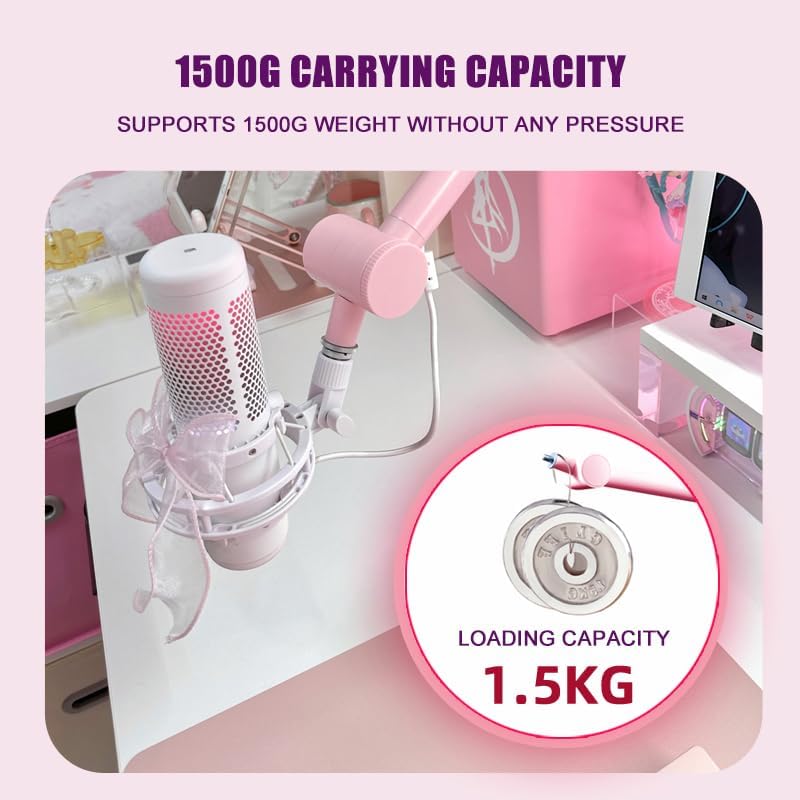
Image: A close-up illustrating the 1500g (1.5kg) carrying capacity of the BOMGE Boom Arm Mic Stand MS808, indicating its ability to support significant weight.
Warranty and Support
For warranty information or technical support regarding your BOMGE Boom Arm Mic Stand MS808, please refer to the official BOMGE website or contact their customer service directly. Keep your purchase receipt for warranty claims.
BOMGE Official Website: Visit BOMGE Store on Amazon
