
1. Introduction
Thank you for choosing the CASCHO 33 Bluetooth 5.3 Wireless Headset. This manual provides detailed instructions for setting up, operating, and maintaining your headset to ensure optimal performance and longevity. Please read this manual thoroughly before using the product.
2. Product Overview
2.1 Key Features
- Bluetooth 5.3 Technology: Ensures stable and efficient wireless connectivity.
- Environmental Noise Cancellation (ENC): Enhances call clarity by reducing background noise.
- Extended Playtime: Up to 20 hours on a single charge, and up to 100 hours with the charging case.
- LED Display Charging Case: Provides clear battery status indication.
- Comfortable Hook Design: Secure and adjustable fit for both left and right ears.
- Dual Device Connectivity: Connects to two Bluetooth-enabled devices simultaneously.
- Integrated Controls: Combination of physical buttons and touch controls for easy operation.
2.2 Headset Components
The CASCHO 33 headset features an ergonomic design with an ear hook for secure placement and an in-ear earpiece for audio delivery. It includes integrated control buttons and a touch-sensitive area for various functions.
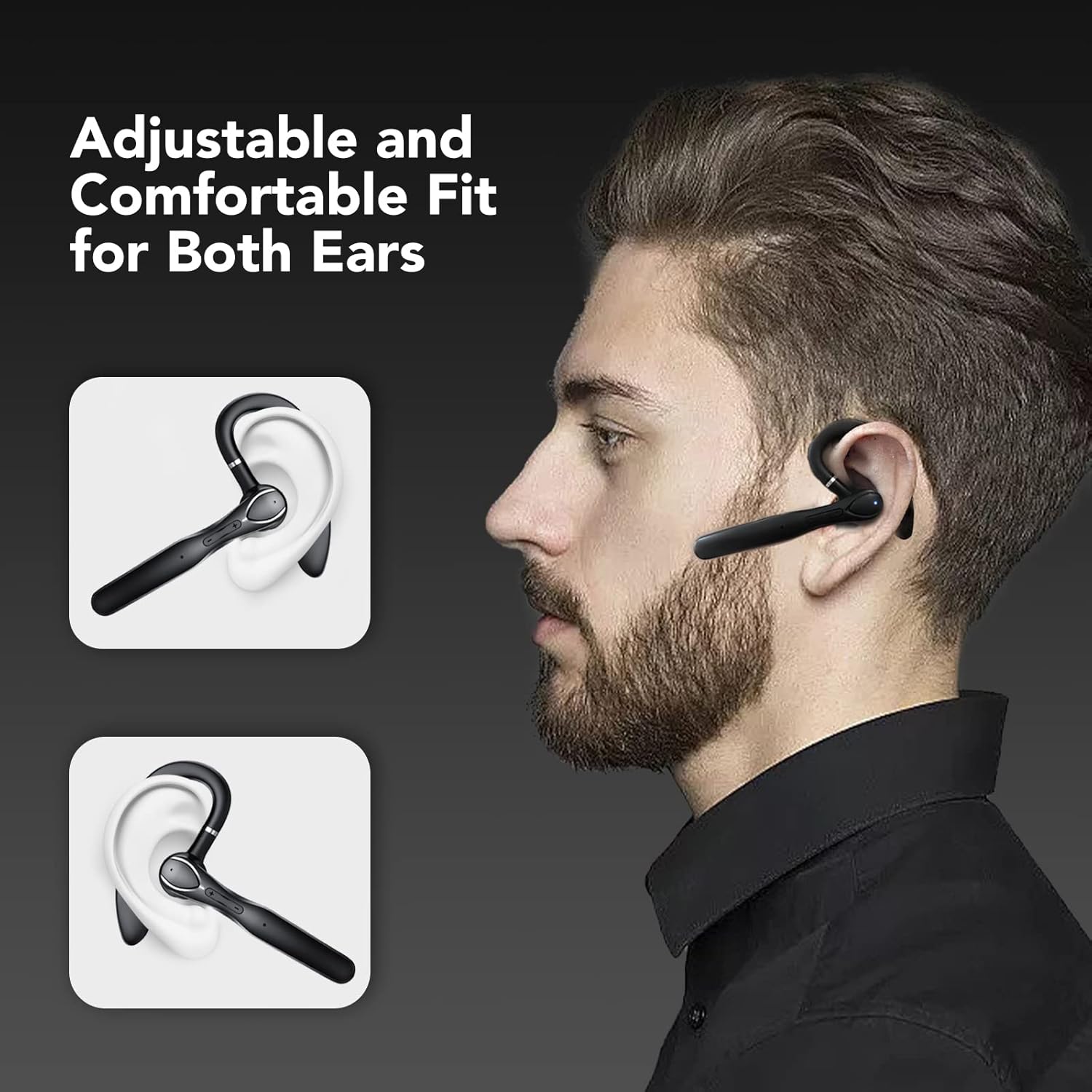
Figure 1: The CASCHO 33 headset is designed for an adjustable and comfortable fit, suitable for both the left and right ear. The ear hook ensures stability during use.
3. Setup
3.1 Charging the Headset and Case
Before first use, fully charge the headset and its charging case. The charging case features an LED display to show the current battery level.
- Place the headset into the charging case.
- Connect the charging case to a power source using the provided USB cable.
- The LED display on the case will indicate charging status and battery percentage.
- A full charge for the headset takes approximately 1.5 hours. The charging case provides multiple charges, extending total playtime up to 100 hours.

Figure 2: The charging case provides up to 80 hours of additional playtime, with the headset offering 20 hours on its own. Total playtime can reach 100 hours.
3.2 Pairing with a Device
The CASCHO 33 headset supports Bluetooth 5.3 for quick and stable pairing. It also features dual device connectivity, allowing it to be connected to two devices simultaneously.
- Ensure the headset is charged and powered on.
- Open the Bluetooth settings on your smartphone, tablet, or computer.
- Search for available devices. The headset will appear as "CASCHO 33" or similar.
- Select "CASCHO 33" to initiate pairing. A voice prompt will confirm successful connection.
- To connect a second device, disable Bluetooth on the first device temporarily, pair with the second device, then re-enable Bluetooth on the first device. The headset should automatically connect to both.

Figure 3: The CASCHO 33 headset can connect to two devices simultaneously, such as a laptop and a smartphone, allowing seamless switching between calls and media.
4. Operating Instructions
4.1 Power On/Off
- Power On: Remove the headset from the charging case. It will automatically power on.
- Power Off: Place the headset back into the charging case. It will automatically power off and begin charging.
4.2 Call Management
The headset is optimized for clear communication, featuring Environmental Noise Cancellation (ENC) to minimize background distractions during calls.
- Answer/End Call: Press the multi-function button once.
- Reject Call: Press and hold the multi-function button for 2 seconds.
- Volume Control: Use the volume up (+) and volume down (-) buttons.

Figure 4: The headset provides clear call quality with Environmental Noise Cancellation (ENC) to reduce ambient noise, making it ideal for business, office, or commuting use.
4.3 Music Playback
- Play/Pause: Press the multi-function button once.
- Next Track: Press and hold the volume up (+) button.
- Previous Track: Press and hold the volume down (-) button.
4.4 Voice Assistant
Activate your device's voice assistant (Siri, Google Assistant, etc.) directly from the headset.
- Activate Voice Assistant: Double-tap the touch-sensitive area on the headset.
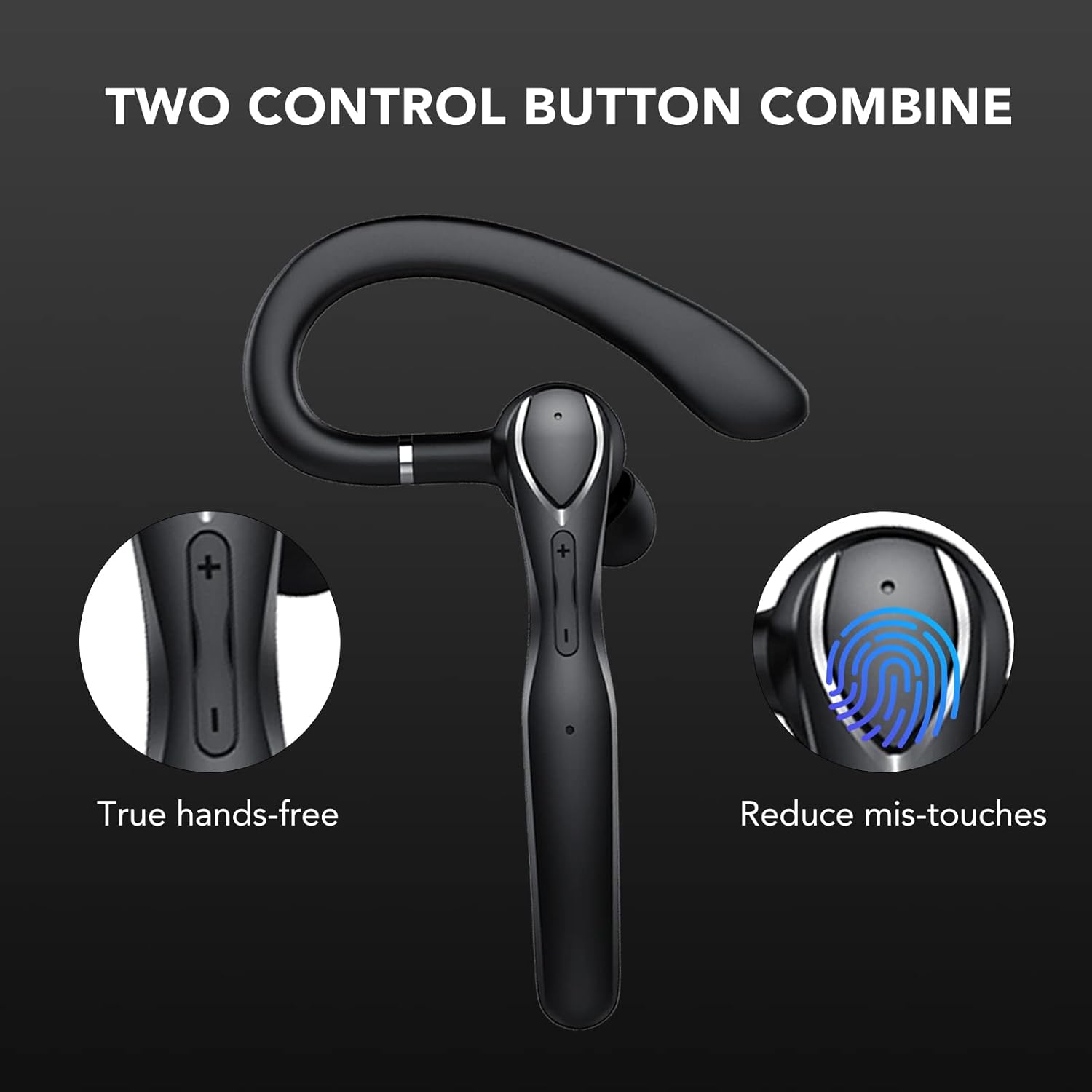
Figure 5: The headset features a combination of physical buttons for precise control and a touch-sensitive area to reduce accidental touches, enabling true hands-free operation.
5. Maintenance
- Cleaning: Use a soft, dry cloth to clean the headset and charging case. Avoid using harsh chemicals or abrasive materials.
- Storage: When not in use, store the headset in its charging case to protect it from dust and damage. Store in a cool, dry place.
- Battery Care: To prolong battery life, avoid fully discharging the headset frequently. Charge it regularly, even if not in constant use.
6. Troubleshooting
- Headset not powering on: Ensure the headset is charged. Place it in the charging case and connect the case to a power source.
- Cannot pair with device:
- Ensure Bluetooth is enabled on your device and the headset is in pairing mode (usually indicated by a flashing LED).
- Make sure the headset is not already connected to another device.
- Move the headset closer to your device (within 10 meters).
- Restart both the headset (by placing it in the case and taking it out) and your device.
- No sound or poor sound quality:
- Check the volume levels on both the headset and your connected device.
- Ensure the headset is properly seated in your ear.
- If connected to a computer, ensure the CASCHO 33 is selected as the audio output and input device in your system settings.
- Move away from sources of strong electromagnetic interference.
- Headset does not turn off without charging case: The CASCHO 33 is designed to power off automatically when placed back into its charging case. To disconnect without powering off, simply disable Bluetooth on your connected device.
7. Specifications
| Model Name | 33 |
| Brand | CASCHO |
| Connectivity Technology | Bluetooth 5.3 |
| Wireless Communication | Bluetooth |
| Earpiece Shape | Hook |
| Ear Placement | In Ear (with over-ear hook) |
| Noise Control | Environmental Noise Cancellation (ENC) |
| Control Method | Touch and Physical Buttons |
| Bluetooth Range | Up to 10 meters (33 feet) |
| Battery Life (Headset) | Up to 20 hours |
| Battery Life (with Charging Case) | Up to 100 hours |
| Charging Time (Headset) | Approx. 1.5 hours |
| Material | Plastic |
| Color | Black |
| Item Weight | 4.6 ounces |
| Compatible Devices | Bluetooth-enabled devices |
8. Warranty and Support
For warranty information and customer support, please refer to the product packaging or contact CASCHO customer service directly. Keep your purchase receipt for any warranty claims.
For further assistance, please visit the official CASCHO website or contact their support team through the contact information provided with your purchase.