
1. Product Overview
The addlon 52-inch Ceiling Fan with Light is designed to provide comfort and illumination for both indoor and outdoor spaces (not directly exposed to rain). It features a reversible DC motor for year-round use, 6 adjustable wind speeds, and a dimmable LED light with 3 color temperature options. The fan operates quietly and comes with a convenient remote control for easy adjustments.

Figure 1: addlon 52-inch Ceiling Fan with Remote Control and reversible blades.
2. Package Contents
Please inspect the package contents to ensure all parts are present and undamaged. If any parts are missing or damaged, please contact customer support.
- Ceiling Fan Unit (Motor)
- 5 Reversible Fan Blades (White/Yellow Wood Grain)
- LED Light Kit
- Remote Control with Batteries (2 AAA batteries included)
- Mounting Hardware
- Downrod
- Instruction Manual

Figure 2: Components and tools for easy installation.
Unboxing and Parts Overview
Video 1: An overview of the addlon 5 Blades Downrod Mount Ceiling Fan with Light, showing the components included in the box.
3. Setup and Installation
Before beginning installation, ensure the power supply to the ceiling fan location is turned off at the circuit breaker. It is recommended to consult a qualified electrician if you are unsure about any electrical procedures.
Installation Steps:
- Mounting Bracket Installation: Secure the mounting bracket to the ceiling junction box. Ensure it is firmly attached to a structural support.
- Wiring Connections: Connect the fan's electrical wires to the household wiring according to the provided wiring diagram in the manual. Use wire nuts to secure connections.
- Downrod Assembly: Assemble the downrod with the fan motor. Feed the motor wires through the downrod.
- Hang Fan Assembly: Carefully lift the fan assembly and hang it onto the mounting bracket.
- Blade Attachment: Attach the 5 fan blades to the motor housing. The blades are reversible, allowing you to choose between a white or yellow wood grain finish.
- Light Kit Installation: Connect the LED light kit to the fan's wiring. The light kit is designed for easy, tool-free connection.
- Canopy and Light Cover: Install the canopy to cover the wiring connections and then attach the light cover.
Detailed instructions and installation videos are available via a QR code in the printed manual to assist with the process.

Figure 3: Diagram illustrating the installation process.
4. Operating Instructions
The addlon ceiling fan is operated using the included remote control. Ensure batteries are installed correctly.
Remote Control Functions:
- Power On/Off: Press the power button to turn the fan and light on or off.
- Fan Speed: Select from 6 fan speeds (1-6) to adjust airflow.
- Natural Wind Mode: Activates a fluctuating fan speed to simulate natural breeze.
- Forward/Reverse Rotation: Change the direction of fan blade rotation for summer (downward airflow) or winter (upward airflow) modes.
- Light On/Off: Turn the light on or off independently.
- Light Dimmer: Adjust light brightness from 10% to 100%.
- Color Temperature: Cycle through 3 color temperatures: 3000K (warm white), 4000K (natural white), and 6000K (cold white).
- Timer: Set the fan to automatically turn off after 1, 2, or 4 hours.
- Memory Function: The fan remembers the last light brightness, color temperature, and fan speed settings when turned off via the remote or wall switch.
- Anti-Theft Function: (Home button) Turns the light on for 5 minutes every 2 hours to simulate occupancy.
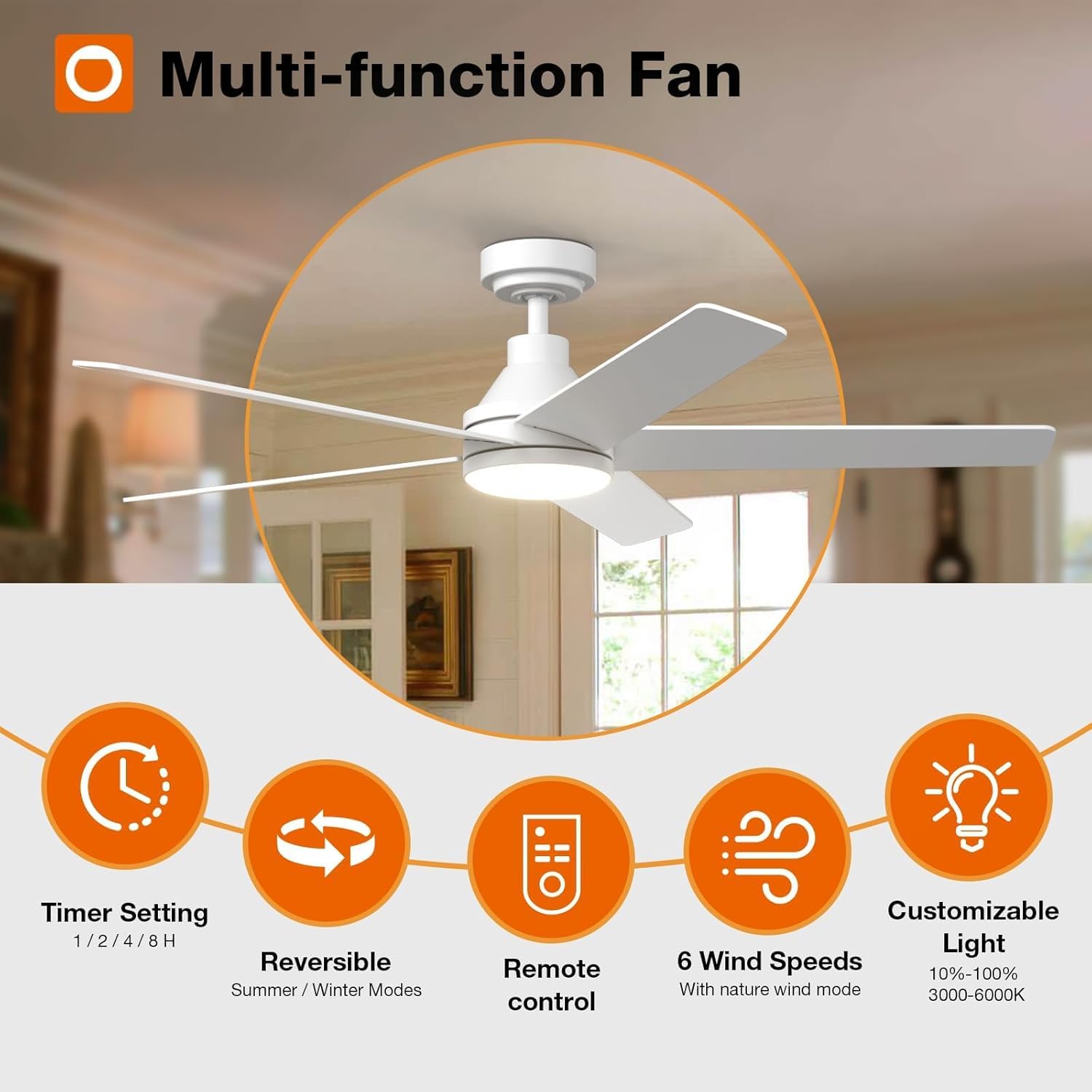
Figure 4: Remote control features including timer, reversible function, 6 speeds, and customizable light.

Figure 5: Customizable light with 3 color temperatures and dimming capabilities.
5. Maintenance
To ensure optimal performance and longevity of your addlon ceiling fan, regular maintenance is recommended.
- Cleaning: Periodically clean the fan blades and motor housing with a soft, damp cloth. Avoid using abrasive cleaners that may damage the finish.
- Blade Balance: If the fan wobbles, check that all blade screws are tight and that the blades are properly balanced. A balancing kit may be used if necessary.
- Light Kit: The LED light kit is replaceable. If replacement is needed, contact customer support for assistance.
6. Troubleshooting
If you encounter issues with your addlon ceiling fan, refer to the following common troubleshooting steps:
- Fan Not Operating: Check the circuit breaker and wall switch to ensure power is supplied. Verify all wiring connections are secure.
- Remote Control Not Working: Replace the remote control batteries. Ensure the remote is within range and not obstructed.
- Light Color Switches Unexpectedly: If the light is turned off and then back on within 10 seconds, the color temperature may switch. To retain desired settings, ensure the light remains off for at least 10 seconds.
- Excessive Noise: Ensure all mounting screws and blade screws are tightened. Check for any obstructions around the fan blades. The fan is designed for quiet operation (low to 35dB).
Missing Parts?
Video 2: Instructions on how to request replacement parts if your product is missing components.
7. Specifications
| Brand | addlon |
| Model Name | KDM52PLY5B03R1 |
| Size | 52 inch |
| Color | White |
| Number of Blades | 5 |
| Motor Type | DC |
| Speed Settings | 6 RPM |
| Noise Level | 35 Decibels |
| Light Type | Dimmable LED (10-100%) |
| Color Temperatures | 3000K, 4000K, 6000K |
| Control Method | Remote |
| Indoor/Outdoor Usage | Indoor, Outdoor (Not directly exposed to rain) |
| Power Source | AC (120 Volts) |
| Wattage | 50 watts |
| Item Weight | 8.49 Pounds |
| UPC | 850056663328 |
8. Warranty and Support
addlon is committed to customer satisfaction. We offer comprehensive warranty coverage and dedicated support for your product.
- Motor Warranty: Up to 120 months (10 years) warranty on the motor.
- Other Parts Warranty: 2 years warranty on all other fan components.
- Customer Support: 24-hour customer support is available to assist with any questions regarding installation or use. Please feel free to contact us.