
1. Introduction
The SmallRig RC 60B COB Video Light is a compact, high-performance lighting solution designed for photography, videography, and studio use. Its palm-sized design and integrated battery make it highly portable, while its advanced features ensure professional-grade illumination and color accuracy. This manual provides detailed instructions for the proper setup, operation, and maintenance of your RC 60B Video Light.

Image: The SmallRig RC 60B COB Video Light shown with its mini hyper reflector, carrying bag, and various cables and adapters.
2. Package Contents
Please verify that all items listed below are included in your package:
- RC 60B LED Video Light x 1
- Mini Hyper Reflector x 1
- 3m USB-C to USB-C PD Charging Cable x 1
- Light Stand Adapter x 1
- Grip Handle x 1
- Protection Cover x 1
- User Manual x 1
- Carrying Bag x 1
- Power Bank Holder x 1
- 20cm USB-C to USB-C PD Charging Cable x 1
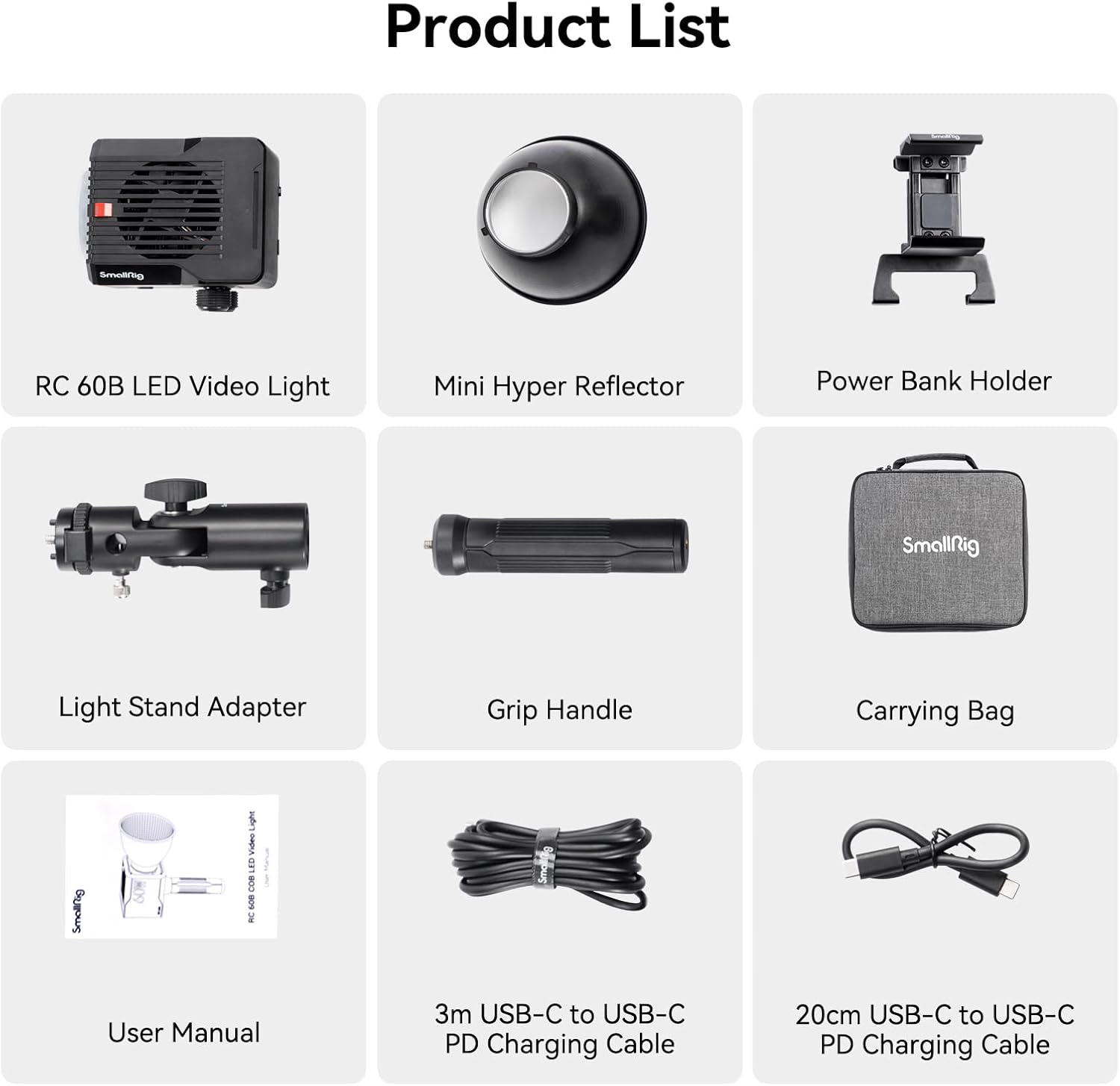
Image: A visual representation of all components included in the RC 60B package, such as the light unit, reflector, cables, and carrying case.
3. Setup
3.1 Attaching the Mini Hyper Reflector
Align the mini hyper reflector with the front of the RC 60B light. Gently twist and lock it into place. This reflector helps to focus and intensify the light output.
3.2 Mounting Options
- Grip Handle: Attach the included grip handle to the bottom of the light for comfortable handheld operation.
- Light Stand Adapter: Use the light stand adapter to mount the RC 60B onto a standard light stand for stable positioning.

Image: A hand holding the RC 60B light, illustrating its compact size and ease of one-handed use for mobile content creation.
3.3 Powering the Device
The RC 60B offers multiple power supply options:
- Built-in Battery: The light features a 3400mAh built-in battery, providing approximately 45 minutes of full-power runtime or 75 minutes in ECO mode.
- USB-C PD Charger: Connect a 100W PD Type-C fast charger (not included, SmallRig 100W PD Charger - 4315 recommended) using the provided USB-C cables for continuous operation and charging.
- PD Power Bank or V-Mount Battery: For extended battery life, connect a compatible PD power bank or V-mount battery using the power bank holder and appropriate cables.
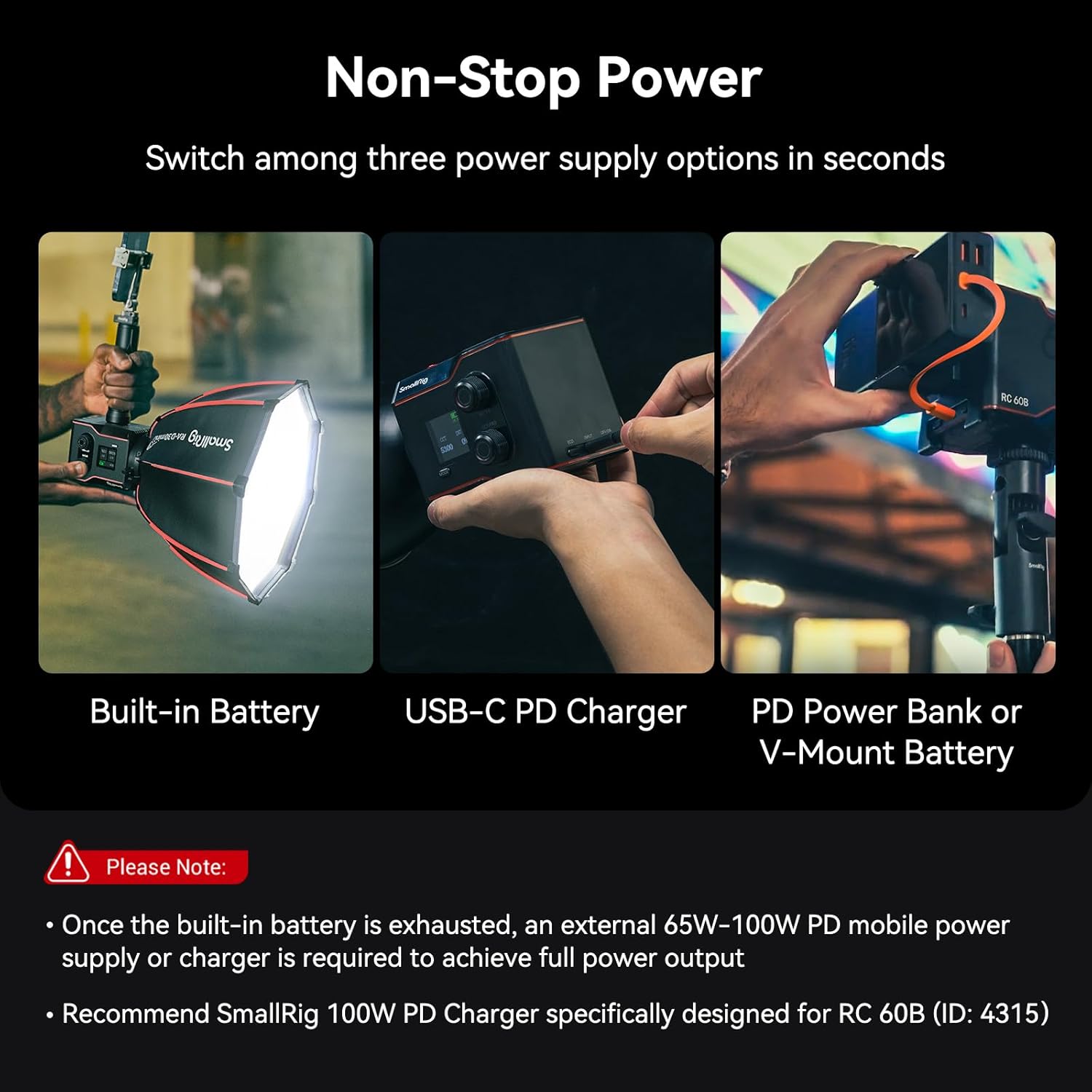
Image: Visual guide showing the three ways to power the RC 60B: internal battery, direct USB-C PD charging, and external PD power bank connection.
4. Operating Instructions
4.1 Power On/Off
Locate the power button on the device. Press and hold to power on or off the light.
4.2 Adjusting Color Temperature and Illumination
The RC 60B features independent CCT (Correlated Color Temperature) and INT (Intensity/Illumination) adjustment knobs. Rotate these knobs to precisely control the light's color temperature (from 2700K to 6500K) and brightness levels. The 1.3" LED color screen provides real-time feedback on your settings.

Image: A detailed view of the RC 60B's control panel, highlighting the intuitive knobs for adjusting color temperature and light intensity, along with the informative LED display.
4.3 Built-in Light Effects
The light includes 9 built-in light effects to enhance your creative possibilities. These effects include:
- Paparazzi
- Fireworks
- Lightning
- Broken Bulb
- TV
- Party
- Flame
- Breathing
- Flickering
Refer to the on-screen menu for selecting and customizing these effects.
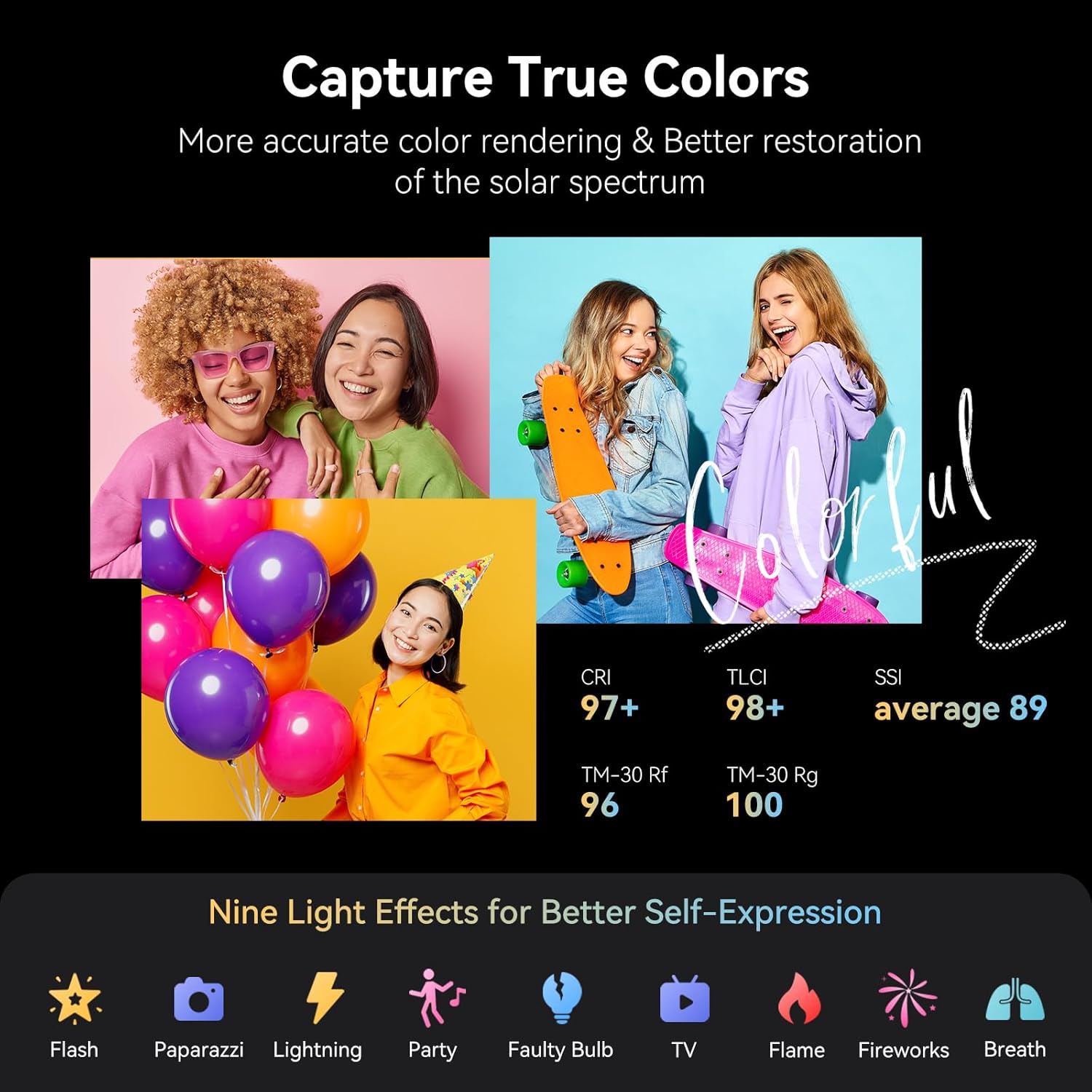
Image: A visual representation of the nine distinct lighting effects available on the RC 60B, such as flash, paparazzi, and fireworks, designed for creative expression.
5. Features
5.1 High Illumination and Color Accuracy
The RC 60B delivers powerful illumination, reaching 11200lux at 1m/5600K with the standard reflector. It boasts outstanding color performance with CRI 97+, TLCI 98+, SSI average 89, and TM-30 Rf/Rg values of 96/100, ensuring true-to-life color reproduction.

Image: A graphic demonstrating the high illumination output of the RC 60B, reaching 54300 lux at 0.5m, and its adjustable color temperature range from 2700K to 6500K.
5.2 Noiseless Cooling Fan
Equipped with intelligent temperature control technology, the RC 60B's cooling fan efficiently dissipates heat while maintaining a low operating noise level. The noise is approximately 26dB within 1 meter, and about 23dB in ECO mode, ensuring your video recordings are not disturbed by fan noise.
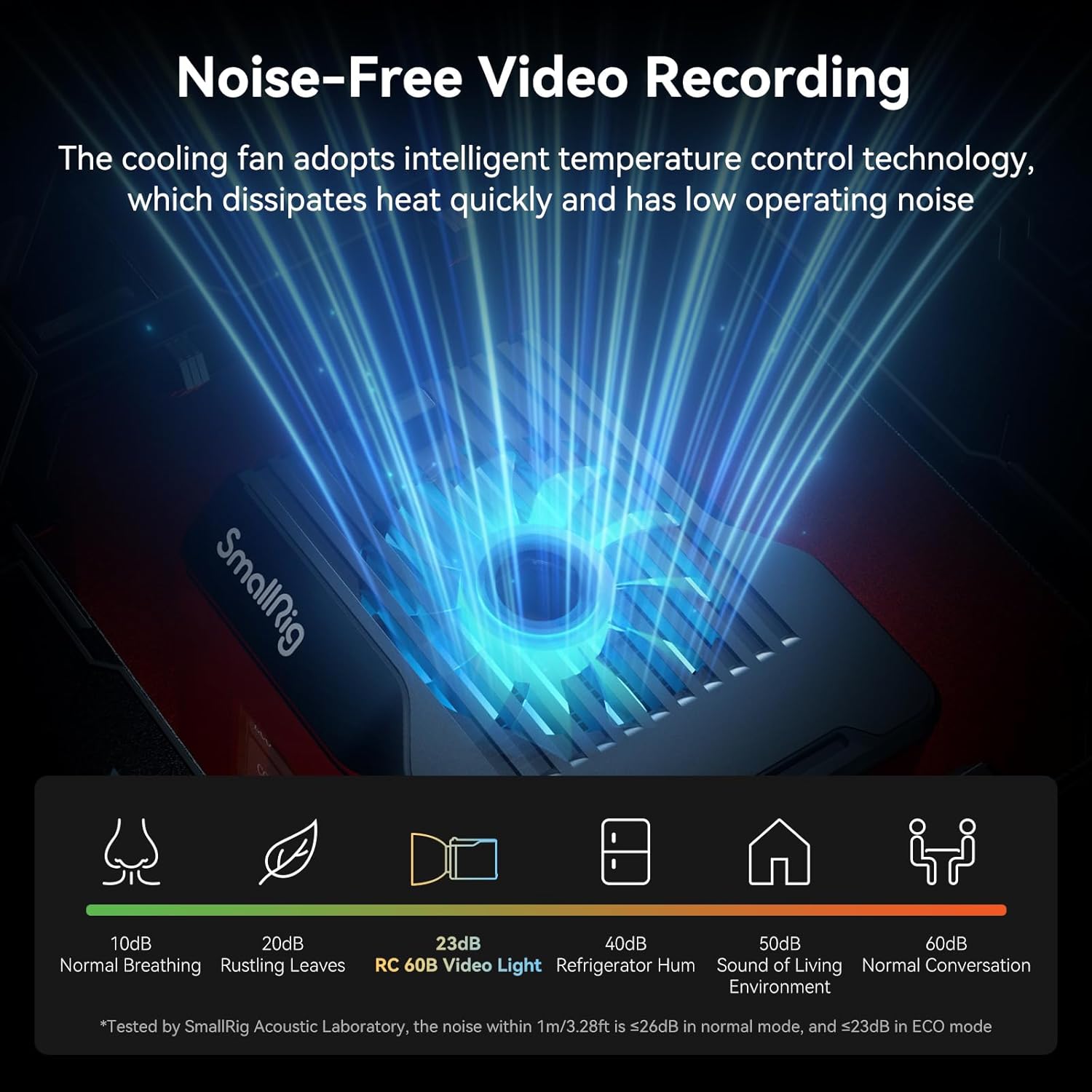
Image: A visual representation of the RC 60B's quiet cooling system, comparing its noise level (23dB in ECO mode) to common ambient sounds.
5.3 Rich Accessory Ecosystem
SmallRig offers a range of optional accessories to expand the functionality of your RC 60B, including various mini softboxes (e.g., 4358/4862/4863), silicone diffusers (4529), support columns (4530), and power bank clips (4318).
6. Maintenance
To ensure the longevity and optimal performance of your SmallRig RC 60B COB Video Light, follow these maintenance guidelines:
- Cleaning: Use a soft, dry cloth to clean the exterior of the light. Do not use abrasive cleaners or solvents. For the reflector, gently wipe with a microfiber cloth.
- Storage: When not in use, store the light in its carrying bag in a cool, dry place, away from direct sunlight and extreme temperatures.
- Battery Care: If storing for an extended period, ensure the built-in battery is charged to approximately 50% to prolong its lifespan.
7. Troubleshooting
If you encounter issues with your SmallRig RC 60B, please refer to the following common troubleshooting steps:
- Light Not Turning On:
- Ensure the battery is charged.
- Verify that the power cable is securely connected if using external power.
- If using a PD charger or power bank, confirm it meets the 100W power delivery requirement.
- Overheating/Automatic Shutdown:
- Ensure the cooling fan vents are not obstructed.
- Operate the light in a well-ventilated area.
- Reduce the intensity setting if operating in a hot environment.
- Inconsistent Light Output:
- Check for secure connections of any attached accessories (e.g., reflector).
- Ensure the light is not in a low-power mode (e.g., ECO mode) if full brightness is desired.
If the problem persists, please contact SmallRig customer support for further assistance.
8. Specifications
| Feature | Specification |
|---|---|
| Product Dimensions | 4.53 x 3.35 x 3.35 inches (115 x 85 x 85mm) |
| Item Weight | 1.43 pounds (650g) |
| Model Number | 4376 |
| Batteries | 1 Lithium Ion battery required (built-in 3400mAh) |
| Battery Life | Approx. 45 minutes (Full Power), 75 minutes (ECO Mode) |
| Max Power Output | 63W |
| Max Input Power | 100W (PD Type-C) |
| Color Temperature Range | 2700K - 6500K |
| CRI | 97+ |
| TLCI | 98+ |
| SSI (average) | 89 |
| Working Noise | Approx. 26dB (1m), 23dB (ECO mode) |
| Connectivity Technology | Type-C |
| Hardware Interface | USB Type C |
| Manufacturer | SMALLRIG |
| Country of Origin | China |
9. Warranty and Support
For warranty information and technical support, please visit the official SmallRig website or contact their customer service directly. Keep your purchase receipt as proof of purchase for warranty claims.
SmallRig Official Store: Visit SmallRig Store on Amazon
10. Official Product Videos
No official product videos from the seller were found in the provided data to embed in this manual.


