
1. Product Overview
The DAYI Safe Box D-35 is a 1.4 cubic feet home security safe designed to protect your valuables. It features advanced security measures including a digital electronic keypad, dual alarm system, and a robust construction.
Key features include:
- Unmatched Security Protection: Crafted with one-piece bending and precision laser-cutting technology, a pry-resistant door, and 4 x 0.8-inch live-locking bolts.
- Extra Fireproof & Waterproof Bag: Included for additional protection of documents and small valuables.
- Digital Lock with Keypad: Uses a programmable 1-8 digit code with manual override key.
- Dual Alert System: Triggers a 70-decibel alarm after three incorrect password attempts or forceful breach.
- Versatile Interior Organization: Features a removable shelf, built-in hooks, integrated LED sensor light, and soft carpet interior lining.
- Elegant Design Lock Panel: Combines functionality with aesthetic appeal.
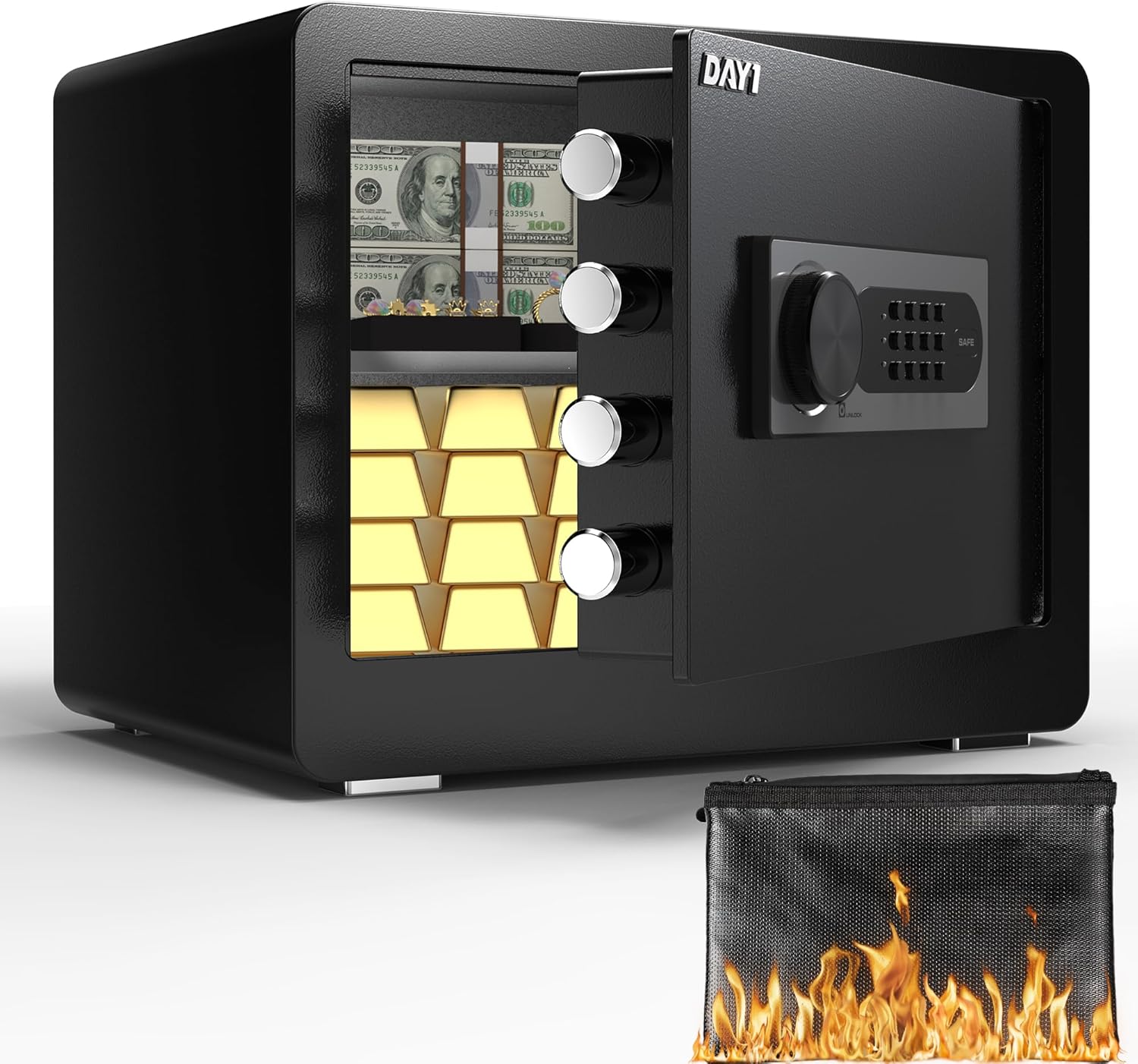
Figure 1: DAYI Safe Box D-35 with interior contents and included fireproof bag.
2. Setup
2.1 Unboxing and Initial Inspection
Carefully remove the safe box and all components from the packaging. Verify that all included components are present:
- 1 x Safe Box
- 1 x User Manual (this document)
- 2 x Keys
- 2 x Mounting Hardware bolts
- 4 x Foot Pads
- 1 x Battery Box (for emergency power)
- 1 x Fireproof & Waterproof Bag
Inspect the safe for any signs of damage. If any components are missing or damaged, contact customer support.

Figure 2: Overview of safe dimensions and included accessories.
2.2 Battery Installation
The digital keypad requires 4 x AA batteries (not included). The battery compartment is located inside the safe door. Open the safe using the emergency key (see Section 3.1) to access the compartment. Insert the batteries, ensuring correct polarity.
For emergency power, the included battery box can be used. Insert batteries into the battery box and connect it to the USB-C port on the keypad panel if the internal batteries run out while the safe is closed.
2.3 Wall Mounting (Optional)
For enhanced security, the safe can be mounted to a wall or floor. Mounting hardware is included. The safe features pre-drilled holes on the back and bottom for this purpose. Ensure the mounting surface is sturdy enough to support the safe's weight and contents.

Figure 3: Wall mounting steps for securing the safe.
3. Operating Instructions
3.1 Unlocking the Safe
The DAYI Safe Box D-35 offers three methods for unlocking:
- Passcode: Enter your programmed 3-8 digit passcode on the digital keypad, then press '#'. Turn the knob clockwise to open the door. The default passcode is "123456".
- Emergency Key: Insert one of the two provided emergency keys into the hidden keyhole on the keypad panel. Turn the key clockwise while simultaneously turning the knob clockwise to open the door.
- Emergency Power Supply: If the internal batteries are depleted, connect the external battery box (with 4 x AA batteries installed) to the USB-C port on the keypad panel. This will power the keypad, allowing you to use your passcode.

Figure 4: Three methods for unlocking the safe.
3.2 Setting/Changing Passcode
To set or change your passcode:
- With the safe door open, locate the reset button inside the safe, usually near the hinge or battery compartment.
- Press the reset button. The keypad will beep, and an indicator light will illuminate.
- Enter your new 3-8 digit passcode.
- Press '#' to confirm. The safe will beep again, indicating the new passcode is set.
- Test the new passcode with the door open to ensure it works correctly before closing the safe.
Note: Only one passcode can be programmed at a time.
3.3 Dual Alarm System
The safe is equipped with a dual alarm system for enhanced security. If three incorrect passcodes are entered consecutively, or if the safe experiences a forceful breach (e.g., strong vibrations or attempts to pry open), a loud 70-decibel alarm will sound. The alarm will continue for a set period or until the correct passcode or emergency key is used to open the safe.

Figure 5: Dual alert system for enhanced security.
3.4 Interior Organization
The safe's interior is designed for versatile organization:
- Removable Shelf: A shelf is included to divide the interior space, allowing for better organization of items of different sizes. It can be easily removed if a larger single compartment is needed.
- Built-in Hooks: Convenient hooks are provided for hanging keys or other small items.
- Integrated LED Sensor Light: An internal LED light illuminates the safe's interior when the door is opened, providing clear visibility of your belongings even in low-light conditions.
- Soft Carpet Interior: The interior is lined with a soft carpet material to protect delicate or fragile valuables from scratches and damage during storage.

Figure 6: Removable shelf for flexible interior organization.

Figure 7: Detailed view of interior features including key rack, fire bag, LED light, and soft lining.
4. Maintenance
4.1 Battery Replacement
Replace the 4 x AA batteries in the internal battery compartment when the keypad indicator light signals low battery or when the keypad becomes unresponsive. Always use fresh, high-quality alkaline batteries for optimal performance.
4.2 Cleaning
To clean the safe's exterior, use a soft, damp cloth. Avoid abrasive cleaners or solvents that could damage the finish. For the interior, a soft, dry cloth is recommended to maintain the carpet lining.
5. Troubleshooting
5.1 Keypad Not Responding
- Check the internal batteries. Replace them if they are low or depleted.
- If the safe is closed and batteries are dead, use the emergency key or connect the external battery box to the USB-C port to power the keypad.
5.2 Alarm Triggering Unexpectedly
- Ensure no one has attempted to enter incorrect passcodes multiple times.
- Check for any strong impacts or vibrations near the safe that might have triggered the alarm.
- If the alarm persists, open the safe with the correct passcode or emergency key to reset it.
5.3 Door Not Opening After Correct Code/Key
- Ensure you are turning the knob clockwise immediately after entering the correct code or turning the key.
- Verify that the bolts are fully retracted. If not, gently push the door inward while turning the knob.
5.4 How to set up your digital safe? (Video Guide)
Video 1: A step-by-step guide on setting up your DAYI digital safe, including initial power-up and passcode programming.
6. Specifications
| Feature | Detail |
|---|---|
| Brand | DAYI |
| Product Dimensions | 11.9"D x 15"W x 13.8"H |
| Lock Type | Electronic Combination Lock, Key |
| Color | Black |
| Capacity | 1.4 Cubic Feet |
| Material | Alloy Steel |
| Special Features | Alarm System, Sensor Light, Combination Lock, Anti-Theft, Removable Shelf |
| Mounting Type | Wall Mount |
| Control Type | Push Button Control |
| Item Weight | 26.5 Pounds |
| Model Number | D-35 |
7. Warranty and Support
For warranty information and customer support, please refer to the official DAYI website or contact the seller directly. Keep your purchase receipt for any warranty claims.
A detailed user manual in PDF format is available for download: Download User Manual (PDF)


