
1. Introduction & Overview
The Howeall Super Quiet Register Booster Fan is designed to enhance the efficiency of your HVAC system by providing precise airflow and intelligent temperature control. This smart vent helps eliminate uneven room temperatures, ensuring consistent comfort throughout your home while potentially saving energy costs. It features dual control options, including intuitive button controls and a mobile app for Wi-Fi connectivity.
Equipped with an upgraded intelligent thermostat controller, the fan actively monitors temperature and adjusts fan speeds in real-time for optimal heating and cooling performance. Its ultra-quiet stator-blade PWM fans with hydro-mechanical blades ensure robust air movement with minimal noise, operating at a whisper-quiet level under 16 dBA at its lowest setting. The fan is crafted from durable 2mm steel, supporting up to 300 lbs, and features a two-way airflow design for wider coverage.
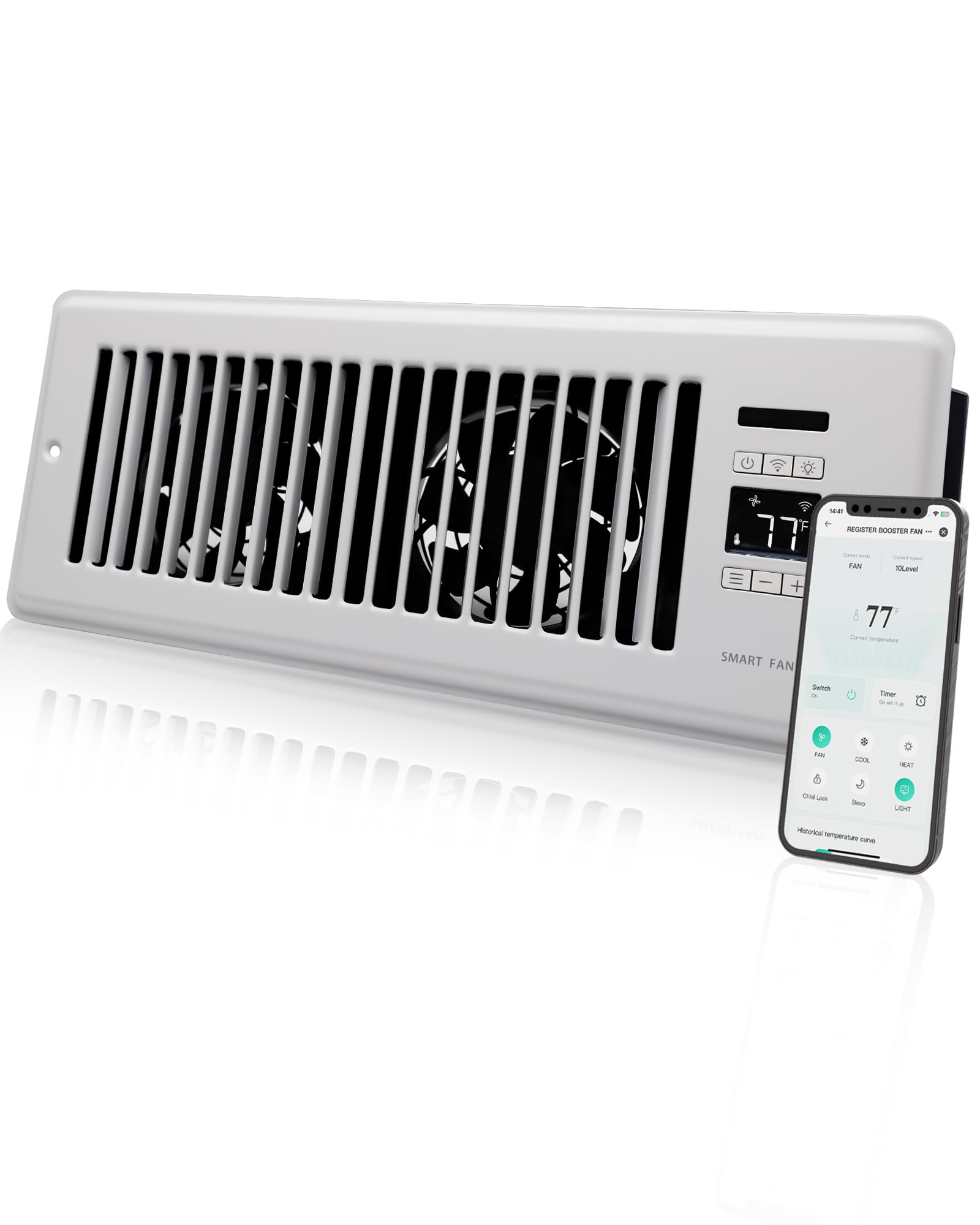
Image: The Howeall Super Quiet Register Booster Fan, a white rectangular vent with a digital display and control buttons.
2. What's in the Box
Upon opening the package, you will find the following components:
- Howeall Super Quiet Register Booster Fan (HWVFSR)
- Power Adapter (12V DC) with 121T wire
- Cable Clips (x2)
- Mounting Screws (x2)
- User Manual

Image: The Howeall Register Booster Fan neatly packaged in its box, showing the fan unit, power adapter, and small accessory bag.
Unboxing Video
Video: An unboxing video demonstrating the contents of the Howeall Register Booster Fan package, including the fan unit, power supply, and mounting hardware.
3. Installation
The Howeall Register Booster Fan is designed for easy installation into existing 4" x 12" register holes, whether on the floor or wall. Ensure your duct opening matches the fan's dimensions for a perfect fit.
Installation Steps:
- Remove your existing vent cover from the 4" x 12" duct opening.
- Place the Howeall Register Booster Fan into the duct opening.
- Secure the fan using the provided mounting screws, ensuring it is firmly in place.
- Connect the power adapter to the fan and plug it into a nearby electrical outlet.
- The fan is now ready for operation.

Image: Diagram illustrating how the Howeall Register Booster Fan fits into a standard 4x12 inch duct opening on the floor.
4. Operating Instructions
The Howeall Register Booster Fan offers both on-device button control and convenient Wi-Fi app control.
On-Device Controls:
- Power Button: Press to turn the fan on/off. Long press for 3 seconds to lock/unlock the controls.
- Wi-Fi Button: Press and hold for 3 seconds to enter pairing mode for app connection.
- Light Button: Toggles the display light on/off for dark mode.
- Mode Adjust Button: Short press to cycle through Fan, Cold, and Heat modes. Long press for 3 seconds to set desired temperature in Cold/Heat mode.
- +/- Buttons: Adjust fan speed (Level 1-10) or desired temperature.

Image: Close-up of the fan's control panel, showing the digital temperature display and various function buttons.
Intelligent Programming:
The upgraded thermostat controller actively monitors room temperature. In Cold/Heat mode, the fan will automatically adjust its speed (Level 1-10) based on the room's temperature relative to your desired setting. For every 2°F increase in temperature, the fan speed will go up one level (up to max Level 10). For every 2°F decrease, the fan speed will lower by one level (down to min Level 1).
The fan will automatically turn on or off based on the operating status of your HVAC system. When the HVAC system starts, the fan will turn on; when the HVAC system stops, the fan will automatically turn off.
5. Smart Features & App Control
Control your Howeall Register Booster Fan from anywhere using the dedicated mobile app. The app provides comprehensive control over all fan functions and allows for advanced scheduling.
App Features:
- Remote On/Off control.
- Adjust fan speed (Level 1-10).
- Set desired temperature for Cold/Heat modes.
- Schedule fan operation with timers.
- Activate Child Lock and Sleep Mode.
- Monitor historical temperature curves.

Image: A smartphone displaying the Howeall app interface, showing temperature, fan speed, and various control options for the smart fan.
App Control Video
Video: A demonstration of the Howeall smart register booster fan being controlled via its Wi-Fi mobile application, showcasing various settings and features.
6. Specifications
| Brand | Howeall |
| Model Name | HWVFSR |
| Product Dimensions | 13.54"D x 5.9"W x 1.96"H |
| Register Size | 4" x 12" |
| Color | White |
| Air Flow Capacity | 140 Cubic Feet Per Minute (CFM) |
| Noise Level | 16 Decibels (dBA) |
| Power Source | AC (12V DC, 9 watts) |
| Control Method | App, Touch |
| Special Features | App Operable, Quiet Operation, Timer, Wi-Fi Enabled |
| Material | Alloy Steel, Plastic |
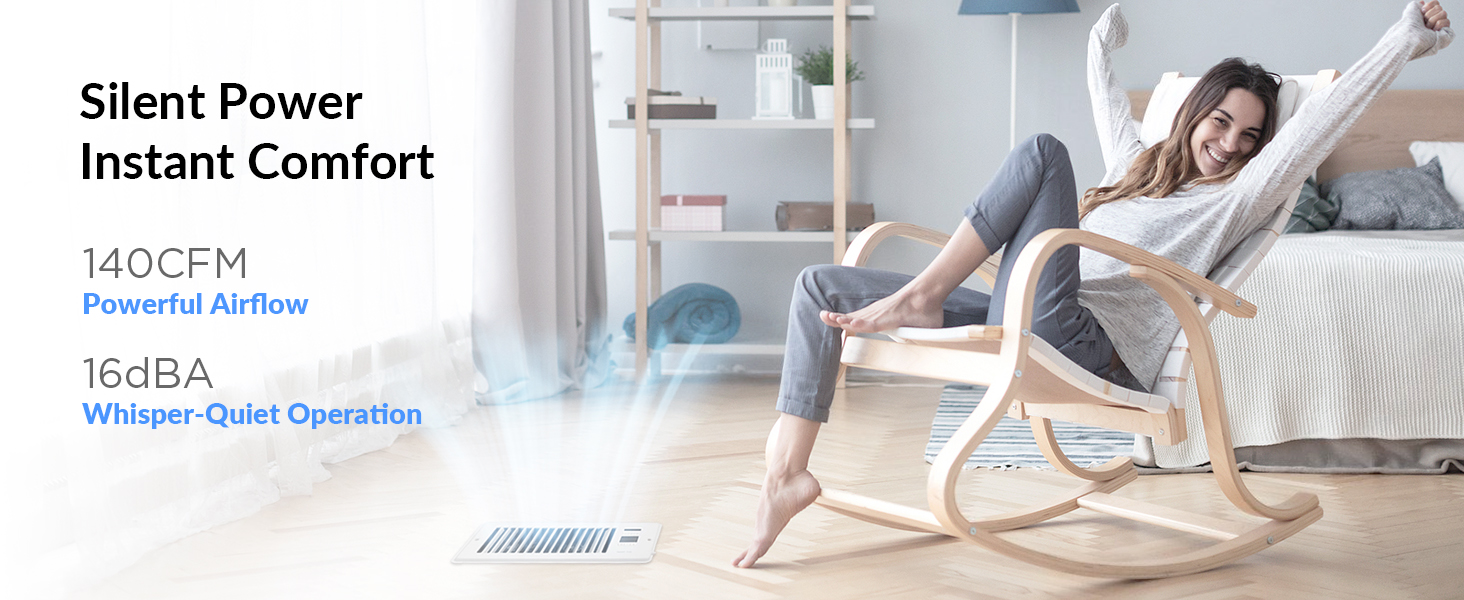
Image: A detailed diagram showing the dimensions and key specifications of the Howeall Register Booster Fan.
7. Maintenance
To ensure optimal performance and longevity of your Howeall Register Booster Fan, regular maintenance is recommended:
- Cleaning: Periodically clean the fan grilles and blades to prevent dust buildup, which can impede airflow and reduce efficiency. Use a soft, dry cloth or a small brush. Ensure the fan is unplugged before cleaning.
- Inspection: Regularly check the power cord and adapter for any signs of damage. If any damage is found, discontinue use and contact customer support.
- Placement: Ensure the fan is not obstructed by furniture or other objects that could block airflow.
8. Troubleshooting
If you encounter any issues with your Howeall Register Booster Fan, please refer to the following common troubleshooting steps:
- Fan not turning on: Ensure the power adapter is securely plugged into both the fan and a working electrical outlet. Check if the power button on the fan or in the app is pressed.
- No airflow or weak airflow: Verify that the fan is set to an appropriate speed level. Check for any obstructions in the duct or on the fan grilles.
- Wi-Fi connectivity issues: Ensure your Wi-Fi network is active and the fan is within range. Try restarting your router and the fan. Follow the app's instructions for re-pairing the device.
- Incorrect temperature readings: Ensure the temperature sensor is not obstructed or exposed to direct heat/cold sources that could skew readings.
- Fan is noisy: Check for any loose debris on the fan blades. Ensure the fan is securely installed and not vibrating against the vent opening.
For further assistance, please contact Howeall customer support.
9. Warranty & Support
Howeall products are designed for durability and performance. For any support needs or warranty inquiries, please contact the manufacturer directly.
- Manufacturer: Howeall
- Standard Return Policy: 30-day refund/replacement.
- Extended Protection Plans: Additional protection plans (3-Year, 4-Year, Complete Protect) may be available for purchase through authorized retailers.
Each item is verified by Transparency before shipping, ensuring authenticity and quality.