
Introduction
This manual provides detailed instructions for the safe and effective operation of your BAOFENG UV-17 Tri-Band Ham Radio. Please read this manual thoroughly before using the device to ensure proper functionality and to prevent damage.
The BAOFENG UV-17 is a versatile tri-band two-way radio featuring 999 channels, USB-C charging, NOAA weather alerts, and a robust design suitable for various communication needs.
Package Contents
Verify that all items are present in your package:
- BAOFENG UV-17 Tri-Band Portable Radio
- 1800mAh Battery
- High Gain Antenna
- Charger Base
- Belt Clip
- Hand Strap
- User's Manual (this document)
- Type-C USB Charging Cable
- Programming Cable
- 771 Antenna
- Microphone
- Headset
Product Overview
Familiarize yourself with the components of your BAOFENG UV-17 radio.

Image: Detailed diagram illustrating the various parts of the BAOFENG UV-17 radio, including the antenna, power/volume knob, LED indicator, flashlight button, PTT button, menu button, FM button, keypad, speaker, microphone, 2-pin K jack, exit button, LED screen, and flashlight.
- Antenna: For transmitting and receiving signals.
- Power/Volume Knob: Turns the radio on/off and adjusts volume.
- LED Indicator: Shows radio status (e.g., transmitting, receiving, charging).
- Flashlight Button: Activates the built-in flashlight.
- PTT (Push-To-Talk) Button: Press and hold to transmit, release to receive.
- Menu Button: Accesses the radio's menu settings.
- FM Button: Activates the FM radio function.
- Keypad: For entering frequencies, channel numbers, and menu selections.
- Speaker: Outputs received audio.
- Mic: Built-in microphone for voice transmission.
- 2-pin K Jack: For connecting external accessories like headsets or programming cables.
- Exit Button: Exits menu or current function.
- LED Screen: Displays frequency, channel, and other operational information.
- Flashlight: Provides illumination.
Setup
1. Battery Installation and Charging
The BAOFENG UV-17 comes with an 1800mAh rechargeable Lithium-Ion battery. Ensure the battery is fully charged before first use.
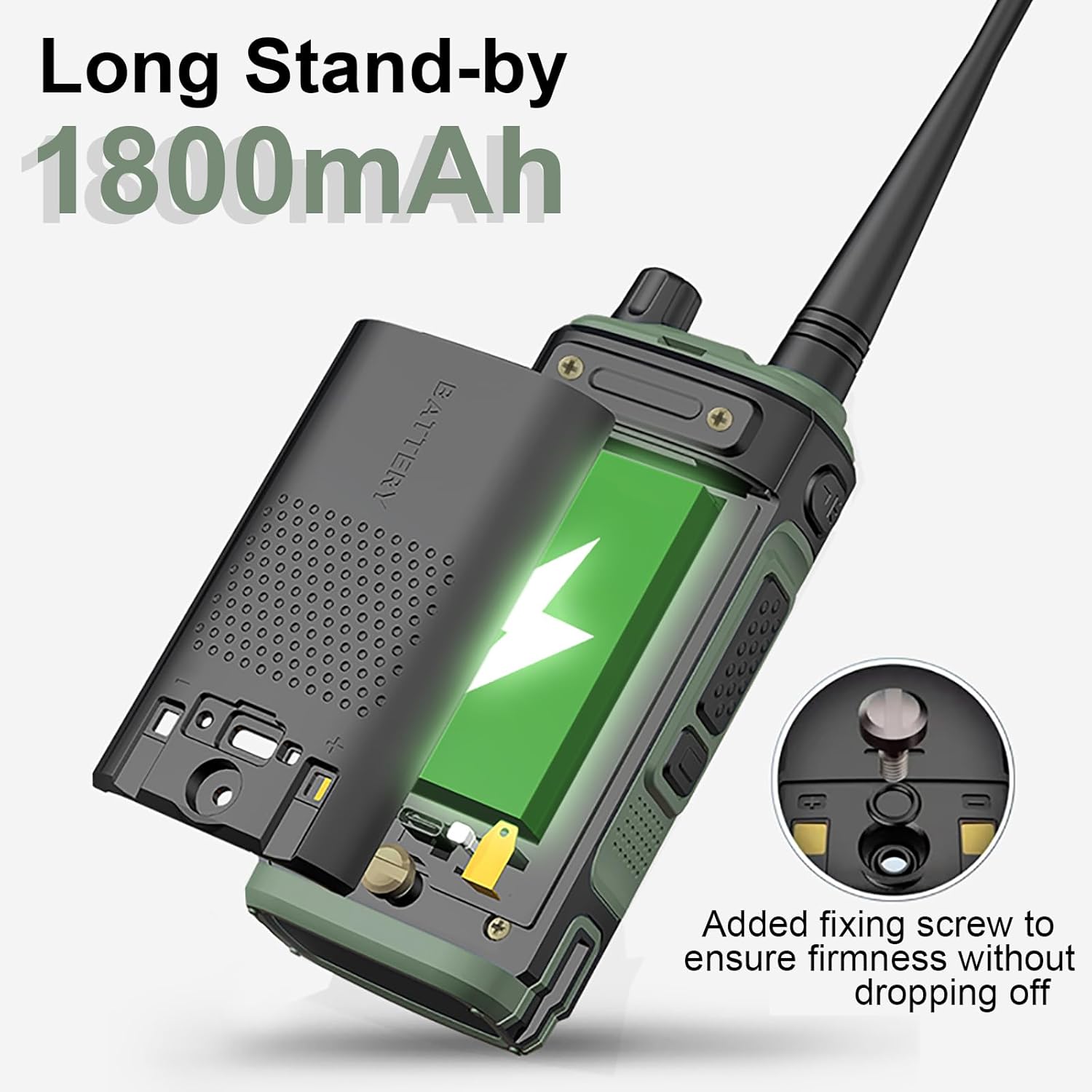
Image: The BAOFENG UV-17 radio with its back cover removed, revealing the 1800mAh battery. A fixing screw is visible, designed to secure the battery firmly in place.
- Install Battery: Align the battery with the grooves on the back of the radio and slide it into place until it clicks. Ensure the fixing screw is tightened for firmness.
- Charge Battery:
- Using Charger Base: Place the radio (with battery installed) into the provided charger base. Ensure the charging contacts align. The LED indicator on the charger will show charging status.
- Using USB-C Cable: Connect the Type-C USB cable to the radio's USB-C port and to a compatible power source (e.g., power bank, PC, car charger, wall adapter).
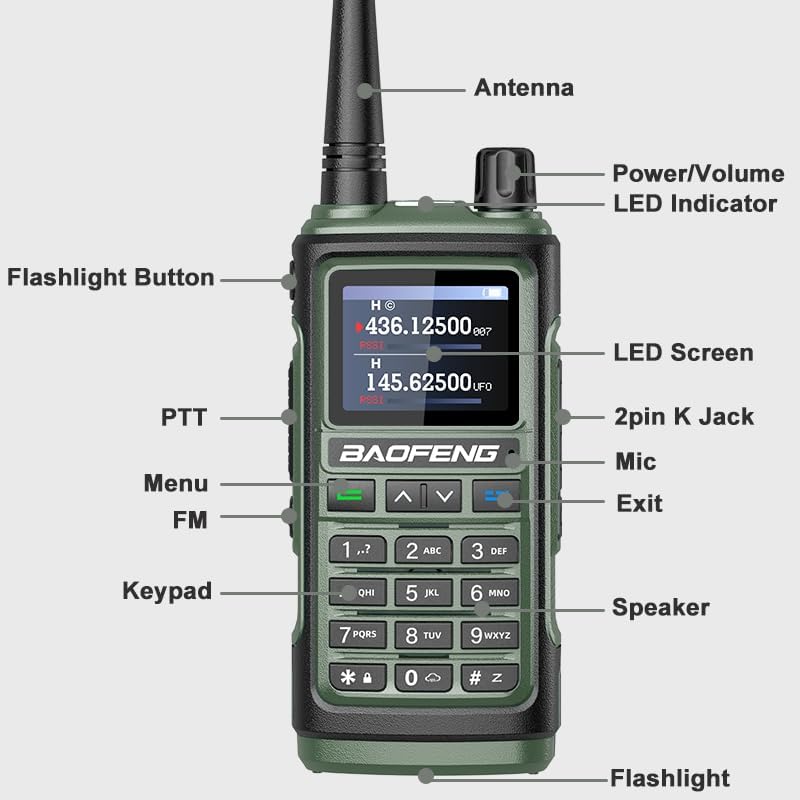
Image: The BAOFENG UV-17 radio connected to a USB-C charging cable. Icons indicate compatibility with car chargers, PC USB ports, and power banks for convenient charging. The image also shows approximate battery life (5 days), stand-by time (10 days), and charging time (3 hours).
A full charge typically takes approximately 3 hours. The 1800mAh battery provides approximately 5 days of battery life and up to 10 days of standby time.
2. Antenna Attachment
Screw the provided high-gain antenna clockwise onto the antenna connector on top of the radio until it is finger-tight. Do not overtighten.
Operating Instructions
1. Power On/Off and Volume Adjustment
- Power On: Rotate the Power/Volume knob clockwise until you hear a click. The screen will illuminate.
- Power Off: Rotate the Power/Volume knob counter-clockwise until you hear a click. The screen will turn off.
- Volume Adjustment: Rotate the Power/Volume knob clockwise to increase volume and counter-clockwise to decrease volume.
2. Basic Communication
- Select Channel/Frequency: Use the keypad to enter a desired frequency or channel number. Use the up/down arrow keys to navigate through channels.
- Transmit: Press and hold the PTT button on the side of the radio. Speak clearly into the microphone. The LED indicator will glow red.
- Receive: Release the PTT button to listen. The LED indicator will glow green when receiving a signal.
3. Tri-Band Operation
The UV-17 supports tri-band frequencies, including UHF, VHF, and Amateur bands.

Image: The BAOFENG UV-17 radio screen showing active frequencies in both UHF (436.12500 MHz) and VHF (145.62500 MHz) bands. The image highlights the radio's tri-band capability, covering UHF (420-450MHz), VHF (144-148MHz), and Amateur FM frequencies, along with features like anti-interference, noise cancelling, and strong confidentiality.
- Frequency Range:
- VHF: 144-148MHz
- UHF: 420-450MHz
- Amateur FM
- Switch between bands using the designated menu options or quick keys as per the on-screen display.
4. Wireless Frequency Copy
The UV-17 features a direct frequency copy function, allowing you to copy frequencies from another radio without a programming cable.

Image: Two BAOFENG UV-17 radios positioned side-by-side, with arrows indicating a direct frequency transfer between them. The text emphasizes "Frequency Copy Direct" and "One Key Copy Frequency," stating that it eliminates the need for complicated programming or cables.
- Refer to the radio's on-screen menu for the "Wireless Copy" or "Frequency Copy" option.
- Follow the prompts to initiate the copying process between two compatible UV-17 radios.
5. NOAA Weather Alert
The UV-17 can receive NOAA weather alerts for up to 10 U.S.A. weather forecast channels.
- Access the NOAA function through the radio's menu.
- Scan or select desired NOAA weather channels to receive real-time weather warnings.
6. VOX Function (Voice Operated Exchange)
The VOX function allows for hands-free transmission. When enabled, the radio will transmit automatically when it detects your voice.
- Activate VOX via the radio's menu.
- Adjust the VOX sensitivity level to prevent accidental transmissions or missed voice activation.
7. FM Radio
The radio includes an FM broadcast receiver.
- Press the FM button to switch to FM radio mode.
- Use the keypad or arrow keys to tune to desired FM stations.
- Press the FM button again to exit FM radio mode.
8. Flashlight
The UV-17 features a built-in flashlight for illumination.
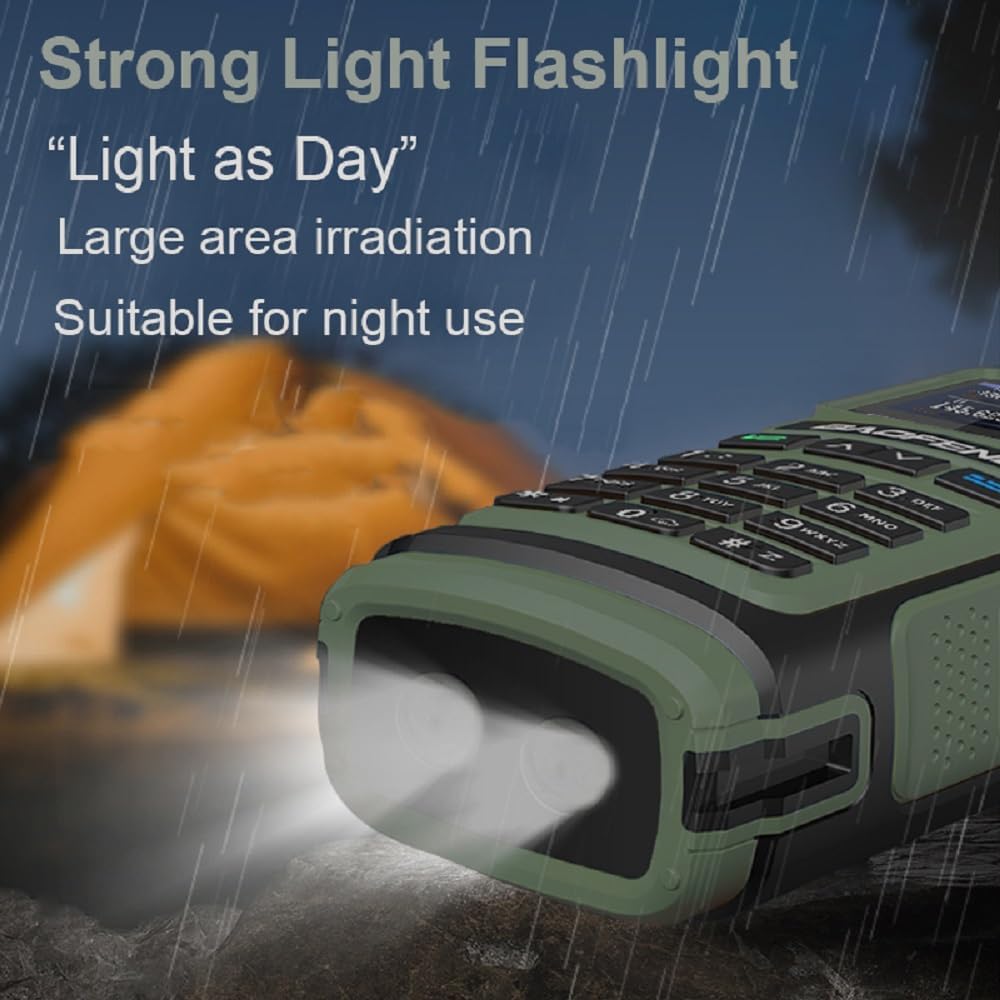
Image: The BAOFENG UV-17 radio's flashlight is shown emitting a bright beam in a dark, outdoor environment, illustrating its "Strong Light Flashlight" capability for "Large area irradiation" and suitability for "night use."
- Press the dedicated Flashlight button to turn the flashlight on/off.
Maintenance
- Cleaning: Use a soft, damp cloth to clean the radio's exterior. Do not use harsh chemicals or solvents.
- Battery Care: Store the battery in a cool, dry place when not in use. Avoid fully discharging the battery for extended periods.
- Water Resistance: The radio is IP54 waterproof, meaning it is protected against dust and splashing water. Do not immerse the radio in water.
- Antenna: Ensure the antenna is securely attached. Do not operate the radio without an antenna.
Troubleshooting
| Problem | Possible Cause | Solution |
|---|---|---|
| Radio does not power on. | Battery is low or not installed correctly. | Charge the battery or re-install it correctly. |
| Cannot transmit or receive. | Incorrect frequency/channel, antenna not attached, or out of range. | Verify frequency/channel settings. Ensure antenna is attached. Move closer to the other radio. |
| Poor audio quality. | Low battery, weak signal, or incorrect volume. | Charge battery. Check signal strength. Adjust volume. |
| USB-C charging not working. | Cable or power source issue, or port is dirty. | Try a different USB-C cable or power source. Clean the USB-C port gently. |
Specifications
| Feature | Detail |
|---|---|
| Model Number | UV-17 |
| Brand | BAOFENG |
| Frequency Range | 144-148MHz (VHF), 420-450MHz (UHF), Amateur FM |
| Number of Channels | 999 |
| Battery Capacity | 1800mAh Lithium Ion |
| Input Voltage | DC 7.4V |
| Max Range | 6.1 miles (approx.) |
| Operating Temperature | -10°C to 60°C |
| Water Resistance Level | IP54 (Dust and splash resistant) |
| Display Type | LCD |
| Special Features | 999 Channels, FM Radio, NOAA Weather Alert, Tri-Band, USB-C Charging, Wireless Frequency Copy, VOX |
| Item Weight | 27.69 ounces / 785 g (approx.) |
Warranty and Support
Warranty: A 1-year warranty is provided exclusively through "Shiqun Electronics Co., Ltd." Please retain your proof of purchase for warranty claims.
Support: For technical assistance, troubleshooting, or warranty inquiries, please contact the seller, "Shiqun Electronics Co., Ltd.", directly through your purchase platform or their official contact channels.
For additional resources and product information, you may visit the official BAOFENG store: BAOFENG Store


