
LEDLUX SYCF5205
LEDLUX 52" Smart Ceiling Fan with Light User Manual
Model: SYCF5205
Brand: LEDLUX
Introduction
Thank you for choosing the LEDLUX 52" Smart Ceiling Fan with Light. This modern ceiling fan combines efficient air circulation with smart lighting features, offering convenience and comfort for your home. It features a reversible DC motor for year-round use, dimmable LED lighting with adjustable color temperatures, and multiple control options including remote, app, and voice control compatible with Amazon Alexa and Google Assistant. Please read this manual thoroughly before installation and operation to ensure safe and optimal performance.

Figure 1: LEDLUX 52" Smart Ceiling Fan with Light (Gold/White model)
Safety Information
Always follow basic safety precautions when installing and operating electrical appliances. This includes, but is not limited to:
- Ensure power is disconnected at the circuit breaker before installation or maintenance.
- All wiring must be in accordance with national and local electrical codes.
- Consult a qualified electrician if you are unsure about installation procedures.
- Mount the fan to a structure capable of supporting the fan's weight (minimum 35 lbs).
- Do not insert objects into the path of the fan blades.
- This product is designed for indoor use only.
Package Contents
Verify that all components are present before beginning installation:
- Ceiling Fan Motor Assembly
- 3 Solid Wood Blades
- Integrated LED Light Kit
- Remote Control
- Mounting Bracket
- Downrods (4.5" and 12" options)
- Hardware Pack (screws, wire nuts, etc.)
- User Manual (this document)
Specifications
| Brand | LEDLUX |
| Model Number | SYCF5205 |
| Product Dimensions | 52"L x 52"W x 52"H (with 12" downrod) |
| Material | Wood, Metal |
| Motor Type | Reversible DC Motor |
| Light Source | Integrated Dimmable LED |
| Color Temperatures | 3000K (Warm White), 4500K (Natural White), 6000K (Cool White) |
| Brightness Adjustment | 10%-100% |
| Control Methods | Remote Control, APP Control (Smart Life), Voice Control (Amazon Alexa, Google Assistant) |
| Installation Type | Semi Flush Mount (with downrod options) |
| Indoor/Outdoor Usage | Indoor |
| Item Weight | 13.17 pounds |

Figure 2: Product Dimensions and Ceiling Compatibility (Flat and Sloped)
Setup and Installation
Installation of the LEDLUX ceiling fan is designed to be straightforward. For detailed step-by-step instructions, please refer to the dedicated installation guide included in your product packaging. Below is a general overview of the process:
- Prepare the Installation Site: Ensure the power is off at the circuit breaker. Securely mount the fan's hanging bracket to a ceiling joist or an outlet box rated for fan support.
- Assemble the Downrod: Choose the appropriate downrod length (4.5" or 12") for your ceiling height. Attach the downrod to the motor assembly.
- Hang the Fan: Carefully lift the fan assembly and hang it from the mounting bracket.
- Wire the Fan: Connect the electrical wires according to the wiring diagram provided in the installation guide. Ensure all connections are secure.
- Attach Blades: Securely attach the three solid wood blades to the motor housing.
- Install Light Kit: Connect and install the integrated LED light kit.
- Secure Canopy: Slide the canopy up and secure it to the mounting bracket, covering the wiring.
If you encounter any difficulties or have questions during installation, it is recommended to contact a professional electrician or LEDLUX customer support for assistance.
Operating Instructions
Your LEDLUX Smart Ceiling Fan offers multiple convenient ways to control its functions.
1. Remote Control Operation
The included remote control allows full command over the fan and light functions.
- Fan Speed: Select from 6 fan speeds to adjust airflow.
- Light On/Off: Toggle the LED light.
- Light Color Temperature: Cycle through 3000K (Warm), 4500K (Natural), and 6000K (Cool) color temperatures.
- Light Dimming: Adjust brightness from 10% to 100%.
- Fan Direction (Reversible Motor): Switch between downdraft (summer mode for cooling) and updraft (winter mode for air circulation).
- Timer Function: Set the fan to turn off automatically after 1, 4, or 8 hours.
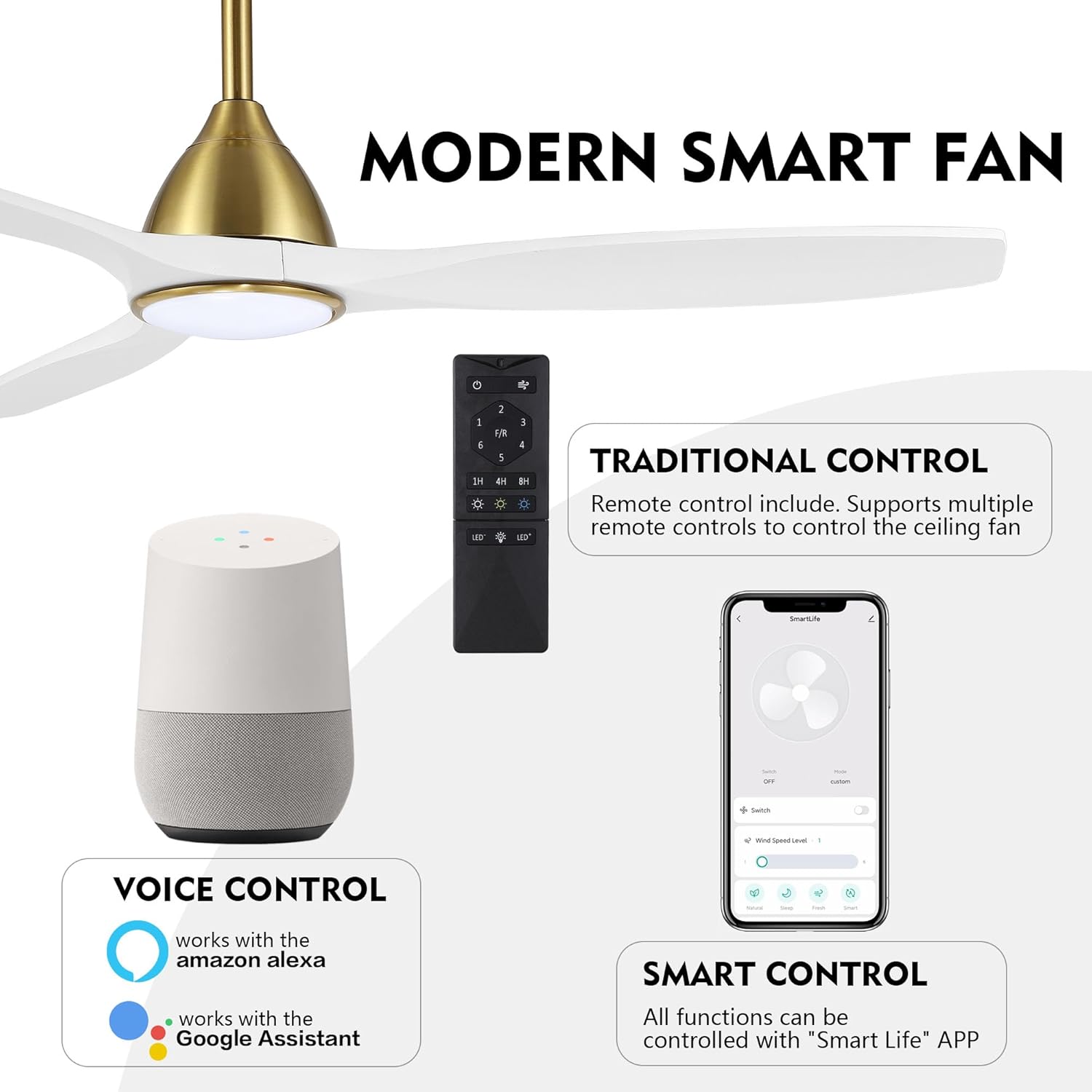
Figure 3: Traditional Remote Control and Smart App Control Interface

Figure 4: Dimmable LED Light with 3 Color Temperatures

Figure 5: Reversible DC Motor for Summer and Winter Modes
2. APP Control (Smart Life App)
For advanced control and smart home integration, download the "Smart Life" app on your smartphone or tablet.
- Download App: Search for "Smart Life" in your device's app store (iOS or Android).
- Register/Login: Create an account or log in to your existing Smart Life account.
- Add Device: Follow the in-app instructions to add your LEDLUX ceiling fan. Ensure your fan is powered on and in pairing mode (refer to the app for specific pairing steps).
- Control Functions: Once connected, you can control all fan and light functions, set schedules, and integrate with other smart home devices through the app.
3. Voice Control (Amazon Alexa & Google Assistant)
Integrate your fan with Amazon Alexa or Google Assistant for convenient voice commands.
- Link Smart Life Account: In your Alexa or Google Home app, enable the "Smart Life" skill/service and link it to your Smart Life account.
- Discover Devices: Ask Alexa or Google Assistant to "discover devices" or manually initiate discovery in the app.
- Voice Commands: Once discovered, you can use commands such as:
- "Alexa/Hey Google, turn on the living room fan."
- "Alexa/Hey Google, set the fan speed to 3."
- "Alexa/Hey Google, change the fan light to warm white."
- "Alexa/Hey Google, dim the fan light to 50%."
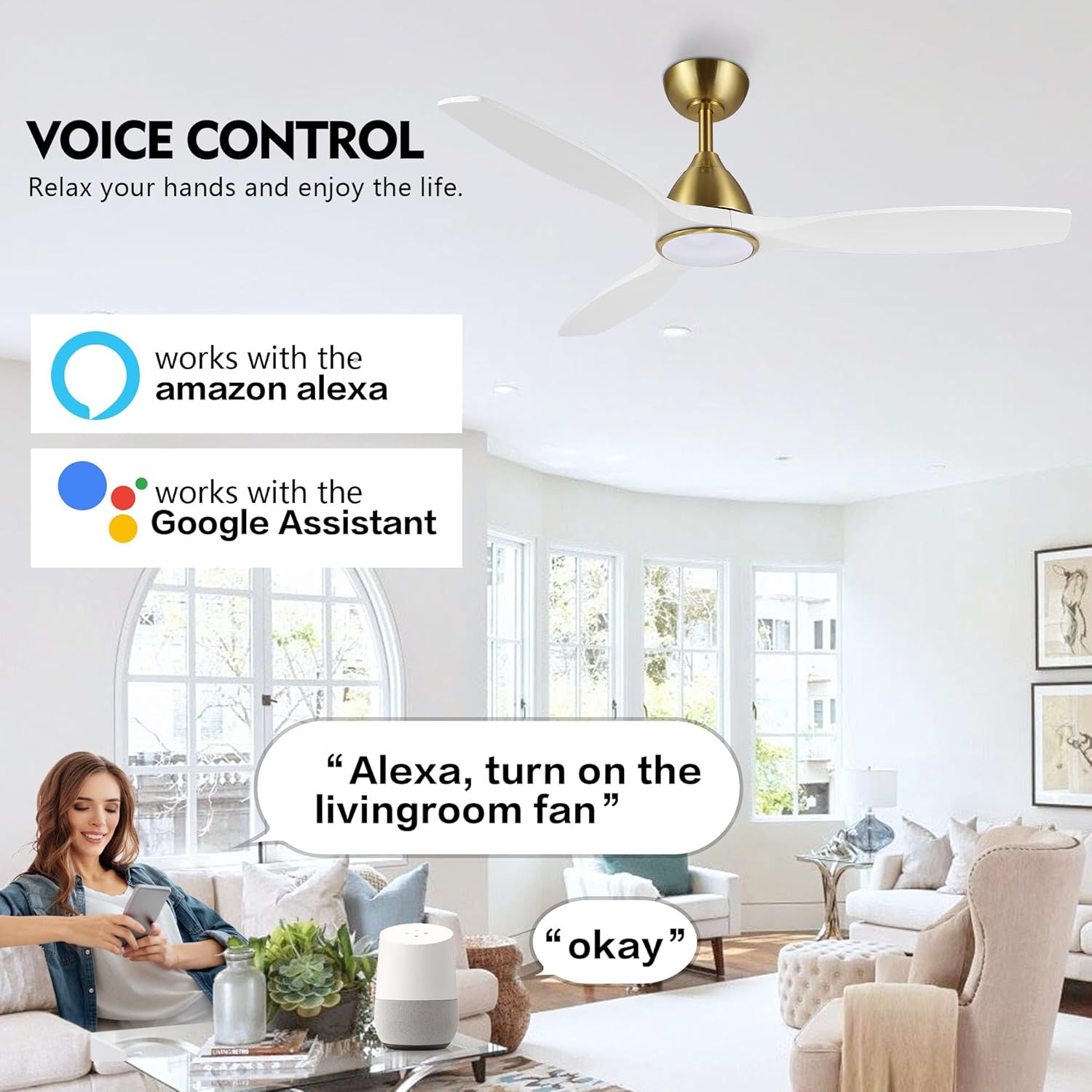
Figure 6: Voice Control Compatibility with Amazon Alexa and Google Assistant
Video 1: Demonstration of LEDLUX Smart Ceiling Fan with Light features, including remote and app control of light and fan speed.
Maintenance
Regular maintenance ensures the longevity and optimal performance of your ceiling fan.
- Cleaning: To clean the fan, wipe with a soft, damp cloth. Do not use abrasive cleaners or solvents as they may damage the finish or electrical components. Ensure power is off before cleaning.
- Blade Cleaning: Dust the fan blades regularly to maintain efficient airflow.
- Tighten Fasteners: Periodically check and tighten all screws and fasteners on the fan assembly to prevent noise and ensure safety.
- LED Light: The integrated LED light is designed for long life and is not user-replaceable. If the light fails, please contact customer support.
Troubleshooting
If you experience issues with your fan, refer to the common problems and solutions below:
| Problem | Possible Cause | Solution |
|---|---|---|
| Fan does not start. | No power to the fan; loose wire connections; remote control battery low. | Check circuit breaker; ensure all wire connections are secure; replace remote control batteries. |
| Light does not work. | Loose wire connection to light kit; LED module failure. | Check light kit wiring; if LED module is faulty, contact customer support. (Note: Some users reported light issues, manufacturer states they reinforced welding points). |
| Fan is noisy. | Loose fan blades or mounting screws; motor hum. | Ensure all blade screws and mounting screws are tightened; DC motors are generally quiet, but slight hum is normal. |
| Remote control not working. | Low battery; remote not paired with fan. | Replace remote battery; refer to pairing instructions in the full manual if available. |
| App/Voice control not working. | Fan not connected to Wi-Fi; app not linked to voice assistant; incorrect commands. | Ensure fan is connected to Wi-Fi; re-link Smart Life account in Alexa/Google Home app; verify voice commands. |
Warranty and Support
LEDLUX stands behind the quality of its products. For specific warranty details and duration, please refer to the warranty card included with your purchase or visit the official LEDLUX website. If you require technical assistance, have questions about installation, or need to report a defect, please contact LEDLUX customer support through Amazon mail or the contact information provided on the official website.
Contact Information: Please refer to your purchase documentation or the LEDLUX brand store on Amazon for the most current support contact details.
Online Resources: For additional support, FAQs, and product updates, visit the LEDLUX Store on Amazon.
Ask a question about this manual
Ask about setup, troubleshooting, compatibility, parts, safety, or missing instructions. Manuals+ will review the question and use this page’s manual context to help answer it.