Introduction
This manual provides comprehensive instructions for the Radioddity FS-T7 Walkie Talkies. These FRS (Family Radio Service) two-way radios are designed for reliable communication over short to medium distances, featuring NOAA weather channels, VOX hands-free operation, and a built-in flashlight. Please read this manual thoroughly before operating your device to ensure proper use and optimal performance.
Setup
1. Battery Installation
The FS-T7 walkie talkie uses a rechargeable 1400mAh Lithium-Ion battery. For emergency use, three AA batteries (not included) can also be used. To install, open the battery compartment cover on the back of the unit and insert the batteries according to the polarity markings. Close the cover securely.

Image: Rear view of the Radioddity FS-T7, illustrating the battery compartment with a rechargeable Lithium-Ion battery and slots for optional AA batteries.
2. Charging the Batteries
Connect the provided 2-in-1 USB-C charging cable to the USB-C port on the side of the walkie talkie. Connect the other end to a compatible USB power source. The charging indicator will show charging status. A full charge takes approximately 2 hours and provides up to 48 hours of standby time.

Image: Two Radioddity FS-T7 walkie talkies shown with their accompanying 2-in-1 USB-C charging cables.
3. Attaching Belt Clip and Lanyard
Attach the belt clip to the designated slot on the back of the walkie talkie. The lanyard can be threaded through the loop at the top of the device for easy carrying.

Image: A Radioddity FS-T7 walkie talkie with its belt clip attached, ready for hands-free carrying.
4. Earpiece Connection
Connect the earpiece to the SP/MIC jack on the side of the walkie talkie. Ensure it is securely plugged in for private listening and hands-free communication.
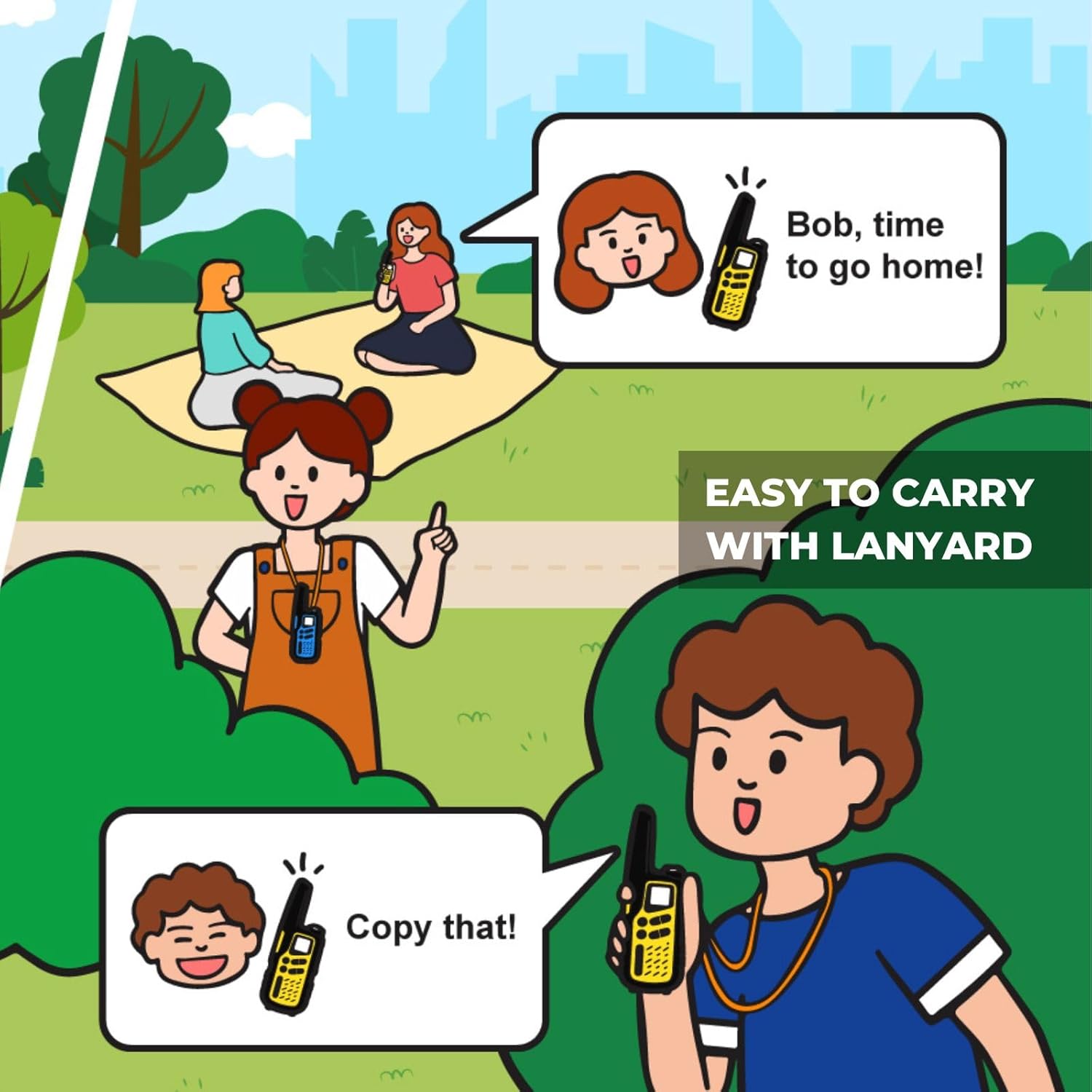
Image: A Radioddity FS-T7 walkie talkie with an earpiece plugged into its side port.
Operating Instructions
1. Power On/Off
Press and hold the CALL button (or the button with a power icon) to turn the device on or off. A voice prompt will confirm the action.
2. Channel Selection
To change the channel, press the MENU button once. The channel number on the display will blink. Use the Up/Down arrow buttons to select the desired channel (1-22 FRS channels). Press MENU again or the PTT button to confirm your selection.

Image: A pair of Radioddity FS-T7 walkie talkies, highlighting their digital display and control buttons for channel and menu navigation.
3. Volume Adjustment
When not in menu mode, use the Up/Down arrow buttons to adjust the speaker volume. The volume level will be indicated on the display.
4. Push-to-Talk (PTT)
Press and hold the large yellow PTT button on the side of the radio to transmit your voice. Speak clearly into the microphone. Release the button to stop transmitting and listen for a response.
5. VOX (Hands-Free) Operation
The VOX feature allows for voice-activated transmission without needing to press the PTT button. To activate VOX, press the MENU button until the VOX icon appears on the display. Use the Up/Down arrow buttons to select the desired sensitivity level (typically 1-3, with 3 being most sensitive). Press MENU or PTT to confirm. When VOX is active, the radio will transmit automatically when you speak.

Image: A graphic icon symbolizing the VOX (Voice Operated Exchange) hands-free communication feature.
6. NOAA Weather Channels
Access 12 NOAA weather channels for real-time weather alerts. Press the MONI button (which often doubles as the weather button) to activate weather mode. Use the Up/Down arrow buttons to cycle through the available NOAA channels. Press MONI again to exit weather mode.

Image: An illustration depicting a family hiking outdoors, with a close-up of a walkie talkie displaying a NOAA weather forecast, indicating its weather alert capability.
7. Flashlight
Press the dedicated flashlight button located on the side of the radio to activate the built-in LED flashlight. Press it again to turn it off. This feature is useful for low-light conditions.

Image: A graphic icon symbolizing the built-in flashlight feature on the device.
8. Privacy Codes (CTCSS/DCS)
Use 155 privacy codes (CTCSS/DCS) to minimize interference from other users on the same channel. To set a privacy code, press the MENU button until the CTCSS/DCS setting appears. Use the Up/Down arrow buttons to select a code from 1 to 155. Ensure all radios in your group are set to the same channel and privacy code for private communication. Press MENU or PTT to confirm.

Image: An illustration showing two separate teams using walkie talkies with different CTCSS/DCS privacy codes to avoid interference.
9. Scan Function
Activate the scan feature to automatically search for active channels. Press the SCAN button to initiate channel scanning. The radio will cycle through channels until an active signal is detected. Press SCAN again or the PTT button to stop scanning.

Image: A graphic icon symbolizing the channel scan feature.
10. Key Lock
Lock the keypad to prevent accidental changes to settings. To lock the keypad, press and hold the MENU button until the lock icon appears on the display. To unlock, press and hold the MENU button again.

Image: A graphic icon symbolizing the key lock feature.
Maintenance
1. Cleaning
Clean the radio with a soft, damp cloth. Do not use harsh chemicals or abrasive cleaners. Ensure no moisture enters the ports.
2. Battery Care
For optimal battery life, fully charge the rechargeable batteries before first use. If storing the radios for extended periods, charge them periodically to maintain battery health. Ensure battery contacts are clean and free of debris.
Troubleshooting
- No power: Check battery installation. Ensure rechargeable batteries are charged or replace AA batteries if using them.
- Cannot transmit or receive: Verify both radios are on the same channel and privacy code. Check battery level. Ensure the PTT button is fully pressed when transmitting.
- Poor audio quality: Move closer to the other radio. Check for physical obstructions between units. Adjust the volume. Ensure the earpiece is properly connected if used.
Specifications
| Item Weight | 1.1 pounds |
| Package Dimensions | 8.4 x 6.7 x 2 inches |
| Item Model Number | FS T7 |
| Batteries | 2 Lithium Ion batteries required (included) |
| Number of Channels | 22 |
| Special Features | Lightweight, Long Range, Voice Operated Transmission (VOX), Weather Alert (NOAA) |
| Frequency Range | FRS |
| Talking Range Maximum | 3 Mile |
| Voltage | 3.7 Volts (DC) |
| Water Resistance Level | Water Resistant |
| Included Components | 2 x FS-T7 with 2 rechargeable batteries, 2 x Belt Clip, 2 x Wrist Strap, 2 x Earpiece, 1 x Instruction Manual, 2 x USB-C Charging Cable |
Warranty and Support
Warranty Information
The Radioddity FS-T7 Walkie Talkies come with an 18-month warranty. This warranty covers manufacturing defects and ensures lifetime support for the product.
Manufacturer
Radioddity
Customer Support
For technical assistance, troubleshooting, or warranty claims, please contact Radioddity customer support through their official channels. Refer to the product packaging or the official Radioddity website for contact details.


