
FASTWD M820
FASTWD M820 10.1-inch Android 13 Tablet User Manual
Model: M820
Introduction
Thank you for choosing the FASTWD M820 10.1-inch Android 13 Tablet. This manual provides essential information for setting up, operating, maintaining, and troubleshooting your new device. The FASTWD M820 tablet features an octa-core processor, 19GB RAM, 128GB ROM (expandable to 1TB), a 1920x1200 FHD incell display, and an 8000mAh battery, designed for a smooth and efficient user experience. It comes bundled with a keyboard and mouse for enhanced productivity.

Image: The FASTWD M820 tablet shown with its included keyboard, stylus, and other accessories, highlighting its comprehensive package.
Setup
Package Contents
Before you begin, ensure all items are present in your package:
- FASTWD M820 Tablet
- Bluetooth Keyboard
- Mouse
- OTG Adapter
- Charger
- Screen Protector (pre-applied or included)
- Capacitor Pen (Stylus)
- Data Cable
- Leather Case
- Tablet User Manual (this document)

Image: A visual representation of the FASTWD M820 tablet alongside its complete set of accessories, including the keyboard, mouse, charger, and case.
Initial Charging
It is recommended to fully charge the tablet before first use. Connect the charger to the tablet's Type-C port and plug it into a power outlet. The battery indicator on the screen will show charging status.
Power On/Off
- To Power On: Press and hold the Power button until the FASTWD logo appears.
- To Power Off: Press and hold the Power button, then select "Power off" from the options on the screen.
Connecting Peripherals (Keyboard & Mouse)
The tablet comes with a Bluetooth keyboard and mouse. To connect them:
- Ensure Bluetooth is enabled on your tablet (Settings > Connected devices > Bluetooth).
- For the mouse, insert the OTG adapter into the tablet's USB port, then connect the mouse's USB receiver to the OTG adapter. Install the battery into the mouse if not already done.
- For the keyboard, turn on the keyboard and put it into pairing mode (refer to the keyboard's specific instructions, usually a function key combination).
- On the tablet, search for available Bluetooth devices and select the keyboard to pair.
Operating Instructions
Android 13 Operating System
Your tablet runs on the Android 13 OS, certified with GMS (Google Mobile Services), providing access to the Google Play Store and a wide range of applications. Android 13 offers features like a customizable taskbar, floating windows, and split-screen functionality for enhanced multitasking.
Display and Visuals
The 10.1-inch incell HD eye-care display with a 1920x1200 resolution provides clear and vibrant images. For eye comfort, activate Night Mode or Eye Protection Mode via the quick settings panel or display settings.

Image: This image illustrates the tablet's display quality, camera specifications (8MP front, 13MP rear), and screen-to-body ratio, emphasizing its visual capabilities.
Performance and Storage
Equipped with 19GB RAM (8GB physical + 11GB extended) and 128GB ROM, the tablet ensures smooth operation across various applications. Storage can be expanded up to 1TB with a microSD card (not included).

Image: The tablet screen displaying multiple applications and media content, demonstrating its powerful storage and multitasking capabilities.
Connectivity
The tablet supports 2.4GHz and 5GHz dual-band Wi-Fi for stable and fast internet access, and Bluetooth 5.0 for connecting wireless accessories. It also features GPS for navigation.

Image: The tablet connected to a large screen via wireless projection, illustrating its multimedia capabilities, along with screenshots showing Wi-Fi and Bluetooth settings.
Camera Features
The tablet is equipped with a 13MP rear camera and an 8MP front camera. The rear camera supports hovering and smile detection, with AI scene recognition to optimize photo quality.
Audio
Experience immersive sound with two symmetrical stereo speakers and five integrated sound holes. AI noise cancellation technology helps filter out surrounding noise for clearer audio.
Security
The tablet supports facial recognition for convenient and secure unlocking.
Maintenance
Cleaning the Tablet
- Use a soft, lint-free cloth to clean the screen and body.
- Do not use abrasive cleaners, alcohol, or solvents, as they may damage the surface.
- For stubborn smudges, slightly dampen the cloth with water.
Battery Care
- Avoid exposing the tablet to extreme temperatures (hot or cold).
- Do not allow the battery to fully discharge frequently.
- Use only the provided charger or a certified compatible charger.
- The 8000mAh battery, combined with AI intelligent power management, dark theme, and night light mode, helps reduce unnecessary power consumption.
Software Updates
Regularly check for system updates to ensure optimal performance and security. Go to Settings > System > System update to check for and install available updates.
Troubleshooting
Common Issues and Solutions
| Problem | Solution |
|---|---|
| Tablet does not power on. | Ensure the tablet is charged. Connect the charger and wait a few minutes before attempting to power on again. If unresponsive, press and hold the power button for 10-15 seconds for a forced restart. |
| Cannot connect to Wi-Fi. | Check if Wi-Fi is enabled in settings. Restart your Wi-Fi router. Forget the network and try reconnecting. Ensure you are within range of the Wi-Fi signal. |
| Bluetooth devices not pairing. | Ensure Bluetooth is enabled on both the tablet and the device. Put the Bluetooth device into pairing mode. Restart both devices and try again. |
| Tablet is slow or unresponsive. | Close unnecessary background applications. Clear cache from apps. Restart the tablet. If the issue persists, consider a factory reset (back up your data first). |
| Battery drains quickly. | Reduce screen brightness. Turn off Wi-Fi/Bluetooth when not in use. Close background apps. Use power-saving modes. |
Specifications
| Feature | Detail |
|---|---|
| Brand | FASTWD |
| Model Number | M820 |
| Operating System | Android 13 |
| Processor | Octa-Core Unisoc (up to 2.0 GHz) |
| RAM | 19 GB (8GB physical + 11GB extended) |
| Internal Storage (ROM) | 128 GB |
| Expandable Storage | Up to 1 TB (via microSD card) |
| Screen Size | 10.1 Inches |
| Display Resolution | 1920 x 1200 pixels (FHD Incell) |
| Rear Camera | 13 MP |
| Front Camera | 8 MP |
| Battery Capacity | 8000 mAh |
| Connectivity | 2.4GHz/5GHz Dual-Band Wi-Fi, Bluetooth 5.0, GPS |
| Ports | USB Type-C |
| Color | Black |
| Dimensions | 33.79 x 19.8 x 4.2 cm (Package) |
| Weight | 1.31 kilograms (Package) |

Image: A diagram highlighting eight key features of the FASTWD tablet, including its eye-protective incell screen, octa-core processor, 8000mAh battery, and dual-band Wi-Fi.
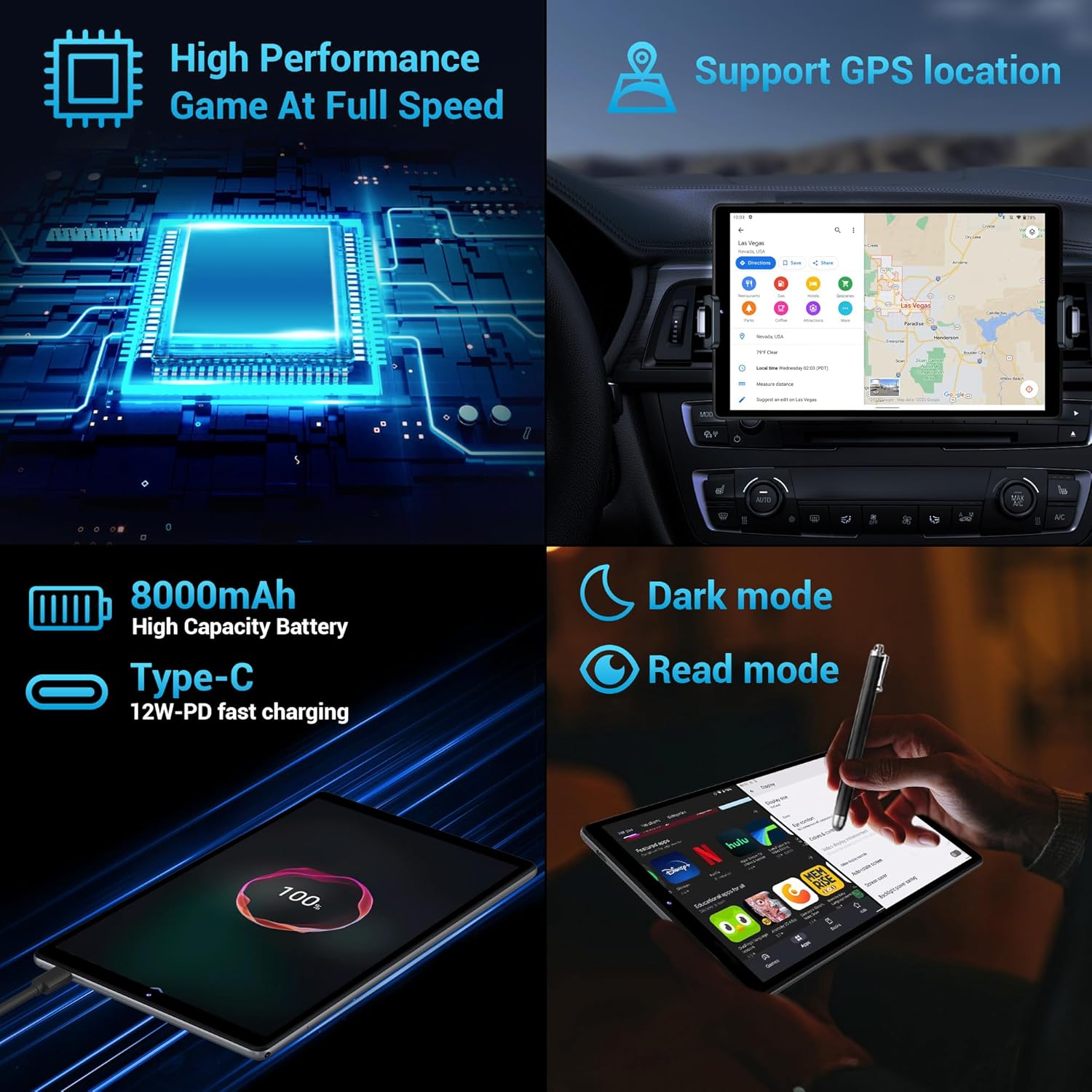
Image: A collage showcasing the tablet's high performance for gaming, GPS support, 8000mAh high-capacity battery with fast charging, and options for dark mode and read mode.
Warranty and Support
The FASTWD M820 tablet comes with a lifetime warranty, ensuring long-term support for your product.
If you encounter any problems during use, please do not hesitate to contact us directly via Amazon. Our professional support staff will be available to assist you in resolving any issues you may experience.
For further assistance, please visit the product page on Amazon or contact FASTWD customer service through the Amazon messaging system.
Related documentsM820


Ask a question about this manual
Ask about setup, troubleshooting, compatibility, parts, safety, or missing instructions. Manuals+ will review the question and use this page’s manual context to help answer it.