
1. Introduction
This manual provides detailed instructions for the safe and effective use of the Walfront FY3267S Electrical Clamp Meter. This portable device is designed for measuring AC/DC voltage, AC current, and resistance with high accuracy and reliability. Please read this manual thoroughly before operation and retain it for future reference.
2. Safety Information
WARNING: Electrical shock hazard. Improper use of this meter can result in injury or death. Follow all safety precautions.
- Always ensure the meter is in good working condition before use.
- Do not attempt to measure voltages or currents exceeding the maximum specified limits.
- Use caution when working with live circuits. Avoid contact with bare conductors or terminals.
- Ensure test leads are properly connected and undamaged.
- Replace batteries promptly when the low battery indicator appears to ensure accurate readings.
- Do not operate the meter in wet environments or explosive atmospheres.
3. Product Overview and Components
Familiarize yourself with the main parts of your Walfront FY3267S Clamp Meter.

Figure 3.1: Front view of the Walfront FY3267S Electrical Clamp Meter, showing the display, function dial, and clamp jaw.

Figure 3.2: The Walfront FY3267S Clamp Meter held comfortably in a user's hand, demonstrating its portable and ergonomic design.

Figure 3.3: The complete package including the Walfront FY3267S Clamp Meter, a pair of test leads, and a protective carrying case.
Key Components:
- Clamp Jaw: Used for non-contact AC current measurement.
- Function Dial: Selects measurement modes (ACV, DCV, ACA, Resistance, OFF).
- LCD Display: Shows measurement readings, units, and indicators.
- Input Terminals: For connecting test leads (COM and INPUT).
- Hold Button: Freezes the current reading on the display.
- Backlight/Flashlight Button: Activates display backlight and integrated flashlight.
4. Setup
4.1 Battery Installation
- Ensure the meter is powered off.
- Locate the battery compartment cover on the back of the meter.
- Use a screwdriver to open the battery compartment.
- Insert 2 x AAA batteries, observing correct polarity (+/-).
- Replace the battery compartment cover and secure it with the screw.

Figure 4.1: The battery compartment of the Walfront FY3267S Clamp Meter, showing the location for two AAA batteries.
4.2 Connecting Test Leads
- For voltage and resistance measurements, insert the black test lead into the 'COM' (common) input jack.
- Insert the red test lead into the 'INPUT' jack.

Figure 4.2: A close-up view of the red and black test leads, essential accessories for voltage and resistance measurements.
5. Operating Instructions
5.1 Power On/Off
Rotate the function dial from 'OFF' to any desired measurement function to power on the meter. To power off, rotate the dial back to 'OFF'.
5.2 AC Current Measurement (Clamp Function)
- Rotate the function dial to the desired AC current range (e.g., 6A, 60A, 600A).
- Press the jaw trigger to open the clamp jaw.
- Enclose only one conductor of the circuit within the clamp jaw. Ensure the jaw is fully closed.
- Read the AC current value on the LCD display.

Figure 5.1: The Walfront FY3267S Clamp Meter in use, demonstrating how to measure current by clamping around a single conductor.
5.3 AC/DC Voltage Measurement
- Connect the test leads as described in Section 4.2.
- Rotate the function dial to '600V' for AC Voltage (ACV) or DC Voltage (DCV). The meter will auto-range.
- Touch the red test probe to the positive side of the circuit and the black test probe to the negative side (or ground).
- Read the voltage value on the LCD display.
5.4 Resistance Measurement
- Connect the test leads as described in Section 4.2.
- Rotate the function dial to '6KΩ'. The meter will auto-range.
- Ensure the circuit under test is de-energized before measuring resistance.
- Touch the test probes across the component or circuit section to be measured.
- Read the resistance value on the LCD display.
5.5 Backlight and Flashlight Function
Press the dedicated button to activate the LCD backlight for improved visibility in low-light conditions. Press it again to activate the integrated flashlight, located near the clamp jaw, for illuminating the work area. Press a third time to turn both off.
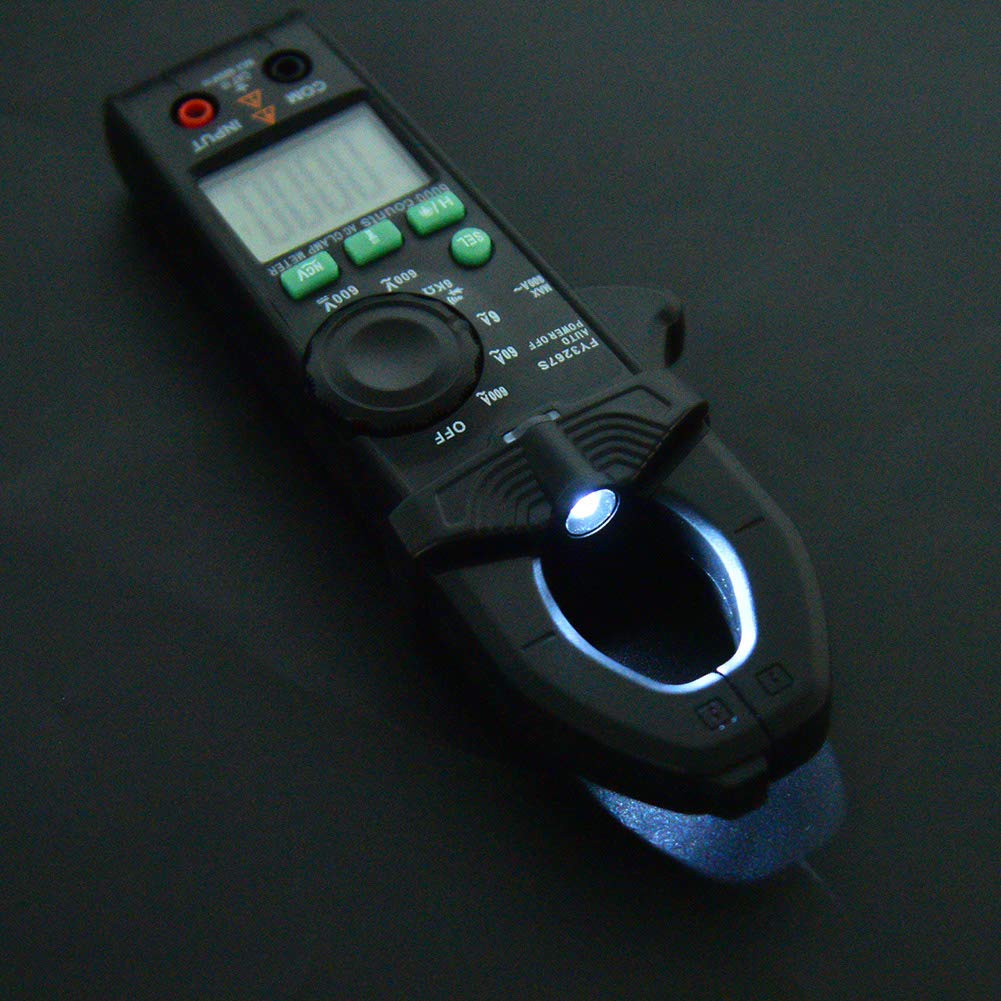
Figure 5.2: The Walfront FY3267S Clamp Meter with its integrated flashlight illuminated, providing visibility in dark environments.
5.6 Data Hold Function
Press the 'HOLD' button to freeze the current reading on the display. Press it again to release the hold and resume live measurements.
6. Maintenance
6.1 Cleaning
Wipe the meter's casing with a damp cloth and mild detergent. Do not use abrasives or solvents. Ensure the meter is dry before storage or use.
6.2 Battery Replacement
When the low battery indicator appears on the display, replace the batteries as described in Section 4.1. Remove batteries if the meter will not be used for an extended period to prevent leakage.
7. Troubleshooting
| Problem | Possible Cause | Solution |
|---|---|---|
| Meter does not power on. | Dead or incorrectly installed batteries. | Check battery polarity or replace batteries. |
| No reading or 'OL' displayed. | Open circuit, range too high, or measurement exceeds range. | Check connections, select appropriate range, or verify circuit continuity. |
| Inaccurate readings. | Low battery, improper connection, or external interference. | Replace batteries, ensure secure connections, move away from strong electromagnetic fields. |
| Backlight/Flashlight not working. | Low battery or malfunction. | Replace batteries. If problem persists, contact support. |
8. Specifications
| Parameter | Range | Resolution | Accuracy | |||
|---|---|---|---|---|---|---|
| DC Voltage | 600V | 0.1V | ± (1.0% reading ± 3 digits) | |||
| AC Voltage | 600V | 0.1V | AC Current | 6A | 0.001A | ± (3.0% reading ± 5 digits) |
| 60A | 0.01A | |||||
| 600A | 0.1A | |||||
| Resistance | 6KΩ | 0.001KΩ | ± (1.0% reading ± 5 digits) |
General Specifications:
- Sampling Rate: 3 times/second
- Display: 5999-bit LCD display, word height 21mm
- Over-range Indication: 'OL' or '-OL' on LCD display
- Jaw Size: Approx. 25mm / 1.0 inch
- Power: 2 x AAA batteries (not included)
- Item Model Number: WALFRONT0y8cznb5wx

Figure 8.1: An angled view of the Walfront FY3267S Clamp Meter, highlighting the jaw size of approximately 25mm.
9. Warranty and Support
For warranty information, technical support, or service inquiries, please refer to the documentation included with your purchase or visit the official Walfront website. Keep your purchase receipt as proof of purchase.
Manufacturer: WALFRONT
Date First Available: July 26, 2025