
RTR 2323090
RTR Lionel Union Pacific LIONCHIEF Bluetooth 5.0 Steam Engine & Tender Model 2323090-E User Manual
Model: 2323090-E
1. Introduction
This manual provides essential instructions for the setup, operation, and maintenance of your RTR Lionel Union Pacific LIONCHIEF Bluetooth 5.0 Steam Engine and Tender, Model 2323090-E. Please read this manual thoroughly before operating your model train to ensure safe and optimal performance.
The Lionel Union Pacific LIONCHIEF Steam Engine is an O Gauge traditional scale electric locomotive featuring advanced control options including a dedicated LionChief remote, Bluetooth LionChief app, Lionel Voice Control (LVC), and Voice Streaming & Recording (VSR). It is equipped with RailSounds RC sound system, an operating headlight, a powerful maintenance-free motor, operating couplers, and a puffing smoke unit.
2. Package Contents
Verify that all components are present in your package:
- RTR Lionel Union Pacific LIONCHIEF Steam Engine (0-8-0)
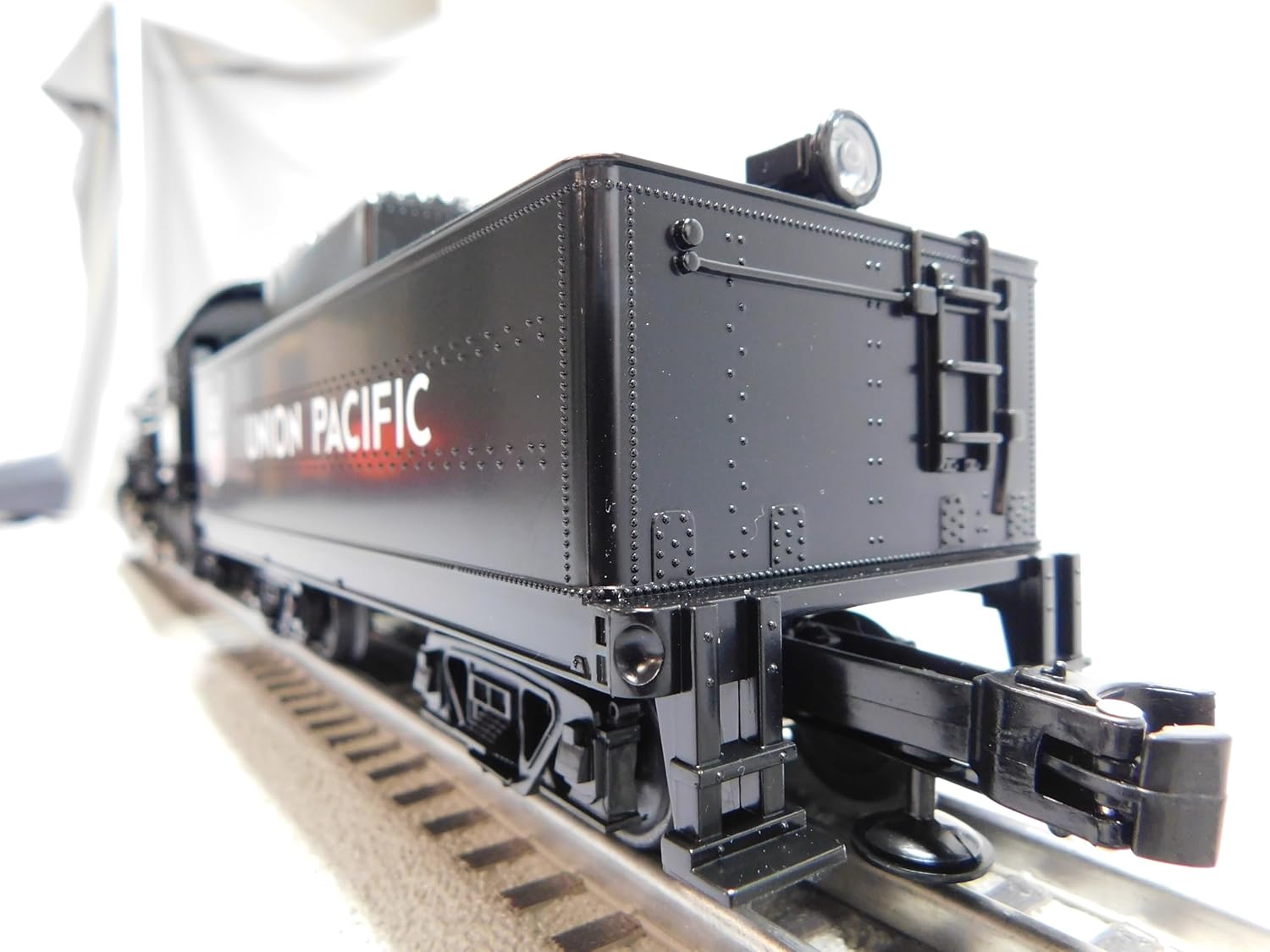
- Matching Union Pacific Tender
- LionChief Remote Control
- Owner's Manual (this document)
The RTR Lionel Union Pacific Steam Engine and tender on tracks, accompanied by its LionChief remote control and the printed owner's manual.
3. Setup Instructions
3.1 Track Assembly
- Assemble your O Gauge track layout on a flat, stable surface. Ensure all track sections are securely connected.
- The minimum curve radius for this locomotive is O31. Ensure your layout adheres to this specification to prevent derailments.
3.2 Locomotive Placement
- Carefully place the Steam Engine and Tender onto the track, ensuring all wheels are properly seated on the rails.
- Connect the tender to the locomotive using the drawbar provided.

A side view of the RTR Lionel Union Pacific LIONCHIEF Steam Engine and its tender, both black with 'UNION PACIFIC' lettering, resting on model train tracks.
3.3 Power Connection
- Connect your O Gauge power supply to the track as per the power supply's instructions.
- Ensure the power supply is turned off before connecting.
3.4 Remote Control Batteries
- The LionChief Remote Control requires three AAA alkaline batteries (not included).
- Open the battery compartment on the back of the remote and insert the batteries, observing correct polarity.
4. Operation
4.1 LionChief Remote Control
The included LionChief remote provides direct control over your locomotive's speed and functions.
- Forward/Reverse Knob: Rotate the knob to control the locomotive's speed and direction.
- Whistle Button: Press to activate the locomotive's whistle sound.
- Bell Button: Press to activate the locomotive's bell sound.
- Announcements Button: Press to trigger user-activated announcements.

The LionChief remote control, black with a directional knob and three function buttons for whistle, bell, and announcements, positioned next to the model train.
4.2 Bluetooth LionChief App
For enhanced control, download the LionChief app on your smartphone or tablet. The app connects via Bluetooth 5.0.
- Lionel Voice Control (LVC): Use voice commands through the app to operate your locomotive.
- Voice Streaming & Recording (VSR): Record or live stream custom announcements directly through the app to be played by the locomotive.
5. Key Features
- RailSounds RC Sound System: Experience realistic steam chuffing, background sounds, whistle, and bell.
- Operating Headlight: The locomotive features a functional headlight for added realism.
- Powerful Maintenance-Free Motor: Designed for reliable and consistent performance.
- Puffing Smoke Unit: An integrated smoke unit produces realistic smoke effects. An On/Off switch is located on the locomotive.
- Operating Couplers: Functional couplers allow for easy attachment and detachment of rolling stock.
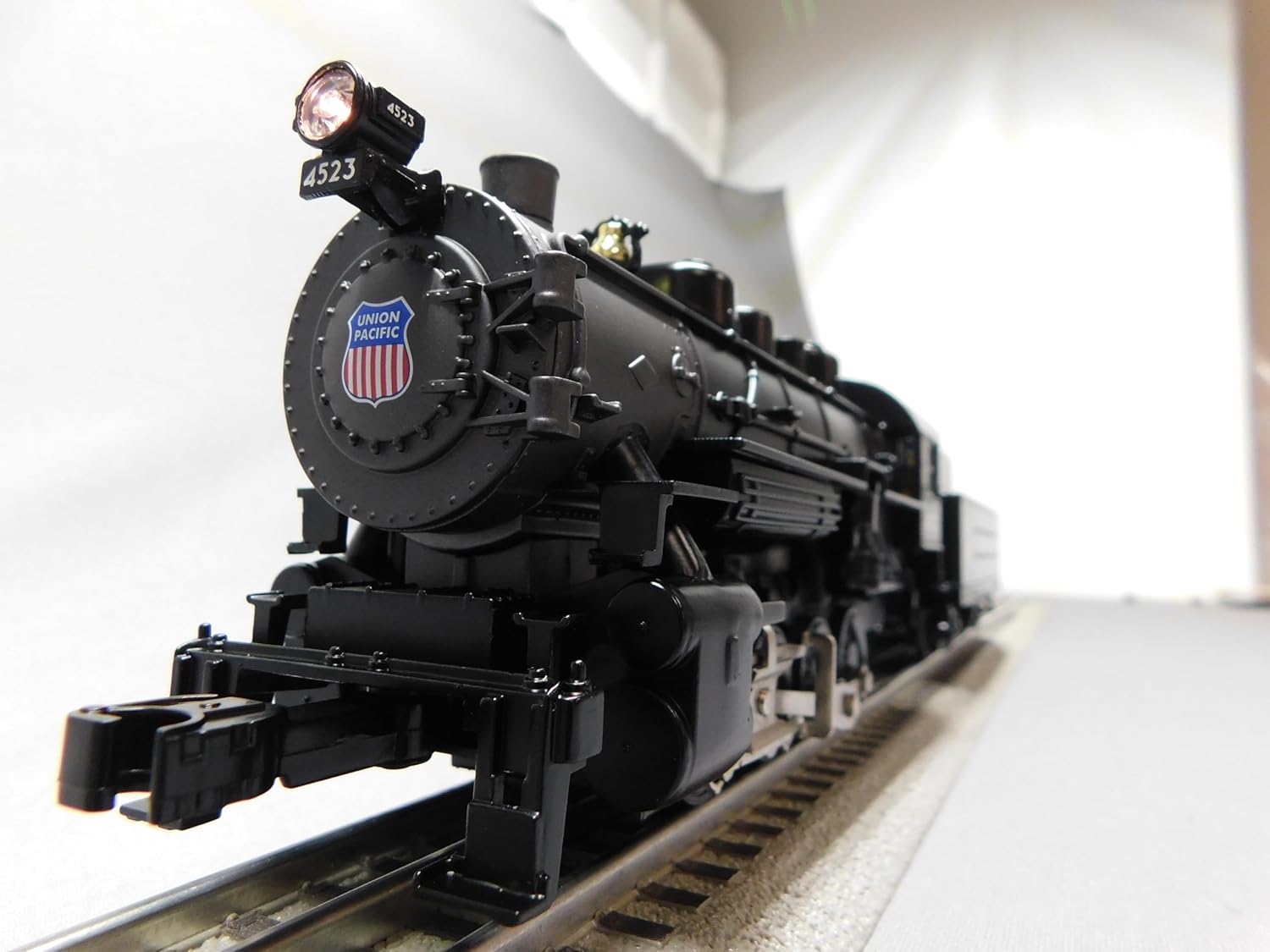
A front-angle view of the RTR Lionel Union Pacific Steam Engine, showing the illuminated headlight, the number '4523', and the Union Pacific shield logo on the smokebox door.
6. Maintenance
Regular maintenance ensures the longevity and performance of your locomotive.
- Cleaning: Periodically wipe down the locomotive and tender with a soft, dry cloth to remove dust and debris. Avoid using harsh chemicals.
- Track Cleaning: Keep your track clean to ensure good electrical contact and smooth operation.
- Smoke Unit: If using the smoke unit, ensure it is filled with appropriate smoke fluid as per Lionel's recommendations. Do not overfill.
- Storage: When not in use, store the locomotive and tender in a dry, dust-free environment.
7. Troubleshooting
Refer to the table below for common issues and their solutions.
| Problem | Possible Cause | Solution |
|---|---|---|
| Locomotive does not move. | No power to track; remote batteries low; locomotive not properly on track. | Check power supply connection; replace remote batteries; re-seat locomotive on track. |
| Smoke unit not producing smoke. | Smoke fluid low; smoke unit switch off. | Refill smoke fluid; ensure smoke unit switch is in the 'On' position. |
| Sounds are not working. | Volume low; sound system off. | Adjust volume via remote/app; ensure sound system is enabled. |
| Bluetooth connection issues. | App not updated; device too far from locomotive. | Update LionChief app; ensure device is within Bluetooth range. |
8. Specifications
| Feature | Detail |
|---|---|
| Gauge | O Gauge |
| Scale Type | Traditional |
| Power | Electric |
| Engine Type | Steam (0-8-0) |
| Minimum Curve | O31 |
| Product Dimensions | 19.25 x 2.3 x 3.3 inches |
| Control Options | LionChief Remote, Bluetooth LionChief App (LVC, VSR) |
9. Warranty and Support
For detailed warranty information and customer support, please refer to the official Lionel website or contact RTR customer service. Specific warranty terms and conditions are typically included with your product packaging or available online.
Ask a question about this manual
Ask about setup, troubleshooting, compatibility, parts, safety, or missing instructions. Manuals+ will review the question and use this page’s manual context to help answer it.