
Introduction
This manual provides detailed instructions for the installation, operation, and maintenance of your PGST PG108-2GEU-A Home Alarm System. This wireless alarm system offers comprehensive security for your home, apartment, or garage, featuring Wi-Fi and GSM connectivity, PIR motion sensors, door/window sensors, remote controls, and compatibility with smart assistants like Alexa. Please read this manual thoroughly before using the system to ensure proper functionality and safety.
Package Contents
Verify that all items listed below are included in your package. If any items are missing or damaged, please contact customer support.
- 1 x PGST PG108-2GEU-A Alarm Host (Control Panel)
- 1 x Wireless PIR Motion Sensor
- 1 x Wireless Door/Window Sensor
- 2 x Remote Controls
- 2 x RFID Cards
- 1 x Wired Siren
- 1 x PIR Sensor Bracket
- 1 x Set of Fixing Screws
- 1 x USB Charging Cable
- 1 x User Manual (English)
Product Features
- Dual Network Connectivity: Features Wi-Fi and GSM capabilities, ensuring alarm notifications via app, calls, or SMS in case of emergencies. Control the system remotely via your smartphone (iOS and Android).
- SOS Emergency Function: A dedicated SOS button on the control panel and remote controls triggers an immediate central alarm, sending SMS and calls to pre-set mobile numbers. This feature is beneficial for individuals requiring quick assistance, such as the elderly, children, or those with disabilities.
- Expandable System: Supports up to 100 wireless detectors, RFID cards, and controllers, allowing for comprehensive coverage and customization of your security zones.
- Real-time Monitoring: Receive instant notifications on your smartphone when door or window sensors are triggered, providing awareness of entries or exits.
- Voice Control & Scheduled Arming: Supports voice commands for arming and disarming the system. Schedule automatic arming and disarming times for convenience. Remote SMS arming/disarming and parameter settings are also supported.
- Integrated Siren & Backup Battery: The central alarm includes a built-in siren and supports a super loud wired siren. An integrated backup battery provides 3 to 4 hours of operation during power outages.
Setup
1. Unboxing and Initial Power-Up
Carefully remove all components from the packaging. Connect the USB charging cable to the alarm host and a power source. Ensure the ON/OFF switch on the back of the alarm host is set to 'ON'.

Image: Detailed view of the PGST alarm host, showing its 2.4 TFT display screen, SOS button, RFID sensing area, and various buttons. The image also highlights the dimensions of the unit and the location of the SIM card slot, ON/OFF switch, and USB power input on the back panel.
2. SIM Card Installation (Optional)
If you intend to use the GSM function for calls and SMS alerts, insert a valid SIM card into the designated slot on the back of the alarm host. Ensure the SIM card is correctly oriented.

Image: The alarm host with a SIM card being inserted into its slot. Above the host, five circular images depict individuals on phone calls, with arrows pointing to the host, illustrating the feature to preset five alarm call numbers for emergency notifications.
3. App Download and Pairing
Download the "Smart Life" or "Tuya Smart" application from your smartphone's app store (iOS or Android). Register an account and follow the in-app instructions to add your PGST alarm host. Ensure your phone is connected to the 2.4GHz Wi-Fi network that the alarm system will use.

Image: A hand holding a smartphone displaying the "Alarm host" screen within the Smart Life application. Icons for Disarmed, Away, Home, and SOS modes are visible, indicating real-time control through the app.
4. Sensor Placement and Pairing
Place the PIR motion sensor in areas where movement detection is crucial, such as hallways or living rooms. Install door/window sensors on entry points. The included sensors are pre-paired with the alarm host. For additional sensors, refer to the app or the alarm host's menu for pairing instructions.

Image: A living room scene showing the PGST alarm control panel mounted on a wall, a PIR motion sensor on another wall, and a door/window sensor on a window frame. A smartphone displaying the alarm app is also visible, illustrating how the system protects the entire home with enhanced long-distance connectivity.
5. Customizing Sensor Names
For easier management, you can edit the names of your door/motion sensors within the Smart Life/Tuya Smart application. This helps in identifying which sensor has been triggered when an alert is received.
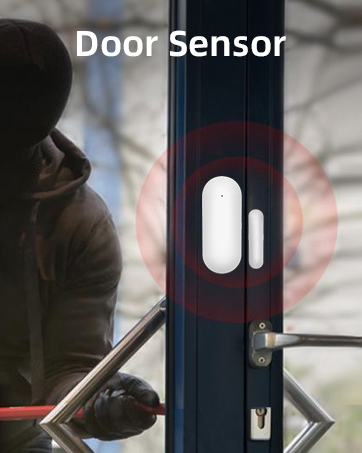
Image: A smartphone screen demonstrating the process of editing a door sensor's name within the alarm application. The app shows the current status of a door sensor and an input field to rename it, for example, to "My son room".
Operating Instructions
1. Arming and Disarming the System
The system can be armed or disarmed using the control panel, remote controls, RFID cards, or the mobile application.
- Arm (Away Mode): Activates all sensors. Ideal when no one is home.
- Home Arm (Stay Mode): Activates perimeter sensors (e.g., door/window sensors) while allowing free movement inside.
- Disarm: Deactivates all sensors.

Image: A person sleeping in bed, with a clock icon indicating time. Below, a schedule shows various times throughout the day (e.g., 7:00 AM, 9:00 AM, 12:00 PM, 1:00 PM, 4:30 PM, 10:00 PM) with corresponding auto-disarm or auto-arm actions, demonstrating the system's ability to arm and disarm regularly.
2. SOS Function
In an emergency, press and hold the SOS button on the control panel or remote control. The system will immediately trigger the siren and send emergency notifications (calls/SMS) to the pre-set numbers.

Image: A central image of the alarm control panel with an SOS button. Surrounding it are circular insets depicting different use cases: a person attempting to break in (theft prevention), a wired siren (120 dB), and an elderly person using an SOS button, highlighting the multipurpose application of the system.
3. Voice Control
The PGST alarm system is compatible with voice assistants like Amazon Alexa and Google Assistant. Link your alarm system through the Smart Life/Tuya Smart app to your preferred voice assistant for convenient voice commands to arm or disarm the system.

Image: An overview of the PGST Home Security Alarm System components, including the control panel, PIR sensor, door sensor, remote controls, and RFID tags, arranged on a table. Logos for Tuya, Works with Amazon Alexa, and Works with Google Assistant are prominently displayed, indicating compatibility and smart home integration.
Maintenance
- Battery Check: Regularly check the battery levels of your wireless sensors and remote controls. Replace batteries as needed to ensure continuous protection. The alarm host's built-in backup battery should also be checked periodically.
- Sensor Cleaning: Keep sensors clean and free from dust or obstructions. Use a soft, dry cloth to wipe the surfaces. Avoid using harsh chemicals.
- Firmware Updates: Periodically check the Smart Life/Tuya Smart app for any available firmware updates for your alarm host. Keeping the firmware updated ensures optimal performance and security.
- System Testing: Test your alarm system regularly (e.g., monthly) by triggering a sensor to ensure the siren sounds and notifications are received. Inform household members before testing to avoid unnecessary alarm.
Troubleshooting
1. Alarm Not Triggering
- Check Arming Status: Ensure the system is armed (Away or Home mode).
- Sensor Battery: Verify that the sensor batteries are not depleted.
- Sensor Placement: Confirm sensors are correctly installed and within range of the alarm host. Ensure door/window sensors are aligned properly.
- PIR Obstructions: Ensure the PIR sensor's detection area is clear of obstructions.
2. No App Notifications/Remote Control
- Wi-Fi Connection: Check if the alarm host is connected to your Wi-Fi network. Ensure your Wi-Fi is 2.4GHz.
- SIM Card: If using GSM, ensure the SIM card is active, has credit, and is correctly inserted.
- App Permissions: Grant necessary permissions (e.g., notifications) to the Smart Life/Tuya Smart app on your smartphone.
- Network Stability: Ensure your home Wi-Fi network is stable and has internet access.
3. Siren Not Sounding
- Siren Connection: Ensure the wired siren is properly connected to the alarm host.
- Volume Settings: Check the siren volume settings on the alarm host or via the app.
- Alarm Delay: Some settings might have an entry/exit delay before the siren activates.
4. False Alarms
- PIR Sensor Placement: Avoid placing PIR sensors near heat sources, direct sunlight, or areas with drafts that might cause false triggers.
- Pet Immunity: If you have pets, ensure your PIR sensors are pet-immune or adjust their sensitivity if possible.
- Door/Window Sensor Alignment: Ensure the two parts of the door/window sensor are closely aligned (within 1cm) when the door/window is closed.
Specifications
| Model Number | PG108-2GEU-A |
| Brand | PGST |
| Connectivity Technology | Wireless (Wi-Fi, GSM) |
| Power Source | Battery Powered (1 Lithium-polymer included) |
| Voltage | 5 Volts (DC) |
| Battery Composition | Lithium-ion |
| Battery Life (Backup) | Approximately 3-4 hours |
| Installation Method | DIY Wireless |
| Compatible Devices | Smartphone (iOS & Android), Amazon Alexa, Google Assistant |
| Alert Type | Audio and Motion (App notifications, Calls, SMS) |
| Control Method | App, Remote Control, RFID Card, Voice |
| Package Dimensions | 21.2 x 15.1 x 8.9 cm |
| Weight | 640 grams |
Warranty and Support
PGST is committed to providing high-quality smart security solutions. Specific warranty details, including duration and coverage, are typically provided with your purchase documentation. Please refer to the warranty card or contact the retailer where you purchased the product for precise information.
For technical support, troubleshooting assistance, or any inquiries regarding your PGST PG108-2GEU-A Home Alarm System, please visit the official PGST website or contact their customer service department. Contact information can usually be found in the packaging or on the brand's official online presence.


