1. Introduction
The Cherry KC 200 MX Mechanical Office Keyboard is designed for enhanced typing and gaming experiences. Featuring advanced MX2A switches, a durable metal plate frame, and white LED indicators, this keyboard combines modern design with precision engineering for reliable performance in both office and gaming environments.
2. Key Features
- CHERRY MX2A Switches: Equipped with German-made MX2A mechanical switches featuring Gold-Crosspoint contact precision for smooth and responsive keystrokes. Available in Silent Red for quiet operation (50 million keystrokes) and Brown for tactile feedback (100 million keystrokes).
- White LED Indicators: Integrated LEDs in CAPS Lock, SCROLL Lock, and NUM Lock keys provide immediate visual feedback for activated functions.
- Modern Design: Features an anodized metal plate, minimalist dimensions, and molded keycaps for a sleek and durable build.
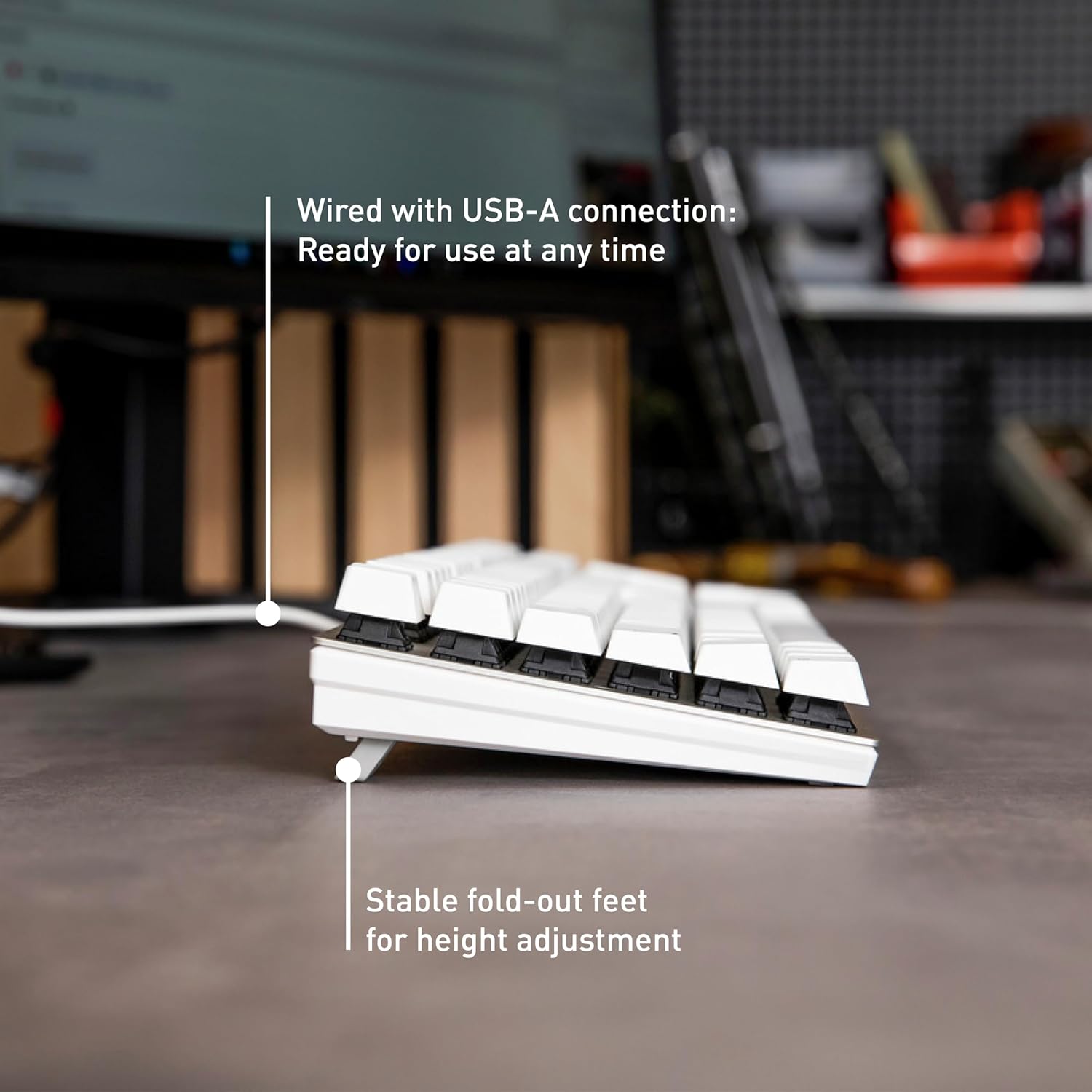
- USB-A Connectivity: Wired connection ensures reliable and instant response without the need for batteries.
- Adjustable Height: Stable fold-out feet allow for height adjustment to suit your ergonomic preferences.
- Anti-Ghosting & N-Key Rollover: Ensures all key presses are registered accurately, even during rapid typing or complex gaming commands.
- Additional Keys: Quick access keys for calculator application and volume adjustment enhance productivity.
3. Setup Instructions
- Unpacking: Carefully remove the keyboard and any accessories (such as the keycap puller) from the packaging.
- Connect to PC: Plug the USB-A connector of the keyboard cable into an available USB-A port on your computer.
- Driver Installation: The keyboard is plug-and-play and typically does not require additional drivers for basic functionality. Your operating system should automatically detect and install the necessary components.
- Adjust Height (Optional): Flip out the feet on the underside of the keyboard to adjust the typing angle for optimal comfort.
4. Operating Instructions
4.1 Basic Typing
The Cherry KC 200 MX functions as a standard full-size keyboard. Simply begin typing. The MX2A switches provide a consistent and comfortable typing experience.
4.2 LED Indicators
The keyboard features white LED indicators integrated into the CAPS Lock, SCROLL Lock, and NUM Lock keys. These LEDs illuminate when the respective function is active, providing clear visual confirmation.

4.3 Special Function Keys
The keyboard includes dedicated keys for quick access to common functions:
- Calculator Key: Press to open the calculator application.
- Volume Control Keys: Adjust audio volume directly from the keyboard.

4.4 Keycap Removal (for cleaning or switch replacement)
A keycap puller is included for easy removal of keycaps. Gently use the keycap puller to grasp and lift the desired keycap. Be careful not to damage the switch underneath.

5. Maintenance
- Cleaning: Use a soft, dry cloth to wipe the surface of the keyboard. For deeper cleaning, remove keycaps using the provided keycap puller and use compressed air to clear debris.
- Avoid Liquids: While durable, avoid spilling liquids directly onto the keyboard to prevent damage to internal components.
- Storage: Store the keyboard in a cool, dry place away from direct sunlight and extreme temperatures when not in use for extended periods.
6. Troubleshooting
6.1 Keyboard Not Responding
- Ensure the USB-A cable is securely plugged into both the keyboard and the computer.
- Try plugging the keyboard into a different USB-A port on your computer.
- Restart your computer.
- Test the keyboard on another computer to determine if the issue is with the keyboard or the original computer.
6.2 Keys Not Registering or Double-Typing
- Clean under the affected keycap using compressed air to remove any debris.
- If the issue persists, the switch may be faulty. Contact customer support for assistance.
6.3 LED Indicators Not Working
- Ensure the keyboard is properly connected.
- If only specific indicators are not working, ensure the corresponding function (CAPS Lock, NUM Lock, SCROLL Lock) is enabled.
7. Technical Specifications
| Brand | Cherry |
| Model Number | G80-3950LHBUS-1 |
| Product Dimensions | 16.93 x 4.76 x 1.54 inches |
| Item Weight | 2.29 pounds |
| Connectivity Technology | USB-A |
| Keyboard Description | Mechanical |
| Special Feature | MX2A Switches |
| Compatible Devices | PC |
| Material | Metal |
| Included Components | Keycap Puller |
8. Warranty and Support
For warranty information and technical support, please refer to the documentation included with your product or visit the official Cherry website. Keep your proof of purchase for warranty claims.
9. Product Overview Video
Video: An official product overview of the Cherry MX2A KC 200 Mechanical Keyboard, showcasing its features and design.


