
Product Overview
The Shark Cordless Detect Pro Auto-Empty System IW3110C is designed for efficient home cleaning, featuring advanced technologies to detect and react to dirt. This system includes an auto-empty dock that charges the vacuum and empties its dustbin automatically, providing a convenient and hygienic cleaning experience.
Key features include:
- Auto-Empty System: Automatically empties and charges, holding up to 30 days of dust and debris.
- Four Deep-Cleaning Technologies: DirtDetect, EdgeDetect, FloorDetect, and LightDetect for optimized cleaning across various surfaces and conditions.
- HEPA Filtration and Anti-Allergen Complete Seal: Captures over 99.97% of dust and allergens.
- QuadClean Multi-Surface Brushroll: Adapts to fine dust, large particles, embedded dirt, and pet hair, with a self-cleaning design to prevent hair wrap.
- Lightweight Design: 30% lighter than previous models, offering powerful performance.
- Extended Runtime: Up to 60 minutes of runtime in Eco mode.
What's Included
Before assembly, ensure all components are present:
- Cordless stick vacuum
- 2L Auto-empty charging dock
- Odor neutralizer puck
- Lithium-ion battery
- 8" Crevice tool
- Pet-Multi tool

Image: The Shark Cordless Detect Pro IW3110C vacuum with its auto-empty dock, battery, and various cleaning tools laid out.
Setup Instructions
- Unpack Components: Carefully remove all parts from the packaging.
- Assemble the Vacuum: Connect the wand to the floor nozzle, then connect the handheld vacuum to the top of the wand. Ensure all connections click securely into place.
- Set Up the Auto-Empty Dock: Place the auto-empty charging dock on a flat, stable surface near a power outlet.
- Install Battery: Insert the Lithium-ion battery into the handheld vacuum until it clicks.
- Initial Charge: Place the assembled vacuum onto the auto-empty charging dock. The battery indicator lights will illuminate to show charging status. Fully charge the vacuum before first use (approximately 4 hours).
- Odor Neutralizer Puck: Insert the odor neutralizer puck into its designated slot on the auto-empty dock to help prevent odors.

Image: The Shark Cordless Detect Pro IW3110C vacuum fully assembled and docked on its auto-empty station, ready for charging.
Operating Instructions
Powering On and Mode Selection
- Power On: Press the power button on the handheld unit to start the vacuum.
- Select Mode: Use the mode selection button to cycle through Eco, Auto, and Boost modes. Auto mode intelligently adjusts suction based on detected dirt and floor type.

Image: Close-up of the vacuum's LED display indicating dirt detection levels, battery status, and selected cleaning mode (Eco, Auto, Boost).
Deep-Cleaning Technologies
- DirtDetect: The vacuum senses hidden dirt and automatically boosts power for a deeper clean.
- EdgeDetect: Sensors detect edges and increase suction power for thorough edge cleaning.
- FloorDetect: Automatically identifies floor types (e.g., carpet, hard floor) and adjusts brushroll speed for optimal cleaning.
- LightDetect: Auto-illuminates dark areas to reveal hidden dust and debris under furniture or in dimly lit spaces.

Image: The vacuum's brushroll head with illuminated sensors detecting dirt particles on a floor, demonstrating DirtDetect technology.
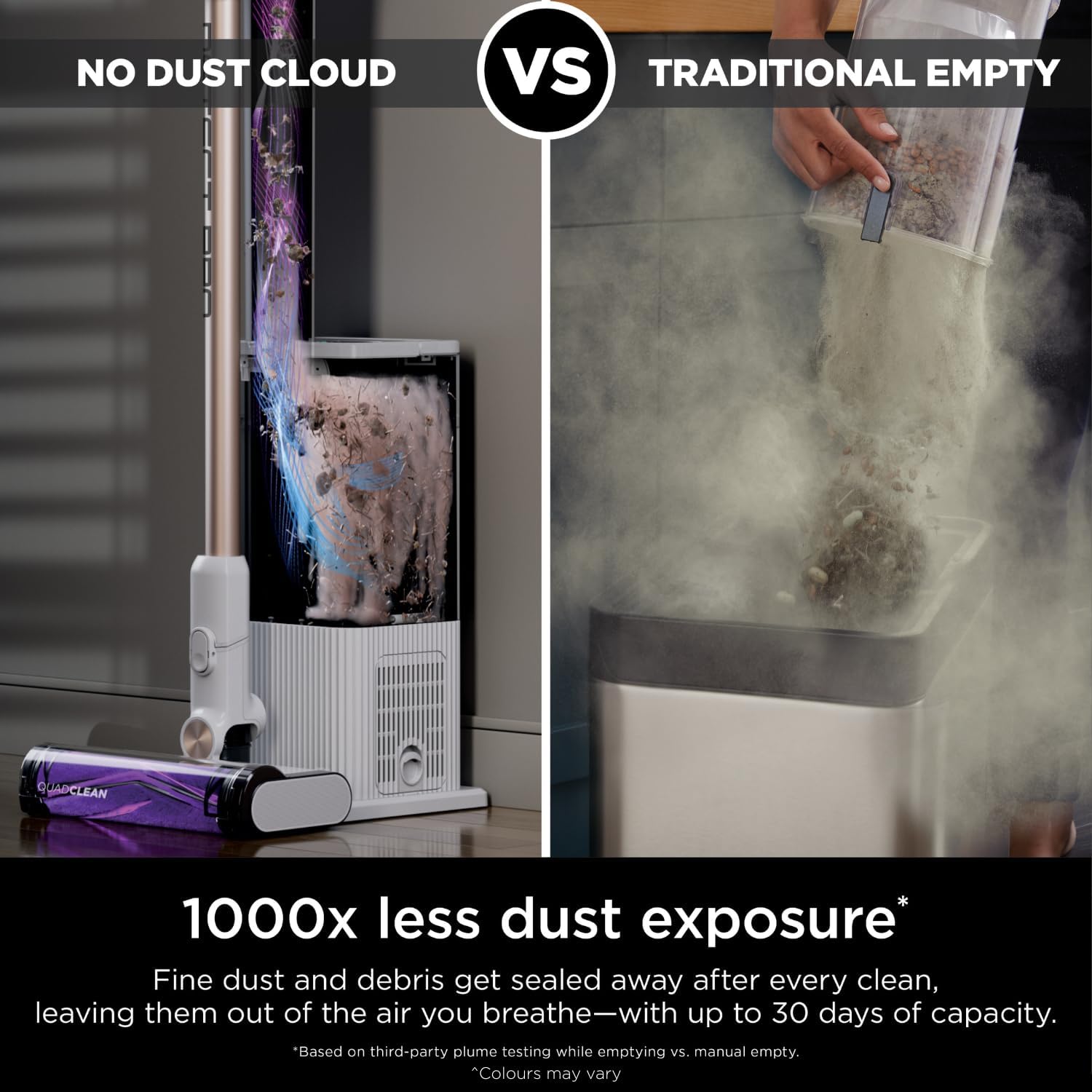
Image: The vacuum's brushroll head positioned against a wall, with illuminated sensors indicating enhanced suction for edge cleaning.

Image: The vacuum's brushroll head with integrated LED lights illuminating dust and debris in a dark area under furniture.
Using Attachments
The handheld vacuum can be detached for above-floor cleaning. Attach the 8" Crevice tool for tight spaces or the Pet-Multi tool for upholstery and pet hair.

Image: A user operating the handheld vacuum with the Pet-Multi tool to clean pet hair from a sofa cushion.
Official Product Video
Video: An official Shark product video demonstrating the assembly, various cleaning technologies (DirtDetect, EdgeDetect, FloorDetect, LightDetect), and the automatic emptying function of the Shark Cordless Detect Pro vacuum. It highlights the vacuum's ability to detect and react to different cleaning needs and its hands-free dust disposal.
Maintenance
Auto-Empty System
The auto-empty dock automatically empties the vacuum's dustbin after each cleaning session. The dock's sealed system captures and traps 99.97% of dust and allergens, providing up to 30 days of capacity before needing to be emptied.

Image: The Shark Cordless Detect Pro vacuum docked, with debris being automatically transferred from the vacuum's dust cup into the larger capacity auto-empty base.
Filter Maintenance
The system features True HEPA filtration. Regularly check and clean the filters according to the instructions provided in the full manual to maintain optimal suction and air quality.
Brushroll Cleaning
The QuadClean brushroll is designed to be self-cleaning, preventing hair wrap. If necessary, inspect the brushroll for any trapped debris and remove it manually.

Image: A close-up of the QuadClean brushroll, highlighting its self-cleaning feature and absence of tangled hair, contrasting with a typical brushroll with hair wrap.
Odor Neutralizer
The odor neutralizer puck helps to guard against bad odors from debris stored in the base, ensuring a fresh-smelling home environment.
Troubleshooting
If you encounter issues with your Shark Cordless Detect Pro, refer to the following common solutions:
- No Power: Ensure the battery is fully charged and correctly inserted. Check if the auto-empty dock is properly plugged into a working power outlet.
- Loss of Suction: Check the dust cup and auto-empty base for fullness. Clean all filters (pre-motor and post-motor HEPA) as per the full instruction manual. Ensure there are no blockages in the nozzle, wand, or hose.
- Brushroll Not Spinning: Clear any obstructions from the brushroll. Ensure the floor nozzle is properly attached to the wand.
- Auto-Empty Not Working: Verify the vacuum is correctly seated on the dock. Check if the auto-empty base is full or if there are any blockages in the emptying path.
- Short Runtime: Ensure the battery is fully charged. Using Boost mode frequently will reduce runtime. Consider cleaning in Eco or Auto mode for longer battery life.
For more detailed troubleshooting, consult the comprehensive manual or contact Shark customer support.
Specifications
| Feature | Detail |
|---|---|
| Brand | Shark |
| Model Number | IW3110C |
| Colour | White Ash/Purple |
| Product Dimensions | 36.32 x 26.42 x 109.22 cm |
| Capacity | 1.3 Liters (vacuum dust cup) |
| Auto-Empty Dock Capacity | 2 Liters (up to 30 days of debris) |
| Power/Wattage | 181 watts |
| Voltage | 22 Volts |
| Noise Level | 80 Decibels |
| Runtime | Up to 60 minutes (in Eco mode) |
| Special Features | Bagless, HEPA Filtration, Auto-Empty, DirtDetect, EdgeDetect, FloorDetect, LightDetect, Self-Cleaning Brushroll |
| Item Weight | 8.66 kg |
| Filter Type | Cartridge |
| Surface Recommendation | All floors |
| Power Source | Battery Powered |
| Is it cordless? | Yes |
Warranty and Support
This Shark product comes with a limited warranty. For specific warranty details, registration, and terms, please refer to the warranty card included in your product packaging or visit the official Shark website.
For technical support, replacement parts, or further assistance, please contact Shark customer service through their official website or the contact information provided in your product documentation.


