Introduction
Thank you for purchasing the JVC Portable Party Bluetooth Speaker, Model X12. This speaker is designed to deliver powerful, clear audio for any occasion, featuring a 2400W PMPO output, sound-sensitive LED lights, and a wireless microphone for an ultimate entertainment experience. This manual provides essential information for safe operation, setup, and maintenance of your speaker. Please read it thoroughly before use and retain it for future reference.
Safety Information
- Do not expose the speaker to rain or moisture to prevent fire or electric shock.
- Do not block any ventilation openings. Install in accordance with the manufacturer's instructions.
- Do not install near any heat sources such as radiators, heat registers, stoves, or other apparatus (including amplifiers) that produce heat.
- Protect the power cord from being walked on or pinched, particularly at plugs, convenience receptacles, and the point where they exit from the apparatus.
- Only use attachments/accessories specified by the manufacturer.
- Unplug this apparatus during lightning storms or when unused for long periods of time.
- Refer all servicing to qualified service personnel. Servicing is required when the apparatus has been damaged in any way, such as power-supply cord or plug is damaged, liquid has been spilled or objects have fallen into the apparatus, the apparatus has been exposed to rain or moisture, does not operate normally, or has been dropped.
- The battery (battery pack or batteries installed) shall not be exposed to excessive heat such as sunshine, fire or the like.
Package Contents
Please check that all items are present and in good condition:
- JVC Portable Party Bluetooth Speaker (Model X12)
- Wireless Microphone
- Remote Control
- Power Cable
- User Manual (this document)
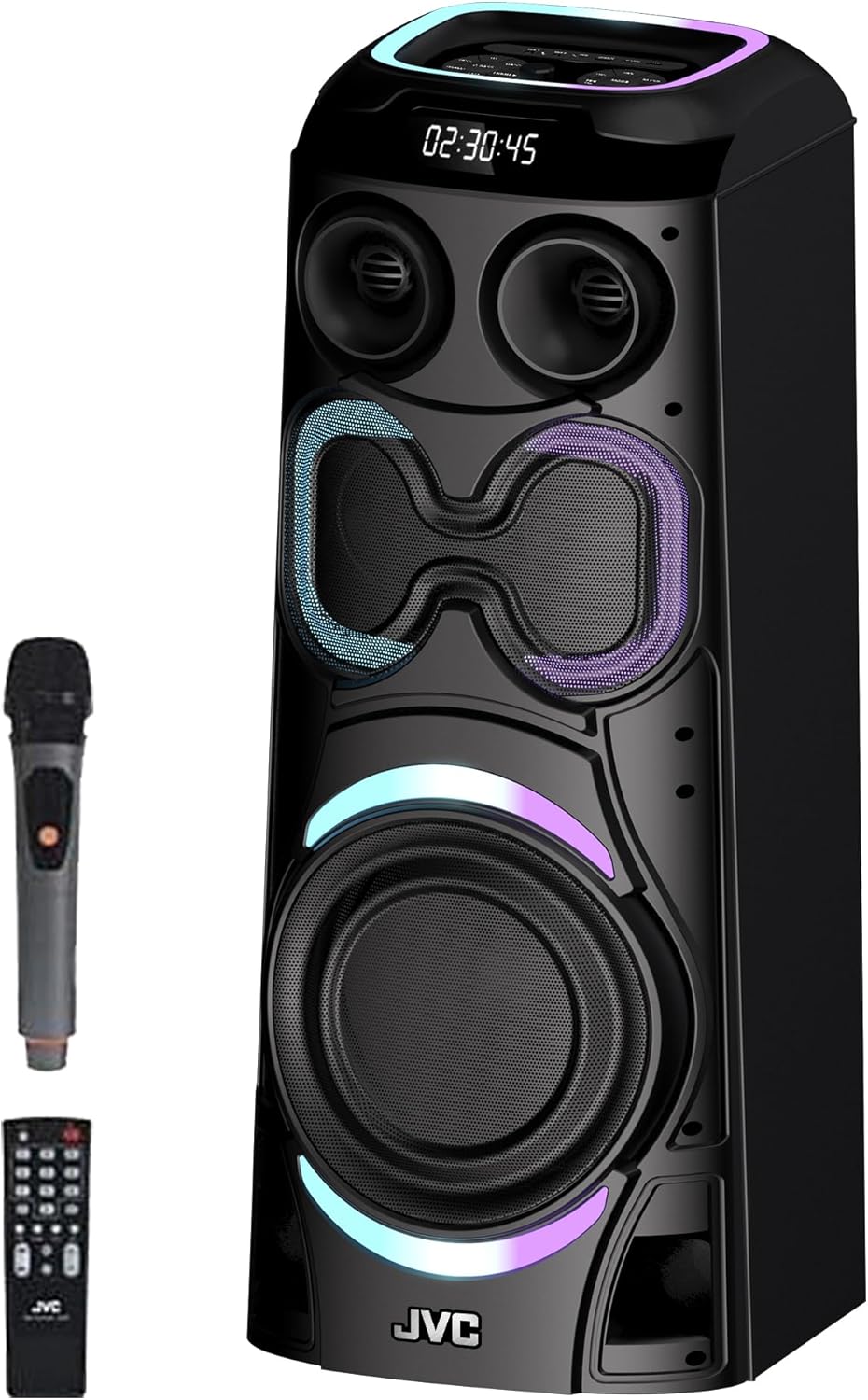
Image: JVC Portable Party Bluetooth Speaker, showing the main unit, wireless microphone, and remote control.
Product Overview
Familiarize yourself with the various components and controls of your JVC Party Speaker.

Image: Detailed view of the speaker's front and top, highlighting the dual 12-inch woofers, 5-inch mediant, 1.5-inch tweeter, and RGB ring light.

Image: Top control panel of the JVC Portable Party Speaker, showing various knobs, buttons, and ports.
Control Panel Functions:
- DJ/LED, VOCAL/BASS, BASS+/TREBLE, TREBLE+ Controls: Adjust various audio parameters and LED light modes.
- G-BASS: Enhances bass output.
- Master Volume/Mic Volume/Echo Control: Main volume knob, also controls microphone volume and echo effect.
- Mic1 Input/Mic2 Input: 6.35mm jack inputs for wired microphones.
- Aux Input: 3.5mm audio input for external devices.
- USB Charge 5V 500mA: USB port for charging external devices.
- TF Card Port: Slot for TransFlash (microSD) cards.
- USB Port: USB port for playing audio from USB drives.
- TWS/REC/Mic Priority/Previous, Channel-/Pause, Play, Scan/Next, Channel+ Buttons: Multi-function buttons for TWS pairing, recording, microphone priority, and media playback/FM radio control.
- Mode Button: Switches between input modes (Bluetooth, AUX, USB, TF Card, FM Radio).
Setup
1. Charging the Speaker:
Before first use, fully charge the speaker. Connect the provided power cable to the speaker's power input and plug it into a standard AC outlet. The charging indicator will illuminate. Once fully charged, the indicator may change color or turn off. A full charge provides approximately 5-6 hours of playback time.
2. Powering On/Off:
Locate the power switch, usually on the rear or top panel. Flip it to the "ON" position to power on the speaker. To power off, flip the switch to the "OFF" position.
Operating Instructions
1. Bluetooth Connection:
- Power on the speaker. It will automatically enter Bluetooth pairing mode, indicated by a flashing Bluetooth icon or voice prompt.
- Enable Bluetooth on your mobile device (smartphone, tablet, laptop).
- Search for "JVC X12" (or similar name) in your device's Bluetooth list and select it to pair.
- Once connected, the speaker will confirm with a sound or steady indicator light. You can now play audio from your device.

Image: Top panel of the JVC Party Speaker, illustrating various connectivity options including Bluetooth, USB, FM Radio, AUX In, and SD Card.
2. AUX Input:
Connect an external audio device (e.g., MP3 player, computer) to the speaker's AUX input using a 3.5mm audio cable. Press the "Mode" button on the speaker or remote until "AUX" mode is selected.
3. USB/TF Card Playback:
Insert a USB flash drive or TF (microSD) card into the respective port. The speaker will automatically switch to USB/TF mode and begin playing supported audio files. Use the playback controls (Previous, Play/Pause, Next) on the speaker or remote.
4. FM Radio:
Press the "Mode" button to switch to FM Radio mode. Press and hold the "Play/Pause" button to auto-scan and save available radio stations. Use the "Previous" and "Next" buttons to navigate between saved stations.
5. Karaoke Function (Wireless Microphone):
- Ensure the wireless microphone is powered on and paired with the speaker (usually automatic).
- Adjust the "Mic Volume" and "Echo" controls on the speaker's top panel to your preference.
- For wired microphones, connect them to the "Mic1 Input" or "Mic2 Input".
- Use the "Mic Priority" button (if available) to lower music volume when speaking into the microphone.

Image: A person enthusiastically singing into a microphone, with the JVC Portable Party Speaker visible in the background, illustrating its karaoke capabilities.
6. LED Lights:
The speaker features sound-sensitive LED lights. Use the "LED" control (part of DJ/LED knob) to cycle through different light modes or turn them off.

Image: The JVC Party Speaker illuminated with vibrant LED lights, showcasing its party-ready features including Treble, Bass, G-Bass, Vocal, and TWS functions.
7. True Wireless Stereo (TWS) Function:
If you have two JVC X12 speakers, you can pair them for a true wireless stereo experience:
- Ensure both speakers are powered on and in Bluetooth mode, but not connected to any device.
- On one speaker, press and hold the "TWS" button. It will emit a sound indicating it's searching for another speaker.
- The two speakers will automatically pair with each other. Once paired, one speaker will act as the master (left channel) and the other as the slave (right channel).
- Now, connect your mobile device to the master speaker via Bluetooth as described in step 1. Audio will play in stereo across both speakers.

Image: Two JVC Portable Party Speakers positioned with people dancing, demonstrating the portability and potential for True Wireless Stereo (TWS) pairing for a larger sound experience.
Maintenance
Cleaning:
Wipe the speaker's exterior with a soft, dry cloth. Do not use abrasive cleaners, waxes, or solvents as they may damage the finish. Avoid spraying liquids directly onto the speaker.
Storage:
When not in use for extended periods, store the speaker in a cool, dry place away from direct sunlight and extreme temperatures. It is recommended to fully charge the battery every 3-6 months to maintain battery health.
Troubleshooting
| Problem | Possible Cause | Solution |
|---|---|---|
| No power | Battery drained; Power cable not connected properly. | Charge the speaker; Ensure power cable is securely connected. |
| No sound | Volume too low; Incorrect input mode; Device not connected. | Increase volume on speaker and source device; Press "Mode" button to select correct input; Re-pair Bluetooth or re-connect AUX cable. |
| Bluetooth pairing failed | Speaker not in pairing mode; Device too far; Interference. | Ensure speaker is in Bluetooth mode and flashing; Move device closer; Turn off other Bluetooth devices. |
| Microphone not working | Microphone off; Volume too low; Battery drained (wireless mic). | Turn on microphone; Increase Mic Volume; Replace batteries in wireless mic. |
| USB/TF card not playing | Unsupported file format; Card/drive corrupted; Incorrect mode. | Ensure files are MP3/WAV; Try another card/drive; Press "Mode" to select USB/TF. |
Specifications
| Feature | Detail |
|---|---|
| Model Number | X12 |
| Brand | JVC |
| Output Power | 2400W PMPO (Peak Music Power Output) |
| Speaker Configuration | Dual 12-inch Woofers, 5-inch Mediant, 1.5-inch Tweeter |
| Connectivity | Bluetooth, AUX, USB, TF Card, FM Radio |
| Microphone Inputs | 2 (Wireless Microphone included) |
| Battery Type | Built-in Rechargeable Lead-Acid Battery |
| Battery Life | Approx. 5-6 hours (depending on usage) |
| Dimensions (L x W x H) | 35 x 36.8 x 95.6 cm (13.8 x 14.5 x 37.6 inches) |
| Weight | 18.8 kg (41.4 lbs) |
| Color | Black |

Image: JVC Portable Party Speaker with its dimensions indicated: 98.5 cm height, 38 cm width, and 31 cm depth.
Warranty and Support
This product comes with a 1-Year Warranty from the date of purchase, covering manufacturing defects. Please retain your proof of purchase for warranty claims.
For technical support, troubleshooting assistance, or warranty inquiries, please contact JVC customer service through their official website or the retailer where the product was purchased. Refer to the contact information provided with your product packaging or on the official JVC website.

Image: JVC Portable Party Speaker emphasizing "Supreme Sound Quality" with sound waves emanating from the speaker and dual woofers highlighted.


