
Shadowhawk CA-S1476
Shadowhawk S1476 Rechargeable Flashlight User Manual
Model: CA-S1476
Introduction
Thank you for choosing the Shadowhawk S1476 Rechargeable Flashlight. This high-performance tactical flashlight is designed for various applications, including camping, hiking, fishing, running, dog walking, power outages, and emergency situations. Equipped with an advanced XHP70.2 LED chip, it delivers exceptional brightness and reliability. This manual provides essential information for the proper setup, operation, and maintenance of your flashlight to ensure optimal performance and longevity.

Image: The Shadowhawk S1476 flashlight shown alongside its carrying case, which contains the rechargeable battery, USB charging cable, battery cases, and user manual.
Setup
1. Battery Installation
The Shadowhawk S1476 flashlight uses a large capacity rechargeable battery. Before first use, it is crucial to prepare the battery correctly.
- Open the back cover of the flashlight by unscrewing it counter-clockwise.
- Important: Locate the transparent plastic film wrapped around the battery. This film must be removed before installation. Failure to remove it will prevent the flashlight from functioning or charging.
- Insert the battery into the flashlight with the positive (+) pole facing inwards towards the flashlight head, and the negative (-) pole facing outwards towards the tail cap.
- Carefully screw the back cover clockwise until it is securely tightened.

Image: Step-by-step guide illustrating how to open the flashlight, identify battery poles, insert the battery correctly, and close the back cover.
2. Initial Charging
For optimal performance, fully charge the flashlight before its first use.
- Locate the USB charging port on the flashlight. This model features both USB input and output capabilities.
- Connect the provided USB charging cable to the flashlight's input port and plug the other end into a compatible USB power source (e.g., wall adapter, computer, power bank).
- The LED power indicator lights will illuminate to show the charging progress (25%, 50%, 75%, 100%). Once all four lights are solid, the flashlight is fully charged.

Image: The flashlight displaying its USB input and output ports, demonstrating its ability to charge itself and other devices, along with the battery level indicator.
Operating Instructions
1. Power On/Off
Press the power button located on the side of the flashlight to turn it on. To turn it off from any mode, press and hold the power button for approximately 3 seconds.
2. Light Modes
The Shadowhawk S1476 features 5 distinct lighting modes. Briefly press the power button to cycle through the modes in the following order:
- High: Maximum brightness for powerful illumination.
- Medium: Balanced brightness for general use and extended battery life.
- Low: Minimal brightness for close-range tasks or preserving night vision.
- Strobe: Flashing light for signaling or disorienting.
- SOS: International Morse code signal for emergencies.
3. Zoom Function
The flashlight features a zoomable head, allowing you to adjust the beam from a wide floodlight to a focused spotlight.
- To achieve a wide floodlight, pull the head of the flashlight outwards. This is ideal for illuminating large areas.
- To achieve a focused spotlight, push the head of the flashlight inwards. This concentrates the beam for long-distance illumination.

Image: Visual representation of the flashlight's zoomable head, showing how it can switch between a wide floodlight and a narrow spotlight, along with icons for its five lighting modes.
4. Power Indicator
The integrated LED display provides real-time battery level information, ensuring you are aware of the remaining power.
- The indicator shows battery levels at 25%, 50%, 75%, and 100%.
- When the battery level is low, the indicator will prompt you to recharge the flashlight.
5. Power Bank Function (USB Output)
The Shadowhawk S1476 can also function as a power bank to charge other electronic devices.
- Connect your device's charging cable to the flashlight's USB output port.
- The flashlight will begin charging your device. Note that using this feature will deplete the flashlight's battery.
Maintenance
1. Cleaning
- Wipe the flashlight body with a clean, soft cloth.
- For stubborn dirt, a slightly damp cloth can be used, followed by drying thoroughly.
- Do not use abrasive cleaners or solvents, as they may damage the finish or internal components.
2. Battery Care
- Recharge the battery regularly, even if the flashlight is not in frequent use, to maintain battery health.
- Avoid completely draining the battery before recharging, as this can shorten its lifespan.
- If storing the flashlight for an extended period, charge the battery to approximately 50% and store it in a cool, dry place. Recharge every 3-6 months.
3. Waterproofing
The Shadowhawk S1476 is IP67 waterproof, meaning it is protected from dust and can withstand temporary immersion in water up to 1 meter for 30 minutes.
- Ensure the back cover is securely tightened to maintain the waterproof seal.
- Regularly inspect the sealing ring (O-ring) for any signs of wear or damage. If damaged, replace it to maintain waterproofing.
- After exposure to water, especially saltwater, rinse the flashlight with fresh water and dry it thoroughly.
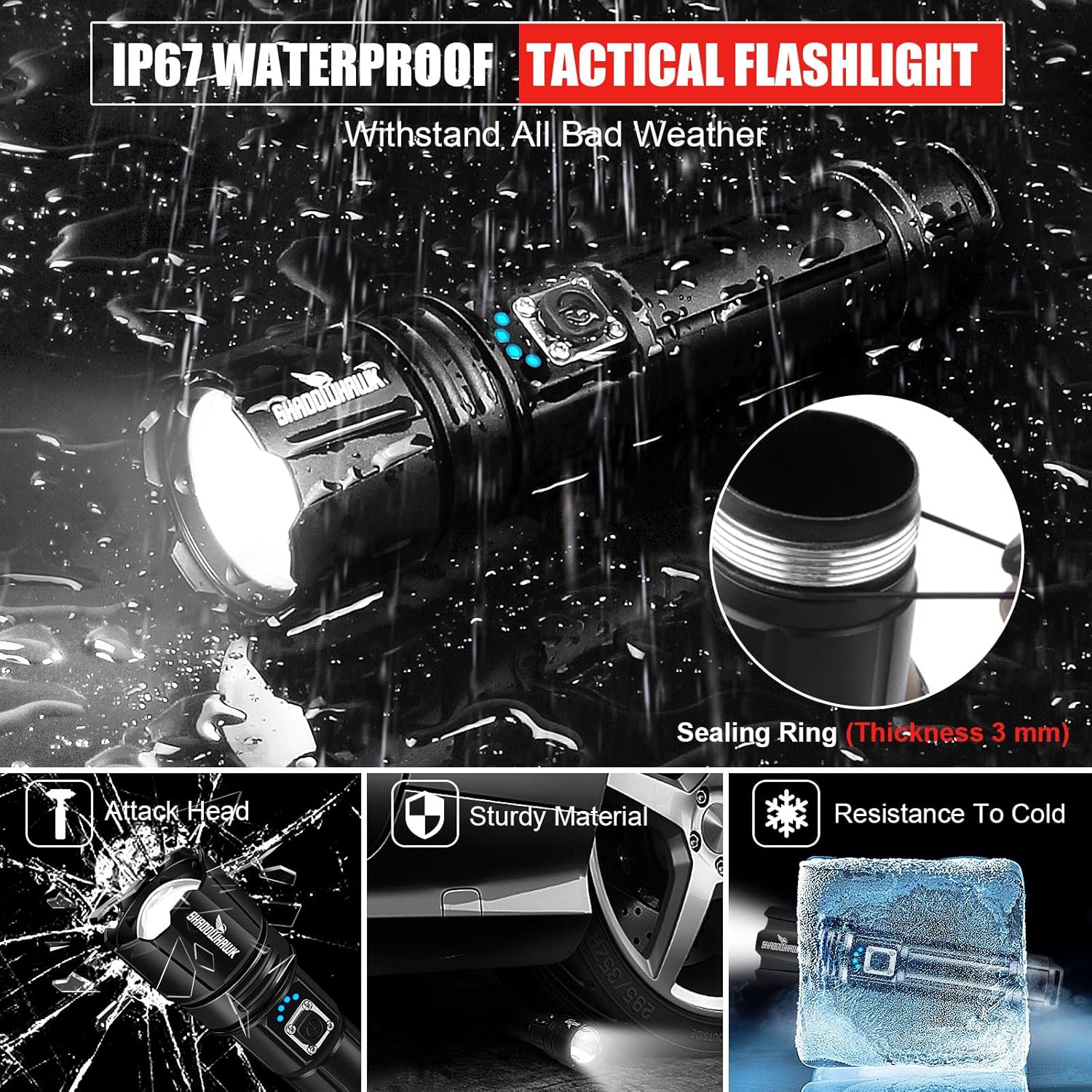
Image: The flashlight shown under a stream of water, emphasizing its IP67 waterproof capability, along with illustrations of its attack head, sturdy material, and resistance to cold.
Troubleshooting
| Problem | Possible Cause | Solution |
|---|---|---|
| Flashlight does not turn on. | Battery not installed correctly, battery is dead, or transparent film not removed. | Ensure battery is inserted with correct polarity. Remove the transparent plastic film from the battery. Charge the battery fully. |
| Light is dim or flickers. | Low battery, loose connections, or dirty contacts. | Recharge the battery. Ensure the tail cap is tightened. Clean battery contacts and flashlight contacts with a clean cloth. |
| Flashlight does not charge. | Charging cable faulty, power source issue, or transparent film not removed. | Try a different USB cable and power source. Ensure the transparent plastic film is removed from the battery. |
| Zoom function is stiff. | Dirt or debris in the mechanism. | Clean the exterior of the zoom mechanism. Avoid forcing the zoom. |
If you encounter issues not listed here or if the suggested solutions do not resolve the problem, please contact Shadowhawk customer support for assistance.
Specifications
| Feature | Detail |
|---|---|
| Model Number | CA-S1476 |
| Light Source | XHP70.2 LED Chip |
| Brightness | Up to 990,000 Lumens |
| Beam Distance | Up to 3,280 feet (1680 feet focus) |
| Light Modes | High, Medium, Low, Strobe, SOS |
| Battery Type | Rechargeable Lithium Ion (included) |
| Run Time (Medium Mode) | Up to 12 hours |
| Charging | USB Input (Type-C) and USB Output (Power Bank Function) |
| Waterproof Rating | IP67 |
| Material | Aerospace-grade Aluminum Alloy |
| Dimensions | 18 x 4.29 x 4.29 cm (7.09 x 1.69 x 1.69 inches) |
| Weight | 480 g (1.06 lbs) |
| Special Features | Zoomable, Power Display, Impact Resistant, Attack Head |
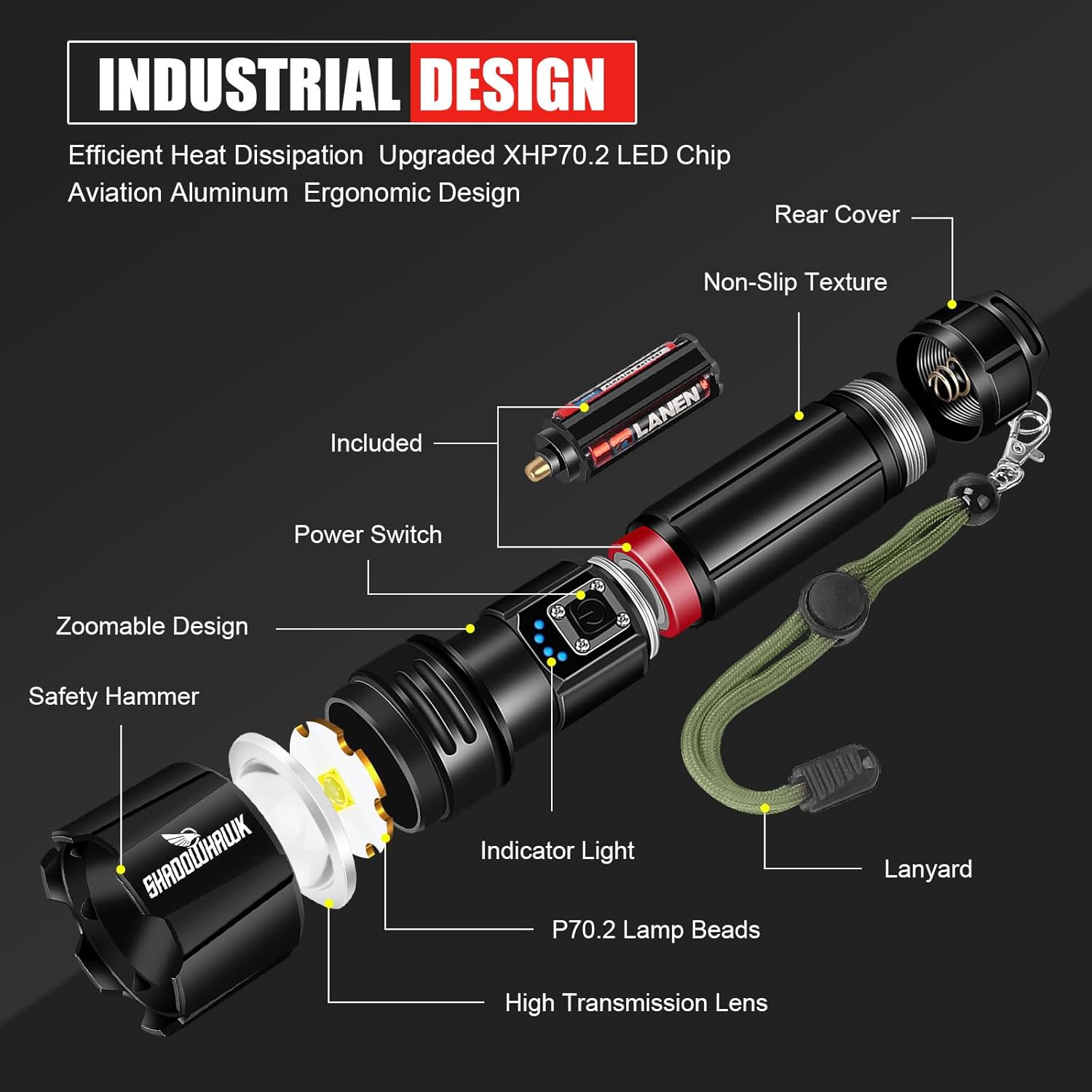
Image: An exploded diagram illustrating the internal and external components of the Shadowhawk S1476 flashlight, including the P70.2 lamp beads, high transmission lens, power switch, indicator lights, zoomable design, safety hammer, non-slip texture, and lanyard.
Warranty and Support
Warranty Information
The Shadowhawk S1476 Flashlight comes with a Lifetime Warranty, as specified by the manufacturer. This warranty covers defects in materials and workmanship under normal use.
Please retain your proof of purchase for warranty claims.
Customer Support
For any questions, concerns, or technical assistance regarding your Shadowhawk S1476 flashlight, please contact Shadowhawk customer service. Our team is committed to providing support and solutions within 24 hours.
Refer to the contact information provided with your product packaging or visit the official Shadowhawk website for support details.
Related documentsCA-S1476


Ask a question about this manual
Ask about setup, troubleshooting, compatibility, parts, safety, or missing instructions. Manuals+ will review the question and use this page’s manual context to help answer it.