
BALMUDA K11A-SE-WH
BALMUDA The Toaster Pro
Model: K11A-SE-WH | Instruction Manual
Introduction
Thank you for purchasing the BALMUDA The Toaster Pro. This advanced steam toaster is designed to bring out the best in various types of bread and culinary dishes, offering precise temperature control and unique cooking modes, including the specialized Salamander Mode. Please read this manual thoroughly before use to ensure safe and optimal performance.

Figure 1: The BALMUDA The Toaster Pro seamlessly integrated into a kitchen environment.
The Toaster Pro is engineered to elevate your daily meals, from perfectly toasted bread to gourmet dishes. Its innovative steam technology and precise heat management ensure exceptional results every time.

Figure 2: BALMUDA The Toaster Pro as part of a complete kitchen appliance lineup.
Important Safety Information
Always follow basic safety precautions when using electrical appliances to reduce the risk of fire, electric shock, and injury.
- Do not immerse the appliance, cord, or plug in water or other liquids.
- Ensure the power outlet voltage matches the appliance's rating.
- Do not operate the toaster with a damaged cord or plug.
- Keep children and pets away from the appliance during operation.
- Always unplug the toaster when not in use and before cleaning.
- Do not cover the toaster during operation.
- Use only the provided water cup for adding water to the steam reservoir.
- Do not place food directly on the heating elements.
- Ensure proper ventilation around the toaster.
Product Overview
Familiarize yourself with the components of your BALMUDA The Toaster Pro.

Figure 3: Front view of the BALMUDA The Toaster Pro, highlighting its sleek design and control panel.
- 1. Main Body: The primary housing of the toaster.
- 2. Glass Door: Allows visibility into the cooking chamber.
- 3. Mode Dial: Selects the cooking mode (Toast, Cheese Toast, French Bread, Croissant, Salamander, Oven modes).

Figure 4: Detailed view of the mode selection dial.
- 4. Timer Dial: Sets the cooking time (ON/OFF and 0-15 minutes).
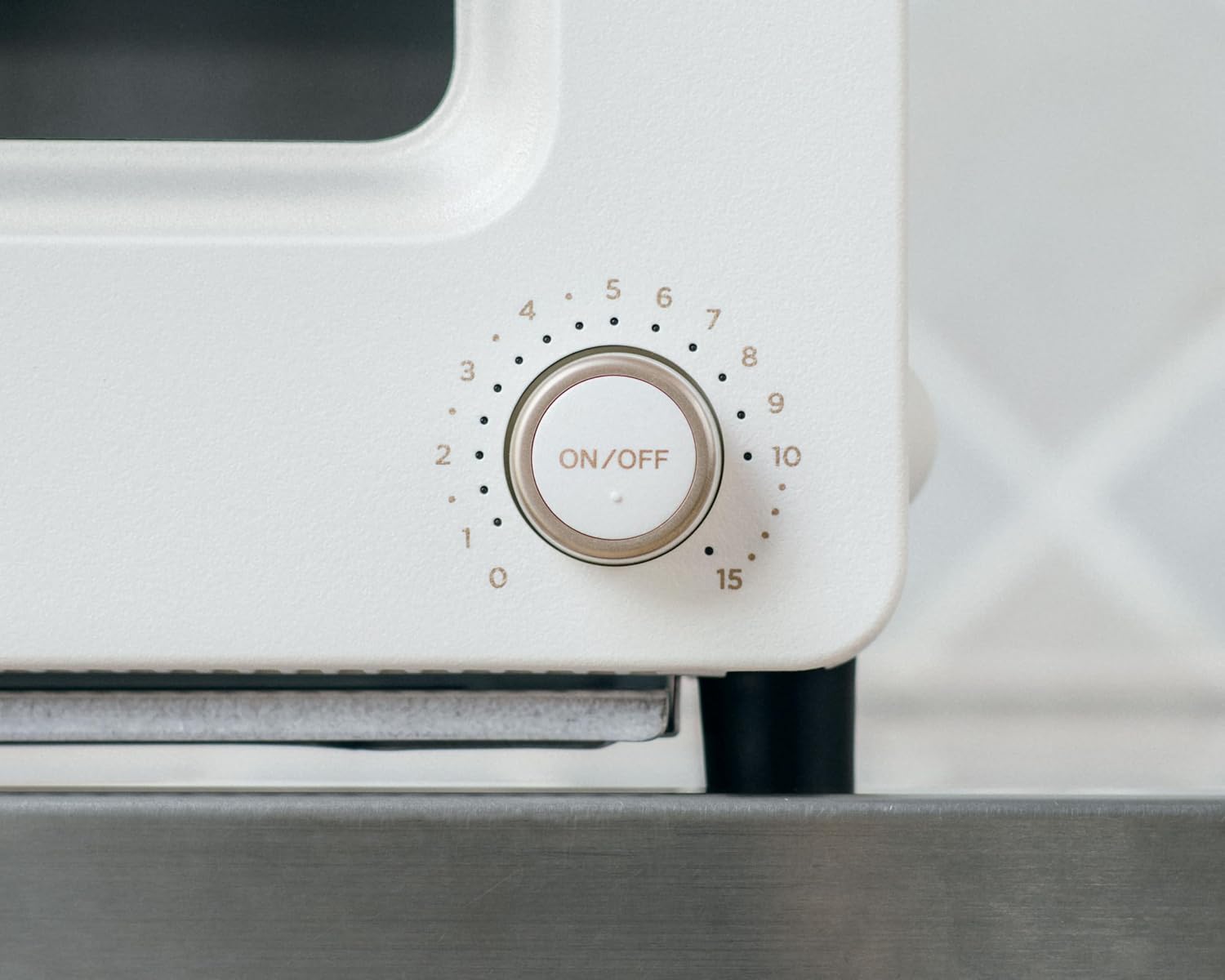
Figure 5: Detailed view of the timer dial.
- 5. Water Inlet: Located on the top, this is where water is added for steam generation.
- 6. Crumb Tray: Removable tray at the bottom for collecting crumbs.
- 7. Baking Rack: The rack inside the toaster for placing food.
Setup and First Use
- Unpacking: Carefully remove the toaster and all accessories from the packaging. Retain packaging for future transport or storage.
- Placement: Place the toaster on a stable, flat, heat-resistant surface, ensuring adequate clearance (at least 10 cm) from walls and other appliances for proper ventilation.
- Initial Cleaning: Before first use, wipe the interior and exterior with a damp cloth. Wash the crumb tray and water cup with mild detergent and warm water, then dry thoroughly.
- Insert Crumb Tray: Slide the clean crumb tray into its designated slot at the bottom of the toaster.
- Power Connection: Plug the power cord into a grounded electrical outlet.
- First Burn-in (Optional but Recommended): To eliminate any manufacturing odors, operate the toaster empty for 5-10 minutes on the "Toast" mode without adding water. Ensure the area is well-ventilated.
Operating Instructions
The BALMUDA The Toaster Pro utilizes steam technology and precise temperature control to achieve optimal results for various foods. Always use the provided 5cc water cup to add water to the water inlet before each steam-baking cycle.
General Operation Steps:
- Open the toaster door and place the food on the baking rack.
- Using the provided 5cc cup, pour 5cc of water into the water inlet on top of the toaster. (Skip this step for Salamander Mode or dry oven modes)
- Close the toaster door.
- Turn the Mode Dial to select the desired cooking mode.
- Turn the Timer Dial to set the appropriate cooking time. The toaster will begin heating automatically.
- Once the cooking cycle is complete, the toaster will automatically turn off. Carefully remove the food.
For detailed recipes and cooking times for various dishes, please refer to the official recipe book included with your BALMUDA The Toaster Pro.

Figure 6: Official Recipe Book for BALMUDA The Toaster.
Cooking Modes:
1. Toast Mode (Regular Bread)
Ideal for achieving a crispy exterior and moist, fluffy interior for standard sliced bread.
- Water: 5cc
- Recommended Time: 2-3 minutes (adjust based on bread thickness and desired browning).

Figure 7: Example of toast prepared using the Toast Mode.
2. Cheese Toast Mode
Perfect for melting cheese evenly and browning the top without drying out the bread.
- Water: 5cc
- Recommended Time: 3-4 minutes.
3. French Bread Mode
Revitalizes French bread, baguettes, and other hard-crusted breads, making the crust crispy and the inside soft.
- Water: 5cc
- Recommended Time: 3-5 minutes.
4. Croissant Mode
Gently warms croissants and pastries, restoring their flaky texture and buttery aroma.
- Water: 5cc
- Recommended Time: 4-5 minutes.
5. Oven Modes (170°C, 200°C, 230°C)
These modes function as a conventional oven, suitable for heating various dishes without steam. No water is required for these modes.
- Water: None
- Usage: Ideal for reheating fried foods, baking small pastries, or warming up dishes.
6. Salamander Mode (Pro Model Exclusive)
This unique mode concentrates intense heat from above, similar to a professional salamander broiler, to quickly brown and crisp the surface of dishes. It is perfect for achieving a beautiful finish on gratins, crème brûlée, and other dishes requiring top-down browning.
- Water: None
- Usage: Use for the final browning step. Monitor closely to prevent burning.
- Examples:
- Gratin: Achieve a golden, bubbly cheese topping.

Figure 8: Gratin with a perfectly browned surface.
- Crème Brûlée: Create a crisp, caramelized sugar crust.

Figure 9: Crème brûlée with a crisp, caramelized top layer.
- Baked Oysters: Brown the topping for a delicious finish.

Figure 10: Baked oysters with a golden-brown topping.
- Gratin: Achieve a golden, bubbly cheese topping.
Maintenance and Cleaning
Regular cleaning ensures the longevity and optimal performance of your toaster.
- Always unplug the toaster and allow it to cool completely before cleaning.
- Crumb Tray: Remove the crumb tray regularly (daily or after each use, depending on frequency) and discard crumbs. Wash with mild detergent and water, rinse, and dry thoroughly before reinserting.
- Water Inlet/Steam Reservoir: After each use, wipe any remaining water from the water inlet. Periodically, clean the steam reservoir with a damp cloth to prevent mineral buildup. For stubborn buildup, a solution of water and white vinegar (1:1 ratio) can be used, followed by rinsing with clean water.
- Baking Rack: Remove and wash the baking rack with mild detergent and water. For baked-on food, soak in warm soapy water before scrubbing.
- Interior: Gently wipe the interior walls and heating elements with a damp cloth. Do not use abrasive cleaners or metal scouring pads.
- Exterior: Wipe the exterior with a soft, damp cloth. For stubborn stains, use a small amount of mild dish soap. Dry immediately.
Troubleshooting
If you encounter any issues, please refer to the following common problems and solutions before contacting customer support.
| Problem | Possible Cause | Solution |
|---|---|---|
| Toaster does not turn on. | Not plugged in; power outage; faulty outlet. | Ensure plug is fully inserted. Check circuit breaker. Try a different outlet. |
| Bread is not toasting evenly. | Food positioned incorrectly; crumb tray dirty; heating elements dirty. | Ensure food is centered. Clean crumb tray and interior. |
| No steam is generated. | No water added; insufficient water; water inlet clogged. | Add 5cc of water. Ensure water inlet is clear of debris. |
| Smoke or unusual odor during operation. | Food residue on heating elements; crumb tray full; new appliance odor. | Unplug immediately. Clean crumb tray and interior. If new, odor should dissipate after first few uses. If persistent, contact support. |
Specifications
| Brand | BALMUDA |
| Model Number | K11A-SE-WH |
| Color | White |
| Product Dimensions (D x W x H) | 32.4 cm x 35.7 cm x 20.9 cm |
| Package Dimensions | 39.3 cm x 37.4 cm x 27.7 cm |
| Item Weight | 5.12 kg (packaged) |
| Power Source | AC (details not specified in input, assuming standard household power) |
| Battery Usage | No |
| Special Features | Steam Technology, Precise Temperature Control, Salamander Mode |
Warranty and Support
BALMUDA products are manufactured to the highest quality standards. For warranty information, product registration, or technical support, please refer to the warranty card included with your product or visit the official BALMUDA website. Please have your model number (K11A-SE-WH) and purchase date ready when contacting support.
Official BALMUDA Website: www.balmuda.com
Related documentsK11A-SE-WH

Ask a question about this manual
Ask about setup, troubleshooting, compatibility, parts, safety, or missing instructions. Manuals+ will review the question and use this page’s manual context to help answer it.