
Introduction
This manual provides detailed instructions for the Edifier W210BT Wireless Neckband Headphones. Please read this manual thoroughly before using the product to ensure proper operation and to maximize your listening experience.
Package Contents
- Edifier W210BT Wireless Neckband Headphones (Black)
Product Overview

Edifier W210BT Wireless Neckband Headphones

Front view of Edifier W210BT Wireless Neckband Headphones

Close-up of Edifier W210BT earbud with ear fin
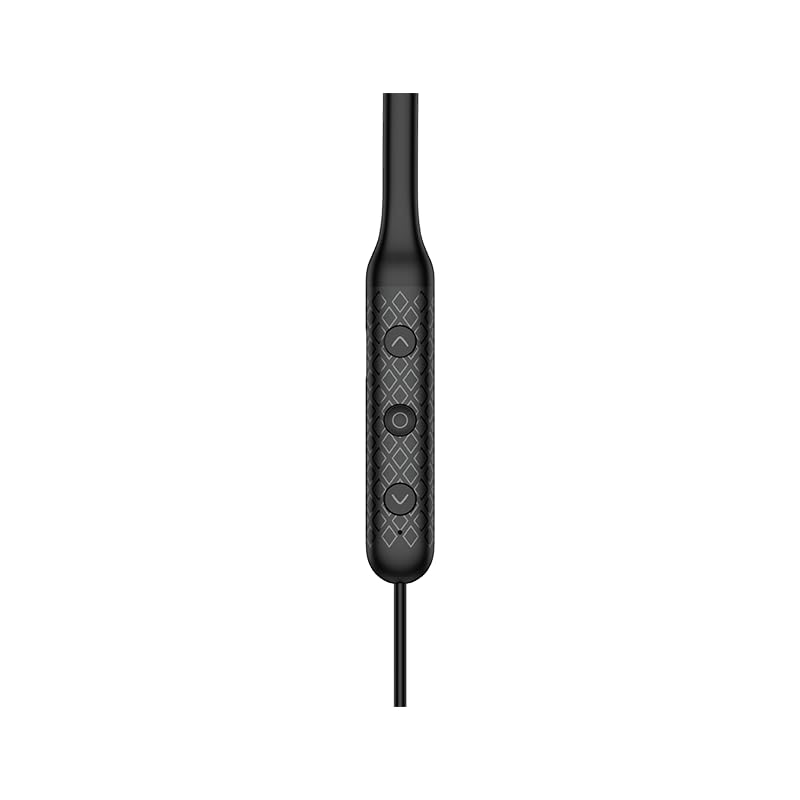
Close-up of the three-button control panel on the neckband
Setup and Initial Use
Charging the Headphones
Before first use, fully charge the headphones. Connect the provided USB-C cable to the charging port on the neckband and to a power source. A full charge takes approximately 1 hour.
Powering On/Off
To power on, press and hold the multi-function button until the indicator light illuminates. To power off, press and hold the multi-function button until the indicator light turns off.
Bluetooth Pairing
- Ensure the headphones are powered off.
- Press and hold the multi-function button until the indicator light flashes rapidly, indicating pairing mode.
- On your device (smartphone, tablet, etc.), enable Bluetooth and search for available devices.
- Select "Edifier W210BT" from the list of found devices to connect.
- Once connected, the indicator light will stop flashing and remain solid.
Edifier Connect App
Download the Edifier Connect App from your device's app store. The app allows for:
- Battery monitoring
- Auto shutdown settings
- Sleep music functionality
- Customizable EQ settings
Operating Instructions
Basic Controls
The Edifier W210BT features a three-button control panel for easy management of audio and calls.
- Multi-function Button (Center): Power on/off, play/pause music, answer/end calls.
- Volume Up Button (+): Increase volume, next track (long press).
- Volume Down Button (-): Decrease volume, previous track (long press).
Audio Features
The W210BT headphones support advanced audio technologies:
- Hi-Res Wireless Audio Certification: Provides enhanced audio quality, revealing more detail in your music.
- LDAC Audio Codec: Enables high-resolution audio transmission up to 990kbps for near-lossless sound quality. Ensure LDAC is enabled on your source device for optimal performance.
- AI Call Noise Cancellation: Reduces background noise during calls, ensuring clear voice transmission.
- Game Mode: Offers ultra-low latency (80ms) for synchronized audio and video, enhancing gaming experiences. Activate via the Edifier Connect App.

Edifier W210BT headphones displaying Hi-Res Audio Wireless certification
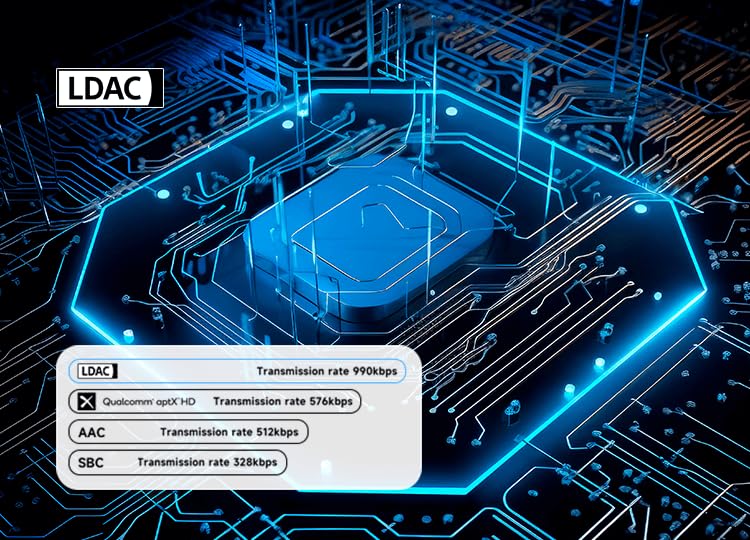
Diagram illustrating LDAC audio codec transmission rates compared to other codecs

Edifier W210BT headphones shown with a smartphone displaying a game, illustrating low latency game mode
Maintenance and Care
Dust and Sweat Resistance
The headphones are rated IP55 for dust and sweat resistance, making them suitable for sports and outdoor activities. Avoid submerging the headphones in water.
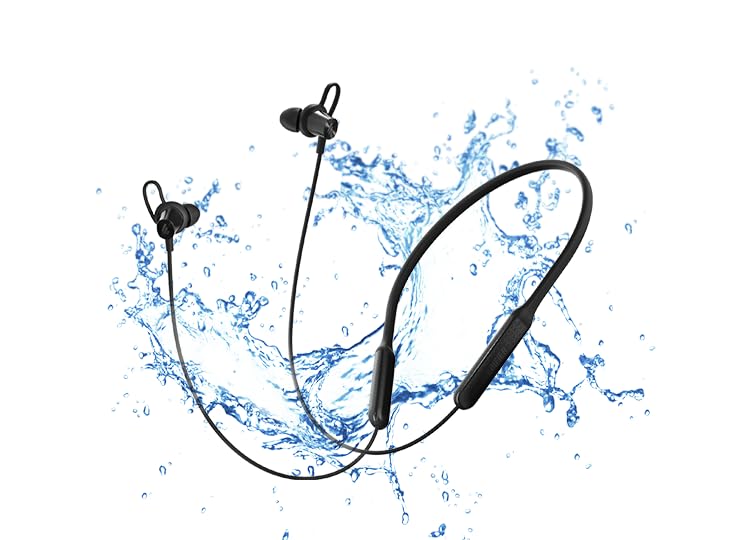
Edifier W210BT headphones with water splashes, symbolizing IP55 dust and sweat resistance
Cleaning
Wipe the headphones with a soft, dry cloth. Do not use abrasive cleaners or solvents. Regularly clean the ear tips to maintain hygiene and sound quality.
Antibacterial Ear Adapters
The specially designed ear adapters and ear fins have an antibacterial rate of over 99%, inhibiting bacterial growth in the ear canal.
Storage
Store the headphones in a cool, dry place away from direct sunlight and extreme temperatures. Avoid placing heavy objects on them.

Woman wearing Edifier W210BT headphones during exercise, checking her smartwatch
Troubleshooting
No Sound/Low Volume
- Ensure the headphones are powered on and charged.
- Check the volume levels on both the headphones and your connected device.
- Verify that the headphones are correctly paired and connected to your device.
- Try re-pairing the headphones with your device.
Pairing Issues
- Ensure Bluetooth is enabled on your device and the headphones are in pairing mode.
- Move the headphones closer to your device and away from other wireless interference sources.
- Clear the Bluetooth pairing history on your device and attempt to pair again.
Poor Call Quality
- Ensure the microphone is not obstructed.
- Move to a quieter environment to reduce background noise.
- Check the signal strength of your connected device.
Specifications
| Feature | Detail |
|---|---|
| Model Name | W210BT |
| Bluetooth Version | V5.3 |
| Playtime | Approx. 18 hours |
| Charging Port | USB-C (Type-C) |
| Charging Time | Approx. 1 hour |
| Audio Coding | SBC, LDAC |
| Driver | Φ10mm Dynamic Drivers |
| Frequency Response | 20Hz - 40KHz |
| IP Rating | IP55 |
| Item Weight | 28 Grams |
| Material | Plastic |
| Microphone Format | Built-In |
Warranty and Support
Warranty Information
The Edifier W210BT Wireless Neckband Headphones come with a 1-year warranty from the date of purchase. Please retain your proof of purchase for warranty claims.
Contact Information
For technical support or warranty inquiries, please contact Edifier customer service:
- Email: care@nikitadistributors.com
- Phone: 18002668571
Manufacturer/Importer Address: Green Terrace Building, Lane Number 5, South Koregaon Park, Pune 411001, MH, India.


