
Introduction
The Electro-Harmonix Pico Canyon Echo is a compact digital delay unit, deriving its core delay functionality from the acclaimed Canyon Delay and Looper. This pedal offers a clean digital delay with up to 3 seconds of delay time, along with versatile features such as filtering, tap tempo, and infinite repeats. Its design focuses on delivering essential delay capabilities in a small footprint.

Figure 1: The Electro-Harmonix Pico Canyon Echo Delay Pedal.
Features Overview
- Digital delay derived from the Canyon Delay and Looper.
- BLEND control for adjusting the wet/dry mix.
- DELAY knob for setting delay times from 8ms to 3s.
- FEEDBACK control for adjusting repeats from single to infinite.
- FILTER knob for high-pass and low-pass filtering of the delayed signal.
- Tap Tempo functionality with three tap division modes.
- Selectable Tails bypass for echoes to continue after disengaging the pedal.
- Infinite Repeats feature for micro tape looper-like effects.
- Compact Pico chassis design.
Controls and Functions

Figure 2: Overview of the Pico Canyon Echo controls.
1. BLEND Knob
Controls the mix between the dry (unaffected) signal and the wet (delayed) signal. Turn clockwise for more delayed signal, counter-clockwise for more dry signal.
2. DELAY Knob
Adjusts the delay time from a minimum of 8 milliseconds (ms) to a maximum of 3 seconds (s). This knob can also be used to manipulate the micro loop in Infinite Repeats mode.
3. FEEDBACK Knob (FDBK)
Controls the number of repeats of the delayed signal. Settings range from a single repeat to infinite repeats, allowing for sustained delay washes and pads.
4. FILTER Knob
Applies a filter to the delayed signal. When turned clockwise past the 12 o'clock position, it functions as a High Pass Filter, attenuating low-end frequencies. When turned counter-clockwise below the 12 o'clock position, it functions as a Low Pass Filter, attenuating high-end frequencies.
5. TAP DIV Button (Tap Tempo Division)
This button selects the tap division for the Tap Tempo feature. The available divisions are quarter note, dotted eighth note, and eighth note. The LED will blink to confirm the selected tap tempo.
6. Footswitch
The footswitch has multiple functions:
- Bypass: A single press and release toggles the effect on/off.
- Tap Tempo: Press and release the footswitch at least two times to set the delay tempo. The LED will blink to indicate the set tempo.
- Infinite Repeats: Press and hold the footswitch to engage Infinite Repeats mode. This loops a single delay repeat, allowing you to play over it without new delays being created. Adjusting the DELAY knob in this mode can manipulate the micro loop for warped sound effects. Release the footswitch to exit this mode.
7. Tails Bypass
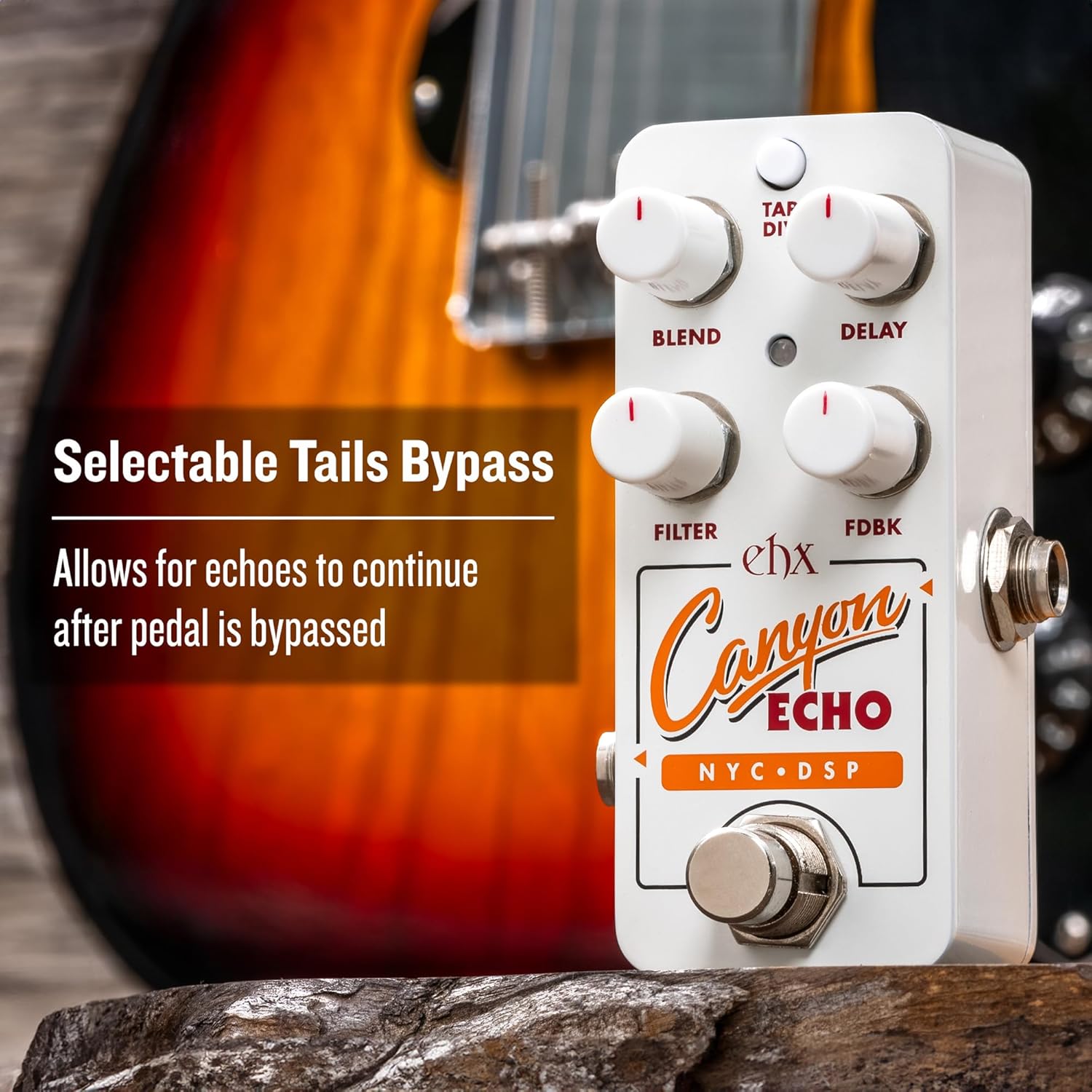
Figure 3: Selectable Tails Bypass feature.
The Pico Canyon Echo features selectable Tails bypass. When enabled, echoes will continue to decay naturally even after the pedal is switched to bypass mode. This prevents an abrupt cut-off of the delay trail.
Setup
1. Power Connection
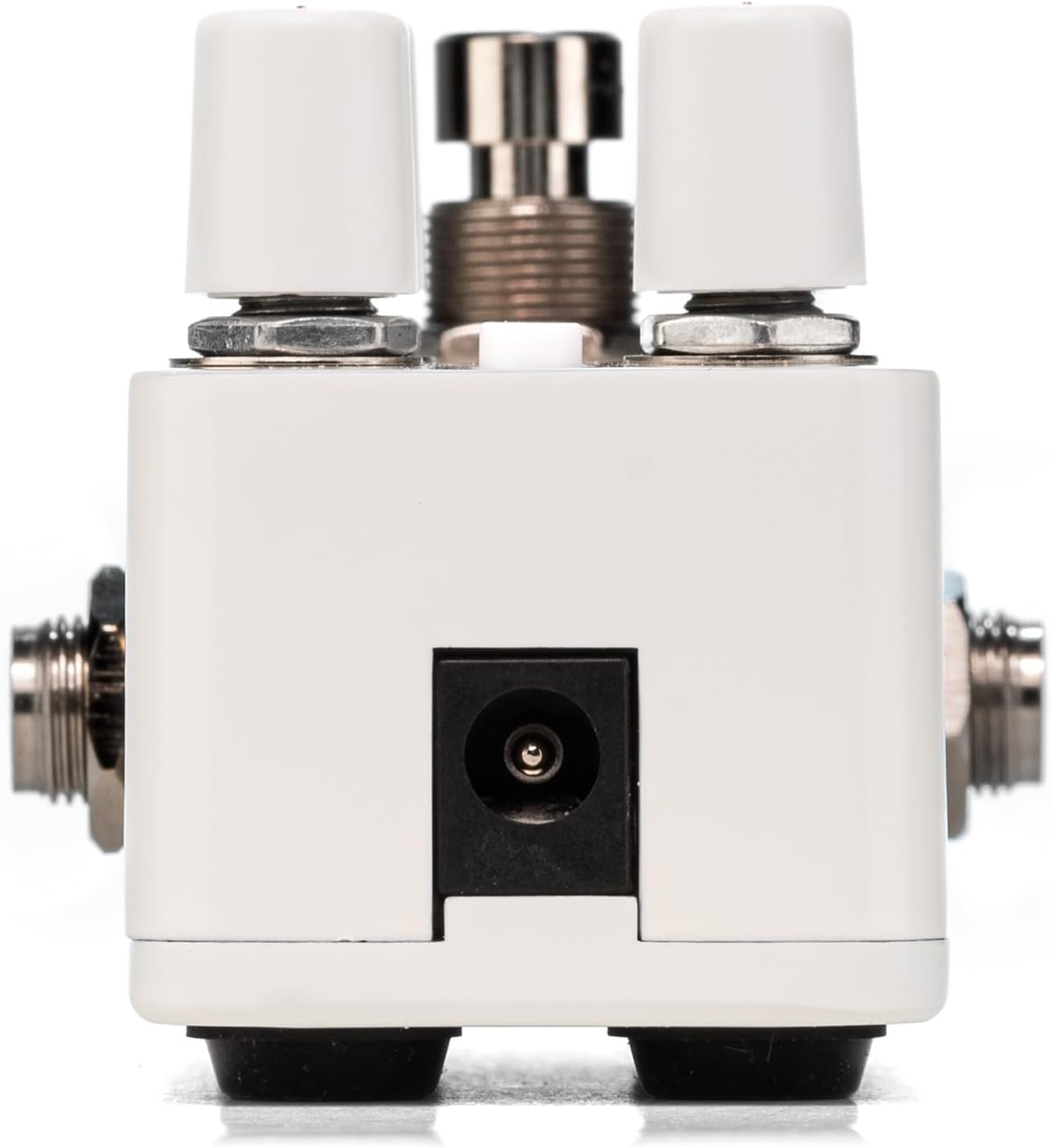
Figure 4: Power input for the Pico Canyon Echo.
Connect a 9V DC power supply (center-negative) to the power jack on the top of the pedal. The pedal requires 9 Volts and is designed for corded electric power sources.
2. Audio Connections
Connect your instrument (e.g., guitar) to the INPUT jack on the right side of the pedal using a standard 1/4-inch audio cable. Connect the OUTPUT jack on the left side of the pedal to your amplifier or the next pedal in your signal chain using another 1/4-inch audio cable.
Operating the Pedal
Basic Delay Operation
With the pedal engaged (LED illuminated), use the BLEND, DELAY, FEEDBACK, and FILTER knobs to dial in your desired digital delay sound. Experiment with different settings to explore the range of available echoes.
Tap Tempo
To set the delay tempo, tap the footswitch two or more times at your desired rhythm. The LED will blink to confirm the tempo. Use the TAP DIV button to cycle through quarter note, dotted eighth note, or eighth note subdivisions of your tapped tempo.
Infinite Repeats
To activate Infinite Repeats, press and hold the footswitch. The pedal will capture and loop the current delay repeat, effectively creating a micro tape loop. While in this mode, you can play new notes over the loop without them being added to the loop. Adjusting the DELAY knob will manipulate the pitch and speed of the looped sound. Release the footswitch to return to normal delay operation.
Tails Bypass
The Tails bypass feature ensures that your delay trails naturally fade out even after the pedal is disengaged. This prevents abrupt cut-offs and maintains a smooth transition between effects.
Video 1: Official product demonstration of the Electro-Harmonix Pico Canyon Echo Digital Delay Pedal, showcasing its features and sounds.
Specifications
| Specification | Detail |
|---|---|
| Brand | Electro-Harmonix |
| Model Number | PICO CANYON |
| Item Weight | 1.21 pounds (0.55 Kilograms) |
| Product Dimensions | 3.65"L x 2"W x 2"H |
| Power Source | Corded Electric |
| Voltage | 9 Volts |
| Connector Type | 1/4 inch audio jack |
| Hardware Interface | 1/4-inch Audio |
| Signal Format | Digital |
Troubleshooting
- No Sound: Ensure all cables are securely connected and the power supply is functioning correctly. Check that your instrument and amplifier volumes are turned up.
- No Effect: Verify the pedal is engaged (LED illuminated). Check the BLEND knob to ensure the wet signal is not completely turned down.
- Unwanted Noise: Ensure you are using a regulated 9V DC (center-negative) power supply. Unregulated power supplies or those with incorrect polarity can cause noise.
- Tap Tempo Not Working: Ensure you are tapping the footswitch at least twice. The LED should blink to confirm the tempo.
Maintenance
- Keep the pedal clean by wiping it with a soft, dry cloth.
- Avoid exposing the pedal to extreme temperatures, moisture, or direct sunlight.
- Do not attempt to open the pedal enclosure, as this may void the warranty.
Warranty and Support
Electro-Harmonix products are designed for durability and performance. For warranty information, technical support, or service inquiries, please refer to the official Electro-Harmonix website or contact their customer service department. Keep your purchase receipt as proof of purchase for warranty claims.
