
1. Introduction
This manual provides essential information for the safe and efficient operation of your WiMiUS K9 Smart Projector. Please read it thoroughly before using the device and keep it for future reference.

Figure 1.1: WiMiUS K9 Smart Projector highlighting key features.
2. Safety Warnings
WARNING: To prevent electric shock and maintain product integrity, do not disassemble the projector. Refer all servicing to qualified service personnel.
- Ensure proper ventilation around the projector to prevent overheating.
- Do not expose the projector to rain or moisture.
- Avoid direct eye exposure to the projector lens when the lamp is on.
- Use only the power adapter supplied with the projector.
3. Setup
3.1 Initial Placement
Place the projector on a stable, flat surface. For optimal viewing, ensure the projection surface (wall or screen) is clean and smooth. The projector supports various projection distances to achieve different screen sizes.
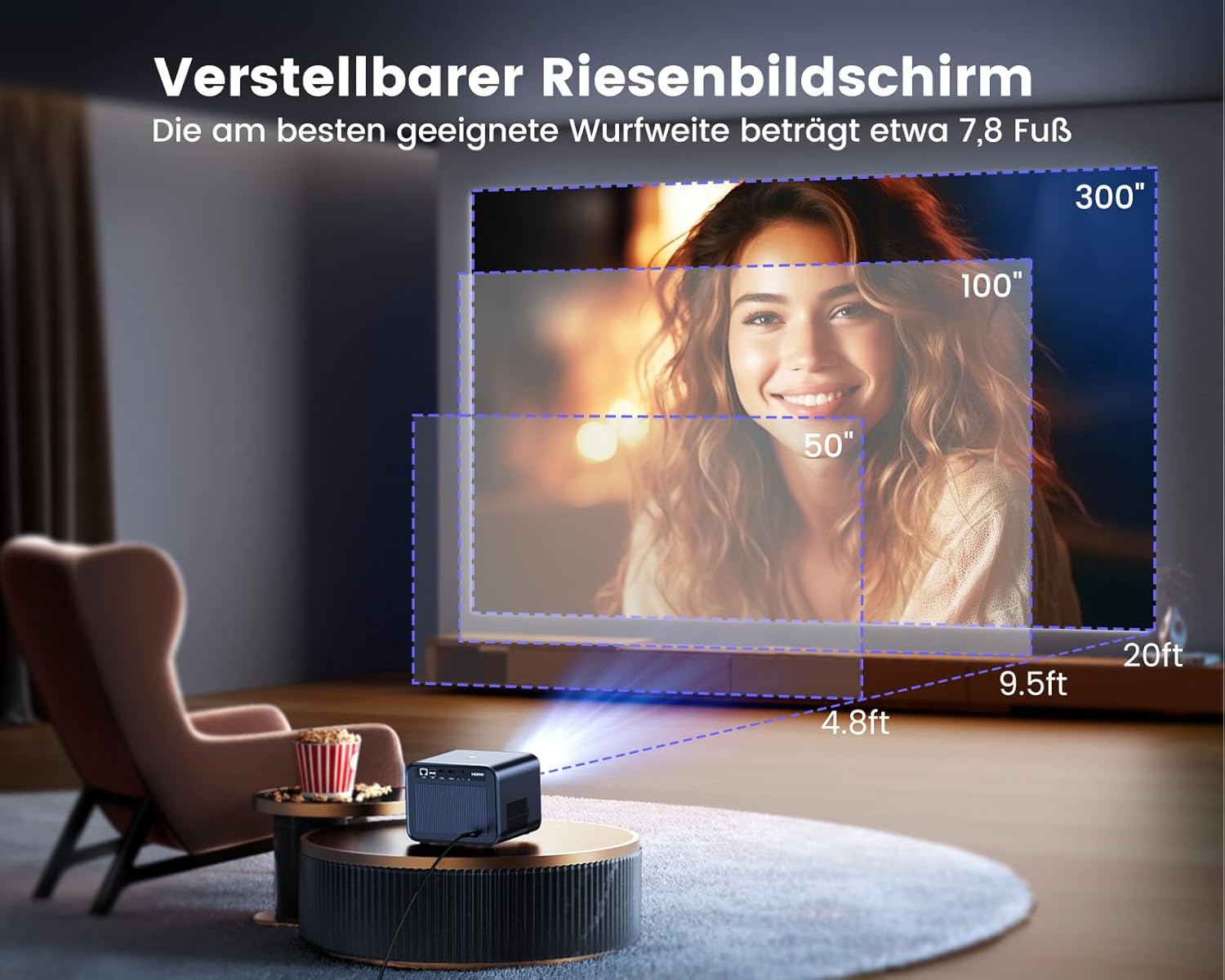
Figure 3.1: Recommended projection distances for various screen sizes. A 150-inch screen is achieved at approximately 4 meters (13.1 feet).
3.2 Power Connection
- Connect the power cable to the projector's power input port.
- Plug the other end of the power cable into a suitable electrical outlet.
- Press the power button on the projector or remote control to turn on the device.
3.3 Automatic Focus and Keystone Correction
The WiMiUS K9 features advanced autofocus and 6D automatic keystone correction. The integrated high-precision sensor detects movement in real-time, focusing and adjusting the image automatically within seconds. This ensures a clear, rectangular image even if the projector's position or angle changes frequently.

Figure 3.2: The projector automatically adjusts focus and keystone for a perfect image.
4. Operating Instructions
4.1 Smart System Navigation
The WiMiUS K9 runs on an integrated Linux system with over 10,000 applications, including official Netflix, YouTube, Prime Video, Plex, Docubay, Hulu, and TG. Navigate the interface using the provided remote control.

Figure 4.1: The smart interface provides direct access to popular streaming applications.
4.2 Connectivity
The projector offers versatile connectivity options for various devices.
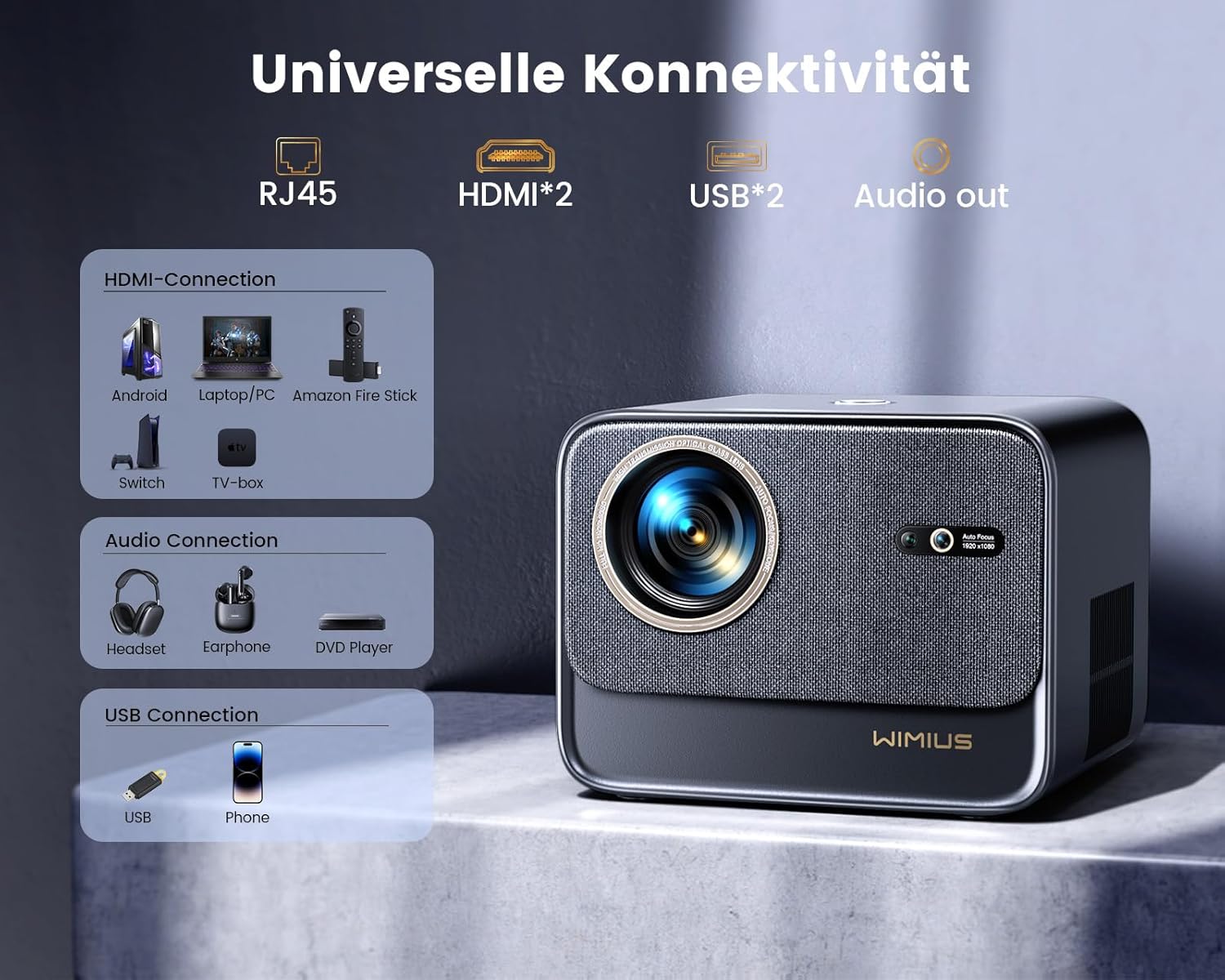
Figure 4.2: Overview of the projector's universal connectivity ports.
4.2.1 Wireless Connectivity
- Wi-Fi 6: Supports the latest WiFi6 technology for higher transfer rates and lower latency. Compatible with iOS, Android, and Windows 10 devices for wireless screen mirroring.
- Bluetooth 5.2: Connect Bluetooth headphones, speakers, or AirPods wirelessly. Note: Data transfer via Bluetooth is not supported.

Figure 4.3: Seamless wireless connection for streaming and gaming.
4.2.2 Wired Connectivity
- HDMI: Two HDMI ports for connecting devices such as Fire Stick, laptops, DVD players, PS5, Switch, and X-Box.
- USB: Two USB ports for connecting USB drives or other compatible devices.
- RJ45: For wired internet connection.
- Audio Out: For connecting external audio systems.
4.3 Image and Audio Features
- Resolution: Native Full HD 1080p with 4K support (3840 x 2160 maximum display resolution).
- Brightness: 30000 lumens (700 ANSI lumens).
- Color Gamut: 99% NTSC color technology for vivid and realistic images.
- Refresh Rate: 60Hz, providing smooth motion without lag.
- Zoom Function: 50% zoom allows image size adjustment without moving the projector.
- Dolby Audio: Supports Dolby Audio for an immersive stereo surround sound experience.
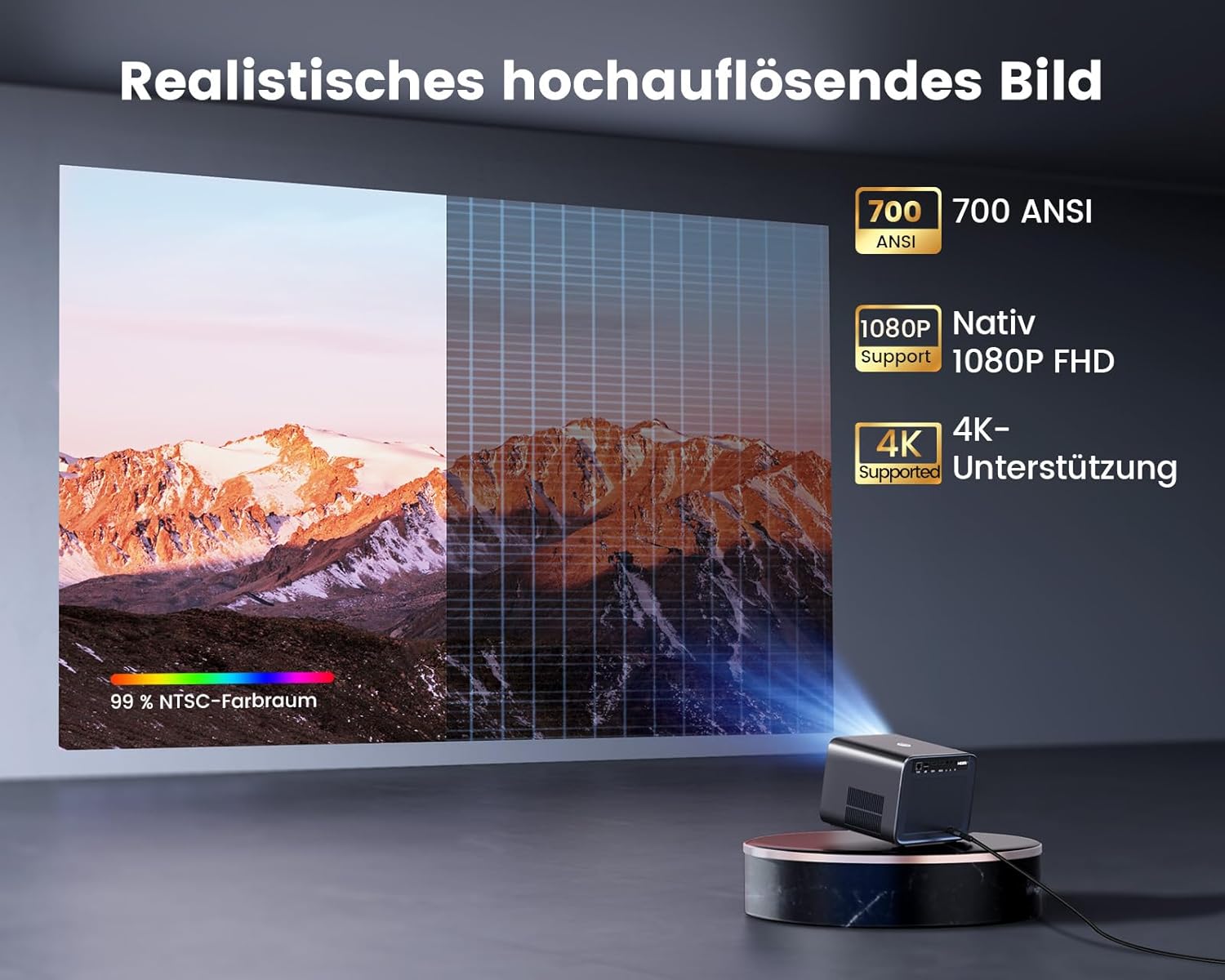
Figure 4.4: High-resolution image quality with wide color support.

Figure 4.5: The projector supports immersive Dolby Audio for enhanced sound.
5. Maintenance
The WiMiUS K9 projector features fully sealed optical technology, which prevents dust from entering the optical system. This design helps prolong the lifespan of the projector and reduces the need for frequent internal cleaning.
- Regularly clean the exterior of the projector with a soft, dry cloth.
- Use the provided cleaning pad to gently clean the lens if necessary. Avoid harsh chemicals.
- Ensure the projector's ventilation openings are clear and unobstructed.
6. Troubleshooting
6.1 Common Issues and Solutions
| Issue | Possible Cause | Solution |
|---|---|---|
| No Power | Power cable not connected; Power outlet issue | Check power cable connection; Try a different outlet |
| No Image | Input source not selected; Cable connection loose | Select correct input source; Reconnect HDMI/USB cables |
| Blurry Image | Autofocus not engaged; Projector moved | Slightly move the projector to trigger autofocus; Manually adjust if needed |
| No Sound | Volume too low; External audio device not connected | Increase volume; Check Bluetooth/Audio Out connections |
| Apps not loading | No internet connection | Check Wi-Fi or RJ45 connection |
7. Specifications
| Feature | Detail |
|---|---|
| Brand | WiMiUS |
| Model Number | K9 |
| Color | Black |
| Product Type | Portable Projector |
| Operating System | Linux |
| Max Screen Size | 300 Inches |
| Native Display Resolution | 1920 x 1080 (Full HD) |
| Max Display Resolution | 3840 x 2160 (4K Supported) |
| Brightness | 30000 Lumens (700 ANSI) |
| Connectivity Technology | Wi-Fi 6, Bluetooth 5.2 |
| Input Ports | 2 x HDMI, 2 x USB, RJ45 |
| Output Ports | Audio Out |
| Special Features | Autofocus, 6D Digital Keystone Correction, Integrated Speaker, Integrated Media Player, Dust Resistant |
| Display Type | LCD |
| Mounting Type | Tripod Mount |
| Included Components | WiMiUS K9 Projector, Power Cable, Remote Control (batteries not included), HDMI Cable, Cleaning Pad |
8. Warranty and Support
WiMiUS offers a standard warranty for the K9 Smart Projector. For extended warranty coverage (e.g., 3 years), please register your product directly with WiMiUS by sending an email to their customer support. Refer to the official WiMiUS website or contact customer service for detailed warranty terms and support information.
For technical assistance or inquiries, please contact WiMiUS customer support through their official channels.


