
1. Introduction
Welcome to your new Jugeman Smart Watch Q23. This manual provides essential information for setting up, operating, and maintaining your device. The Jugeman Smart Watch Q23 features a 1.69-inch HD TFT color display, comprehensive health monitoring including heart rate and sleep tracking, 25 sport modes, and smart notifications, all within a lightweight and durable IP68 waterproof design.

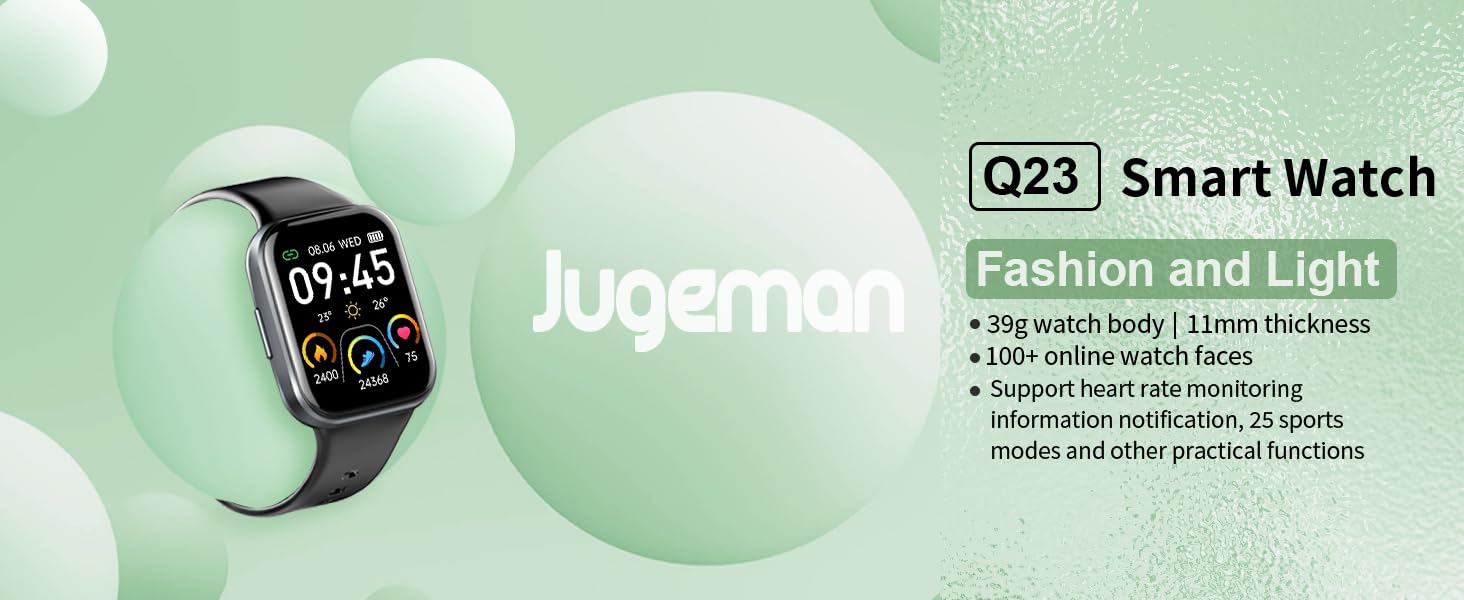
The Jugeman Smart Watch Q23, showcasing its sleek design and vibrant display.
2. What's in the Box
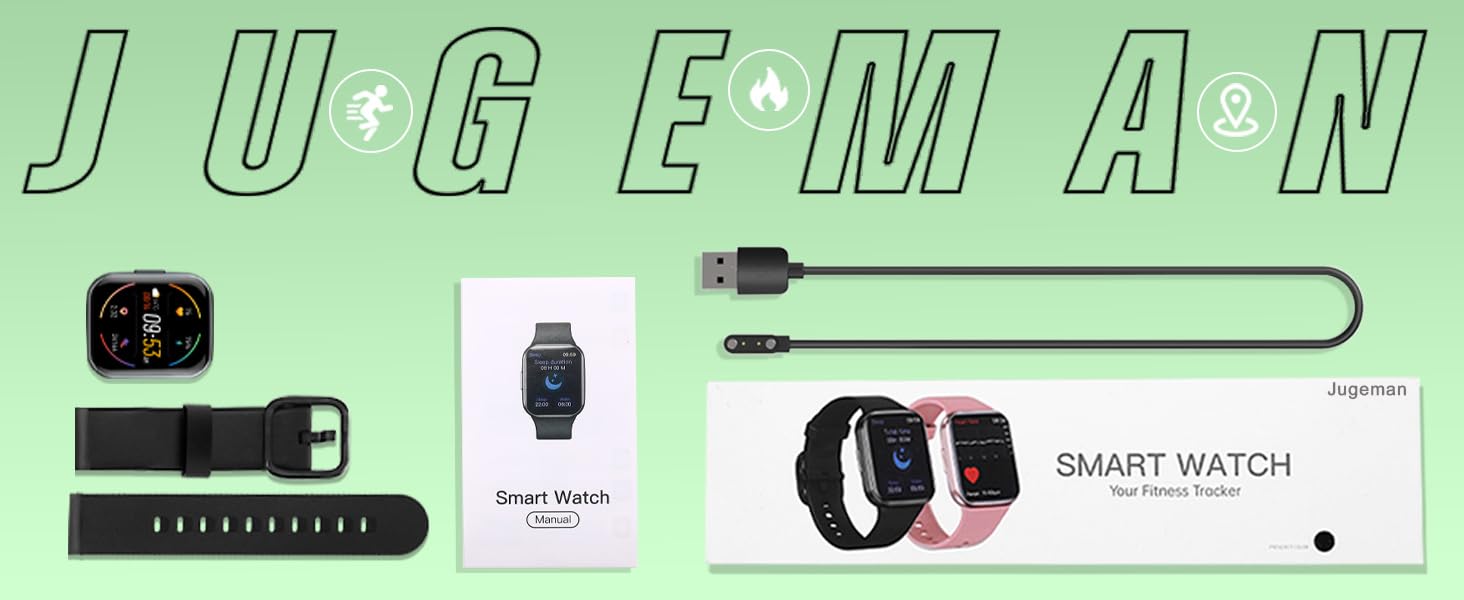
Upon opening your Jugeman Smart Watch Q23 package, please ensure all the following items are present:
- Jugeman Smart Watch Q23 (main unit)
- Silicone Band
- Buckle
- Charging Cable
- User Manual (this document)
An overview of the items included in the product packaging: the smartwatch, silicone band, charging cable, and user manual.
3. Setup
3.1 Installing the Strap
To attach the silicone strap to your smartwatch, align the pin on the strap with the hole on the watch body. Push the pin inwards and slide the strap into place until it clicks securely. Repeat for the other side of the strap.
Video demonstrating the process of installing the watch strap onto the smartwatch body.

Image showing the smartwatch with its strap detached, ready for installation.

Image illustrating the alignment of the watch strap with the watch body for attachment.

Image showing the watch strap pin being inserted into the watch body.

Image of the watch strap fully attached to the smartwatch, ready for use.
3.2 Charging the Smart Watch
Connect the magnetic charging cable to the charging points on the back of the watch. Connect the USB end of the cable to a standard USB power adapter (not included) or a computer USB port. A full charge takes approximately 1.5-2 hours.

The smartwatch connected to its magnetic charging cable, illustrating the charging process.
3.3 App Installation and Pairing
To unlock the full potential of your smartwatch, download and pair it with the 'Keep Health' app on your smartphone.
- Download the 'Keep Health' APP from Google Play Store or Apple App Store, or scan the QR code provided in the watch's quick start guide.
- Ensure your phone's Bluetooth is turned on.
- Open the 'Keep Health' APP and follow the on-screen instructions to bind the device.
- Find and select 'Q23-' in the app's device list to connect.
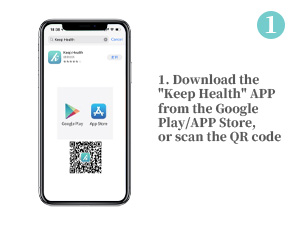
Step 1: Download the 'Keep Health' app from your phone's app store.
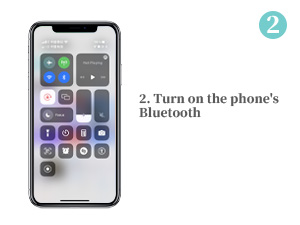
Step 2: Activate Bluetooth on your smartphone.
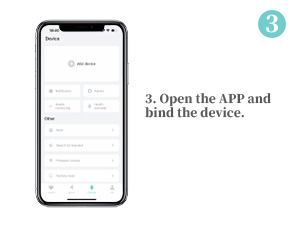
Step 3: Open the app and initiate the device binding process.
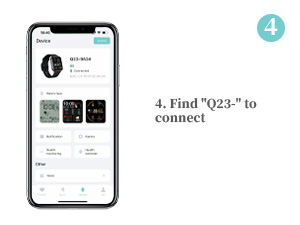
Step 4: Locate and select 'Q23-' in the app to establish a connection.
4. Operating Your Smart Watch
4.1 Display and Watch Faces
The Jugeman Smart Watch Q23 features a vibrant 1.69-inch TFT color display with 2.5D curved tempered glass. You can easily adjust the 6-level brightness for clear visibility even in sunlight. Personalize your watch by choosing from over 100 online watch faces available in the 'Keep Health' app, or upload your favorite photo as a custom background.

The 1.69-inch TFT color screen of the smartwatch, highlighting its display size.
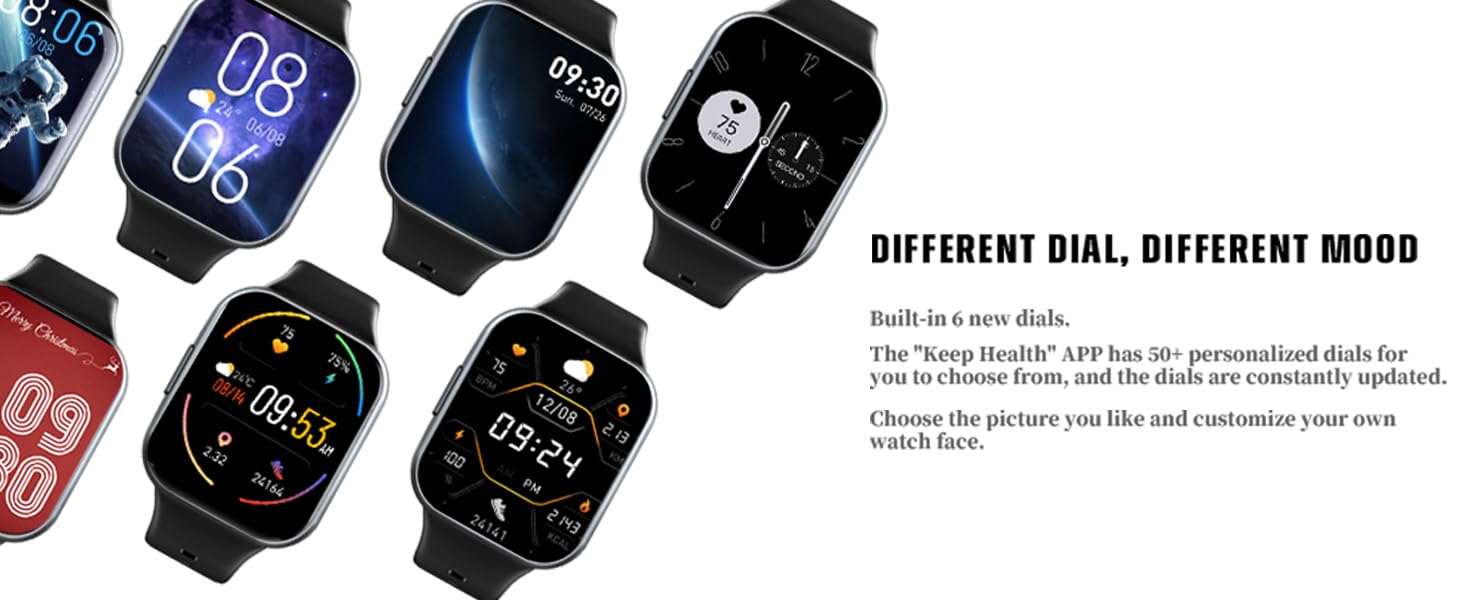
A selection of diverse watch faces available for customization on the smartwatch.
4.2 Health Monitoring
Equipped with an advanced LC10A optical sensor, the smartwatch provides continuous 24-hour heart rate monitoring, SpO2 (blood oxygen) measurement, and detailed sleep quality detection (deep sleep, light sleep, awake time). These features offer a comprehensive overview of your body's health, accessible through the 'Keep Health' APP, helping you maintain a healthier lifestyle.

The smartwatch's capabilities for 24/7 heart rate monitoring and sleep tracking.

The smartwatch display showing the sleep monitoring interface with total sleep time and sleep/wake periods.
4.3 Sport Modes and Activity Tracking
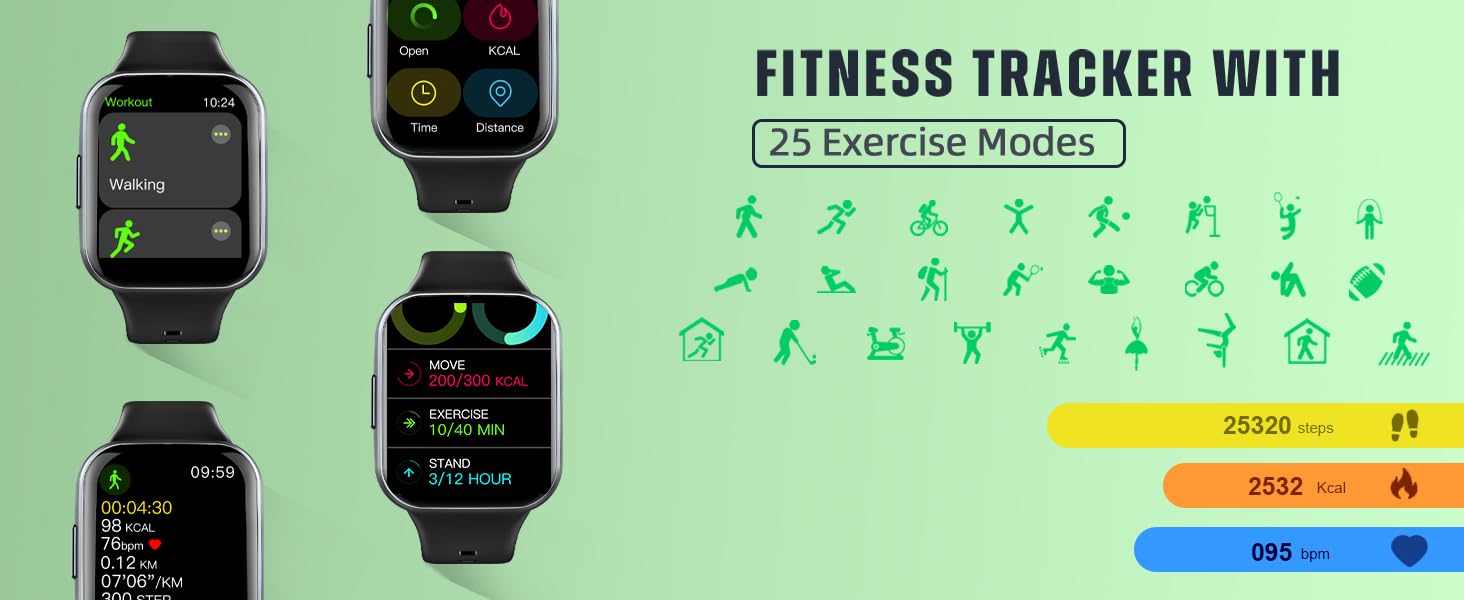
The fitness tracker supports 25 sport modes, including running, cycling, yoga, badminton, and skipping rope. It records all-day activity data such as steps, distance, calories burned, and heart rate, helping you track your real-time fitness status and adjust your exercise program effectively.
Video showcasing the 1.69" HD screen, heart rate/sleep monitor, and 25 sport modes of the IP68 waterproof smartwatch.

The smartwatch displaying various sport modes for activity tracking.

An illustration of the fitness tracker's interface, highlighting its 25 exercise modes and activity data.
4.4 Smart Notifications and Other Features
Stay connected with vibration notifications for incoming calls, text messages, and alerts from social media apps like Facebook, WhatsApp, LinkedIn, Instagram, and Twitter. The smartwatch also offers useful features such as weather information, music and camera controls, an alarm clock, stopwatch, sedentary reminder, and a 'do not disturb' mode.

The smartwatch's compatibility with Android and iOS phones, along with its 2.5D tempered glass screen and skin-friendly strap.
The smartwatch displaying notifications from various social media applications on the user's wrist.
A visual representation of additional useful features including stopwatch, photo control, music control, weather, and alarm clock.
5. Maintenance
5.1 Water Resistance
The Jugeman Smart Watch Q23 is IP68 waterproof, meaning it is resistant to dust and can withstand immersion in water up to 1.5 meters for 30 minutes. You can wear it while washing your hands or in the rain. Note: Do not use the watch in hot water, such as hot showers, saunas, or steam rooms, as this can damage the device.

The smartwatch submerged in water, illustrating its IP68 waterproof capability.
5.2 Cleaning
To keep your smartwatch clean and functioning optimally, wipe the screen and strap regularly with a soft, dry cloth. If necessary, use a slightly damp cloth with mild soap, then dry thoroughly. Avoid using harsh chemicals or abrasive materials.
6. Troubleshooting
If you encounter any issues with your Jugeman Smart Watch Q23, please refer to the following tips:
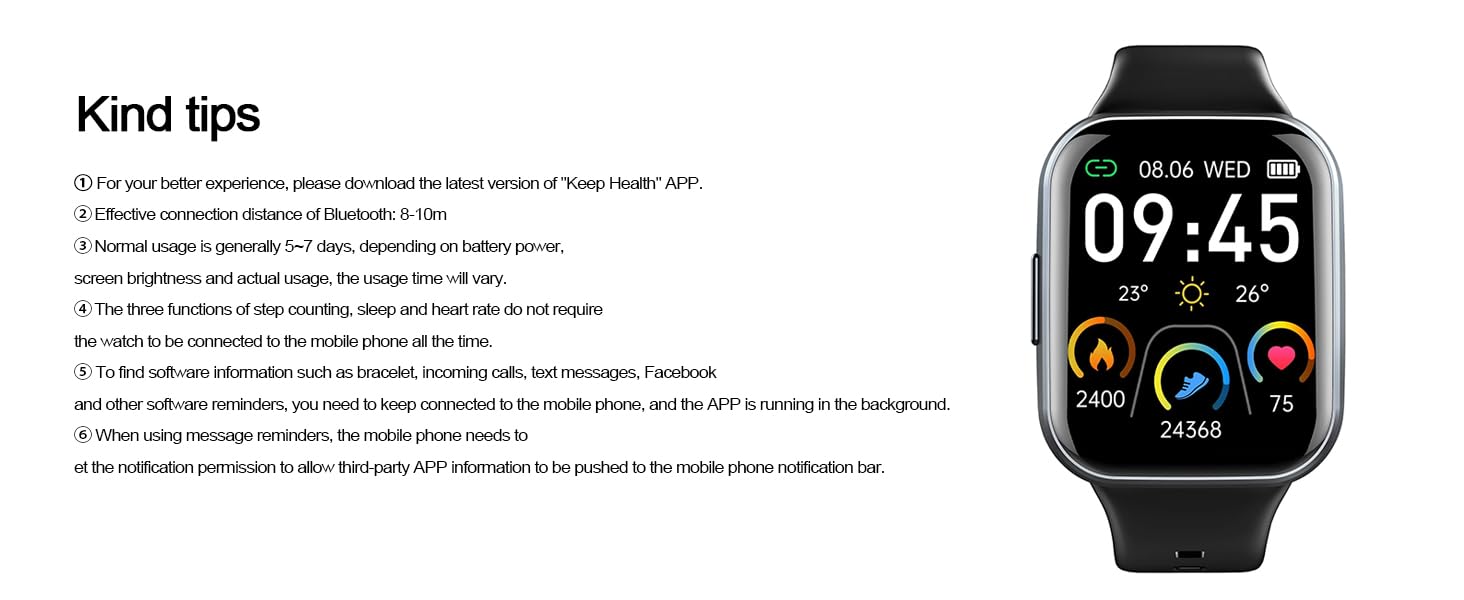
- For the best experience, ensure you have downloaded the latest version of the 'Keep Health' APP.
- The effective Bluetooth connection distance is 8-10 meters. Ensure your phone is within this range.
- Normal usage provides 5-7 days of battery life, depending on screen brightness and actual usage. Standby time is up to 30 days.
- Basic functions like step counting, sleep tracking, and heart rate monitoring do not require the watch to be continuously connected to your phone.
- For notifications (text messages, calls, social media), the watch needs to be connected to your mobile phone, and the APP must be running in the background.
- Ensure your mobile phone's notification permissions are granted to allow third-party APP information to be pushed to the phone's notification bar.
A summary of helpful tips for optimal smartwatch performance and troubleshooting common issues.
7. Specifications
| Feature | Specification |
|---|---|
| Model Name | Q23 |
| Brand | Jugeman |
| Screen Size | 1.69 Inches |
| Product Dimensions | 1.77 x 1.5 x 0.43 inches |
| Item Weight | 3.87 ounces |
| Battery Capacity | 300 Milliamp Hours |
| Battery Type | Lithium Polymer (included) |
| Waterproof Rating | IP68 |
| Connectivity Technology | Bluetooth |
| Compatible OS | Android 4.0/iOS 9.0 or higher |
| Special Features | 24/7 Heart Rate & Sleep Monitor, 25 Sports Modes, Notifications (SMS, Calls, Social Media), Weather, Music/Camera Control, Alarm Clock, Sedentary Reminder |
8. Warranty and Support
For warranty information and customer support, please refer to the official Jugeman website or contact your retailer. You can also find additional support and resources through the 'Keep Health' app.
A digital version of this user guide is available for download: Download User Guide (PDF)


