
Yoidesu Yoidesuqkmnv5wzs4-12
Yoidesu 360 Car Camera 7 with Night Vision User Manual
Model: Yoidesuqkmnv5wzs4-12
Brand: Yoidesu
1. Product Overview
The Yoidesu 360 Car Camera 7 with Night Vision is designed to enhance driving safety by providing a comprehensive panoramic surround view. This system integrates seamlessly with Android Auto Radio systems, offering clear 1080P video capture and exceptional night vision capabilities. It significantly reduces blind spots, allowing drivers to better understand their vehicle's surroundings.
- Surround View: Four cameras provide a panoramic view, reducing blind spots and helping drivers better understand their surroundings.
- Excellent Night Vision: Offers optimal visibility in dark environments, ensuring safety at all times.
- Enhanced Design: Fully sealed gel technology improves water resistance and prevents fogging.
- Exceptional Low Light Performance: Delivers clear and detailed footage even in low light conditions.
2. Package Contents
Please verify that all components listed below are present in your package:

Figure 2.1: Complete package contents of the Yoidesu 360 Car Camera system.
- 4 x Camera (Starlight Night Vision)
- 4 x Rubber Pad
- 4 x Extension Cord
- 1 x Car Machine Special Line
- 1 x Hole Opener
- 2 x Mounting Base
3. Setup and Installation
The Yoidesu 360 Car Camera system is designed for straightforward installation, primarily involving replacement and plug-in connections without complex wiring, directly into the original car port. It is compatible with Android navigators that support 360 surround view software and Android Auto Radio Night Vision 7 systems.
3.1 Camera Placement
The four cameras are strategically placed around the vehicle to achieve a full panoramic view. Recommended installation locations include:
- Front grill bumper
- Bottom of left reversing mirror
- Bottom of right reversing mirror
- Trunk (rear of vehicle)
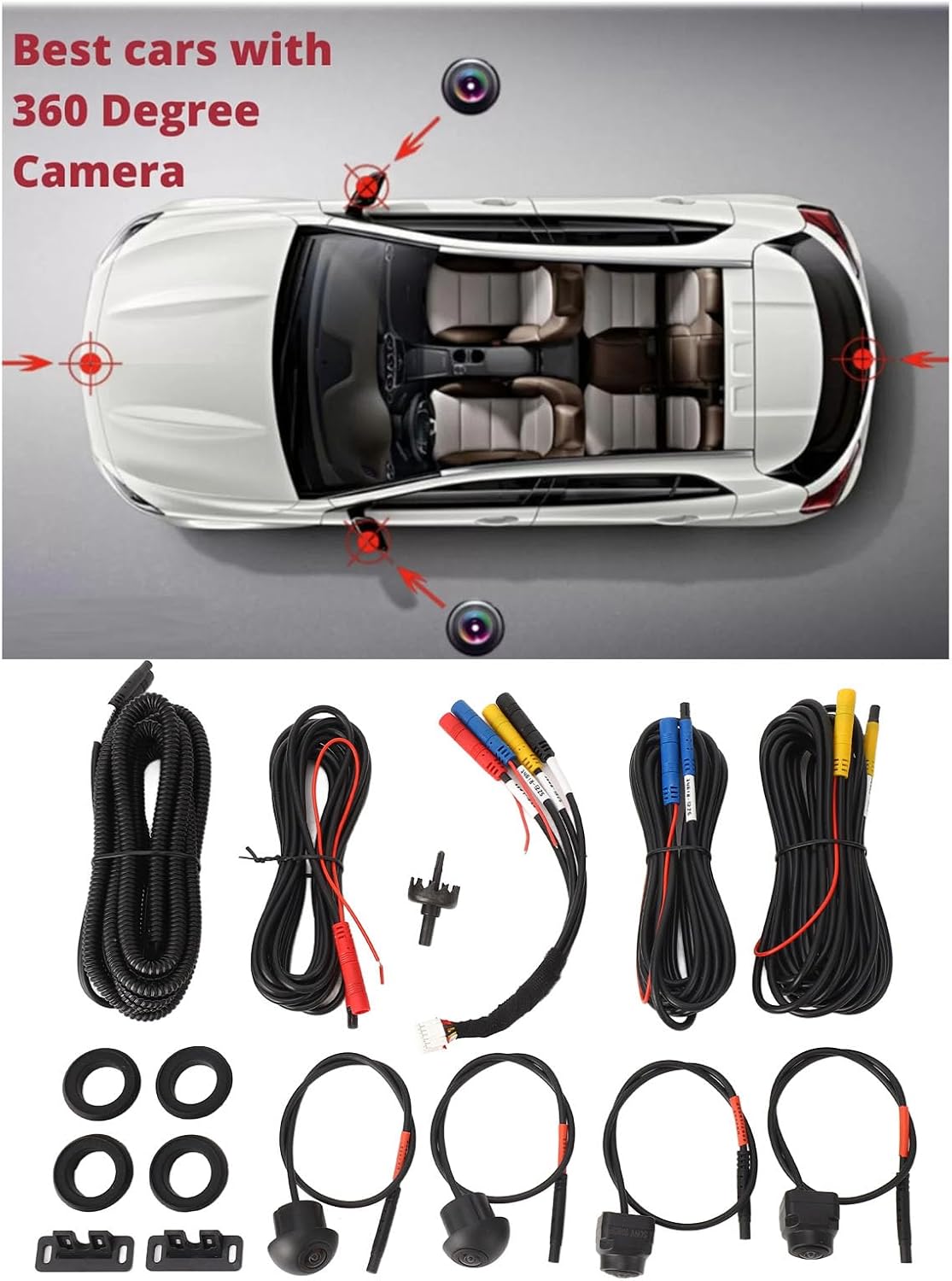
Figure 3.1: Recommended camera installation points on a vehicle.
3.2 Connection to Android System
Connect the cameras and the car machine special line to your compatible Android navigator or Android Auto Radio system. Ensure all connections are secure. The system is designed for direct plug-in, minimizing the need for complex wiring.
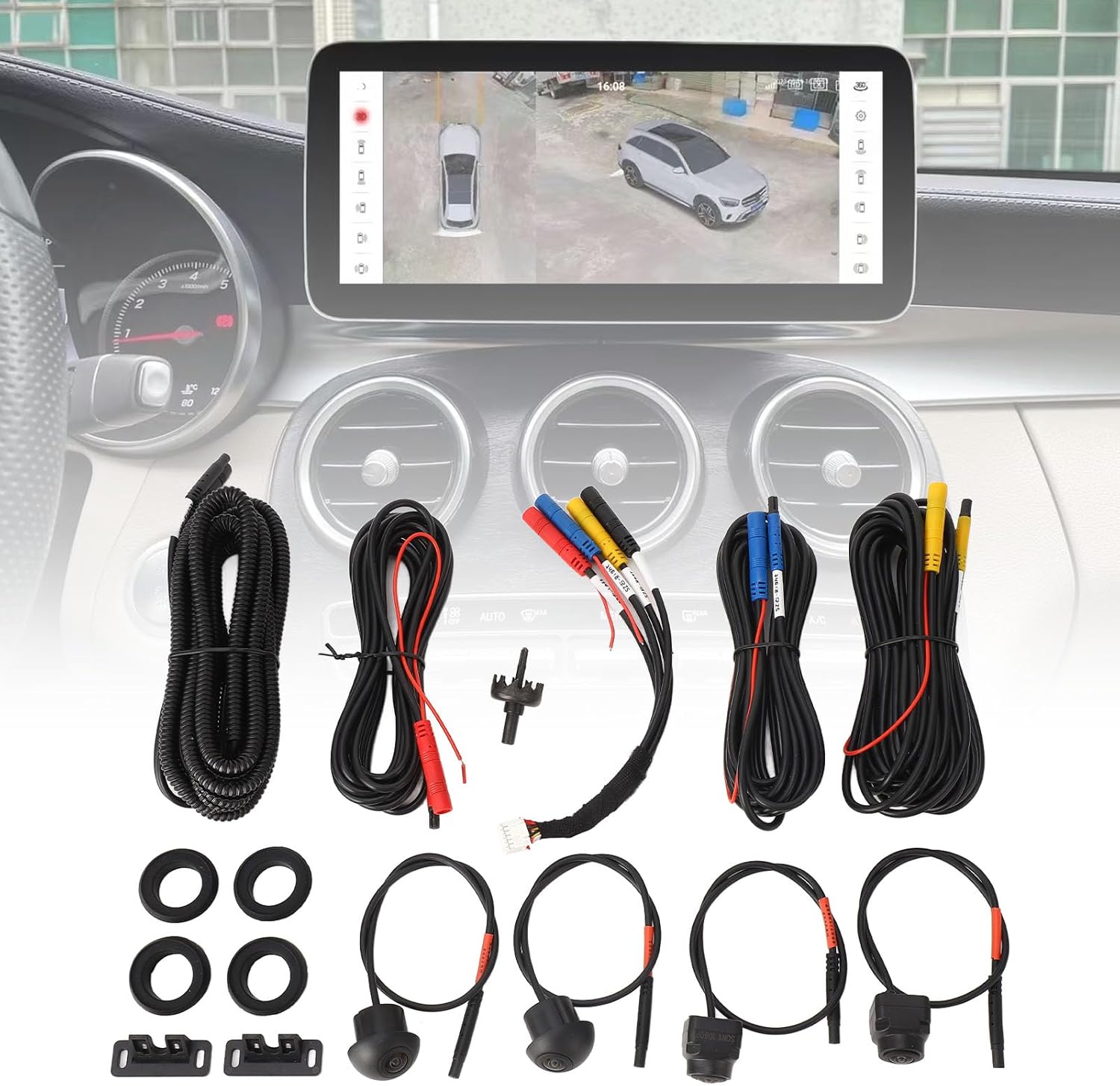
Figure 3.2: System components with an example of the in-car display.
4. Operating Instructions
Once installed and connected, the 360 Car Camera system will integrate with your vehicle's Android navigator. The system provides various viewing modes to assist with driving and parking.
4.1 Viewing Modes
The system offers multiple perspectives to provide a comprehensive view of your surroundings:
- Front View: Displays the area directly in front of the vehicle.
- Rear View: Displays the area directly behind the vehicle, useful for reversing.
- Left View: Shows the area to the left side of the vehicle.
- Right View: Shows the area to the right side of the vehicle.
- Panoramic Surround View: Combines all camera feeds into a seamless top-down perspective of the vehicle and its immediate environment, significantly reducing blind spots.
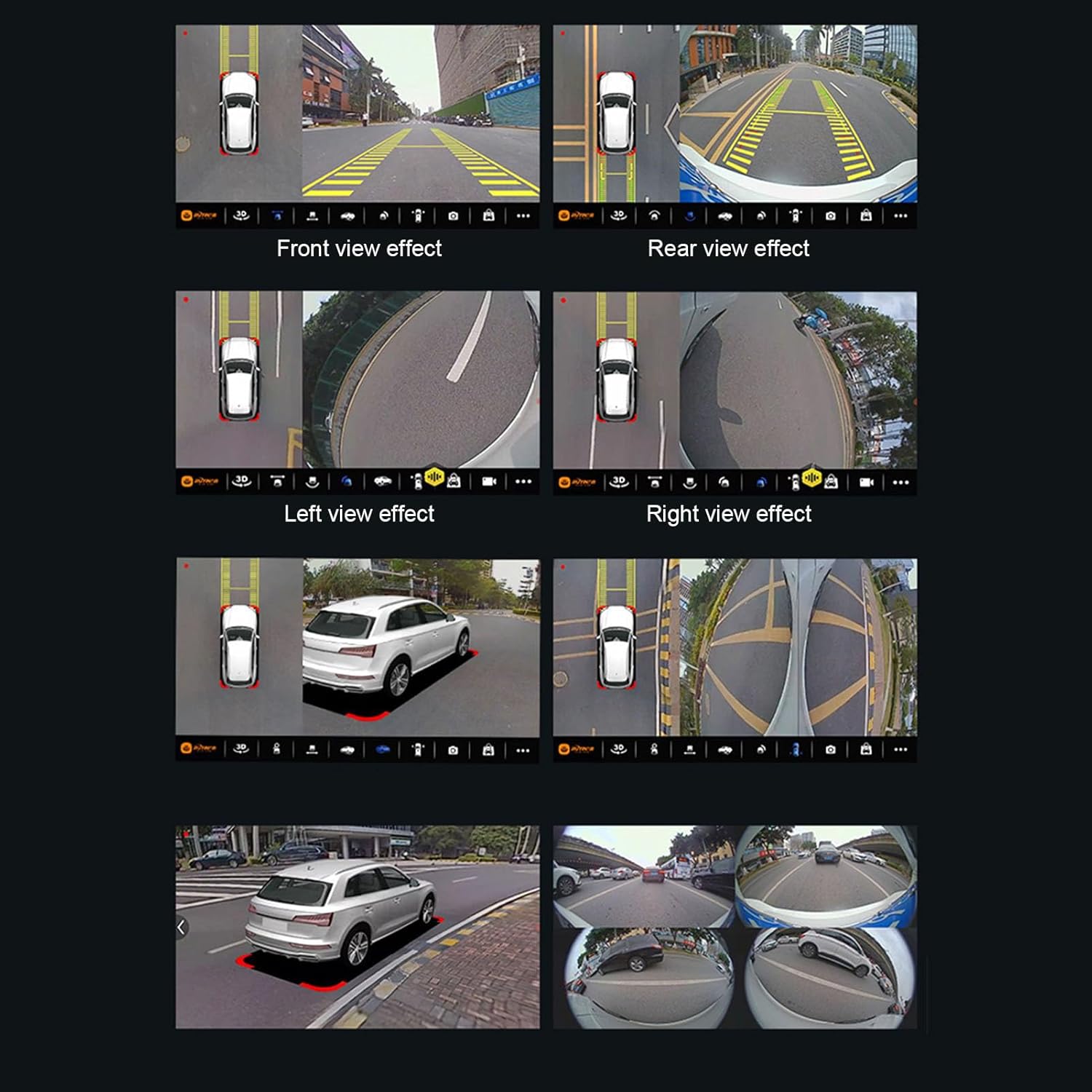
Figure 4.1: Examples of different viewing effects provided by the 360 Car Camera system.
4.2 Night Vision Operation
The cameras feature Starlight Night Vision technology, providing clear images even in very low light conditions. The system automatically adjusts to ambient light, ensuring optimal visibility during nighttime driving or in dimly lit areas.
5. Maintenance
Proper maintenance ensures the longevity and optimal performance of your Yoidesu 360 Car Camera system.
- Cleaning Cameras: Regularly clean the camera lenses with a soft, damp cloth to remove dirt, dust, or water spots that may obstruct the view. Avoid abrasive cleaners.
- Water Resistance: The cameras are designed with IP68 waterproof grade and fully sealed gel technology to prevent water ingress and fogging. However, avoid high-pressure washing directly onto the camera lenses.
- Cable Inspection: Periodically check all cables and connections for any signs of wear, damage, or loose connections. Ensure they are securely fastened.
- Software Updates: If your Android navigator system offers software updates for the 360 surround view software, ensure they are applied to maintain compatibility and performance.
6. Troubleshooting
This section provides solutions to common issues you might encounter with your 360 Car Camera system.
| Problem | Possible Cause | Solution |
|---|---|---|
| No image or black screen on display. | Loose cable connection; Power issue; Incompatible Android system software. | Check all cable connections, especially the car machine special line. Ensure the Android navigator is powered on. Verify your Android system supports 360 surround view software. |
| Distorted or blurry image. | Dirty camera lens; Damaged camera; Incorrect camera angle. | Clean camera lenses with a soft cloth. Inspect cameras for physical damage. Adjust camera angles to ensure proper coverage. |
| Night vision not working effectively. | Obstructed lens; Extremely low light conditions beyond system capability. | Ensure camera lenses are clean and unobstructed. While the system has excellent night vision, extreme darkness may still limit visibility. |
| System not recognized by Android Auto Radio. | Software incompatibility; Incorrect port connection. | Ensure your Android Auto Radio is the correct version (Night Vision 7) and has the necessary 360 surround view software. Confirm connection to the correct input port. |
7. Specifications
| Item Type | 360 Car Camera |
| Material | Metal + ABS |
| Camera Type | Starlight Night Vision |
| Waterproof Grade | IP68 |
| Applicable Systems | For Android navigator with 360 surround view software, for Android Auto Radio Night Vision 7 |
| Installation Locations | Front grill bumper, bottom of left and right reversing mirrors, trunk |
| Voltage | 12 Volts (DC) |
| Video Capture Resolution | 1080p |
| Optical Sensor Technology | CCD CMOS |
| Effective Still Resolution | 1080 Pixels |
| Lens Type | Wide Angle |
8. Warranty and Support
8.1 Warranty Information
For detailed warranty information regarding your Yoidesu 360 Car Camera system, please refer to the documentation provided with your purchase or contact Yoidesu customer service directly. Protection plans may be available for extended coverage.
8.2 Customer Support
If you require further assistance, have questions about installation, operation, or troubleshooting, please contact Yoidesu customer support. You can often find contact information on the product packaging, the official Yoidesu website, or through the retailer where the product was purchased.
Visit the Yoidesu Store: Yoidesu Official Store
Ask a question about this manual
Ask about setup, troubleshooting, compatibility, parts, safety, or missing instructions. Manuals+ will review the question and use this page’s manual context to help answer it.