
AOFAR GX10
AOFAR GX10 Golf Rangefinder User Manual
Model: GX10 | Brand: AOFAR
1. Introduction
Thank you for choosing the AOFAR GX10 Golf Rangefinder. This device is designed to provide accurate distance measurements for golfers, enhancing your game with advanced features such as PNLC Ambient Display, a powerful N52 Industrial Magnet, Ultra-Fast Flag Lock with vibration, and a convenient slope compensation switch. This manual will guide you through the setup, operation, maintenance, and troubleshooting of your new rangefinder to ensure optimal performance.

Image: The AOFAR GX10 Golf Rangefinder, showcasing its sleek blue and white design with prominent lenses and a 'slope' button.
2. What's in the Box
Upon opening your AOFAR GX10 package, please ensure all the following items are present:
- AOFAR GX10 Golf Rangefinder
- CR2 Battery
- High-Quality Rope (Lanyard)
- Carabiner
- Cleaning Cloth
- Carrying Pouch
- User Manual (this document)

Image: A flat lay showing all components included in the AOFAR GX10 package: the rangefinder, its carrying case, a CR2 battery, a lanyard, a carabiner, a cleaning cloth, and the user manual.
3. Features Overview
The AOFAR GX10 is equipped with several advanced features designed to optimize your golf experience:
3.1. PNLC Ambient Auto Display
The display automatically adjusts its color (red for darker environments, black for brighter) based on ambient light conditions, ensuring optimal visibility at all times. This feature is based on extensive data modeling for superior clarity.

Image: A visual representation of the rangefinder's auto-brightness adjustment, showing how the display changes from red in dark conditions to black in bright conditions for optimal readability.
3.2. Max N52 Industrial Magnet
An integrated powerful N52 magnet on the back allows the rangefinder to securely attach to any metallic surface, such as golf carts or club shafts, preventing accidental drops.

Image: The AOFAR GX10 rangefinder magnetically attached to a golf cart's metal frame, demonstrating the strength and convenience of its N52 industrial magnet.
3.3. Ultra-Fast Flag Lock with Vibration
Achieve flag lock in just 1 second using a unique dual-flag locking method, from farthest to nearest, or by aligning flags. Continuous scanning for closer targets after locking provides convenience for your swing. The device vibrates upon successful flag acquisition.

Image: A golfer using the AOFAR GX10 rangefinder, with an inset showing the display's flag lock feature indicating distance to the flag and other targets.
3.4. Slope Compensation Switch
Easily toggle the slope compensation feature on or off with a dedicated button. When slope compensation is off, a flashing light indicates tournament legality. This allows for adjusted distances based on elevation changes or true linear distance for competitive play.

Image: The AOFAR GX10 rangefinder with an illustration demonstrating how slope compensation calculates adjusted distances for uphill and downhill shots, compared to linear distance.
3.5. Advanced 0.06s Measurement Speed
Experience ultra-high-speed measurements with an acquisition time of just 0.06 seconds, providing instant distance readings. Measurement time may vary based on weather conditions, distance, and the object being measured.
4. Setup
4.1. Battery Installation
The AOFAR GX10 uses one CR2 battery. To install or replace the battery:
- Locate the battery compartment on the side or bottom of the rangefinder.
- Twist the battery cap counter-clockwise to open.
- Insert the CR2 battery with the positive (+) end facing inwards, as indicated by the diagram inside the compartment.
- Replace the battery cap and twist clockwise to secure it.
4.2. Initial Power On
Press the power/measurement button (usually the larger button on top) to turn on the device. The display will illuminate, showing the reticle and measurement indicators.
5. Operating Instructions
5.1. Taking a Measurement
- Look through the eyepiece.
- Aim the reticle at your desired target.
- Press the power/measurement button once to activate the laser and display the distance.
5.2. Using Flag Lock
To use the Flag Lock feature:
- Aim at the flagstick.
- Press and hold the power/measurement button.
- Slowly scan across the flagstick. The device will lock onto the flag, vibrate, and display the distance, ignoring background objects.
5.3. Toggling Slope Compensation
The AOFAR GX10 features a dedicated 'Slope' button (often orange or red) on the side. Press this button to toggle the slope compensation feature on or off. When slope compensation is disabled (for tournament play), an indicator light will flash, confirming its status.
5.4. Continuous Scan Mode
To activate continuous scan mode, press and hold the power/measurement button. The device will continuously measure distances as you pan across multiple targets, updating the display in real-time.

Image: A collage of images demonstrating various ways to carry and use the AOFAR GX10 rangefinder, including attaching it to a belt, golf bag, or golf club via its magnetic feature.
6. Maintenance
6.1. Cleaning
Use the provided cleaning cloth to gently wipe the lenses and the body of the rangefinder. Do not use abrasive materials or chemical cleaners, as they may damage the optics or casing.
6.2. Storage
When not in use, store the rangefinder in its carrying pouch in a cool, dry place, away from direct sunlight and extreme temperatures. Remove the battery if the device will not be used for an extended period to prevent leakage.
6.3. Water Resistance
The AOFAR GX10 is waterproof. While it can withstand rain and splashes, avoid submerging it in water for prolonged periods.
7. Troubleshooting
| Problem | Possible Cause | Solution |
|---|---|---|
| Device does not power on. | Low or dead battery; incorrect battery installation. | Replace the CR2 battery; ensure correct polarity. |
| Inaccurate measurements. | Lens obstruction; unstable aiming; extreme weather conditions. | Clean lenses; ensure steady aim; re-measure in clearer conditions. |
| Flag Lock not working. | Too many obstructions; not scanning across the flag. | Ensure clear line of sight; scan slowly across the flagstick. |
| Display is dim or hard to read. | Low battery; extreme lighting conditions. | Replace battery; the PNLC display adjusts automatically, but very extreme conditions can affect visibility. |
8. Specifications
| Model | GX10 |
| Measurement Range | 1200 Yards / 1097 Meters |
| Measurement Speed | 0.06 seconds |
| Material | Acrylonitrile Butadiene Styrene, Rubber |
| Color | Blue |
| Item Weight | 199.5 Grams |
| Product Dimensions (L x W x H) | 10.5 x 7.3 x 4 cm |
| Battery Type | CR2 (1 included) |
| Water Resistance Level | Waterproof |
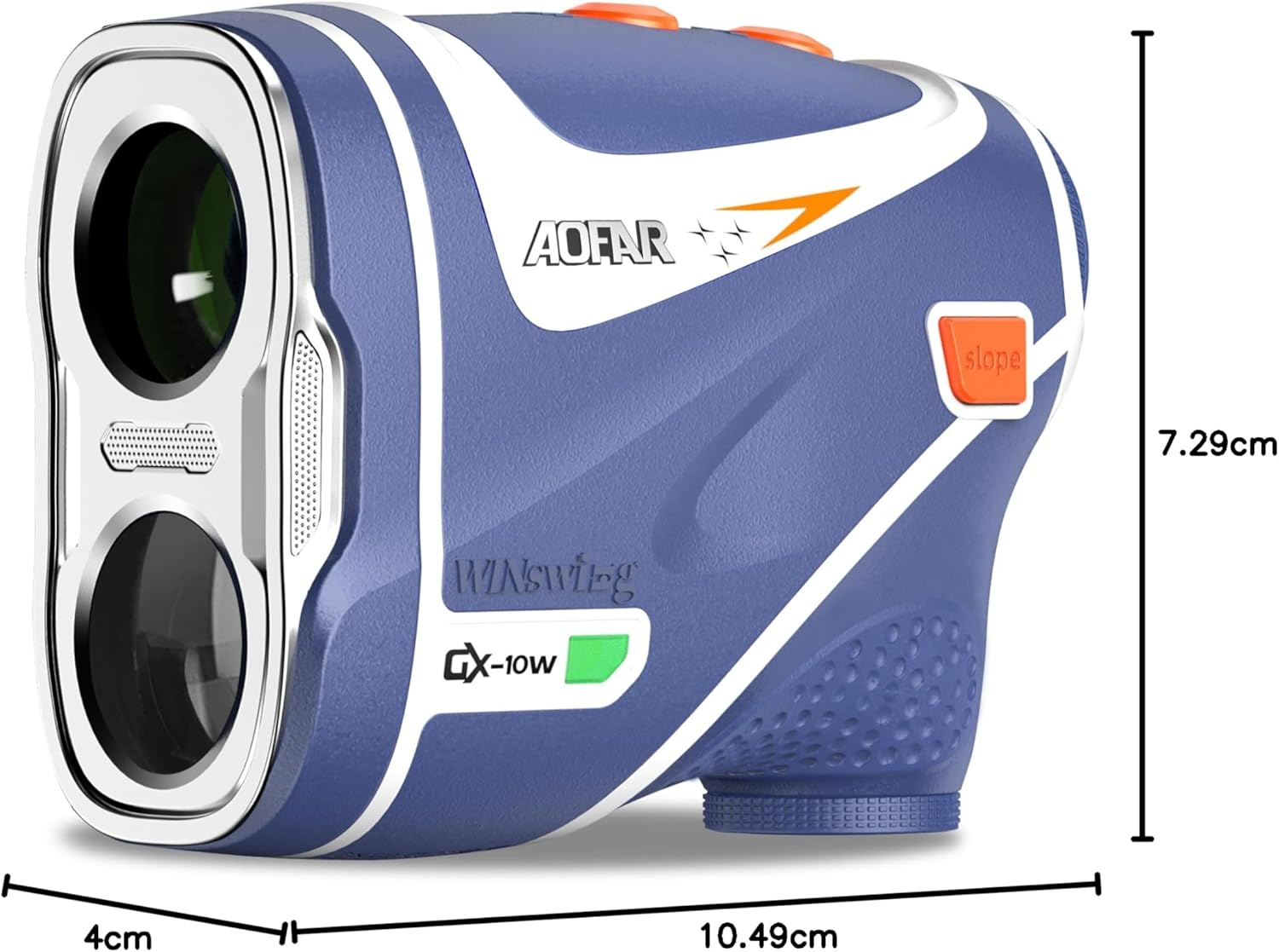
Image: A diagram illustrating the dimensions of the AOFAR GX10 rangefinder, showing its length, width, and height in centimeters.
9. Warranty and Support
AOFAR is committed to providing high-quality products and excellent customer service.
9.1. Warranty
The AOFAR GX10 Golf Rangefinder comes with a 2-year warranty from the date of purchase, covering manufacturing defects.
9.2. Return Policy
We offer a 30-day return policy from the date of delivery for refunds or replacements, subject to terms and conditions.
9.3. Customer Support
For any questions, technical assistance, or warranty claims, please contact our customer support team:
Email: service@aofar.com
AOFAR offers lifetime customer support to ensure your satisfaction with our products.
Ask a question about this manual
Ask about setup, troubleshooting, compatibility, parts, safety, or missing instructions. Manuals+ will review the question and use this page’s manual context to help answer it.