
Introduction
Thank you for choosing SOUNDPEATS RunFree Wireless Open-Ear Headphones. This manual provides detailed instructions on how to set up, operate, and maintain your headphones. Please read this manual thoroughly before use to ensure optimal performance and longevity of your device.
The SOUNDPEATS RunFree headphones are designed for comfort and awareness, allowing you to enjoy audio while remaining aware of your surroundings. They feature Bluetooth 5.3 for stable connectivity, multipoint connection for seamless device switching, and 16.2mm drivers for clear sound.
Package Contents
- SOUNDPEATS RunFree Wireless Open-Ear Headphones
- USB-C Charging Cable
- User Manual
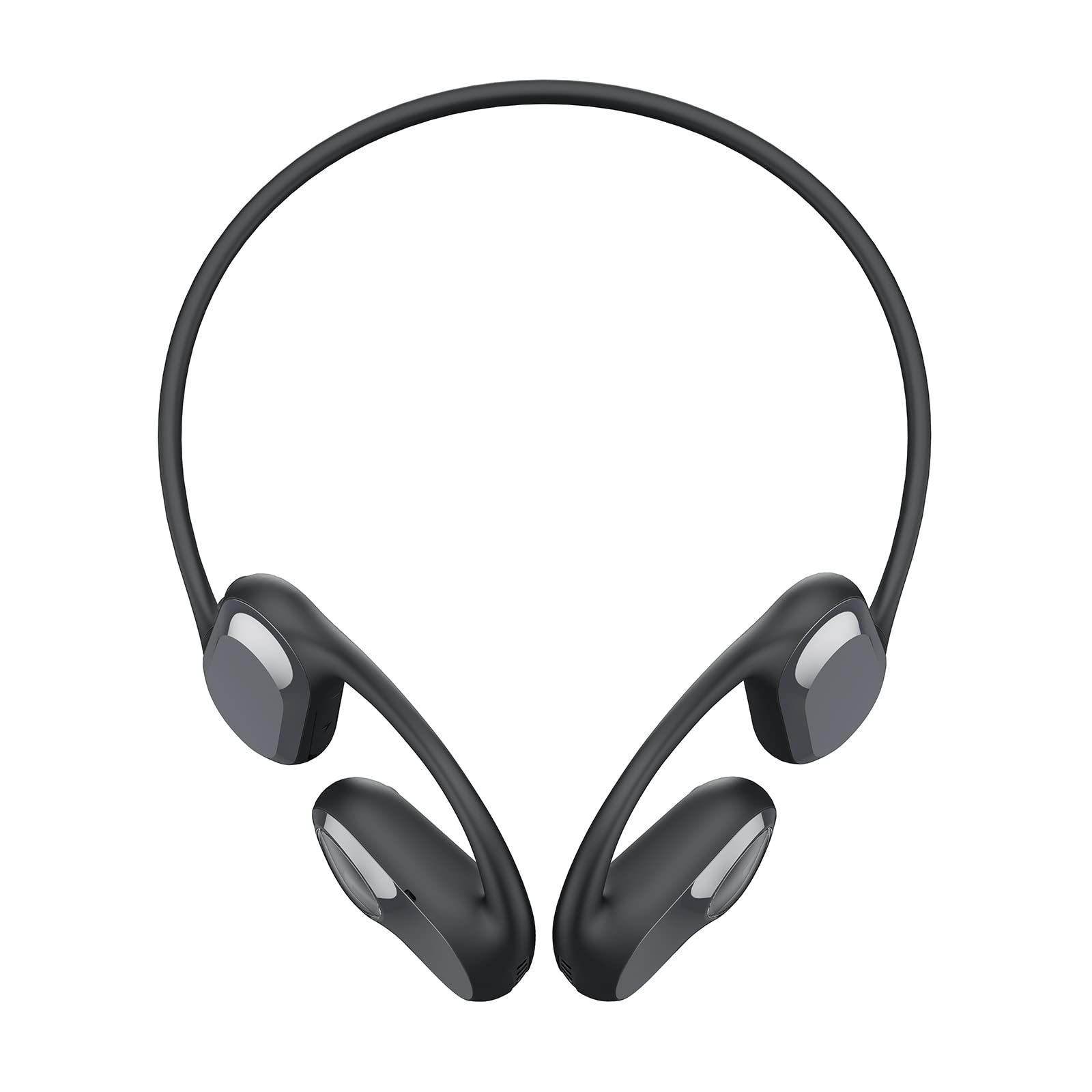
Image: The SOUNDPEATS RunFree headphones, shown with the included USB-C charging cable. The headphones feature an open-ear design with ear hooks.
Product Diagram
Familiarize yourself with the components of your SOUNDPEATS RunFree headphones.

Image: A diagram illustrating the key components of the RunFree headphones, including the ear hook, speaker unit, multi-function button, volume buttons, and charging port.
- Speaker Unit: Delivers audio.
- Ear Hook: Secures the headphones over the ear.
- Multi-function Button (MFB): Controls power, playback, calls, and voice assistant.
- Volume Up Button (+): Increases volume, skips track forward.
- Volume Down Button (-): Decreases volume, skips track backward.
- USB-C Charging Port: For charging the headphones.
- LED Indicator: Shows power and pairing status.
- Microphone: For calls and voice commands.
Setup
1. Charging
Before first use, fully charge the headphones. The headphones have a built-in rechargeable battery.
- Connect the USB-C charging cable to the charging port on the headphones and to a USB power adapter (not included) or a computer's USB port.
- The LED indicator will show red during charging and turn blue when fully charged.
- A full charge typically takes approximately 1.5 hours.

Image: The RunFree headphones with a USB-C cable inserted into the charging port, indicating the charging process.
2. Pairing
Initial Pairing:
- Ensure the headphones are charged.
- Press and hold the Multi-function Button (MFB) for 3 seconds to power on the headphones. The LED indicator will flash red and blue alternately, indicating pairing mode.
- Activate Bluetooth on your device (smartphone, tablet, etc.) and search for "SOUNDPEATS RunFree" in the list of available devices.
- Select "SOUNDPEATS RunFree" to connect. Once connected, the LED indicator will turn blue.
Multipoint Connection:
The RunFree headphones support connecting to two devices simultaneously.
- Pair the headphones with the first device as described above.
- After successful connection, disable Bluetooth on the first device. The headphones will re-enter pairing mode (LED flashes red and blue).
- Pair the headphones with the second device.
- Re-enable Bluetooth on the first device. The headphones should automatically connect to both devices.
- To switch between devices, pause audio on the currently playing device and start playback on the other.
Operating Instructions
| Function | Operation |
|---|---|
| Power On | Press and hold MFB for 3 seconds. |
| Power Off | Press and hold MFB for 3 seconds (when powered on). |
| Play/Pause | Single press MFB. |
| Volume Up | Single press Volume Up (+) button. |
| Volume Down | Single press Volume Down (-) button. |
| Next Track | Press and hold Volume Up (+) button for 1.5 seconds. |
| Previous Track | Press and hold Volume Down (-) button for 1.5 seconds. |
| Answer/End Call | Single press MFB. |
| Reject Call | Press and hold MFB for 1.5 seconds. |
| Activate Voice Assistant | Triple press MFB. |
| Game Mode On/Off | Double press MFB. |

Image: An illustration highlighting the location of the Multi-function Button (MFB), Volume Up (+), and Volume Down (-) buttons on the RunFree headphones.
Maintenance
Proper maintenance ensures the longevity and optimal performance of your headphones.
- Cleaning: Regularly wipe the headphones with a soft, dry, lint-free cloth. Do not use harsh chemicals or abrasive materials.
- Sweatproof: The headphones are sweatproof, making them suitable for workouts. After intense exercise, wipe off any sweat before charging or storing.
- Storage: Store the headphones in a cool, dry place away from direct sunlight and extreme temperatures.
- Charging Port: Keep the USB-C charging port clean and free of debris.
Troubleshooting
If you encounter issues with your headphones, refer to the following common problems and solutions.
| Problem | Solution |
|---|---|
| Headphones do not power on. | Ensure the headphones are fully charged. |
| Cannot pair with device. |
|
| No sound or intermittent sound. |
|
| Microphone not working. |
|
Specifications
| Feature | Detail |
|---|---|
| Brand | SoundPEATS |
| Model | RunFree |
| Headphone Type | Open-Ear |
| Connectivity | Wireless (Bluetooth 5.3) |
| Driver Size | 16.2mm |
| Playback Time | Up to 14 hours |
| Special Features | Sweatproof, Multipoint Connection, Game Mode |
Warranty and Support
SOUNDPEATS products are covered by a warranty. For detailed warranty information, please refer to the warranty card included with your purchase or visit the official SOUNDPEATS website.
If you require further assistance or have questions not covered in this manual, please contact SOUNDPEATS customer support through their official website or the retailer where you purchased the product.
Official Website: www.soundpeats.com


