
Introduction
This manual provides instructions for the installation, operation, and maintenance of your jioeuinly phone case and tempered glass screen protector for the Maze Speed M1586K. This product is designed to offer robust protection and enhanced functionality for your device.
Package Contents:
- 1 x jioeuinly Phone Case for Maze Speed M1586K
- 1 x Tempered Glass Screen Protector
Setup and Installation
1. Installing the Phone Case
The jioeuinly phone case features a combination of a PC hard back panel and a soft silicone frame with four-corner shock airbags for comprehensive protection.
- Ensure your Maze Speed M1586K phone is clean and free of dust or debris.
- Gently insert the phone into the soft silicone frame of the case, starting with one side and then pressing the other side into place.
- Verify that all edges of the phone are securely seated within the case and that all ports and buttons are accessible.

Figure 1: Illustration of the shockproof design, highlighting the soft silicone frame, hard PC backplane, and reinforced corners with shock airbags for enhanced drop protection. The case is designed to be higher than the screen and camera for added safety.
2. Installing the Tempered Glass Screen Protector
The tempered glass screen protector offers 9H high hardness, shatterproof properties, and 99.9% super transparency for optimal screen protection.
- Clean your phone screen thoroughly using the provided cleaning wipes (if included) to remove all dust, smudges, and fingerprints.
- Carefully peel off the protective film from the adhesive side of the tempered glass.
- Align the screen protector precisely with your phone's screen, ensuring it matches the edges and cutouts.
- Gently lower the screen protector onto the screen. It will adhere automatically.
- If any bubbles appear, gently push them towards the edges of the screen using a soft cloth or squeegee.

Figure 2: Overview of the tempered glass screen protector's key features, emphasizing its durability and clarity. It is designed to be case-friendly, ensuring compatibility with the phone case.

Figure 3: Visual representation of the screen protector's scratch-proof and impact-resistant qualities, illustrating how it protects the phone screen from sharp objects and abrasions.
Operating Instructions
1. Using the Ring Support
The adhesive metal finger ring support can be attached to the case or used separately. It offers 360-degree rotation for versatile use.
- Finger Grip: Slide your finger through the ring for a secure grip, reducing the risk of accidental drops.
- Kickstand Function: Rotate the ring to a desired angle to prop up your phone for hands-free viewing in landscape or portrait mode.
- One-Hand Operation: The ring allows for easier reach across the screen, improving one-handed usability.
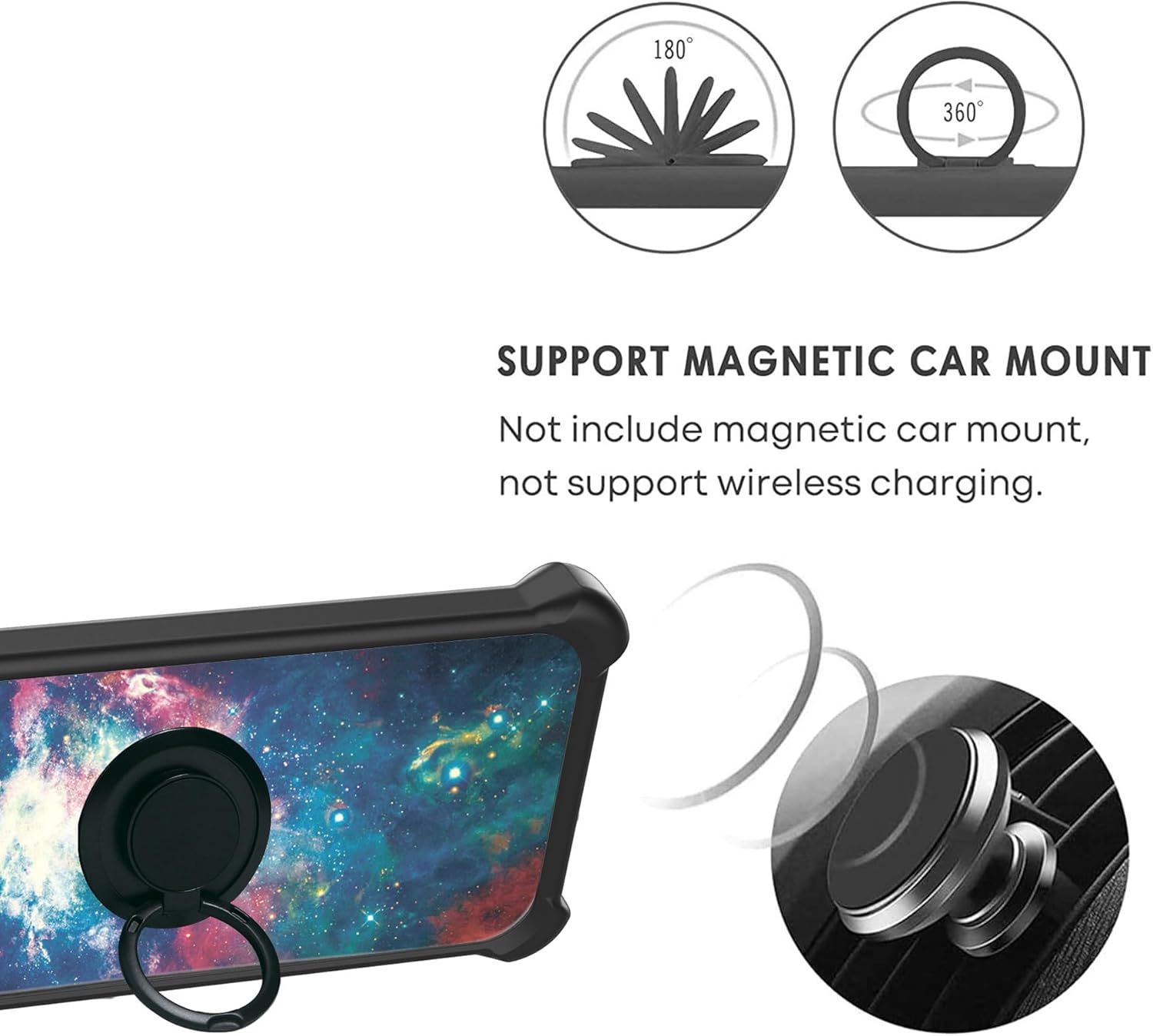
Figure 4: Demonstration of how the integrated ring support facilitates comfortable and extended one-hand operation, allowing users to access more of the screen with ease.
2. Magnetic Car Mount Compatibility
The metal ring support is compatible with magnetic car mounts, allowing for convenient hands-free navigation while driving.
- Simply attach the metal ring on the back of your phone case to a compatible magnetic car mount (not included).
- Note: This product does not support wireless charging when the ring is attached or when used with a magnetic car mount.
3. Luminous Effect
The case features a special pattern layer that absorbs light and sunlight, producing a fluorescent effect in dark environments.
- Expose the phone case to light sources (e.g., sunlight, artificial light) for a period to charge the luminous material.
- In a dark environment, the case will emit a soft glow. The intensity and duration of the glow depend on the amount and duration of light absorption.
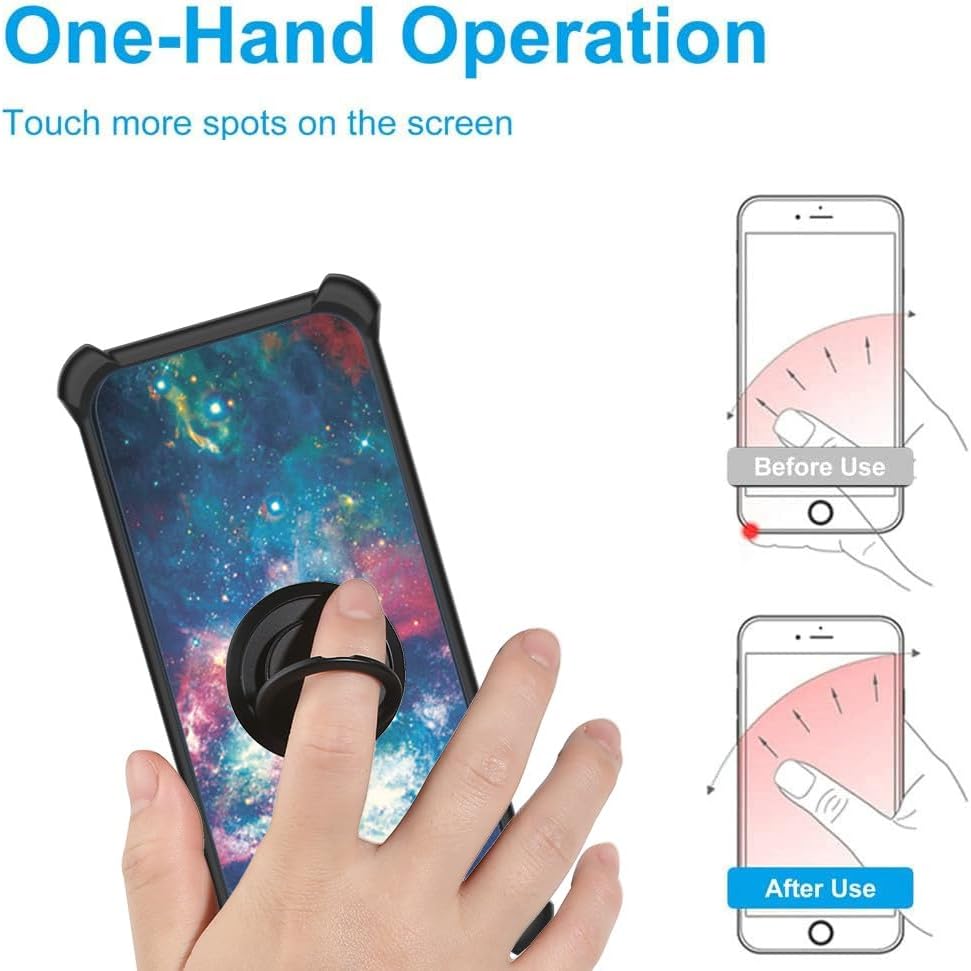
Figure 5: Diagram illustrating the multi-layered construction of the case's back panel, which includes a light-absorbing layer responsible for the luminous effect. This effect activates in dark environments after exposure to light.
Maintenance
Proper care will extend the life and appearance of your phone case and screen protector.
- Cleaning the Case: Wipe the phone case with a soft, damp cloth. For stubborn stains, a mild soap solution can be used. Avoid harsh chemicals or abrasive materials.
- Cleaning the Screen Protector: Use a microfiber cloth to gently wipe the screen protector. For smudges, a screen cleaner spray designed for electronics can be applied to the cloth (not directly to the screen).
- Avoid Extreme Temperatures: Do not expose the case or screen protector to extreme heat or cold, as this may affect their material integrity.
Troubleshooting
- Screen Protector Bubbles: If small bubbles remain after installation, they often disappear within 24-48 hours. For larger bubbles, try gently lifting the nearest edge of the protector and reapplying it, pushing the air out.
- Ring Stand Stiffness: If the ring stand feels too stiff or too loose, gently rotate it a few times to loosen or tighten the mechanism. Avoid excessive force.
- Luminous Effect Not Visible: Ensure the case has been exposed to sufficient light for a period. The effect is only visible in complete darkness.
- Case Fit Issues: Double-check that your phone model is indeed Maze Speed M1586K. Ensure the phone is properly seated within the case, with no obstructions.
Specifications
| Brand | jioeuinly |
| Compatible Phone Model | Maze Speed M1586K |
| Material | PC hard back panel + soft silicone frame + metal support finger ring |
| Features | Shockproof (four corners Shock Airbags), 360° Rotating Ring, Kickstand, Magnetic Car Mount Compatible, Luminous Effect, Tempered Glass Screen Protector (9H Hardness, Shatterproof, 99.9% Transparency) |
| Color | YGH-YH (Pattern/Theme: Colourful) |
| Item Dimensions | 0.39 x 0.39 x 0.39 inches (Approximate, for case) |
| ASIN | B0CLCSTB8F |
Warranty and Support
For warranty information or product support, please refer to the retailer's return policy or contact the seller directly through the platform where the product was purchased.
- Return Policy: Typically 30 days for refund/replacement (as per Amazon's buybox winner information).
- Seller: Huasonchou Shop (as per Amazon's buybox winner information).
Please retain your purchase receipt for any warranty claims or support inquiries.