
TANLANIN TE-001YL
TANLANIN Vintage 3-Speed Bluetooth Suitcase Portable Turntable
Model: TE-001YL
Brand: TANLANIN
1. Introduction
Thank you for purchasing the TANLANIN Vintage 3-Speed Bluetooth Suitcase Portable Turntable. This manual provides detailed instructions for the proper setup, operation, and maintenance of your new record player. Please read this manual thoroughly before use to ensure optimal performance and longevity of the product.

Image: The TANLANIN portable turntable in its open suitcase form, showcasing the platter, tonearm, and control panel. A clear vinyl record is placed on the platter.
2. Package Contents
Please check the package carefully to ensure all items are present and in good condition:
- TANLANIN Portable Turntable with Built-in Speakers
- RCA Cable
- AUX Cable
- Headphone Cable
- Belt (pre-installed or separate)
- Platter (pre-installed or separate)
- Power Adapter
- User Manual (this document)
3. Product Features
The TANLANIN TE-001YL turntable offers a blend of classic vinyl playback with modern connectivity:
- 3-Speed Turntable: Supports 33 1/3, 45, and 78 RPM records.
- Built-in Stereo Speakers: Enjoy audio directly from the unit.
- Bluetooth Wireless Input: Stream music wirelessly from your smartphone or other Bluetooth-enabled devices.
- USB Recording: Convert vinyl records to MP3/WAV digital format and save to a USB disk or TF card.
- AUX Input: Connect external audio devices via the 3.5mm AUX port.
- RCA Line Out: Connect to external speaker systems or soundbars for enhanced audio.
- Headphone Jack: For private listening.
- Belt-Driven System: Provides stable playback.
- Auto Stop Function: Automatically stops the platter when a record finishes playing, protecting your records and stylus.
- Portable Suitcase Design: Easy to transport and store.

Image: An illustration detailing the dimensions of the turntable (13.9" x 10.1" x 5") and highlighting its core features with descriptive icons.

Image: A visual representation of the turntable's USB recording capability, showing how vinyl music can be converted to MP3/WAV format and saved to a U disk or TF card.
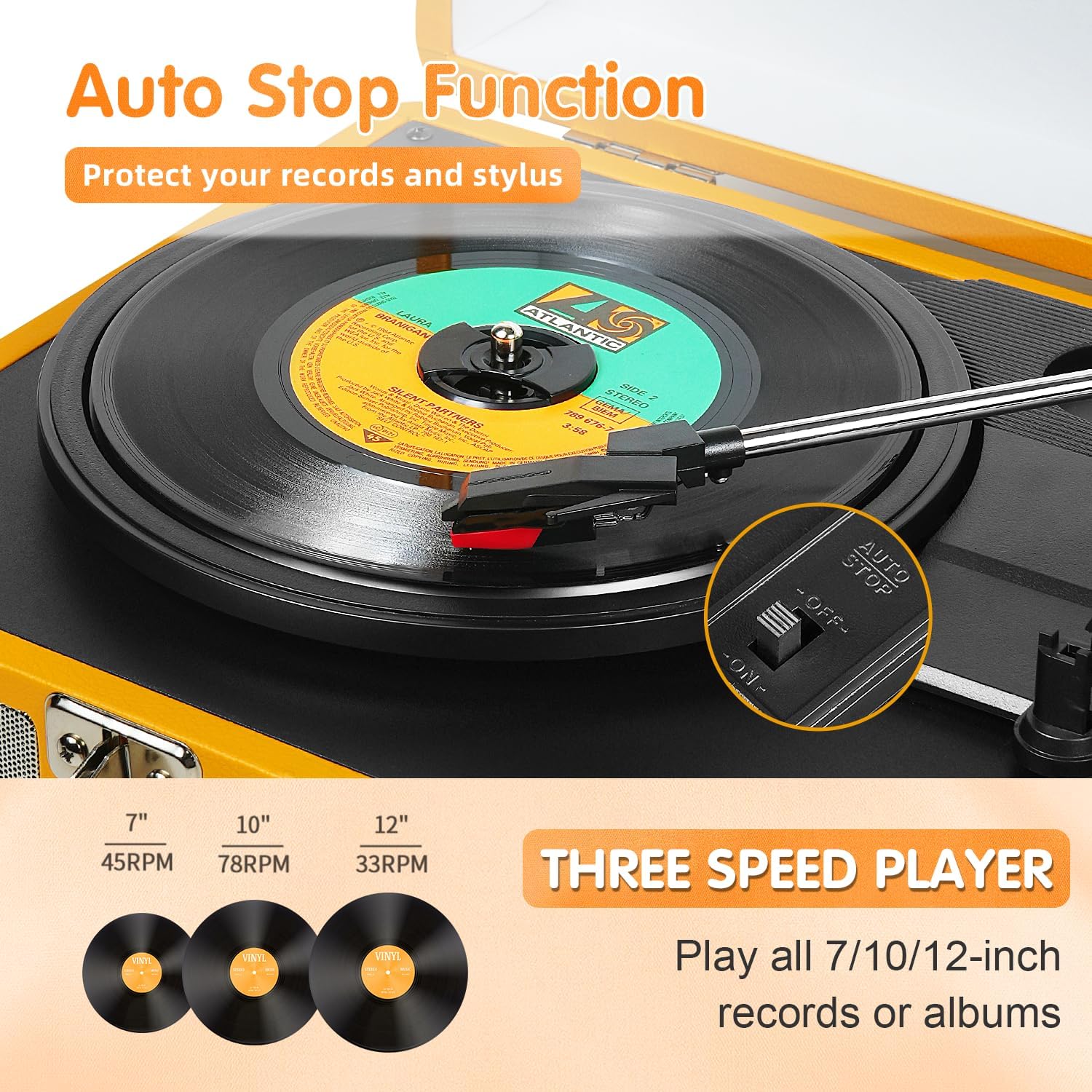
Image: This image illustrates the auto-stop function and the three-speed playback options (33, 45, 78 RPM) for different record sizes.

Image: This image demonstrates the versatile connectivity options, including AUX input for non-Bluetooth devices, RCA line out for external speakers, and a headphone jack for private listening.
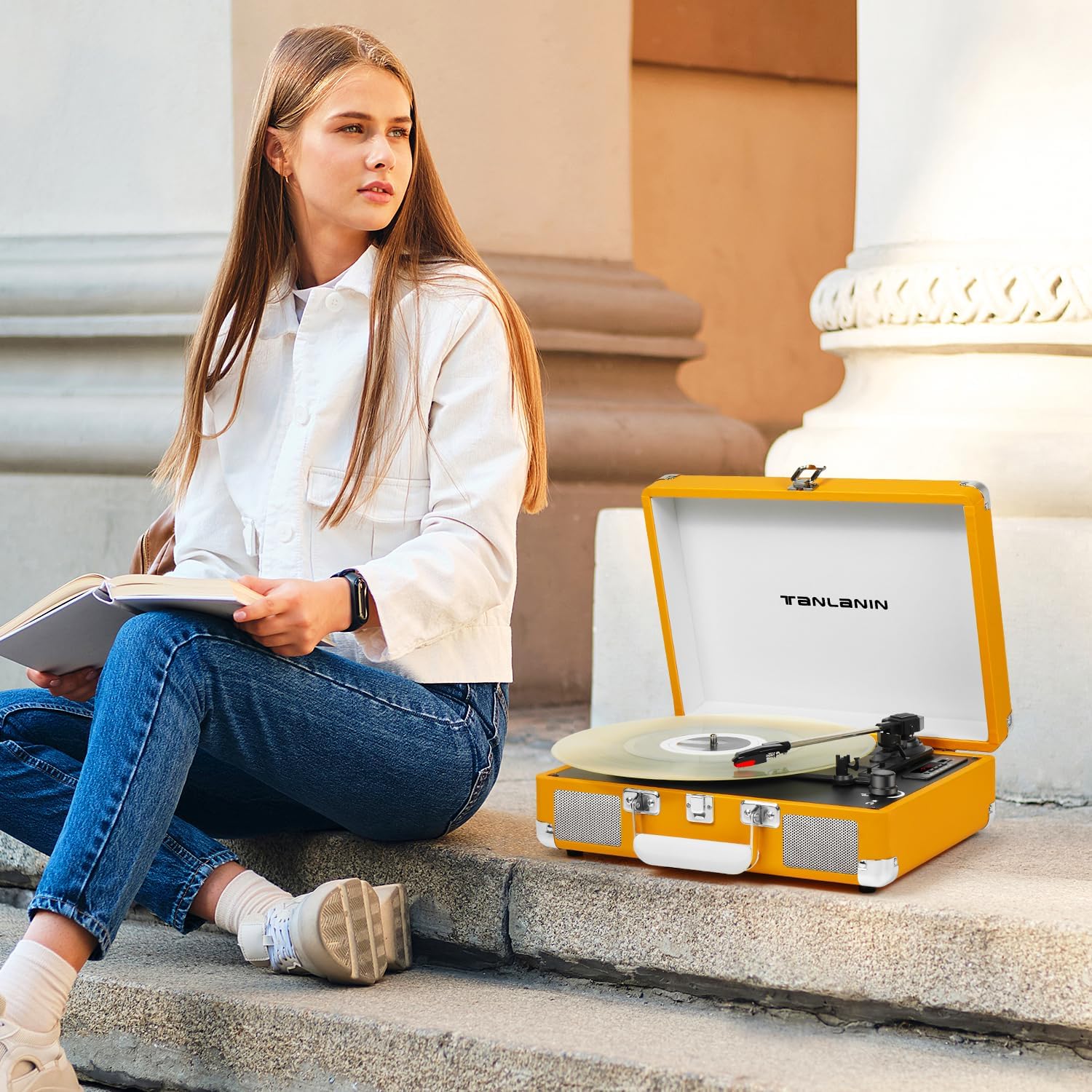
Image: Detailed views of the turntable's key components: the premium cartridge and ruby stylus, the integrated stereo speakers, and the LED display for mode indication.
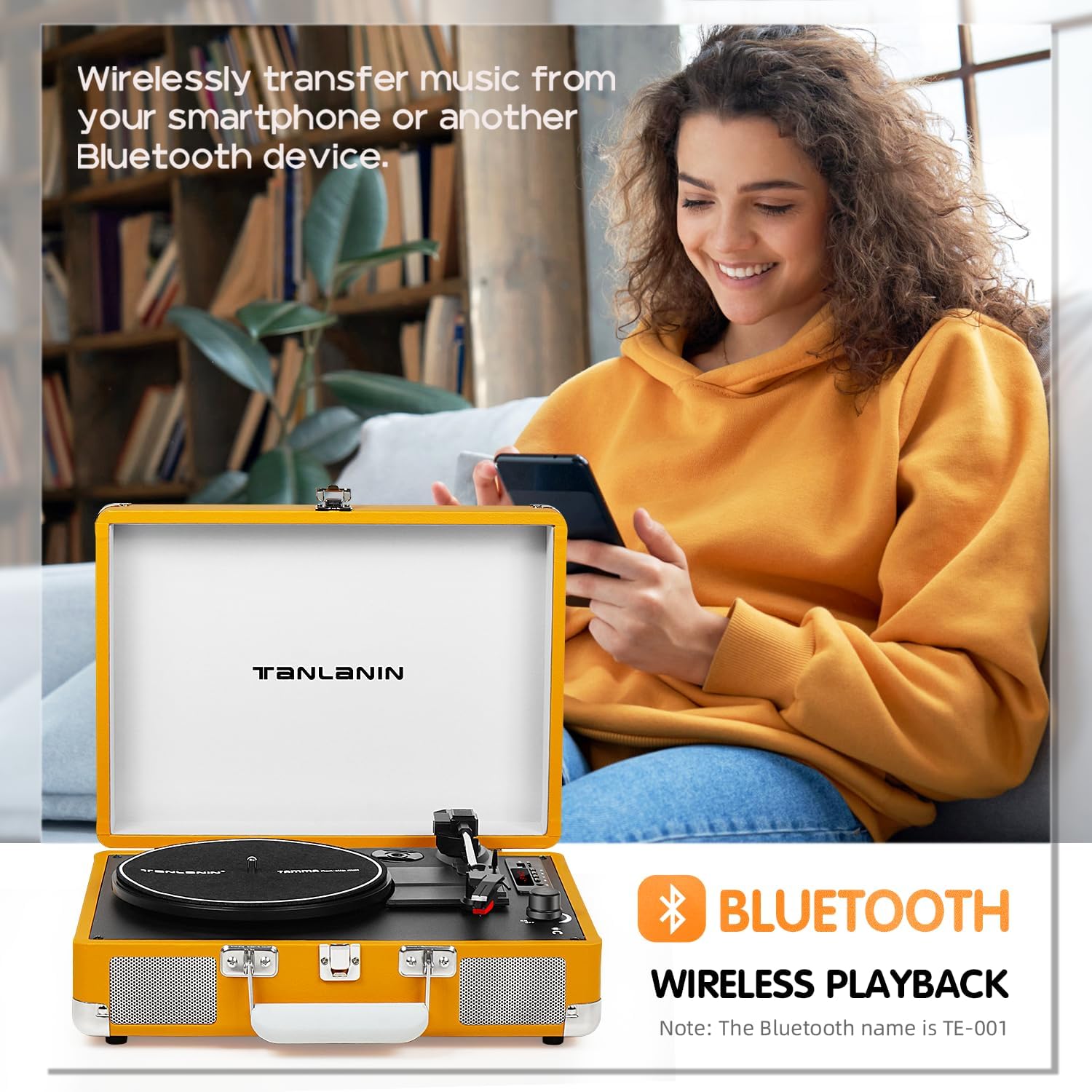
Image: This image highlights the Bluetooth wireless playback feature, allowing users to stream music from their smartphones or other Bluetooth devices to the turntable's speakers.
4. Setup
- Unpacking: Carefully remove the turntable from its packaging. Retain the packaging for future transport or storage.
- Placement: Place the turntable on a stable, level surface away from direct sunlight, heat sources, and excessive dust or vibrations.
- Power Connection: Connect the power adapter to the DC IN port on the turntable and then plug it into a standard wall outlet.
- Platter Setup: Ensure the platter is securely seated on the spindle. If the drive belt is not already installed, carefully place it around the motor pulley and the inner rim of the platter.
- Stylus Protection: Remove the clear plastic stylus protector from the needle before first use. Be careful not to touch the stylus.
5. Operating Instructions
5.1 Playing Records
- Power On: Turn the Power/Volume knob clockwise to power on the unit.
- Select Mode: Press the 'M' button to select PHONO mode.
- Select Speed: Set the speed selector switch (33/45/78 RPM) to match the record you are playing. For 45 RPM records, place the included 45 RPM adapter on the center spindle.
- Place Record: Place a record on the turntable platter.
- Auto Stop: If you wish to use the auto-stop function, ensure the AUTO STOP switch is in the 'ON' position. The platter will stop spinning automatically when the record finishes. If 'OFF', the platter will continue to spin.
- Lift Tonearm: Gently lift the tonearm using the tonearm lift lever.
- Position Tonearm: Move the tonearm to the desired position over the record.
- Lower Tonearm: Slowly lower the tonearm using the tonearm lift lever. The stylus will make contact with the record, and playback will begin.
- Adjust Volume: Adjust the volume using the Power/Volume knob.
- End Playback: At the end of the record, the tonearm will automatically return to its rest (if auto-stop is on). Otherwise, manually lift the tonearm, return it to the tonearm rest, and lower the lift lever. Turn the Power/Volume knob counter-clockwise to power off.
5.2 Bluetooth Connection
- Power On: Turn the Power/Volume knob clockwise to power on the unit.
- Select Mode: Press the 'M' button to select BT (Bluetooth) mode. The LED display will show "BT" and flash, indicating it's ready for pairing.
- Enable Bluetooth: On your smartphone or Bluetooth device, enable Bluetooth and search for available devices.
- Pair: Select "TE-001" (or similar name) from the list of devices. Once connected, the "BT" indicator will stop flashing and remain solid.
- Play Music: You can now play music from your device through the turntable's speakers. Adjust volume using both your device and the turntable's volume knob.
5.3 USB Recording
- Insert Storage: Insert a USB flash drive or TF card into the corresponding slot.
- Select Mode: Ensure the turntable is in PHONO mode.
- Start Recording: Begin playing your vinyl record. Press the 'REC' button (often indicated by a microphone icon or 'REC' on the control panel). The LED display may indicate recording status.
- Stop Recording: Press the 'REC' button again to stop recording. The recorded audio file will be saved to your USB drive or TF card.
- Playback Recording: Switch to USB/TF mode using the 'M' button to play back your recorded files.
5.4 AUX Input
- Connect Cable: Connect one end of the AUX cable to the AUX IN port on the turntable and the other end to the audio output of your external device (e.g., MP3 player, phone).
- Select Mode: Press the 'M' button to select AUX mode.
- Play Audio: Play audio from your external device. The sound will be routed through the turntable's speakers.
5.5 RCA Output
- Connect Cables: Connect the RCA cables (red for right channel, white for left channel) from the RCA OUT ports on the turntable to the corresponding audio input ports on your external amplifier or powered speakers.
- Adjust Volume: Adjust the volume on your external audio system.
5.6 Headphone Jack
- Connect Headphones: Plug your headphones into the 3.5mm HEADPHONE jack on the turntable.
- Adjust Volume: Adjust the volume using the Power/Volume knob.
6. Maintenance
- Cleaning the Stylus: Use a soft brush (not included) to gently clean the stylus from back to front. Do not use excessive force or brush side to side.
- Cleaning the Unit: Wipe the turntable's surface with a soft, dry cloth. Do not use harsh chemicals or abrasive cleaners.
- Dust Cover: Keep the dust cover closed when not in use to protect the turntable from dust and debris.
- Storage: When storing the turntable for extended periods, ensure the tonearm is secured with its clip and the stylus protector is in place. Store in a cool, dry place.
7. Troubleshooting
- No Power:
- Ensure the power adapter is securely connected to the turntable and the wall outlet.
- Check if the wall outlet is functioning correctly.
- Confirm the Power/Volume knob is turned on.
- No Sound:
- Check the volume level on the turntable and any connected external devices.
- Ensure the correct mode (PHONO, BT, AUX) is selected.
- If using external speakers via RCA, ensure they are powered on and connected correctly.
- Verify the stylus is properly installed and not damaged.
- Record Skipping:
- Ensure the turntable is on a stable, level surface.
- Clean the record thoroughly.
- Check the stylus for dirt or damage. Replace if necessary.
- Bluetooth Not Connecting:
- Ensure the turntable is in BT mode and the indicator is flashing.
- Make sure Bluetooth is enabled on your device and it's within range (typically 10 meters).
- Try forgetting the device on your phone and re-pairing.
- Restart both the turntable and your Bluetooth device.
- Poor Sound Quality:
- Clean the record and stylus.
- Ensure the record speed matches the turntable setting.
- If using external speakers, check their connections and settings.
8. Specifications
| Feature | Specification |
|---|---|
| Product Dimensions | 13.5 x 10.5 x 5 inches |
| Item Weight | 6.78 pounds |
| Model Number | TE-001YL |
| Brand | TANLANIN |
| Included Components | Built-in Speakers, RCA Cable, AUX Cable, Headphone Cable, Belt, Platter, Power Adapter |
| Color | Yellow |
| Compatible Devices | Speaker, Headphone, Personal Computer, Desktop, Smartphone, Tablet, MP3 Player |
| Motor Type | Belt-Driven |
| Signal Format | Line-level |
| Power Source | Battery Powered (Note: Typically refers to portability, unit uses power adapter for operation) |
| UPC | 735812231631 |
9. Warranty and Support
For warranty information and technical support, please refer to the warranty card included with your product or visit the official TANLANIN website. Keep your purchase receipt as proof of purchase for any warranty claims.
Related documentsTE-001YL


Ask a question about this manual
Ask about setup, troubleshooting, compatibility, parts, safety, or missing instructions. Manuals+ will review the question and use this page’s manual context to help answer it.