
Introduction
This manual provides essential instructions for the safe and efficient operation of your PULITUO 12 Volt Charger, model DC-122400. Please read this manual thoroughly before using the product and retain it for future reference.
Safety Information
Always observe the following safety precautions to prevent injury or damage to the charger or battery:
- Ensure the charger is compatible with your battery type and voltage (12 Volt).
- Do not expose the charger to rain or moisture.
- Operate the charger in a well-ventilated area.
- Avoid charging frozen or damaged batteries.
- Keep out of reach of children.
- Disconnect power before making or breaking connections to the battery.
Product Overview
The PULITUO 12 Volt Charger is designed for charging car batteries. It features a compact design with indicator lights for charging status.
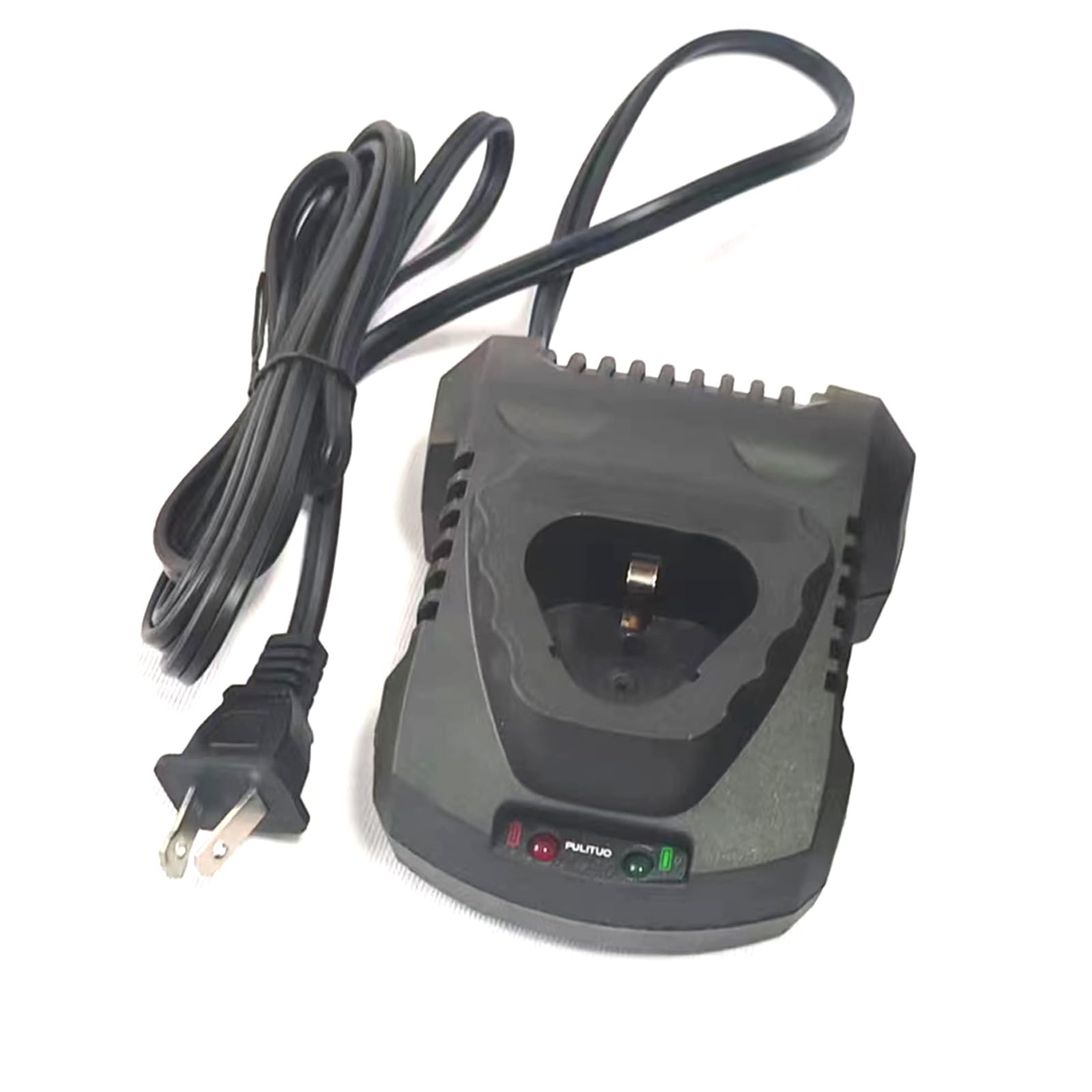
Image 1: Front view of the PULITUO 12 Volt Charger. The image shows the black charger unit with a power cord attached. The charger has a slot for battery connection and two indicator lights (red and green) at the bottom.
Setup
- Unpack the Charger: Carefully remove the charger from its packaging and inspect it for any signs of damage.
- Placement: Place the charger on a stable, flat surface in a well-ventilated area, away from direct sunlight, heat sources, and moisture.
- Power Connection: Ensure the charger's power cord is easily accessible to a standard electrical outlet. Do not plug it in yet.
- Battery Preparation: Ensure the battery to be charged is clean and free of corrosion. If it's a lead-acid battery, check the electrolyte levels if applicable and top up with distilled water if necessary (refer to your battery's manual).
Operating Instructions
- Connect to Battery: Insert the battery into the charging slot on the PULITUO charger. Ensure a secure connection.
- Connect to Power: Plug the charger's power cord into a suitable 120V AC electrical outlet.
- Monitor Charging:
- The red indicator light will illuminate, indicating that the charger is powered on and charging is in progress.
- The green indicator light will illuminate when the battery is fully charged.
- Disconnect: Once the green indicator light is on, indicating a full charge, first unplug the charger from the electrical outlet. Then, carefully remove the battery from the charging slot.
- Storage: Store the charged battery in a cool, dry place.
Note: Charging times may vary depending on the battery's capacity and discharge level. Do not leave the charger unattended for extended periods.
Maintenance
Proper maintenance ensures the longevity and performance of your charger:
- Cleaning: Disconnect the charger from power before cleaning. Use a dry, soft cloth to wipe the exterior of the charger. Do not use liquid cleaners or solvents.
- Storage: When not in use, store the charger in a dry, dust-free environment, away from extreme temperatures. Coil the power cord neatly to prevent damage.
- Inspection: Periodically inspect the power cord and charger casing for any signs of damage, such as cuts, fraying, or cracks. If damage is found, discontinue use and contact customer support.
Troubleshooting
| Problem | Possible Cause | Solution |
|---|---|---|
| Charger not turning on (no lights) | No power to the outlet; faulty power cord; charger malfunction. | Check the power outlet with another device. Inspect the power cord for damage. If the problem persists, contact support. |
| Red light on, but battery not charging | Poor connection to battery; battery is deeply discharged or faulty. | Ensure the battery is securely seated in the charging slot. Test the battery with another charger or have it inspected by a professional. |
| Green light not turning on after extended charging | Battery is very large capacity; battery is faulty and cannot hold a charge. | Allow more time for charging if the battery is large. If the issue persists, the battery may need replacement. |
Specifications
- Brand: PULITUO
- Model Number: DC-122400
- Output Voltage: 12 Volt
- Product Dimensions: 12.7 x 7.62 x 5.08 cm
- Product Weight: 272.16 grams
- Manufacturer: PULITUO
- ASIN: B0CLC9R4M2
Warranty and Support
For warranty information or technical support, please refer to the documentation included with your purchase or visit the official PULITUO website. Keep your purchase receipt as proof of purchase.
For further assistance, you may contact the seller through the platform where the product was purchased.