
Philips Hue 582403
Philips Hue Secure Camera Anti-Drop Cable User Manual
Model: 582403
Brand: Philips Hue
Product Overview
The Philips Hue Secure Camera Anti-Drop Cable is designed to provide an additional layer of security for your Philips Hue Secure cameras. This silver cable helps anchor your camera, preventing accidental falls and making unauthorized removal more difficult. It is particularly recommended for camera installations higher than 2 meters (6.6 ft) and is suitable for both indoor and outdoor use, complementing the weatherproof design of the cameras.
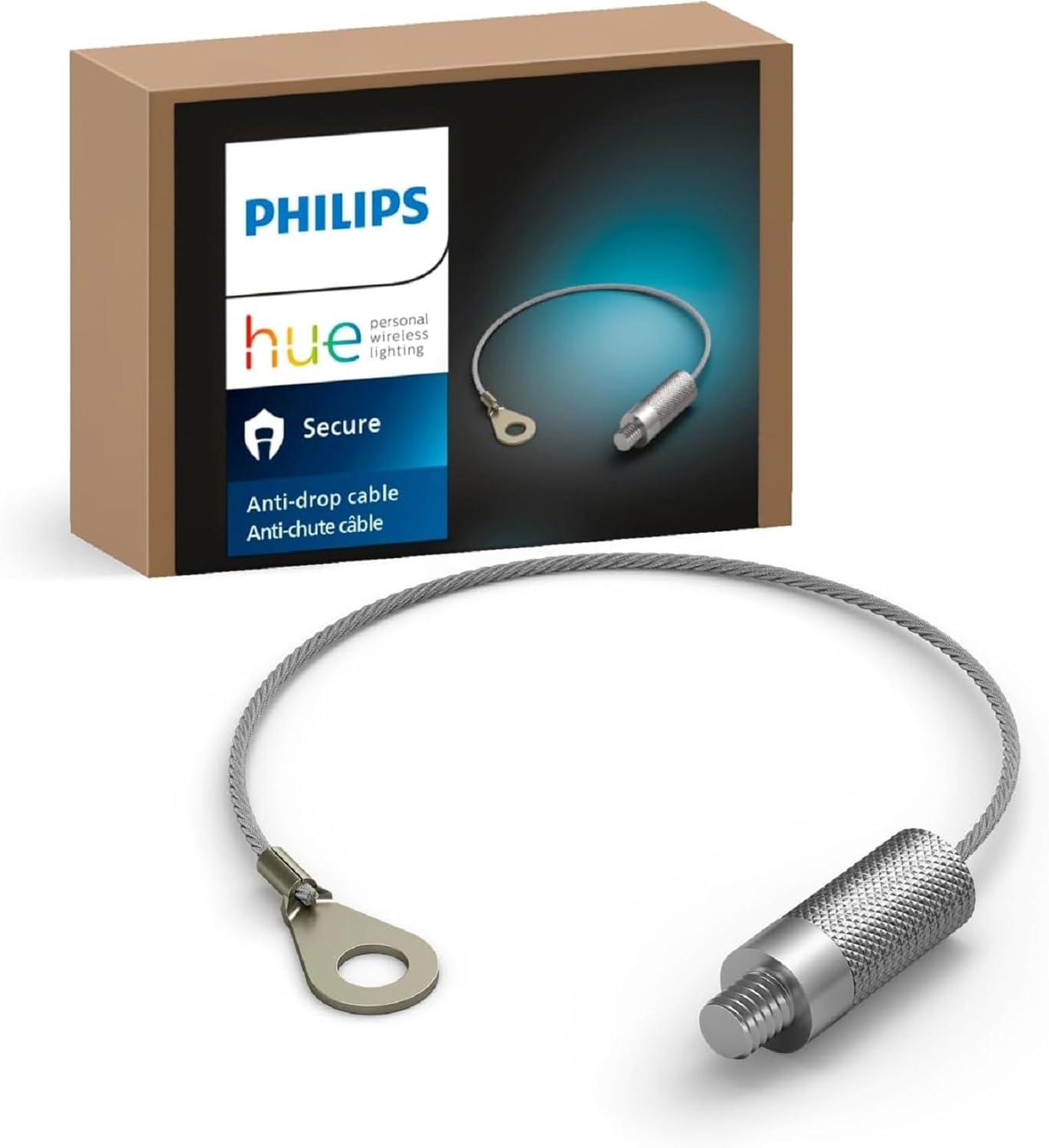
Image: The Philips Hue Secure Anti-Drop Cable shown with its product packaging.
What's Included
The package includes:
- One Philips Hue Secure Anti-Drop Cable (Silver)

Image: A detailed view of the anti-drop cable, highlighting its loop and threaded end.
Setup and Installation
The Anti-Drop Cable is designed for easy integration with your Philips Hue Secure camera setup. It provides an essential safety measure, especially for cameras mounted at heights where a fall could cause damage or injury.
Installation Steps:
- Identify the attachment point: Locate the designated attachment point on your Philips Hue Secure camera or its mounting accessory. This is typically a small threaded hole or a loop designed for security cables.
- Thread the cable: Insert the threaded end of the anti-drop cable into the corresponding hole on the camera or mount.
- Secure the cable: Twist the threaded end clockwise until it is firmly secured. Ensure it is hand-tight to prevent loosening.
- Anchor the cable: Attach the loop end of the anti-drop cable to a secure, fixed structure near the camera's installation point. This could be a wall anchor, a sturdy part of the camera mount, or another suitable fixture. Use appropriate hardware (not included) to ensure the anchor point can withstand the camera's weight.
- Verify security: Gently tug on the cable to confirm it is securely attached at both ends and provides adequate fall protection for the camera.
Recommendation: This cable is highly recommended for cameras installed higher than 2 meters (6.6 ft) to prevent accidental drops and enhance security against tampering.
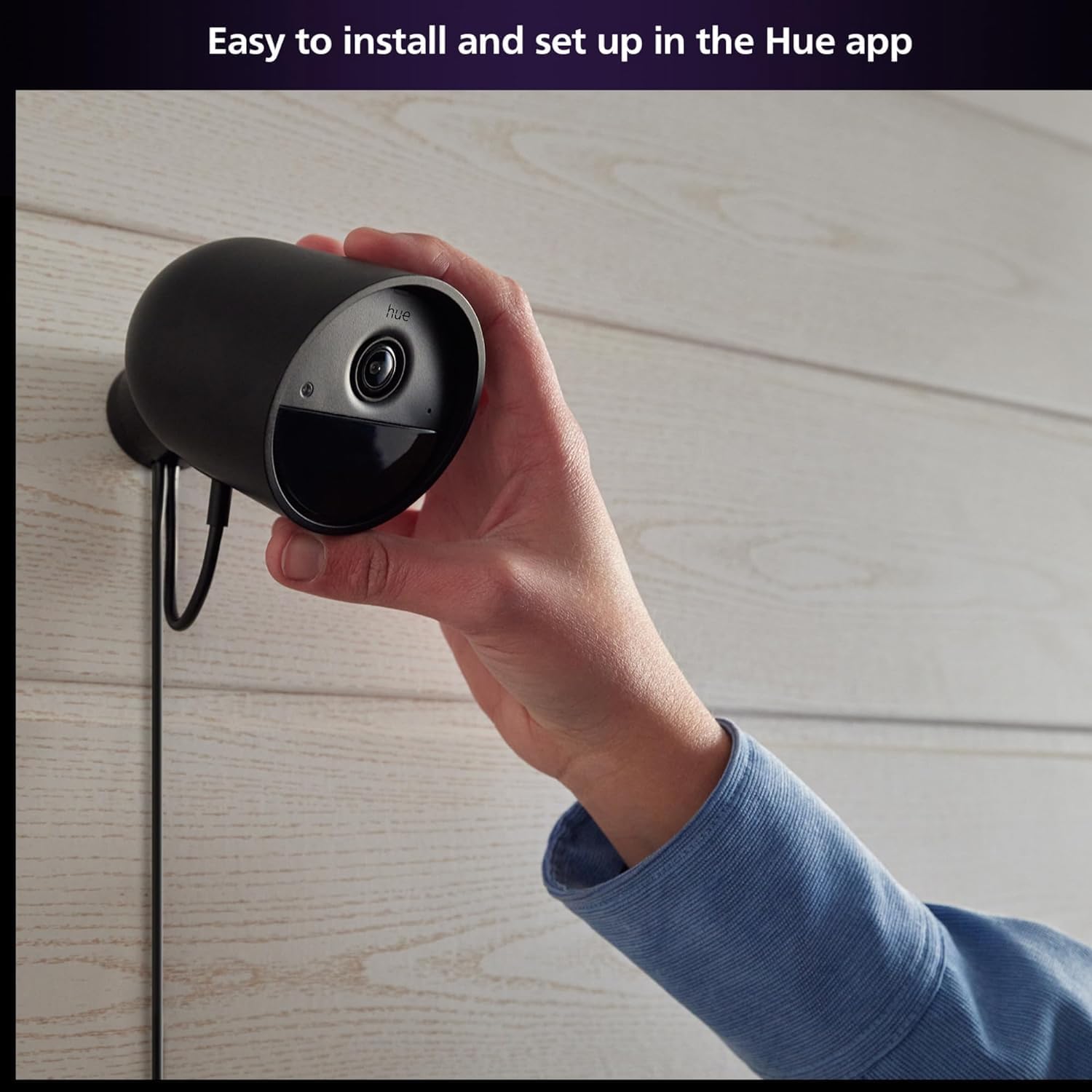
Image: A hand demonstrating the installation of a Philips Hue Secure camera, indicating the area where the anti-drop cable would be attached.
Operation
The Anti-Drop Cable operates passively by physically securing your Philips Hue Secure camera. It does not require any electrical connection or software configuration. Its primary function is to act as a safety tether, preventing the camera from falling if its primary mounting fails or is dislodged.
For enhanced security features beyond physical tethering, the Philips Hue Secure camera system integrates with the Philips Hue Bridge. This allows you to access a full suite of smart home security functionalities:
- Light and Sound Alarms: Trigger alarms directly from the Hue app to deter intruders.
- Mimic Presence Automation: Automate your lights to turn on and off, simulating occupancy when you are away.
- Expand Your Setup: Seamlessly integrate with other Philips Hue smart lighting and security devices.

Image: A visual representation of controlling Philips Hue lights and security features through the Hue app, including triggering alarms.

Image: An infographic detailing how the Philips Hue Bridge unlocks advanced features like automated scenes, stable connections, and compatibility with other smart home brands.
Maintenance
The Philips Hue Secure Camera Anti-Drop Cable requires minimal maintenance. Due to its durable vinyl outer material and weatherproof design, it is built to withstand various environmental conditions.
- Regular Inspection: Periodically inspect the cable for any signs of wear, fraying, cuts, or corrosion, especially if used outdoors.
- Cleanliness: If necessary, wipe the cable with a damp cloth to remove dirt or debris. Avoid using harsh chemicals or abrasive cleaners.
- Secure Connection: Occasionally check that both ends of the cable remain securely fastened to the camera and its anchor point.
Proper maintenance ensures the continued effectiveness of the anti-drop cable in securing your camera.
Troubleshooting
As a passive safety component, troubleshooting for the Anti-Drop Cable is straightforward.
- Cable feels loose: Ensure the threaded end is fully tightened into the camera or mount. Verify that the anchor point for the loop end is secure and not damaged.
- Visible damage to cable: If the cable shows signs of significant wear, fraying, or damage, it should be replaced immediately to ensure continued safety.
- Camera still falls: This indicates an issue with the primary camera mount or the anchor point for the anti-drop cable. Re-evaluate the installation of the main camera mount and ensure the anti-drop cable's anchor is robust enough for the camera's weight and potential forces.
Specifications
| Brand | Philips Hue |
| Model Name | 582403 |
| Color | Silver |
| Outer Material | Vinyl |
| Item Weight | 0.352 ounces |
| Product Dimensions | 2.95 x 2.17 x 0.79 inches |
| Compatible Devices | Philips Hue Secure Cameras |
| Special Feature | Weatherproof, Recommended for cameras higher than 2 meters |
| Connector Type | Male-to-male Power Connector (for attachment point) |
| Cable Type | Security/Anti-Drop |
| Indoor/Outdoor Usage | Outdoor, Indoor |
Warranty and Support
Warranty: The Philips Hue Secure Camera Anti-Drop Cable comes with an EU Spare Part Availability Duration of 2 Years. Please retain your proof of purchase for warranty claims.
Support: For further assistance, technical support, or warranty inquiries, please visit the official Philips Hue website or contact their customer service. You can find more information and resources at the Philips Hue Store on Amazon or the manufacturer's official support channels.
Related documents582403


Ask a question about this manual
Ask about setup, troubleshooting, compatibility, parts, safety, or missing instructions. Manuals+ will review the question and use this page’s manual context to help answer it.