
Introduction
Thank you for purchasing the Swan Nordic 40cm Tripod Pedestal Fan. This manual provides important information regarding the assembly, operation, maintenance, and safety of your new fan. Please read these instructions carefully before use and retain them for future reference.

Image: Front view of the Swan Nordic 40cm Tripod Pedestal Fan, showcasing its grey finish and wooden tripod legs.
Important Safety Instructions
To reduce the risk of fire, electric shock, or injury, always follow these basic safety precautions:
- Ensure the voltage indicated on the rating label matches your mains supply voltage.
- Do not operate any fan with a damaged cord or plug. If the supply cord is damaged, it must be replaced by the manufacturer, its service agent, or similarly qualified persons to avoid a hazard.
- Unplug the fan from the outlet when not in use, before cleaning, or before moving.
- Do not immerse the fan, plug, or cord in water or other liquids.
- Do not allow children to play with the fan. Close supervision is necessary when any appliance is used by or near children.
- Avoid contact with moving parts.
- Do not operate the fan in the presence of explosive and/or flammable fumes.
- Place the fan on a stable, level surface to prevent it from tipping over.
- Do not insert fingers or other objects through the grille when the fan is operating.
Package Contents
Please check the contents of the box. If any items are missing or damaged, contact your retailer.
- Fan Head Assembly (including motor, blades, and grilles)
- Main Pole
- Tripod Leg Assembly (3 wooden legs and connecting bracket)
- Fixing Screws and Washers
- Instruction Manual
Assembly and Setup
Follow these steps to assemble your pedestal fan:
- Attach Tripod Legs: Carefully attach the three wooden tripod legs to the main pole's connecting bracket using the provided screws and washers. Ensure they are securely tightened to form a stable base.
- Insert Main Pole: Insert the main pole into the assembled tripod base. Secure it with any provided locking mechanisms or screws.
- Mount Fan Head: Place the fan head assembly onto the top of the main pole. Ensure it clicks into place or is secured with the designated screw/knob.
- Positioning: Place the assembled fan on a firm, level surface. Ensure there is adequate space around the fan for proper air circulation and to prevent obstruction of the grilles.

Image: The Swan Nordic 40cm Tripod Pedestal Fan positioned in a modern living space, demonstrating its stable tripod base.
Operating Instructions
This section details how to use your fan.
Powering On and Speed Control
- Connect to Power: Plug the fan's power cord into a suitable electrical outlet.
- Select Speed: Locate the rotary switch on the motor housing at the back of the fan head. Turn the switch to select your desired speed setting:
- "O": Off
- "I": Low Speed
- "II": Medium Speed
- "III": High Speed
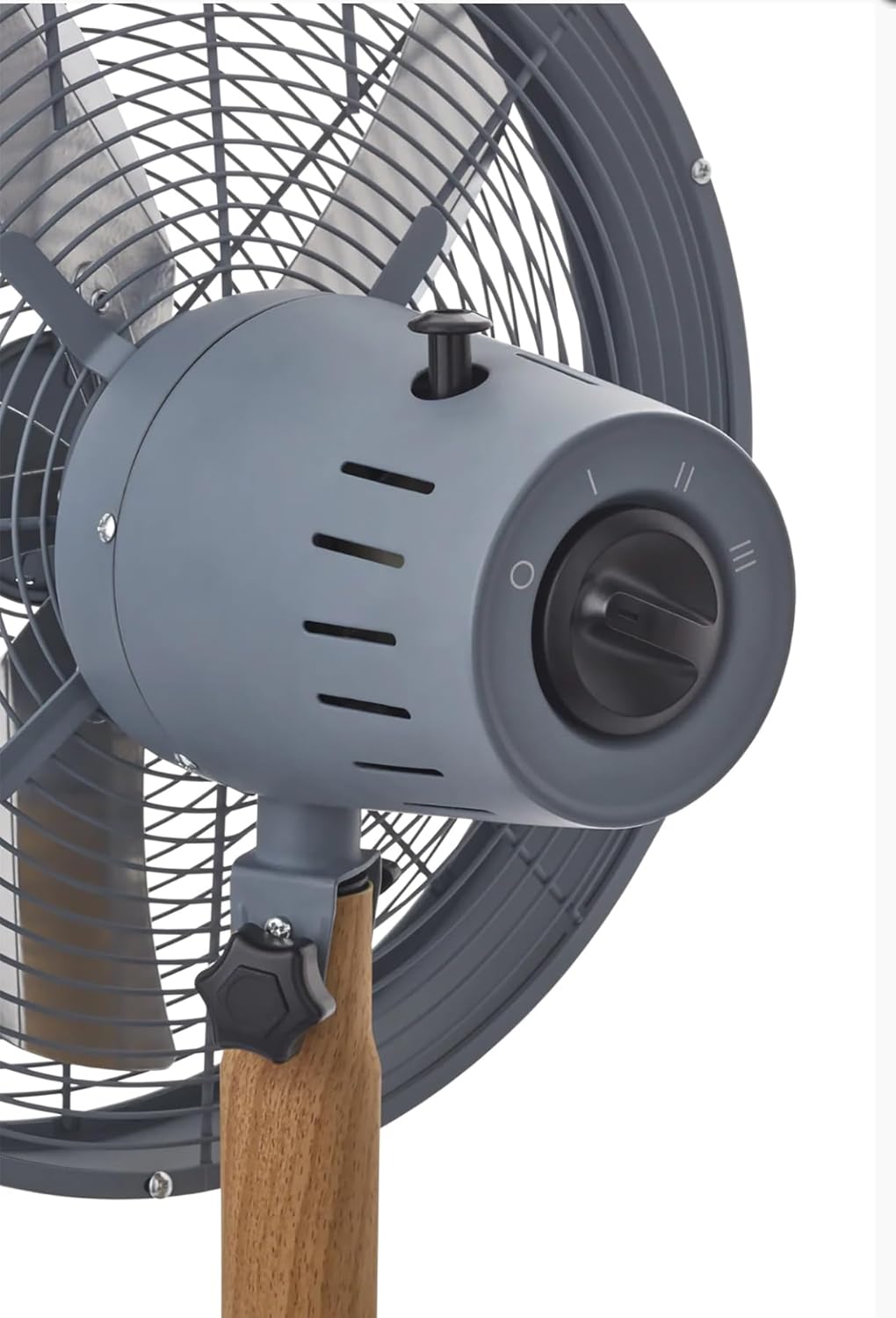
Image: A detailed view of the fan's control panel, showing the rotary switch for speed selection and the oscillation pull-pin.
Oscillation Function
The fan features an oscillation function to distribute air over a wider area.
- To Start Oscillation: Push down the oscillation pin located on top of the motor housing.
- To Stop Oscillation: Pull up the oscillation pin. The fan will then blow air in a fixed direction.
Adjusting Tilt Angle
The fan head can be tilted to direct airflow upwards or downwards.
- To Adjust: Loosen the tilt adjustment knob located on the side of the fan head support. Adjust the fan head to the desired angle, then securely tighten the knob to fix its position.
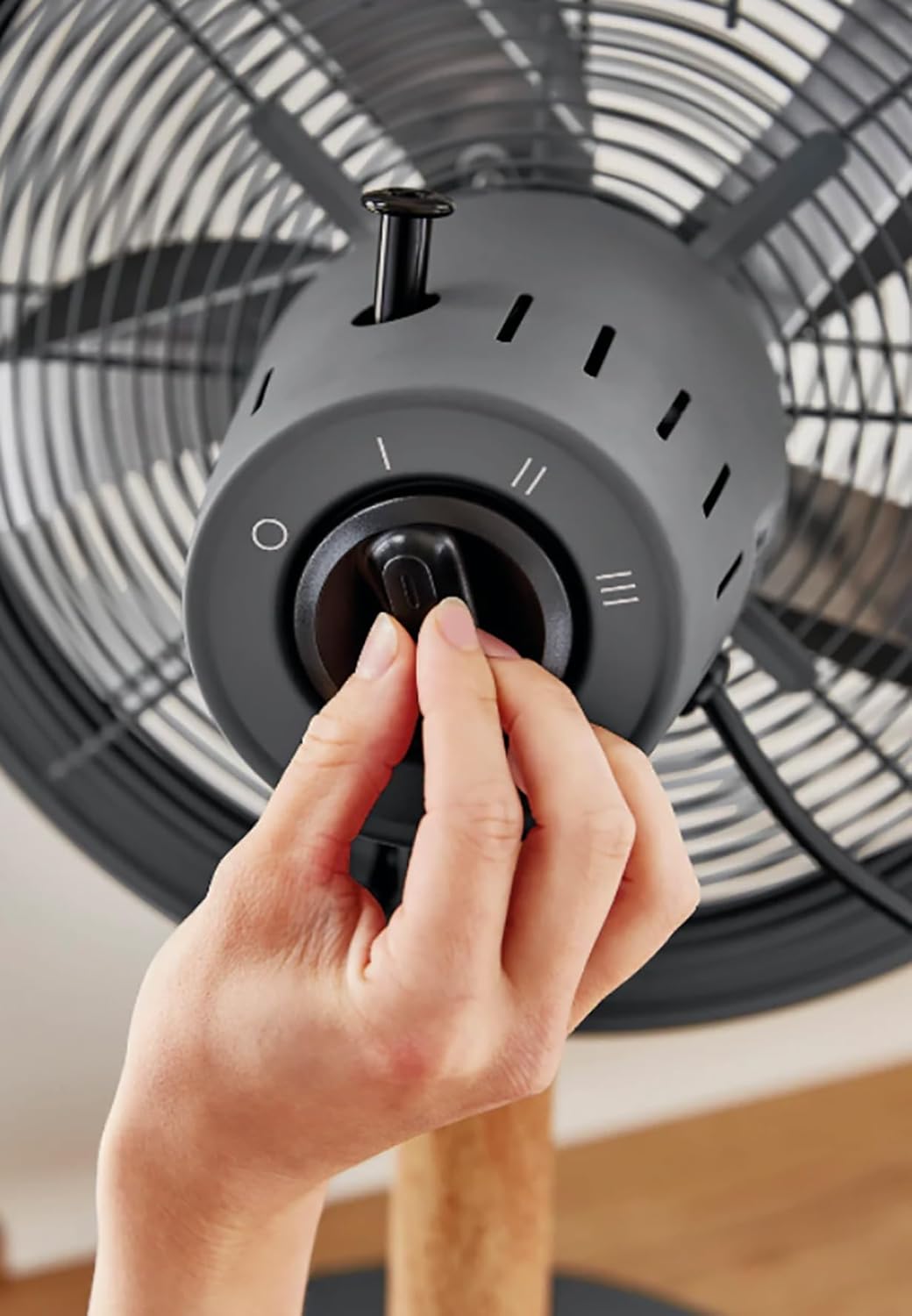
Image: A hand demonstrating the operation of the rotary switch to select fan speed.
Maintenance and Cleaning
Regular cleaning and maintenance will ensure optimal performance and extend the life of your fan.
- Always unplug the fan from the power outlet before cleaning.
- Exterior Cleaning: Use a soft, damp cloth to wipe the exterior surfaces of the fan. Do not use abrasive cleaners or solvents.
- Grille and Blades: Dust can accumulate on the grilles and blades. Use a vacuum cleaner with a brush attachment or a soft, dry cloth to remove dust. For thorough cleaning, the front grille may be removed by unscrewing the retaining clips/screws (refer to assembly instructions in reverse). Ensure all parts are dry before reassembling and operating.
- Storage: When not in use for extended periods, store the fan in a cool, dry place, preferably in its original packaging.
Troubleshooting
If you encounter issues with your fan, refer to the following common problems and solutions:
| Problem | Possible Cause | Solution |
|---|---|---|
| Fan does not turn on. | No power supply. Fan not plugged in. Speed switch is OFF. | Check the power outlet. Ensure the plug is fully inserted. Turn the speed switch to I, II, or III. |
| Weak airflow. | Low speed setting. Grilles or blades are dirty. | Increase the speed setting. Clean the grilles and blades as per maintenance instructions. |
| Fan is noisy. | Loose parts. Fan not on a level surface. | Check all screws and connections are tight. Place the fan on a stable, level surface. |
| Oscillation not working. | Oscillation pin not engaged. | Push down the oscillation pin firmly. |
If the problem persists after trying these solutions, please contact customer support.
Specifications
- Brand: Swan
- Model: Nordic 40cm Tripod Pedestal Fan
- Power / Wattage: 50 watts
- Voltage: 220 Volts (AC)
- Number of Speeds: 3
- Material: Metal (housing), Wood (tripod legs)
- Item Weight: 5.5 kg
- Product Dimensions: Approximately 50D x 50W centimetres
- Special Features: Adjustable tilting head, Oscillation function, High quality metal housing, Tripod legs, Rotary switch.
Warranty and Support
Specific warranty details are typically provided with your purchase documentation or can be found on the manufacturer's official website. Please retain your proof of purchase for any warranty claims.
For technical support, spare parts, or service, please contact Swan customer service through their official channels. Contact information can usually be found on the product packaging or the brand's website.
