
1. Introduction
This user manual provides comprehensive instructions for the setup, operation, maintenance, and troubleshooting of your Astarama Mini Projector HY300. This portable projector is designed for versatile entertainment and presentation, featuring 2.4/5G WiFi, Bluetooth 5.0, automatic keystone correction, and a 180° rotatable stand. It supports Full HD 4K video decoding with a native resolution of 1280x720 and offers a projection screen size from 40 to 130 inches.

Figure 1: Astarama Mini Projector HY300, showcasing its compact and rotatable design.
2. What's in the Box
Upon opening the package, please verify that all the following items are included:
- 1x Astarama Mini Projector HY300
- Remote Control
- Power Cord
- User Manual (this document)
3. Setup Guide
3.1 Initial Placement and Power Connection
Place the projector on a stable, flat surface. Connect the power cord to the projector's power input and then to a standard electrical outlet. The projector features a 180° rotatable stand, allowing you to project images onto walls, ceilings, or floors. Adjust the projector's angle to achieve your desired projection surface.

Figure 2: The 180° Freestyle Rotation feature allows flexible projection angles.
3.2 Focus and Keystone Correction
After powering on, the projector will perform automatic keystone correction for vertical alignment. For optimal clarity, manually adjust the focus using the focus ring on the projector lens. Note that automatic keystone correction primarily adjusts vertical distortion; horizontal adjustments may need to be made by repositioning the projector.
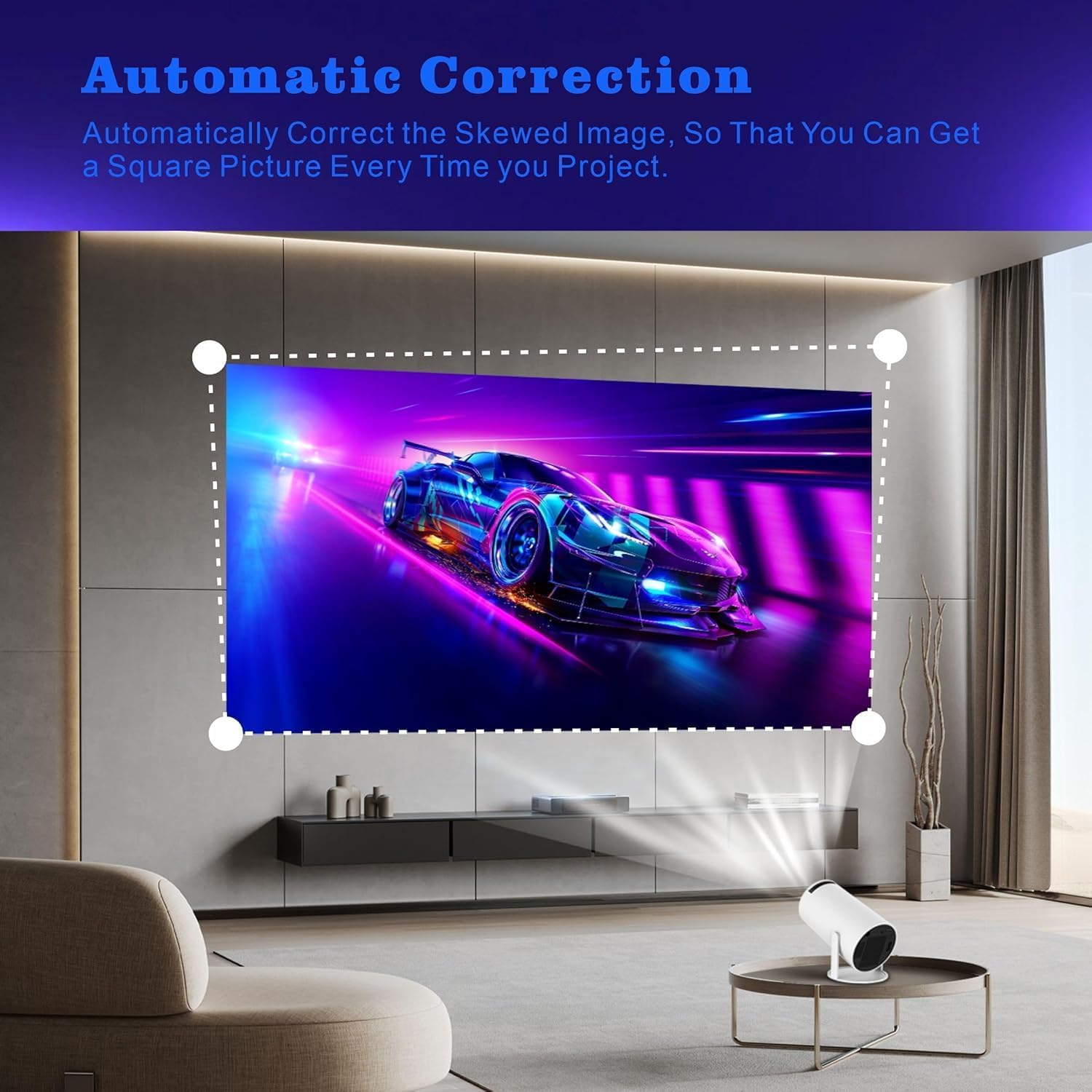
Figure 3: Automatic Keystone Correction ensures a square picture.
3.3 Network Connection (Wi-Fi)
The projector supports 2.4G and 5G dual-band Wi-Fi for fast and stable wireless connectivity.
- Navigate to the "Settings" menu on the projector's interface.
- Select "Network" or "Wi-Fi settings".
- Turn on Wi-Fi and select your desired network from the list.
- Enter the Wi-Fi password if prompted and connect.
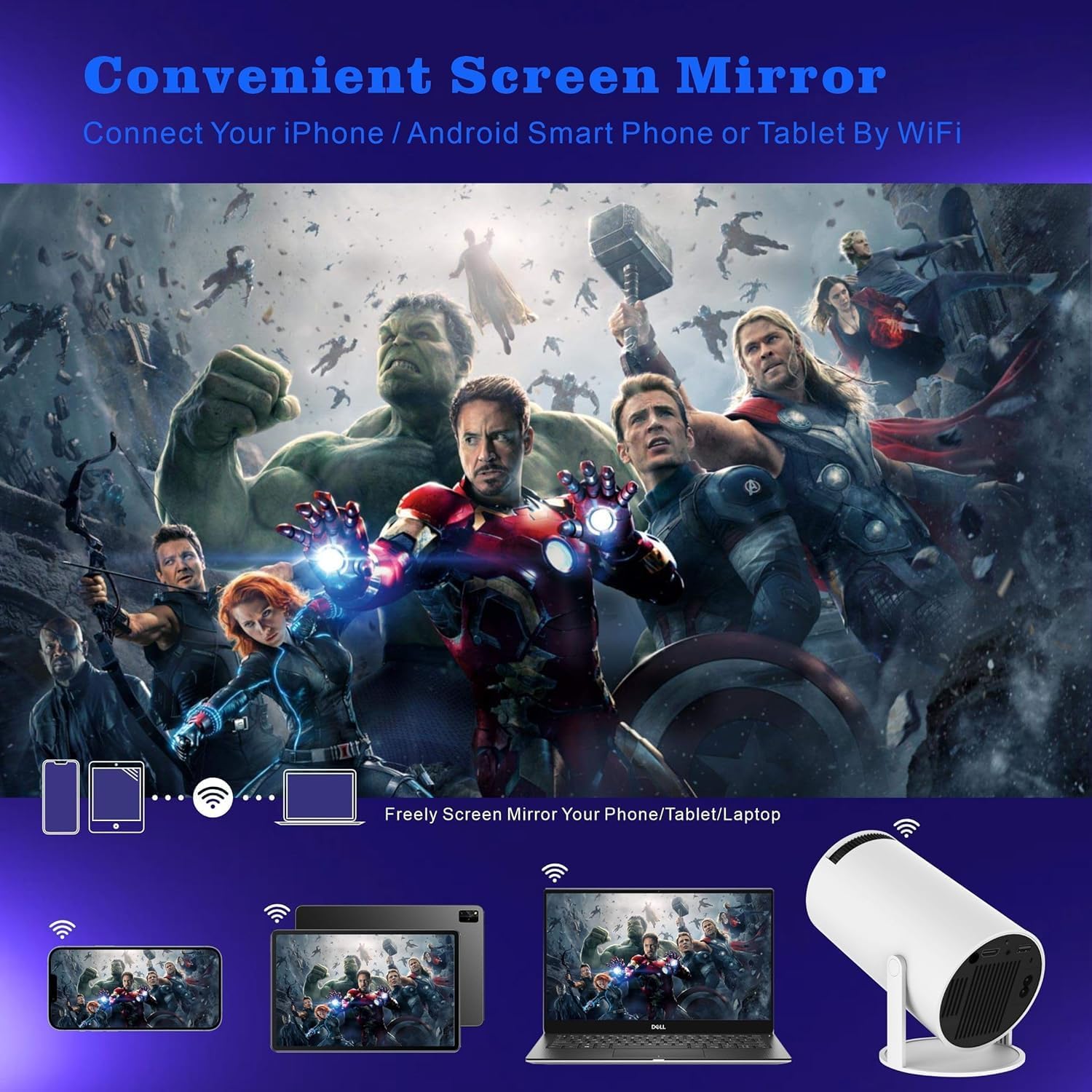
Figure 4: Seamless screen mirroring via Wi-Fi from various devices.
3.4 Bluetooth Pairing
To connect external Bluetooth speakers or headphones:
- Go to "Settings" and select "Bluetooth".
- Ensure Bluetooth is enabled on both the projector and your external device.
- Select your device from the list of available devices to pair.
4. Operating Instructions
4.1 Basic Navigation and Android 11.0 Interface
The projector runs on Android 11.0, providing a user-friendly interface. Use the included remote control to navigate through menus, select applications, and adjust settings. The home screen provides access to pre-installed apps and allows for downloading additional applications from the app store.

Figure 5: Access popular streaming services directly from the projector.
4.2 Connecting External Devices
The projector is equipped with multiple ports for connecting various devices:
- HDMI: Connect laptops, gaming consoles, DVD players, or other HDMI-enabled devices.
- USB: Play media files directly from USB drives.
- Audio Out: Connect external speakers or sound systems via the 3.5mm audio jack for enhanced sound.
4.3 Audio Output and Zoom Function
The projector features built-in 3W*1 HiFi speakers. For a more immersive audio experience, it is recommended to connect external speakers via Bluetooth or the audio output port. The projector also includes a 50% zoom function, allowing you to adjust the screen size without moving the projector.

Figure 6: Enjoy movies and shows with family using the portable projector.
4.4 Projection Quality and Screen Size
The HY300 projector offers a native resolution of 1280x720 and supports Full HD 4K video decoding. It can project a screen size ranging from 40 inches to 130 inches, providing flexibility for various viewing environments.

Figure 7: Flexible screen sizes from 40 to 130 inches.
5. Maintenance
5.1 Cleaning the Projector
To ensure optimal performance and longevity, regularly clean your projector.
- Lens: Use a soft, lint-free cloth specifically designed for optical lenses. Gently wipe the lens in a circular motion. Avoid using abrasive cleaners or excessive pressure.
- Exterior: Wipe the projector's exterior with a soft, dry cloth. For stubborn marks, a slightly damp cloth can be used, followed by a dry wipe. Ensure no liquid enters the device.
- Ventilation Ports: Periodically check and gently clean the ventilation ports to prevent dust buildup, which can affect cooling efficiency. Use a soft brush or compressed air (held upright and at a distance) if necessary.
5.2 Storage
When not in use for extended periods, store the projector in a cool, dry place, away from direct sunlight and extreme temperatures. It is advisable to keep it in its original packaging or a protective case to prevent dust accumulation and accidental damage.
5.3 Battery Replacement (Remote Control)
The remote control requires 1 AA battery. If the remote's responsiveness decreases, replace the battery following the instructions in the remote control's battery compartment.
6. Troubleshooting
This section addresses common issues you might encounter with your Astarama Mini Projector HY300.
| Problem | Possible Cause | Solution |
|---|---|---|
| No image or distorted image |
|
|
| No sound or low volume |
|
|
| Wi-Fi/Bluetooth connection issues |
|
|
| Projector overheats or shuts down |
|
|
| App compatibility/update issues (e.g., Disney+) |
|
|
| Image quality not as expected (e.g., not 4K) |
|
|
7. Specifications
Detailed technical specifications for the Astarama Mini Projector HY300:
| Feature | Detail |
|---|---|
| Brand | Astarama |
| Model Number | HY300 |
| Item Weight | 1.1 pounds (approx. 500 grams) |
| Product Dimensions | 3.97 x 7.48 x 3.97 inches (10.08 x 19 x 10.08 cm) |
| Color | White |
| Display Resolution | Native 1280 x 720 (supports 4K video decoding) |
| Connectivity Technology | Bluetooth 5.0, 2.4G/5G WiFi, HDMI, USB |
| Operating System | Android 11.0 |
| Special Features | Short Throw, Built-in Speakers, Auto Keystone Correction, 180° Flip, 50% Zoom Function |
| Recommended Uses | Indoor/Outdoor Home Theater |
| Visible Screen Diagonal | 40" - 130" (101.6 cm - 331 cm) |
| Built-in Speakers | 3W*1 HiFi speakers |
| Noise Level | Lower than 25 dB |
| Remote Control Battery | 1 AA battery (required) |
8. Warranty and Support
For information regarding product warranty, returns, or technical support, please refer to the warranty card included with your product or visit the official Astarama website. You may also contact the seller directly through your purchase platform for assistance.
For the latest drivers, firmware updates, and frequently asked questions, please visit: www.astarama.com/support (Note: This is a placeholder URL. Please refer to your product documentation for the actual support website.)

