
Lamshaw ZL54
Lamshaw Magnetic USB Charging Cable User Manual
Compatible with TAOPON ZL54 Smart Watch
Introduction
Thank you for choosing the Lamshaw Magnetic USB Charging Cable. This cable is specifically designed as a replacement charger for your TAOPON ZL54 1.83 Inch Smart Watch. It offers a convenient and reliable way to keep your smartwatch powered. This manual provides essential information for the proper setup, operation, and care of your charging cable.

Image: Two Lamshaw magnetic USB charging cables, showcasing the product design.
Setup
To begin charging your TAOPON ZL54 Smart Watch, follow these simple steps:
- Connect the USB-A End: Insert the USB-A connector of the charging cable into a compatible power source. This can be a USB wall charger (1A output current recommended), a computer's USB port, a laptop's USB port, or a power bank.
- Position the Smart Watch: Place your TAOPON ZL54 Smart Watch near the magnetic charging end of the cable.
- Establish Magnetic Connection: The magnetic pins on the charger will automatically align and attach to the charging contacts on the back of your smartwatch. Ensure the magnets attract correctly for a stable connection. If the magnets repel, the device will not charge.

Image: A TAOPON ZL54 Smart Watch with the magnetic charging cable securely attached to its charging contacts.
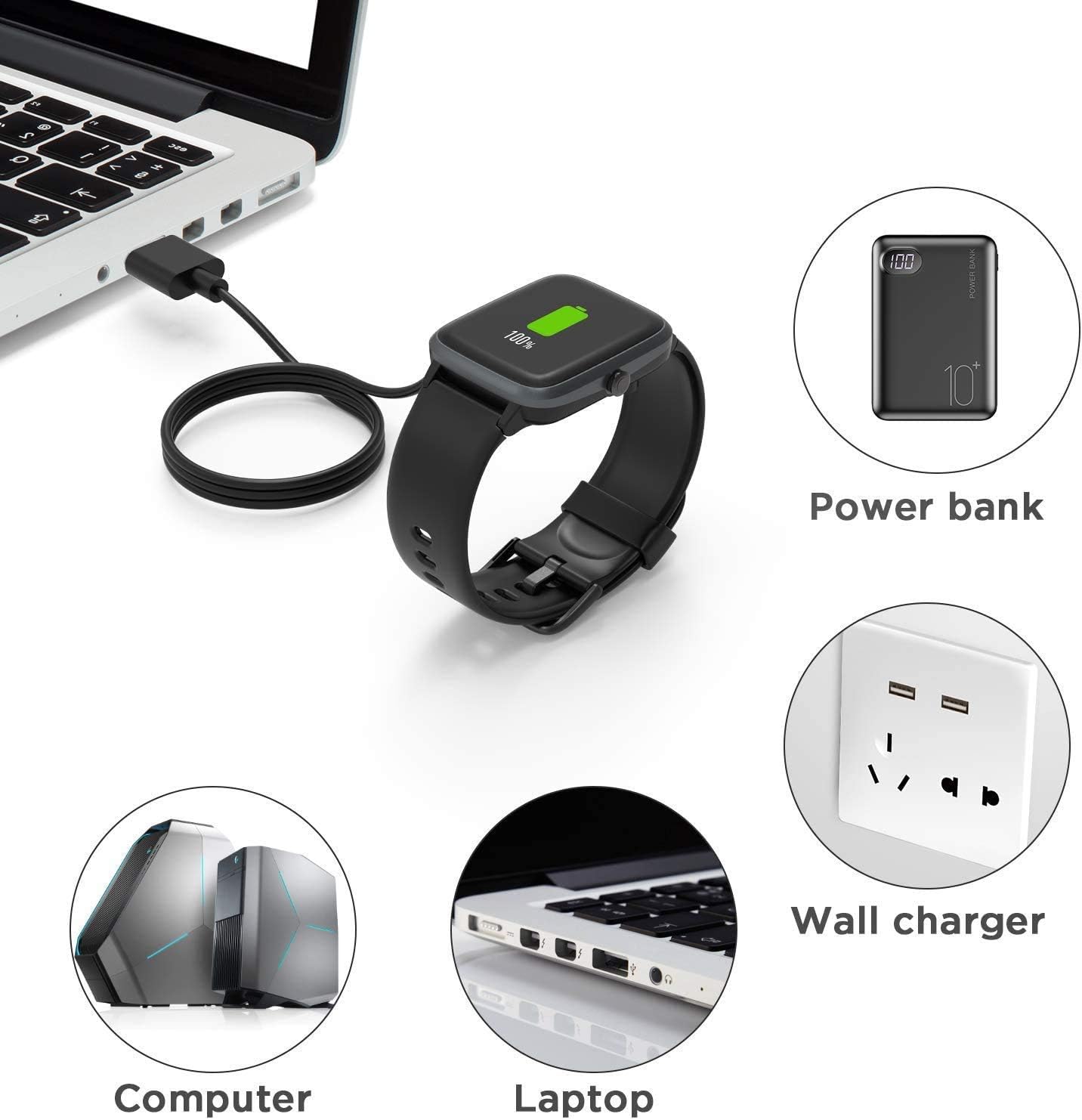
Image: Illustrations demonstrating multiple charging methods, including connecting to a computer, laptop, power bank, and wall charger.
Operating the Charger
Once connected, your smartwatch should display a charging indicator, typically a battery icon with a charging animation or percentage. The cable is designed for high-speed charging.
- Charging Time: A full charge typically takes approximately 2.5 hours when using a 1A output current power source.
- Charging Convenience: The compact and lightweight design allows you to easily store this USB cable in your bag, making it ideal for use at home, in the office, in your car, or while traveling.

Image: A smartwatch displaying a charging animation, with text indicating 'Original High-Speed Charging' and '2.5 Hours for full charge with 1A output current'.

Image: A smartwatch connected to a laptop via the charging cable, displaying a 50% battery charge, illustrating a common charging scenario.
Maintenance
To ensure the longevity and optimal performance of your charging cable, please observe the following maintenance guidelines:
- Storage: Store the cable in a cool, dry place away from direct sunlight and extreme temperatures. The flexible PVC cable is easy to roll and convenient for storage.
- Cleaning: Gently wipe the cable and magnetic contacts with a soft, dry cloth if they become dirty. Do not use harsh chemicals or abrasive materials.
- Handling: Avoid bending the cable sharply or pulling it by the cord. Always grasp the connectors when plugging or unplugging.

Image: A detailed diagram highlighting the components of the charging cable, including the Pure Copper Probe for rapid and stable conduction, ABS+PC durable housing, and Flexible PVC Cable for easy storage, along with its 3.3 feet (1 meter) length.
Troubleshooting
If you encounter issues with your charging cable, consider the following common solutions:
- Smartwatch Not Charging:
- Ensure the magnetic connection is secure. If the charging magnets repel, the device will not charge. Adjust the position until the magnets attract correctly.
- Verify that the USB-A end is fully inserted into a working power source.
- Try a different USB port or power adapter to rule out issues with the power source.
- Check for any debris or obstruction on the charging contacts of both the cable and the smartwatch.
- Slow Charging: Ensure your power source provides at least 1A output current for optimal charging speed.
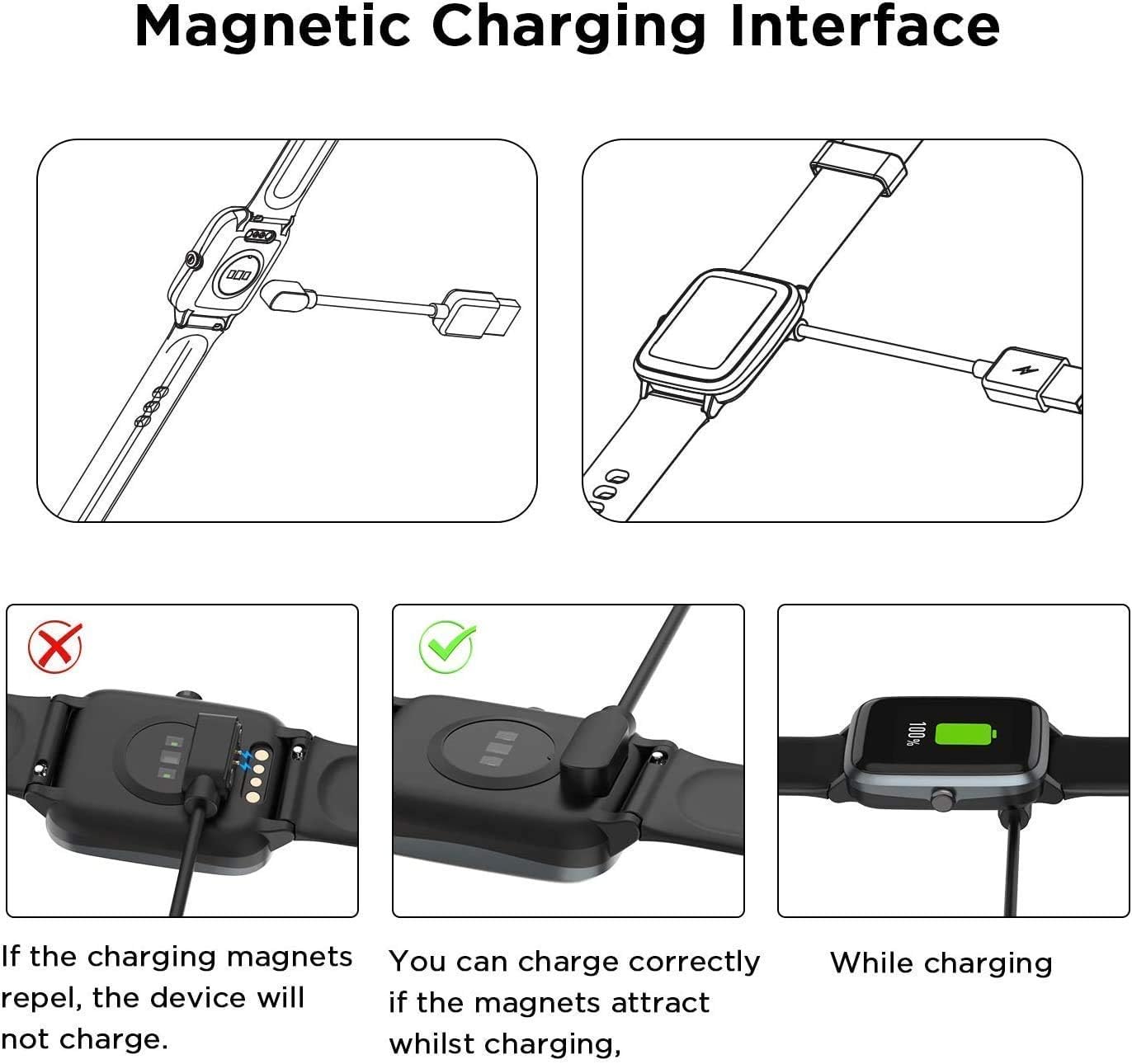
Image: A visual guide illustrating the correct and incorrect ways to connect the magnetic charging interface to the smartwatch, emphasizing that charging occurs only when magnets attract.
Specifications
| Feature | Description |
|---|---|
| Compatibility | TAOPON ZL54 1.83 Inch Smart Watch |
| Interface | USB-A to Magnetic Charging Pins |
| Cable Length | Approximately 3.3 feet (1 meter) |
| Material | ABS+PC (housing), Flexible PVC (cable), Pure Copper (probe) |
| Color | Black |

Image: A close-up view of the magnetic charging pins and the USB-A connector, highlighting the design of the cable ends.
Ask a question about this manual
Ask about setup, troubleshooting, compatibility, parts, safety, or missing instructions. Manuals+ will review the question and use this page’s manual context to help answer it.