
1. Introduction
This manual provides detailed instructions for the installation, operation, and maintenance of your VIKYLIN 6MP IP PoE Outdoor Security Camera (Model YC2265I-ISU-28). Please read this manual thoroughly before using the product to ensure proper functionality and safety. This camera features 6MP resolution, Motion Detection 2.0, Two-Way Audio, and advanced night vision capabilities for comprehensive outdoor surveillance.
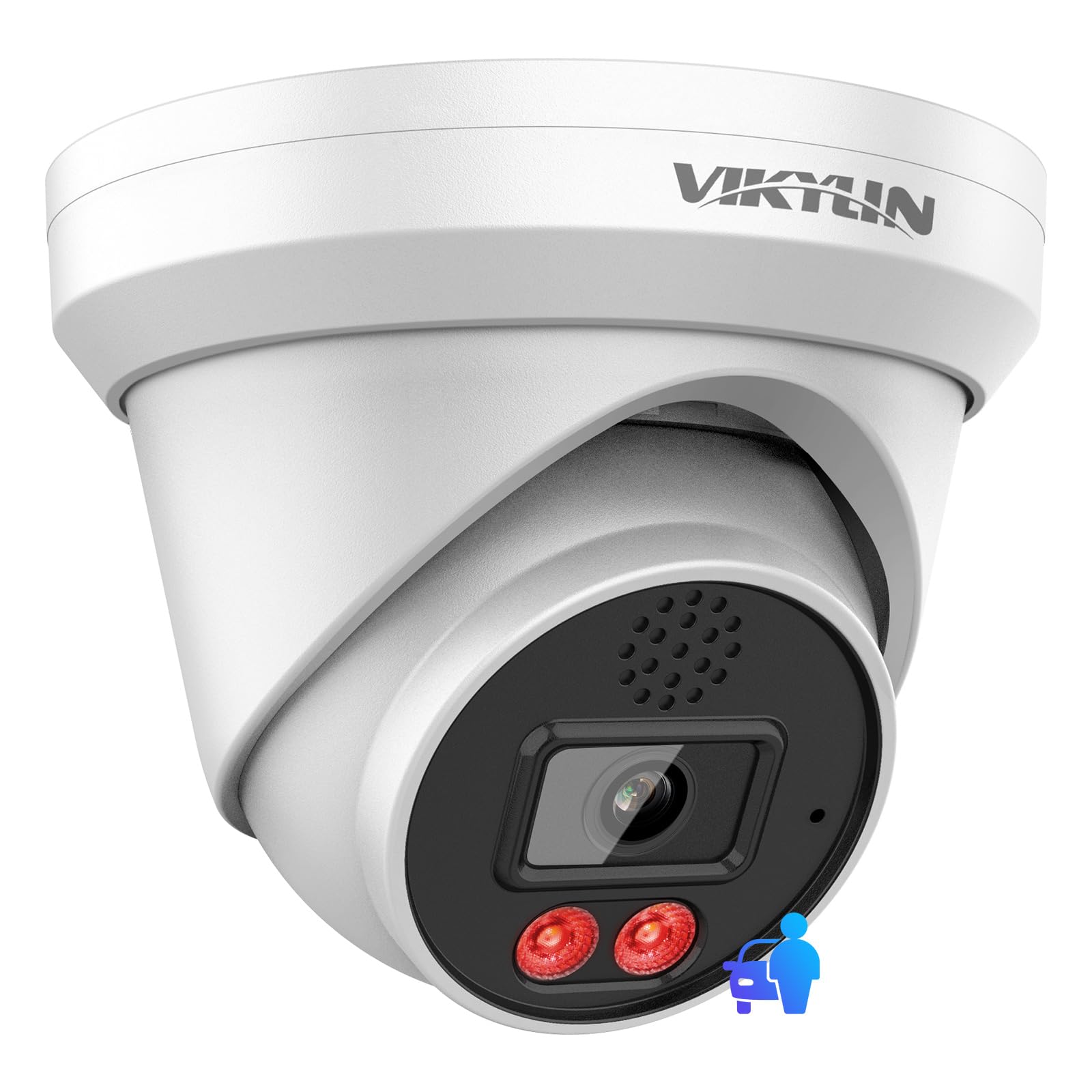
Figure 1: VIKYLIN 6MP IP PoE Outdoor Security Camera (Model YC2265I-ISU-28)
2. Product Overview
The VIKYLIN 6MP IP PoE Camera is designed for both indoor and outdoor security applications, offering high-resolution video and intelligent features. Key features include:
- 6MP Ultra-HD Video: Captures 6MP videos at 25 frames per second with a 1/3" CMOS sensor and 2.8mm fixed lens.
- Intelligent EXIR 2.0 Night Vision: Provides clear black and white images up to 98 feet in low-light conditions.
- AI Intelligent Functions: Supports Motion Detection 2.0, Tripwire, Area Detection, and Face Detection (one function selectable at a time).
- Two-Way Audio: Built-in noise-reduction speaker and microphone for real-time communication.
- Power over Ethernet (PoE): Receives power and data over a single LAN cable.
- IP67 Weatherproof: Durable aluminum enclosure suitable for harsh outdoor environments.
- Wide Compatibility: Works with original/OEM K and Q series non-version 5.0 NVRs, ONVIF protocol compatible third-party NVRs (e.g., Da Hua), Synology, Blue Iris, and Ispy software.
- Local Storage: Supports up to 512GB microSD card (not included).

Figure 2: AI Detection Options for VIKYLIN N-Series PoE Cameras
3. What's in the Box
Verify that all items listed below are included in your package:
- VIKYLIN 6MP IP PoE Camera
- Mounting Screws and Wall Plugs
- Waterproof Connector Cap
- Drill Template Sticker
- Quick Start Guide
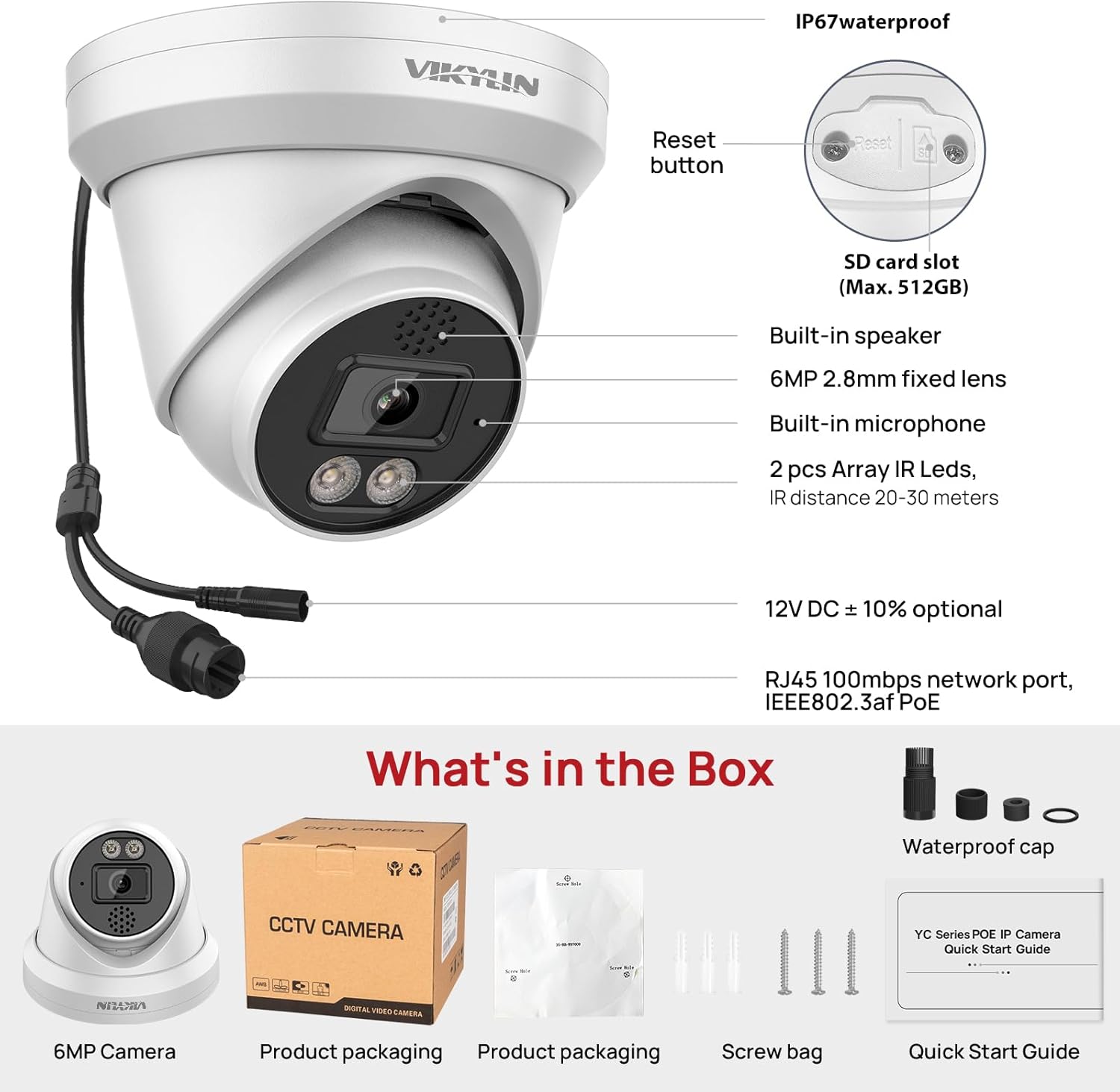
Figure 3: Package Contents
4. Setup
4.1 Physical Installation
Choose a suitable location for your camera, ensuring it has a clear view of the area you wish to monitor. Use the provided drill template to mark the mounting holes. Secure the camera base using the screws and wall plugs. Ensure the camera is positioned correctly before tightening all screws.
4.2 Network Connection (PoE)
This camera supports Power over Ethernet (PoE). Connect an Ethernet cable from your PoE NVR, PoE switch, or PoE injector to the camera's RJ45 network port. The camera will receive both power and data through this single cable. Use the waterproof connector cap for outdoor installations to protect the RJ45 connection.

Figure 4: Connecting the Camera via PoE
4.3 App Setup (Remoteyes)
Download the "Remoteyes" app from the iOS App Store or Google Play Store. Follow the in-app instructions to add your camera. This typically involves scanning a QR code on the camera or manually entering its details. Ensure your camera is connected to the network before attempting app setup.

Figure 5: Remote Monitoring with the Remoteyes App
5. Operating Instructions
5.1 Live View & Playback
Access live video feeds and recorded footage through the Remoteyes app or compatible NVR/software. The app allows for real-time monitoring and quick playback of events.

Figure 6: Motion Detection 2.0 and Smart Filter for Quick Playback
5.2 Two-Way Audio
Utilize the built-in microphone and speaker for two-way communication. This feature allows you to speak with visitors or deter intruders directly through the app.

Figure 7: Real-Time Two-Way Talk Functionality
Video 1: Demonstration of the 6MP IP PoE camera's two-way audio feature, allowing real-time communication.
5.3 Motion Detection 2.0 & AI Functions
The camera supports advanced AI functions including Motion Detection 2.0, Tripwire, Area Detection, and Face Detection. Only one of these functions can be active at a time. Motion Detection 2.0 uses deep learning to accurately identify people and vehicles, reducing false alarms. Configure these settings via the app or web interface.
5.4 Night Vision
Equipped with Intelligent EXIR 2.0 night vision technology, the camera provides clear surveillance up to 98 feet in complete darkness. This ensures continuous monitoring regardless of lighting conditions.

Figure 8: Comparison of EXIR 2.0 Night Vision with standard IR Night Vision
Video 2: Short demonstration of VIKYLIN IP Camera's EXIR2.0 Night Vision capabilities, showing enhanced clarity in low light.
5.5 Storage Options
The camera supports various recording storage methods:
- MicroSD Card: Insert a microSD card (up to 512GB, not included) into the designated slot for local recording.
- NVR: Connect to a compatible Network Video Recorder for continuous or event-triggered recording.
- FTP Server/NAS: Configure the camera to upload recordings to an FTP server or Network Attached Storage.

Figure 9: MicroSD Card, NVR, and FTP Storage Options
6. Maintenance
To ensure optimal performance and longevity of your VIKYLIN camera:
- Regular Cleaning: Periodically clean the camera lens and housing with a soft, damp cloth to remove dust and debris. Avoid abrasive cleaners.
- Firmware Updates: Check the official VIKYLIN website or app for available firmware updates. Keeping the firmware updated ensures access to the latest features and security patches.
- Cable Inspection: Regularly inspect all cables and connections for any signs of wear or damage, especially for outdoor installations.
- Environmental Protection: While IP67 rated, avoid directing high-pressure water jets directly at the camera. Ensure proper sealing of all connections.
7. Troubleshooting
If you encounter issues with your camera, refer to the following common troubleshooting steps:
- No Power: Ensure the PoE connection is secure and the PoE injector/switch/NVR is powered on and functioning correctly.
- No Video Feed: Check network cable connections. Verify the camera's IP address and ensure it's within your network's range. Restart the camera and your NVR/router.
- Poor Image Quality: Clean the camera lens. Check network bandwidth. Adjust image settings (brightness, contrast, sharpness) in the camera's web interface or app.
- Motion Detection Not Triggering: Verify motion detection settings in the app/web interface. Ensure the detection area is correctly configured and sensitivity is appropriate.
- Two-Way Audio Issues: Check microphone and speaker settings in the app/web interface. Ensure volume levels are adequate and there are no obstructions.
- Resetting the Camera: If issues persist, locate the reset button (refer to Figure 3 for location) and press and hold it for 10-15 seconds to restore factory default settings.
8. Specifications
| Feature | Description |
|---|---|
| Model Name | 6MP PoE IP camera YC2265I-ISU-28-N |
| Resolution | 6 MP (3072 x 2048) |
| Frame Rate | 25 frames_per_second |
| Lens | 2.8mm Fixed Lens |
| Night Vision Range | 98 Feet (EXIR 2.0 IR) |
| Audio | Two-Way Audio (Built-in Mic & Speaker) |
| AI Functions | Motion Detection 2.0, Tripwire, Area Detection, Face Detection |
| Connectivity | Ethernet, Wired (PoE), ONVIF, RTSP |
| Storage | MicroSD card (up to 512GB, not included), NVR, FTP, NAS |
| Weather Resistance | IP67 Waterproof |
| Material | Aluminum |
| Dimensions | 6.02 x 6.02 x 4.92 inches |
| Power Source | Corded Electric (PoE) |
9. Warranty and Support
VIKYLIN is committed to providing high-quality products and excellent customer service.
- Return Policy: This product is eligible for a 30-day refund/replacement return policy.
- Technical Support: Lifetime technical support is available for all VIKYLIN products.
- Online Support: 24/7 online support is provided to assist with any queries or issues.
For further assistance, please visit the official VIKYLIN website or contact customer support through the Remoteyes app.