
1. Introduction
The Anker Power Bank (30W, Fusion, Built-In USB-C Cable) is a versatile 3-in-1 hybrid device, combining a USB fast charger, a mobile battery, and an integrated USB-C cable. This compact and powerful solution is designed for convenient charging on the go or at home.

Image: The Anker Power Bank highlighting its integrated USB-C cable, 5000mAh mobile battery, and foldable plug for wall charging.
2. Product Features
- 3-in-1 Hybrid Design: Functions as a USB fast charger, a 5000mAh mobile battery, and features an integrated USB-C cable.
- Compact and Portable: Equipped with a foldable plug and a small design that fits easily into pouches or mini bags. No need to carry separate chargers and cables.
- Powerful Performance: Delivers up to 30W as a charger and up to 22.5W as a mobile battery, enabling fast charging for devices like the iPhone 16 series up to 3 times faster than standard 5W chargers.
- LED Display: A display on the unit shows the real-time remaining battery percentage.
- Pass-Through Charging: When plugged into an outlet, it charges your device first, then automatically recharges the power bank itself, ensuring it's always ready.
- Durable Integrated Cable: The built-in USB-C cable is designed to withstand over 10,000 bends, ensuring long-lasting durability.
- Wide Compatibility: Supports charging for a broad range of devices including smartphones, tablets, and MacBooks.

Image: Key features of the Anker Power Bank, including foldable plug, 30W fast charging, integrated USB-C cable, compact size, and battery display.
3. Setup
The Anker Power Bank is designed for ease of use. There is no complex setup required.
3.1 Initial Charging of the Power Bank
- Unfold the AC plug from the power bank.
- Plug the power bank directly into a wall outlet.
- The LED display will show the charging status. The power bank will fully charge automatically.
3.2 Charging Your Device
- Using the Integrated USB-C Cable: Pull out the built-in USB-C cable and connect it directly to your compatible device.
- Using an External Cable (USB-C Port): Connect your device to the power bank's USB-C port using your own USB-C to USB-C or USB-C to Lightning cable.

Image: The Anker Power Bank plugged into a wall outlet, simultaneously charging itself and a smartphone via its integrated USB-C cable.
4. Operating Instructions
4.1 Charging Devices
The Anker Power Bank can charge your devices in two primary modes:
- As a Wall Charger: Plug the power bank into an AC outlet. Connect your device using the integrated USB-C cable or an external cable to the USB-C port. The power bank will deliver up to 30W output.
- As a Portable Power Bank: When unplugged from an AC outlet, the internal battery provides power. Connect your device using the integrated USB-C cable or an external cable to the USB-C port. The power bank will deliver up to 22.5W output.

Image: The Anker Power Bank charging a laptop, demonstrating its use as a portable power bank.
4.2 Checking Battery Level
The Anker Power Bank features an LED display that shows the remaining battery percentage. Simply press the button on the side of the device to activate the display and view the current charge level.
5. Maintenance
- Keep the device clean and dry. Wipe with a soft, dry cloth.
- Avoid dropping the device or exposing it to strong impacts.
- Store in a cool, dry place away from direct sunlight and extreme temperatures.
- Do not attempt to disassemble or repair the device yourself.
6. Troubleshooting
6.1 Device Not Charging
- Ensure the power bank itself is charged. Check the LED display for battery percentage.
- Verify that the charging cable (integrated or external) is securely connected to both the power bank and your device.
- If using as a wall charger, ensure the power bank is firmly plugged into a working AC outlet.
- Try using a different cable or device to isolate the issue.
6.2 Slow Charging
- Ensure your device supports fast charging and that you are using a compatible cable.
- Check if the power bank is operating in wall charger mode (30W) or portable power bank mode (22.5W). Wall charger mode provides higher output.
- High temperatures can affect charging speed. Ensure the device is in a well-ventilated area.
6.3 Overheating
It is normal for the power bank to become slightly warm during charging. If it becomes excessively hot, disconnect it immediately and contact customer support. Avoid using or storing the device in high-temperature environments.
7. Specifications
| Feature | Specification |
|---|---|
| Model Number | A1636 |
| Battery Capacity | 5000 mAh |
| Input Voltage | 5 Volts |
| Output Current | 3.6 Amps (Max) |
| Connector Type | USB Type C |
| Number of Ports | 1 (USB-C) |
| Product Dimensions (L x W x H) | 8.3 x 5 x 3.1 cm (approx. 3.27 x 1.97 x 1.22 inches) |
| Product Weight | 200 grams (approx. 7.05 ounces) |
| Battery Weight | 98 grams (approx. 3.46 ounces) |
| Battery Type | Lithium Ion |
| Color | Black |
| UPC | 194644178079 |
8. Warranty and Support
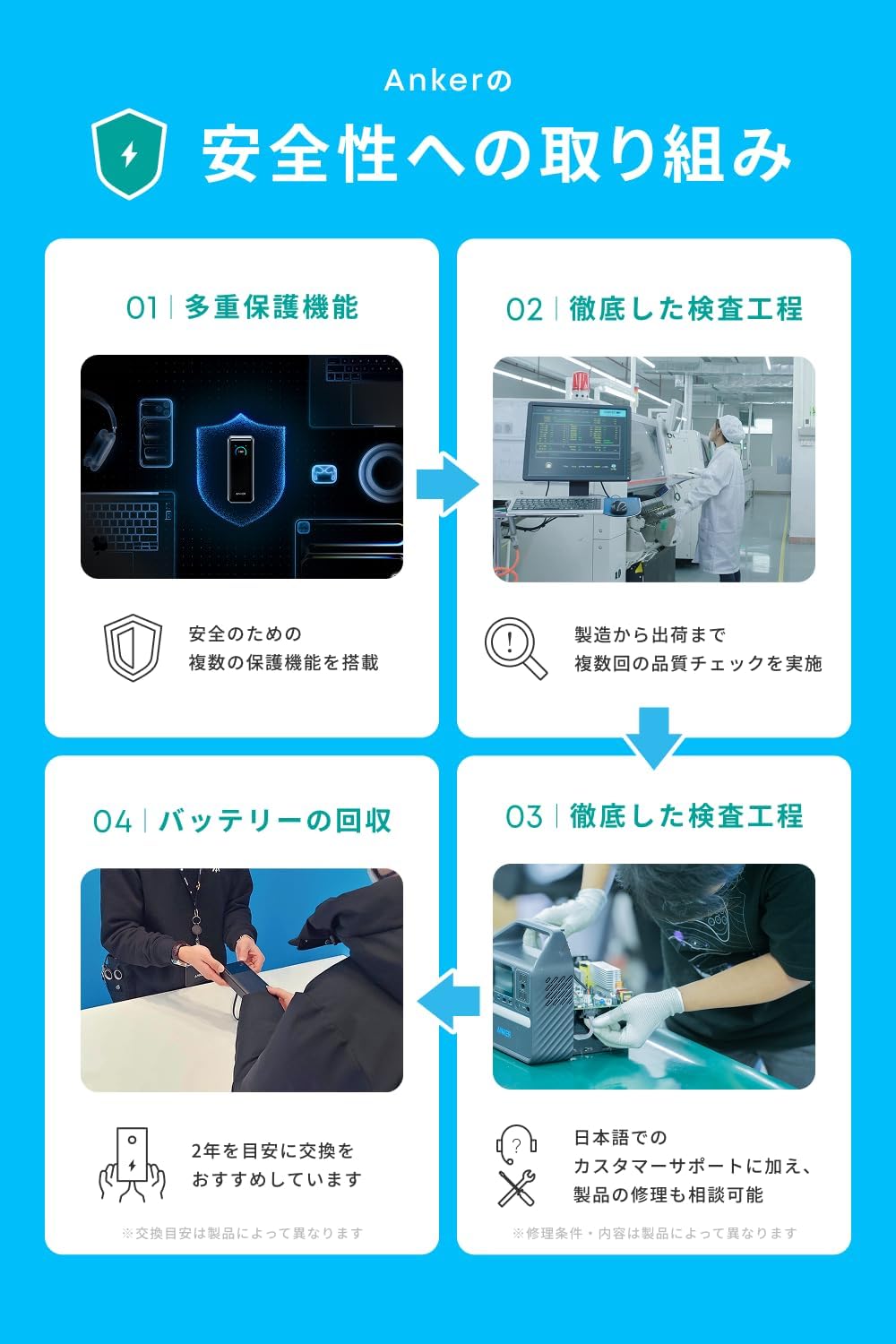
Anker provides comprehensive support for its products.
8.1 Product Warranty
Your Anker Power Bank comes with an 18-month product warranty from the date of purchase. If any issues are deemed defects, a replacement or repair will be provided.
Additionally, Anker Japan official website members receive an automatic 6-month extended warranty, totaling 24 months of coverage.

Image: Visual representation of the 18-month standard warranty and additional 6-month extended warranty for Anker members.
8.2 Customer Support
For any questions regarding the product or delivery, please feel free to contact Anker customer support. Support is available in Japanese.

Image: Anker's customer support information, emphasizing Japanese language support for product and delivery inquiries.
9. Safety Information
Please read and follow these safety guidelines to ensure safe operation and prolong the life of your Anker Power Bank.
9.1 Important Precautions
Avoid using or leaving this product in places with high temperatures for extended periods, as the lithium-ion battery inside the mobile battery may swell, rupture, or ignite due to heat.
Pay special attention to the following environments:
-

Outdoors in scorching heat
-
Near windows with direct sunlight
-
Inside a hot car in summer
The main unit may become warm during charging, which is normal. Due to the device's protection function, charging to your device will temporarily stop if the temperature rises. Charging will resume once the temperature drops and stabilizes.
9.2 Important Safety Points

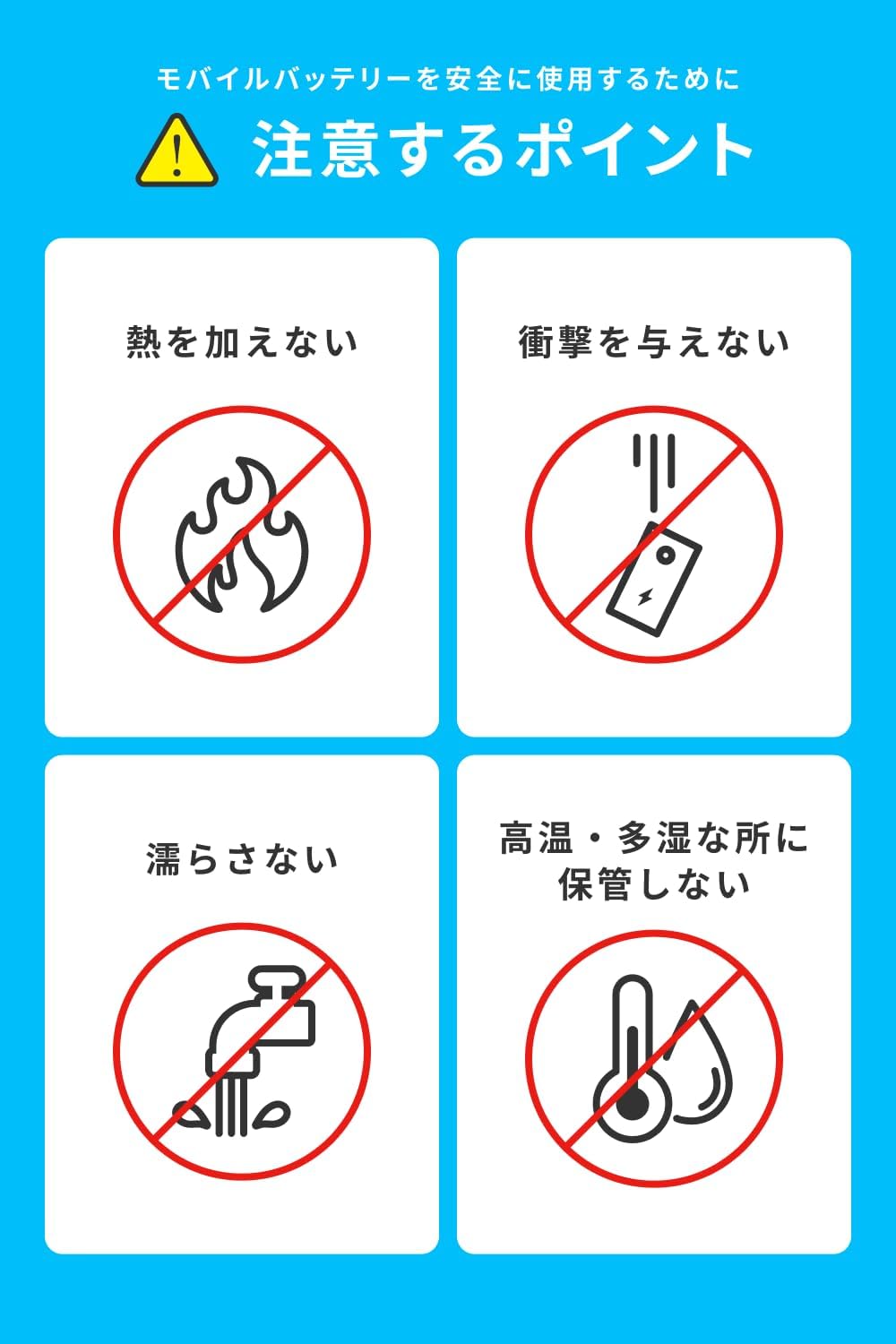
Image: Visual guide to important safety points for mobile batteries: avoid heat, impact, moisture, and high temperature/humidity storage.
- Do not apply heat.
- Do not subject to impact.
- Do not get wet.
- Do not store in high temperature or high humidity locations.
9.3 When to Stop Use
Immediately stop using the product if you observe any of the following conditions:

Image: Visual guide on when to discontinue using the power bank, including swelling, damage/deformation, or internal port damage.
- The device is swollen.
- The device is damaged or deformed.
- There is damage, such as a broken pin, inside the port.


