
1. Introduction
Thank you for choosing the VINGVO SM43A Video Baby Monitor. This device is designed to help you monitor your baby or elderly family members from another room, providing peace of mind with clear video and two-way audio communication. This manual provides essential information for the safe and effective use of your monitor.
2. Safety Information
- Choking Hazard: Keep all cables and small parts out of reach of children. Ensure the camera unit is placed at least 3 feet (1 meter) away from the crib.
- Strangulation Hazard: Never place the camera or monitor in or near a crib or playpen.
- Power Source: Use only the provided power adapters. Using unauthorized adapters may damage the device and void the warranty.
- Water and Heat: Do not expose the device to water, moisture, or extreme temperatures. Keep away from heat sources like radiators, stoves, or direct sunlight.
- Ventilation: Ensure proper ventilation around both the camera and monitor units. Do not cover them with blankets or other materials.
- Interference: The monitor operates on a 2.4GHz FHSS connection. While designed for privacy, avoid placing it near other 2.4GHz devices to minimize potential interference.
3. Package Contents
Please check the package contents to ensure all items are present:
- 1 x Video Monitor Unit
- 1 x Camera Unit
- 2 x Power Adapters (EU Plug)
- 1 x User Manual
- 2 x Expansion Tubes
- 2 x Screws

Image: The package contents, showing the monitor, camera, power adapters, mounting screws and expansion tubes, and the user manual.
4. Product Overview
4.1 Monitor Unit
The monitor unit features a large display for clear video, control buttons for various functions, and a built-in rechargeable battery for portability.
4.2 Camera Unit
The camera unit includes a high-resolution camera, dual microphones for enhanced audio, and infrared LEDs for night vision. It also has a temperature sensor to monitor the room environment.

Image: The VINGVO SM43A Video Baby Monitor, displaying the camera unit on the left and the handheld monitor unit on the right.
5. Setup
5.1 Powering On the Units
- Connect one power adapter to the camera unit and plug it into a power outlet.
- Connect the second power adapter to the monitor unit and plug it into a power outlet. The monitor unit has a built-in battery and will begin charging.
- Press and hold the power button on the monitor unit to turn it on. The camera unit will power on automatically when connected to power.
5.2 Camera Placement
Place the camera unit on a flat surface or mount it to a wall using the provided screws and expansion tubes. Ensure the camera has a clear, unobstructed view of the area you wish to monitor. For optimal safety, position the camera at least 3 feet (1 meter) away from the crib or playpen.

Image: The VINGVO SM43A monitor and camera positioned on a table, demonstrating a typical setup in a nursery.
5.3 Monitor Placement
Place the monitor unit in a convenient location where you can easily view the screen and hear alerts. The monitor's 2.4GHz FHSS connection offers a long transmission distance of up to 1000 feet (300 meters) in open areas, providing flexibility in placement.

Image: A diagram illustrating the secure 2.4GHz FHSS connection and the effective range of the VINGVO SM43A baby monitor.
6. Operating Instructions
6.1 Basic Monitoring
Once both units are powered on and connected, the monitor will automatically display the live video feed from the camera. The large screen also displays the real-time date and time.
6.2 Two-Way Talk
To speak to your baby through the camera unit, press and hold the microphone button on the monitor. Release the button to listen.
6.3 Night Vision
The camera unit is equipped with automatic infrared night vision. In low-light conditions, the camera will automatically switch to night vision mode, providing a clear black and white image on the monitor.
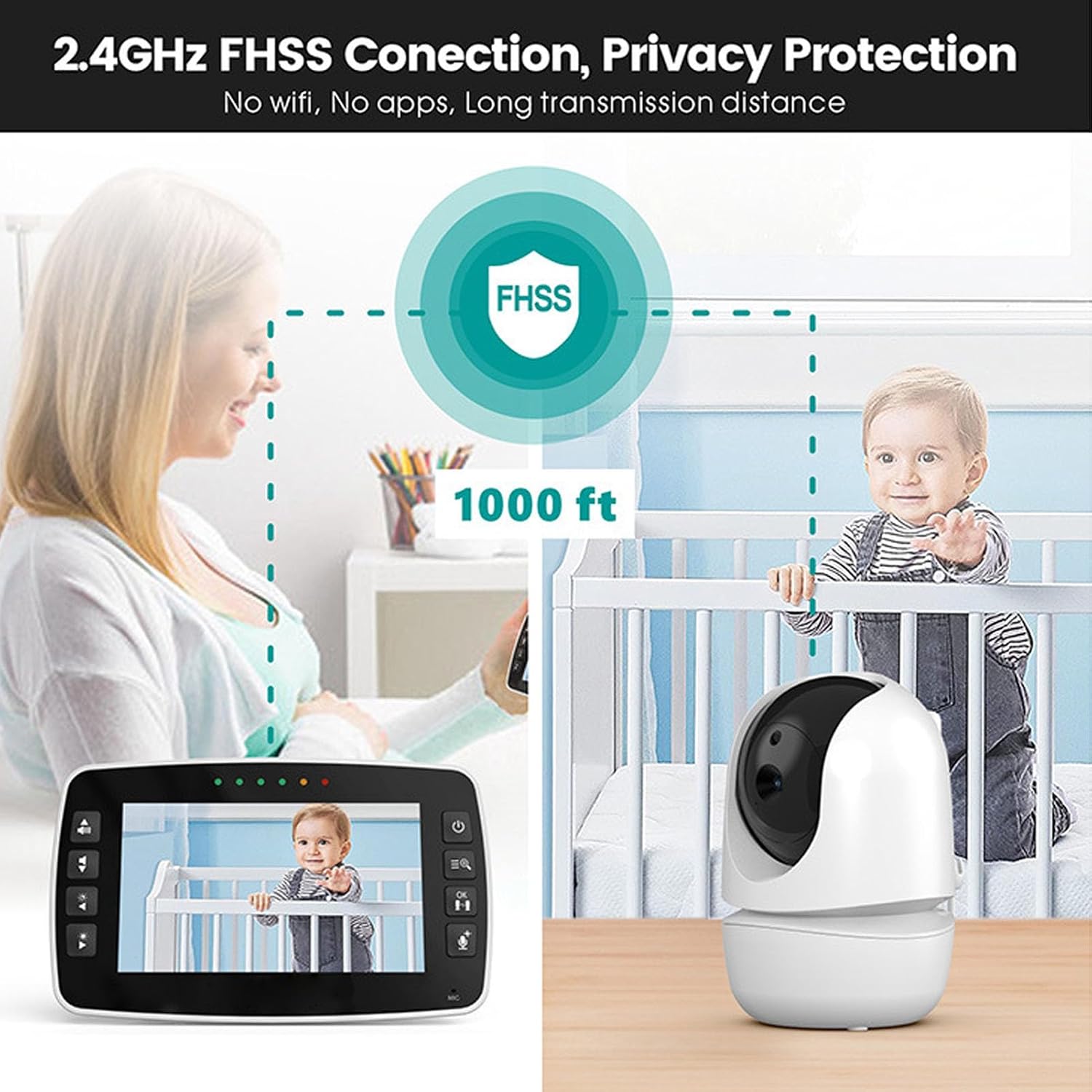
Image: The monitor displaying a baby sleeping in night vision mode, with the room temperature indicated.
6.4 Temperature Monitoring
The monitor displays the ambient temperature of the room where the camera is located. This feature helps you ensure a comfortable environment for your baby.
6.5 Menu Navigation
Refer to the specific buttons on your monitor for menu access, volume control, and other settings. Typically, there are dedicated buttons for volume up/down, menu access, and talk-back function.
7. Maintenance
- Cleaning: Use a soft, dry cloth to clean the surfaces of the monitor and camera units. Do not use abrasive cleaners or solvents.
- Battery Care: To prolong the life of the monitor's built-in lithium battery, avoid fully discharging it frequently. Charge it regularly, even if not in constant use.
- Storage: If storing the device for an extended period, ensure it is fully charged and stored in a cool, dry place.
8. Troubleshooting
- No Picture/Sound:
- Ensure both the camera and monitor units are powered on and connected to their respective power adapters.
- Check if the monitor's battery is charged.
- Verify that the units are within range. Move them closer if necessary.
- Interference/Poor Signal:
- Move the monitor or camera away from other electronic devices that may cause interference (e.g., Wi-Fi routers, microwaves).
- Ensure there are no large obstructions between the camera and monitor.
- Two-Way Talk Not Working:
- Ensure you are pressing and holding the talk button on the monitor while speaking.
- Check the volume settings on the monitor.
- Temperature Reading Incorrect:
- Ensure the camera is not placed near a heat source or in direct sunlight, which could affect the sensor.
9. Specifications
| Model Name | SM43A |
| Material | ABS Plastic |
| Voltage Input | AC 100V-240V, 50/60Hz |
| Monitor Battery | Built-in Lithium Battery, 2100mAh |
| Connectivity | 2.4GHz FHSS (No Wi-Fi, No Apps) |
| Features | Large Screen, Two-Way Talk, Dual Microphones, Auto Infrared Night Vision, Temperature Monitoring, Real-time Date/Time Display |
| Transmission Distance | Up to 1000 ft (300 meters) in open areas |
10. Warranty and Support
For warranty information and technical support, please refer to the documentation provided at the time of purchase or contact your retailer. Keep your purchase receipt as proof of purchase.