
1. Important Safety Instructions
Please read all instructions carefully before using the Flama 1317FL Dehumidifier. Keep this manual for future reference.
- Ensure the power supply voltage matches the rating label on the appliance.
- Do not operate the dehumidifier with a damaged cord or plug. If damaged, contact qualified service personnel.
- Always place the unit on a firm, level surface to prevent water spillage.
- Maintain at least 20 cm (8 inches) clearance around the unit for proper airflow.
- Do not insert objects into the air inlet or outlet.
- Unplug the unit before cleaning or performing any maintenance.
- This appliance is for domestic use only.
- Do not use in bathrooms or other excessively humid environments where water contact is possible.
- Keep out of reach of children.
2. Product Overview
The Flama 1317FL Dehumidifier is designed to reduce humidity levels in your home, improving air quality and comfort. It features an integrated display for easy monitoring and control, a light indicator, and an automatic shut-off function for safety.
2.1 Components
- Main Unit (Dehumidifier)
- Water Tank (2 Liters capacity)
- Washable Air Filter
- Power Cord
2.2 Features
- Integrated Display: For clear display of settings and current humidity.
- Light Indicator: Provides visual status of operation.
- Adjustable Temperature: Allows for customized operation.
- Washable Filter: Easy to clean and maintain for optimal performance.
- Automatic Shut-off: Unit automatically turns off when the water tank is full or when desired humidity is reached.
- Compact Design: Dimensions approximately 39.26 x 37.56 x 40.8 cm.
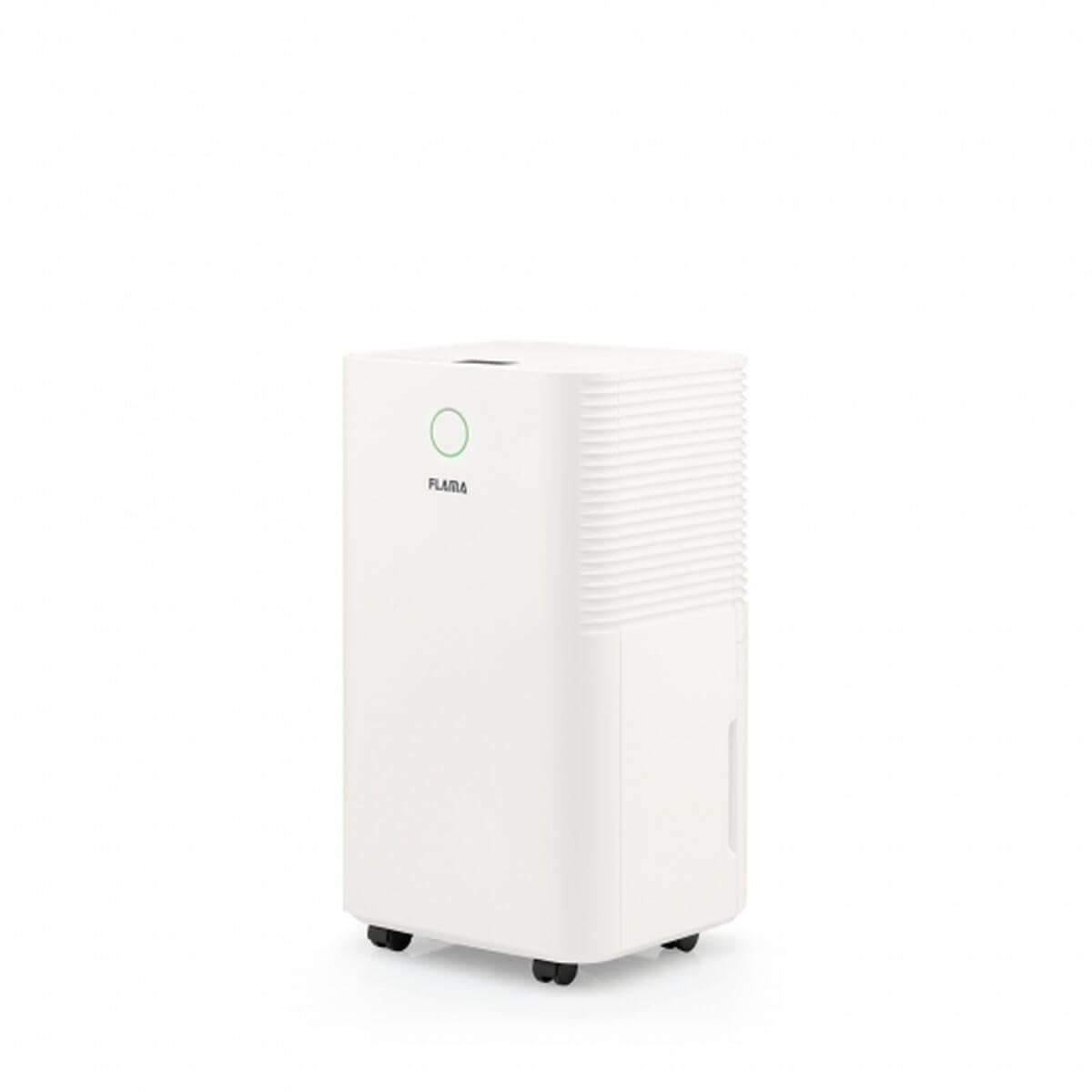
Figure 1: Front view of the Flama 1317FL Dehumidifier, showing its compact design and control panel.
3. Setup
- Unpacking: Carefully remove the dehumidifier from its packaging. Retain packaging materials for future storage or transport.
- Placement: Place the unit on a stable, level surface in the room where dehumidification is desired. Ensure there is at least 20 cm (8 inches) of clear space around all sides for adequate air circulation. Do not block the air inlet or outlet.
- Power Connection: Ensure the water tank is correctly inserted. Plug the power cord into a grounded electrical outlet.
- Initial Use: Allow the unit to stand upright for at least 1 hour before plugging it in if it has been transported horizontally. This allows the refrigerant to settle.
4. Operating Instructions
4.1 Control Panel
The control panel features an integrated display and various buttons for setting the desired humidity level, fan speed, and timer functions. Refer to the display for current settings and status indicators.
4.2 Turning On/Off
- Press the Power button to turn the unit on. The display will illuminate, and the fan will start.
- Press the Power button again to turn the unit off.
4.3 Setting Desired Humidity
- Use the Humidity button (or up/down arrows) to select your desired humidity level. The display will show the target humidity.
- The unit will operate until the room humidity reaches the set level, then it will cycle on and off to maintain it.
4.4 Water Tank Full Indicator and Automatic Shut-off
When the 2-liter water tank is full, the unit will automatically shut off, and a light indicator (often labeled "Full" or "Tank") will illuminate. Empty the water tank and reinsert it correctly for the unit to resume operation.
- Carefully pull out the water tank from the front or side of the unit.
- Empty the collected water into a sink.
- Slide the empty water tank back into its position until it clicks securely.
- The unit will restart automatically if it was in operation mode.
5. Maintenance
Regular maintenance ensures optimal performance and extends the lifespan of your dehumidifier.
5.1 Cleaning the Air Filter
The Flama 1317FL features a washable air filter. Clean the filter every two weeks or more frequently if the unit is used in a dusty environment.
- Unplug the dehumidifier from the power outlet.
- Locate and remove the air filter (usually at the back or side of the unit).
- Wash the filter gently under running tap water. For heavy dirt, use a mild detergent and rinse thoroughly.
- Allow the filter to air dry completely before reinserting it into the unit. Do not use a dryer or direct heat.
- Reinsert the dry filter and plug the unit back in.
5.2 Cleaning the Unit Exterior
- Unplug the unit before cleaning.
- Wipe the exterior with a soft, damp cloth. Do not use abrasive cleaners, solvents, or harsh chemicals.
- Ensure no water enters the internal components.
5.3 Storage
If storing the unit for an extended period:
- Empty the water tank completely and clean it.
- Clean the air filter.
- Store the unit in an upright position in a cool, dry place, away from direct sunlight.
6. Troubleshooting
Before contacting customer support, please refer to the following troubleshooting guide.
| Problem | Possible Cause | Solution |
|---|---|---|
| Unit does not turn on. | No power supply. Water tank is full or not properly inserted. | Check if the power cord is securely plugged into a working outlet. Empty the water tank and ensure it is correctly reinserted. |
| No water collected / Low dehumidification. | Room temperature is too low. Air filter is clogged. Humidity setting is too high. Room size is too large for the unit. | Dehumidifiers are less effective below 5°C (41°F). Clean the air filter (see Section 5.1). Lower the desired humidity setting. Ensure the unit is suitable for the room size. |
| Unit is noisy. | Unit is not on a level surface. Air filter is clogged. | Place the unit on a flat, stable surface. Clean the air filter. |
| Bad odor from unit. | Dirty air filter or water tank. | Clean the air filter and water tank thoroughly. |
7. Specifications
| Brand | Flama |
| Model Number | 1317FL (S0446362) |
| Power | 195 W |
| Water Tank Capacity | 2 Liters |
| Dimensions (approx.) | 39.26 x 37.56 x 40.8 cm |
| Special Features | Integrated Display, Light Indicator, Adjustable Temperature, Automatic Shut-off |
| Filter Type | Washable |
| Material | Plastic and various filter media |
| Recommended Use | Domestic |
8. Warranty and Support
Information regarding warranty coverage and duration is typically provided with your purchase documentation or on the manufacturer's official website. Please retain your proof of purchase for warranty claims.
For technical support, spare parts, or service inquiries, please contact Flama customer service. Contact details can usually be found on the product packaging or the official Flama website.
Note: Availability of spare parts and software updates is not specified in the product information provided.


