
Introduction
Thank you for choosing the HOMIDEC Computer Desk. This instruction manual provides essential information for the safe assembly, proper use, and effective maintenance of your new desk. Please read this manual thoroughly before beginning assembly and retain it for future reference.
Safety Information
- Always secure the desk to the wall or floor to prevent tipping. Ensure the desk is properly anchored, especially if it will be used by children or pets.
- Do not exceed the recommended maximum load capacity of 110 kg (242 lbs).
- Keep all small parts and packaging materials away from children to prevent choking hazards.
- Assemble the desk on a soft, clean surface to avoid scratching the components.
- Periodically check all screws and connections to ensure they remain tight.
Package Contents
Before assembly, verify that all components are present and undamaged. If any parts are missing or damaged, please contact customer support.
- Desk Top (Wood Board)
- Metal Frame Components
- 4 Storage Shelves
- Assembly Hardware (screws, bolts, adjustable feet)
- Instruction Manual
Note: A screwdriver is required for assembly but is not included in the package.
Assembly Instructions
Assembly is designed to be straightforward. We recommend two people for assembly to ensure stability and ease of handling. Follow the detailed steps provided in the included manual.
- Unpack and Identify Parts: Lay out all components and hardware. Match them against the parts list in your detailed manual.
- Assemble the Main Frame: Connect the metal frame components using the provided screws. Ensure all connections are secure but do not overtighten initially.
- Attach the Desk Top: Carefully place the wooden desk top onto the assembled frame and secure it with the designated screws.
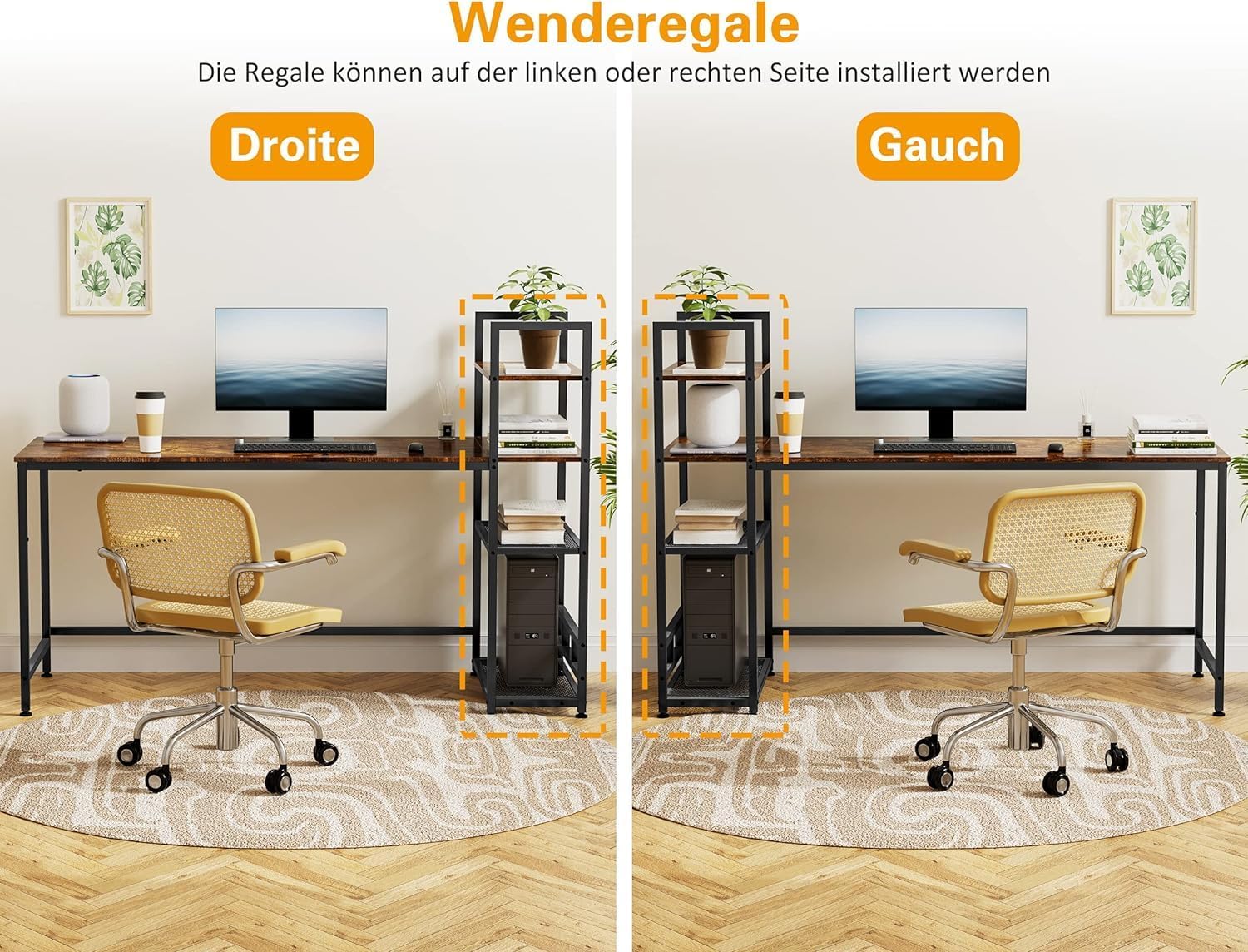
- Install the Storage Shelves: The 4-tier storage shelf unit can be installed on either the right or left side of the desk, according to your preference. Secure it firmly to the main desk structure.
- Attach Adjustable Feet: Screw the adjustable feet into the bottom of the desk legs. These allow you to level the desk on uneven floors.
- Final Tightening: Once all components are in place, go back and fully tighten all screws and bolts.


Usage
The HOMIDEC Computer Desk is designed for versatile use in various environments, including home offices, study rooms, bedrooms, dormitories, and living rooms.
- Spacious Work Surface: The main desk surface (160 cm L x 60 cm W) provides ample space for a laptop, desktop computer, keyboard, mouse, and other accessories.
- Integrated Storage: The 4-tier storage shelf offers significant space for books, potted plants, storage boxes, and other office supplies, helping to keep your workspace organized.
- Weight Capacity: The desk is built to support a maximum load of 110 kg (242 lbs). Distribute weight evenly across the surface and shelves.


Maintenance
Proper care will ensure the longevity and appearance of your HOMIDEC desk.
- Cleaning: Wipe the desk surface and frame with a dry, soft cloth. For stubborn marks, a slightly damp cloth can be used, followed immediately by a dry cloth. Avoid harsh chemicals or abrasive cleaners.
- Surface Protection: The tabletop features a special protective layer that is scratch-resistant, waterproof, and heat-resistant. However, it is advisable to use coasters for drinks and pads for hot items to prevent potential damage.
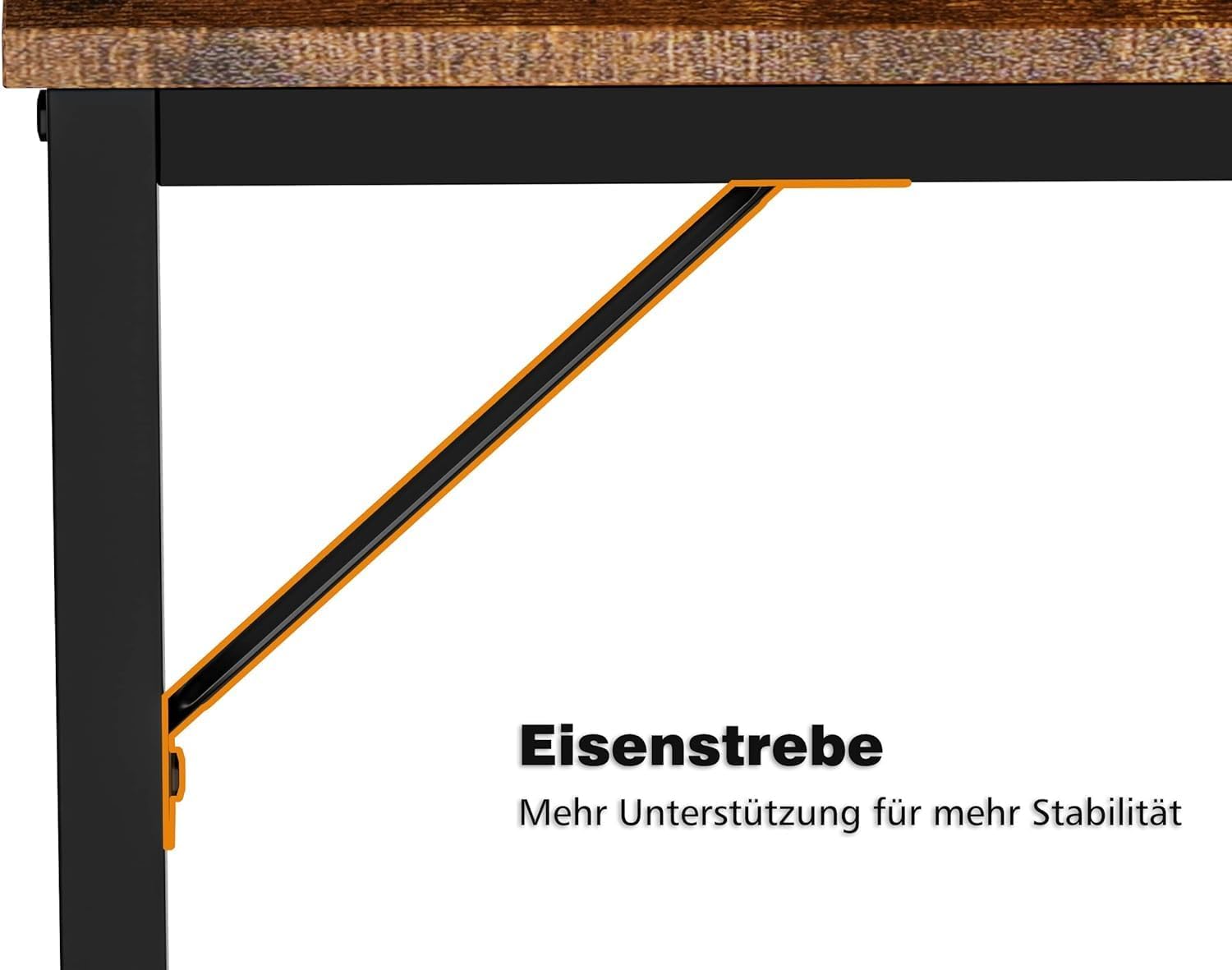
- Stability Check: Periodically inspect all screws and connections to ensure they are tight. Retighten if necessary to maintain the desk's stability.
- Floor Protection: The anti-slip and anti-scratch pads under the legs help protect your floor and reduce noise when moving the desk. Ensure these pads are intact.

Troubleshooting
If you encounter any issues with your desk, please refer to the following common solutions:
- Desk Wobbles: Ensure all screws are fully tightened. Use the adjustable feet at the bottom of the legs to level the desk on uneven floors.
- Missing Parts: Double-check the packaging and compare with the parts list in the manual. If parts are genuinely missing, contact customer support for assistance.
- Difficulty Assembling: Review the assembly instructions carefully. Ensure you are using the correct hardware for each step. Sometimes, components may appear similar but have subtle differences.
Specifications
| Brand | HOMIDEC |
| Model Number | HU-XI-68-1 |
| Dimensions (L x W x H) | 160 x 60 x 110 cm (63 x 23.6 x 43.3 inches) |
| Weight | 21 kg (46.3 lbs) |
| Material | Wood (E1 grade solid board) and Steel Frame |
| Color | Vintage / Black |
| Number of Shelves | 4 |
| Recommended Max Load | 110 kg (242 lbs) |
| Assembly Required | Yes |
| Recommended Assembly Personnel | 2 |
| Recommended Tools | Screwdriver (not included) |
| Special Features | Compact, Portable, Reversible Shelf, Adjustable Feet, Waterproof, Scratch-resistant |
Warranty and Support
This HOMIDEC product comes with a limited warranty. For specific details regarding warranty coverage, duration, and terms, please refer to the documentation included with your purchase or contact HOMIDEC customer support.
For any questions, missing parts, or assistance with assembly or usage, please contact HOMIDEC customer service through your retailer or the official HOMIDEC website.

