
WALI CS303N
WALI Floating TV Shelves User Manual
Model: CS303N | Brand: WALI
Product Overview
The WALI Floating TV Shelves (Model CS303N) offer a versatile and space-saving solution for organizing your entertainment devices. Designed to securely hold DVD/Blu-Ray Players, Satellite/Cable Boxes, Game Consoles, Hi-Fi, and Surround Speakers, these shelves provide a clean and modern look by freeing up valuable floor space.

Image: The WALI 3-Shelf Floating TV Shelf, showcasing its capacity to hold various entertainment devices like gaming consoles and a remote control.
Each strengthened wooden shelf measures 13.8 x 11 inches and is 0.7 inches thick, capable of supporting a maximum weight of up to 10kg (22 lbs). The thoughtful design includes dual wire holes on both sides for efficient cable management, ensuring a tidy setup.

Image: Detailed dimensions of the WALI 3-Shelf Floating TV Shelf, highlighting its height of 22.8 inches and shelf dimensions of 13.8 inches wide by 11 inches deep.
Safety Information
Please read and adhere to all safety guidelines to ensure safe installation and use of your WALI Floating TV Shelves.
- Always read and follow the assembly instructions carefully.
- Use appropriate safety gear when handling hardware.
- Ensure the wall can support the weight of the mounted items.
- Do not exceed the weight limit of 22 lbs (10kg) per shelf.
- Keep hands and face away from the shelf when mounting heavy items.
Setup and Installation
Proper installation is crucial for the stability and safety of your floating shelves. Follow these steps carefully.
Tools Required (Not Included):
- Drill
- Level
- Pencil
- Measuring Tape
- Hammer (for expansion screws)
Installation Steps:
- Prepare the Wall: Identify the desired mounting location. Ensure the wall type (brick, concrete, or wood stud) is suitable for installation. Do NOT mount on drywall alone.
- Mark Hole Position: Hold the main vertical support against the wall at the desired height. Use a pencil to mark the drilling points through the pre-drilled holes on the support.
- Punch Holes and Install Expansion Screws: Using a drill, create holes at the marked positions. Insert the appropriate expansion screws (for brick/concrete) or wood screws (for wood studs) into the holes.
- Assemble Product: Attach the wooden shelves to the main vertical support using the provided hardware. Ensure all connections are secure.
- Install to Wall: Align the assembled shelf unit with the installed screws/anchors on the wall. Securely fasten the unit to the wall. Use a level to ensure the shelves are perfectly horizontal.
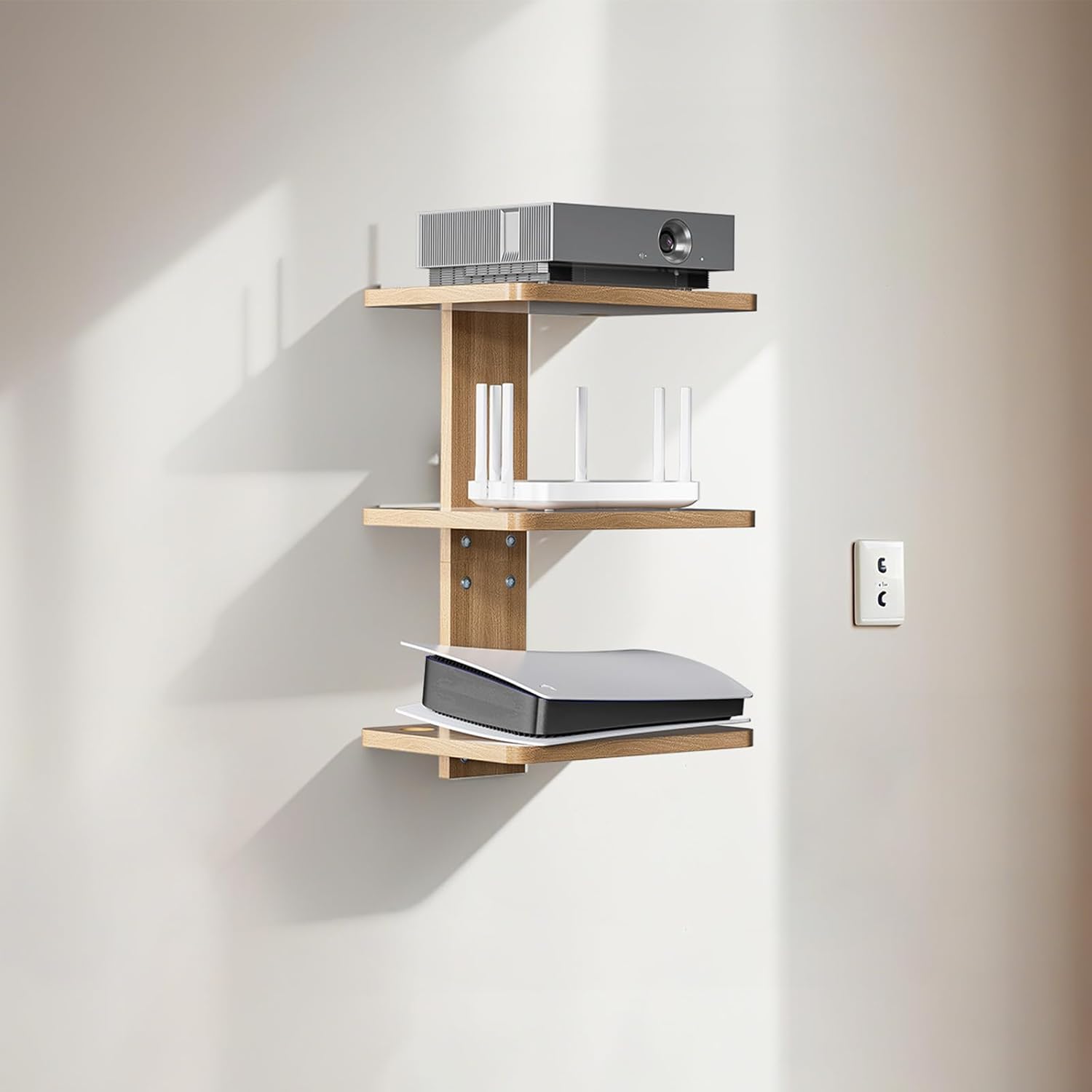
Image: Illustration showing the compatibility of the WALI Floating TV Shelf with brick walls (using expansion screws), concrete walls (using expansion screws), and wood studs (using wood screws). A warning indicates not to mount on drywall alone.
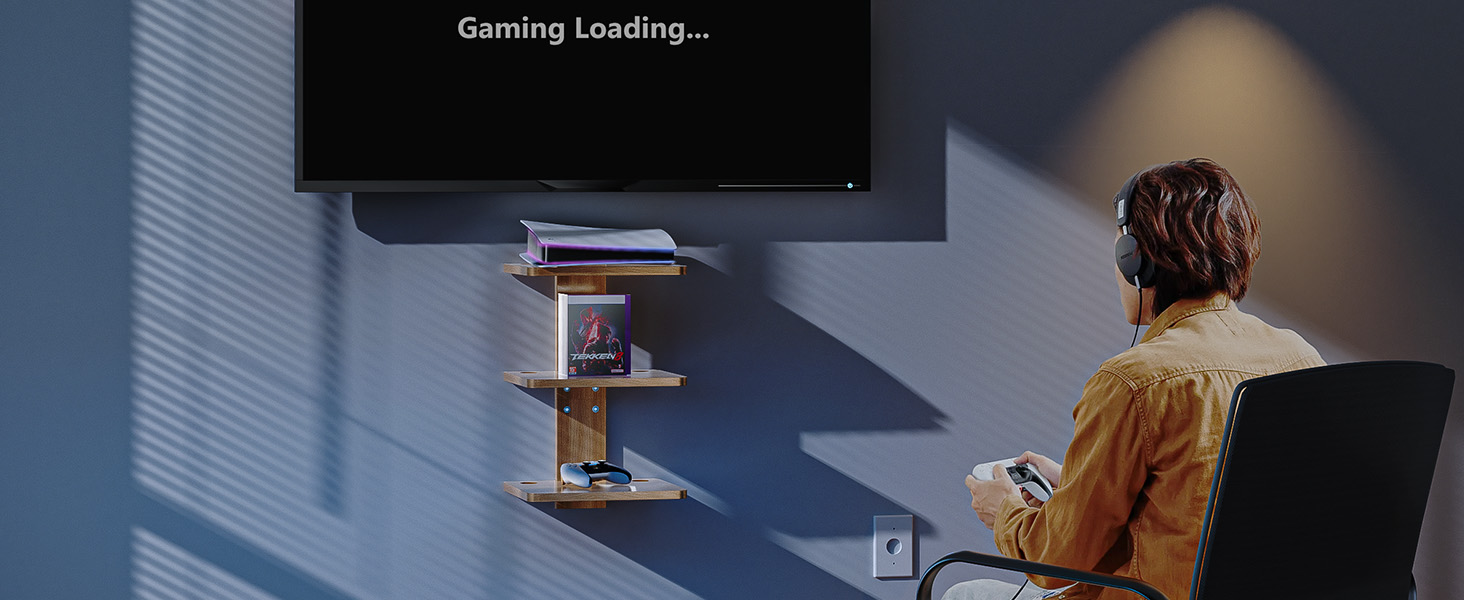
Image: A visual guide to the installation process, detailing marking the wall, drilling and inserting anchors, assembling the shelf components, and finally mounting the complete unit to the wall.
Operating Instructions
Once installed, the WALI Floating TV Shelves are ready for use. Place your electronic devices, media, or decorative items on the shelves, ensuring the weight does not exceed 22 lbs (10kg) per shelf.
- Cable Management: Utilize the dual wire holes on each shelf to route and organize cables from your devices. This helps maintain a clean and clutter-free appearance.
- Adjustable Height: The shelves are designed with adjustable height, allowing you to customize the spacing between them to accommodate different device sizes.

Image: Close-up view of the shelf highlighting key features: integrated wire management holes, the natural wood finish, and the safety-conscious rounded corners.

Image: A note regarding the compatibility of the shelf with a PlayStation 5 console, indicating that the width should not exceed 8.39 inches (213mm) and the length should not exceed 13.8 inches (351mm) for optimal fit.
Maintenance
To maintain the appearance and longevity of your WALI Floating TV Shelves, follow these simple care instructions:
- Cleaning: Wipe the shelves with a dry cloth to remove dust and debris. Avoid using abrasive cleaners or harsh chemicals, which may damage the finish.
- Inspection: Periodically check all mounting hardware and connections to ensure they remain secure. Tighten any loose screws as needed.
Troubleshooting
If you encounter any issues with your WALI Floating TV Shelves, refer to the following common solutions:
| Problem | Possible Cause | Solution |
|---|---|---|
| Shelves feel unstable or wobbly. | Loose mounting screws or improper wall type. | Ensure all mounting screws are tightened. Verify that the shelf is installed on a suitable wall (brick, concrete, or wood stud) and not drywall alone. |
| Shelf appears uneven. | Installation not level. | Re-adjust the mounting position using a level to ensure horizontal alignment. |
| Devices do not fit on shelves. | Device dimensions exceed shelf capacity. | Refer to the specifications section for shelf dimensions (13.8"W x 11"D). Ensure your devices fit within these measurements and do not exceed the 22 lbs weight limit per shelf. |

Image: A visual comparison highlighting the sturdy construction and high load-bearing capacity of the WALI shelf ("After") versus a thin, unstable alternative ("Other").
Specifications
Detailed specifications for the WALI Floating TV Shelves (Model CS303N):
| Feature | Detail |
|---|---|
| Model Name | CS303N |
| Brand | WALI |
| Number of Shelves | 3 |
| Product Dimensions | 11"D x 13.8"W x 22.77"H |
| Shelf Dimensions (each) | 13.8"W x 11"D |
| Shelf Thickness | 0.7 Inches |
| Weight Limit (per shelf) | 22 Pounds (10 kg) |
| Material | Wood |
| Finish Type | Painted |
| Installation Type | Floating, Wall Mounted |
| Assembly Required | Yes |
| Recommended Uses | Living Room, Office, Bedroom, Playroom |
| Special Feature | Space Saving, Cable Management |
Warranty and Support
WALI is committed to providing quality products and excellent customer service.
Customer Support:
For any questions, concerns, or assistance with your WALI Floating TV Shelves, please contact our experienced and friendly US-based customer support team. They are available to assist you 7 days a week.
Refer to the product packaging or the official WALI website for specific contact details (phone number, email, or support portal).
Additional Resources:
A comprehensive User Manual in PDF format is available for download:
Related documentsCS303N


Ask a question about this manual
Ask about setup, troubleshooting, compatibility, parts, safety, or missing instructions. Manuals+ will review the question and use this page’s manual context to help answer it.