1. Introduction
This manual provides comprehensive instructions for the D Debra Audio PRO ER-102 UHF Wireless In-Ear Monitor System. Designed for professional audio monitoring, this system offers stable and clear sound transmission for various applications including stage performances, band practice, recording studios, and live events. Please read this manual thoroughly before operating the device to ensure proper use and optimal performance.
2. Package Contents
Verify that all items listed below are included in your package:
- 1 x Transmitter Unit
- 1 x Bodypack Receiver (with Headphones)
- 1 x Antenna
- 1 x Power Adapter
- 1 x User Manual (this document)

Image 2.1: Complete package contents of the ER-102 system.
3. System Overview
The D Debra Audio PRO ER-102 system consists of a main transmitter unit and a portable bodypack receiver. The transmitter sends audio signals wirelessly to the bodypack, which then delivers the audio to the user's in-ear headphones.
3.1. Transmitter Unit
The transmitter features a clear LCD display, controls for frequency selection, and input/output ports for audio connections. It utilizes a phase-locked loop (PLL) system for stable UHF signal transmission.

Image 3.1: Front and rear panel overview of the ER-102 transmitter.
3.2. Bodypack Receiver
The compact bodypack receiver is designed for portability and features an LCD display for monitoring battery power and RF reception. It connects to in-ear headphones for personal audio monitoring.

Image 3.2: Front and back view of the ER-102 bodypack receiver.
3.3. Bluetooth Connectivity
The system includes Bluetooth 5.0 for convenient wireless connection to external audio sources, enhancing flexibility for monitoring.

Image 3.3: Bluetooth 5.0 connectivity feature.
4. Setup Instructions
4.1. Transmitter Connection
- Connect the provided antenna to the ANTENNA port on the rear panel of the transmitter.
- Connect the power adapter to the DC IN (12-18V) port on the rear panel and plug it into a power outlet.
- Connect your audio source (e.g., mixer, audio interface) to the XLR/6.35mm combo inputs (AF IN) on the rear panel. Ensure the input levels are appropriate.
- If desired, connect headphones to the 1/4-inch monitoring jack on the front panel for direct monitoring.
4.2. Bodypack Receiver Preparation
- Open the battery compartment on the bodypack receiver and insert two AA batteries, observing correct polarity.
- Connect your in-ear headphones to the 3.5mm headphone jack on the bodypack receiver.
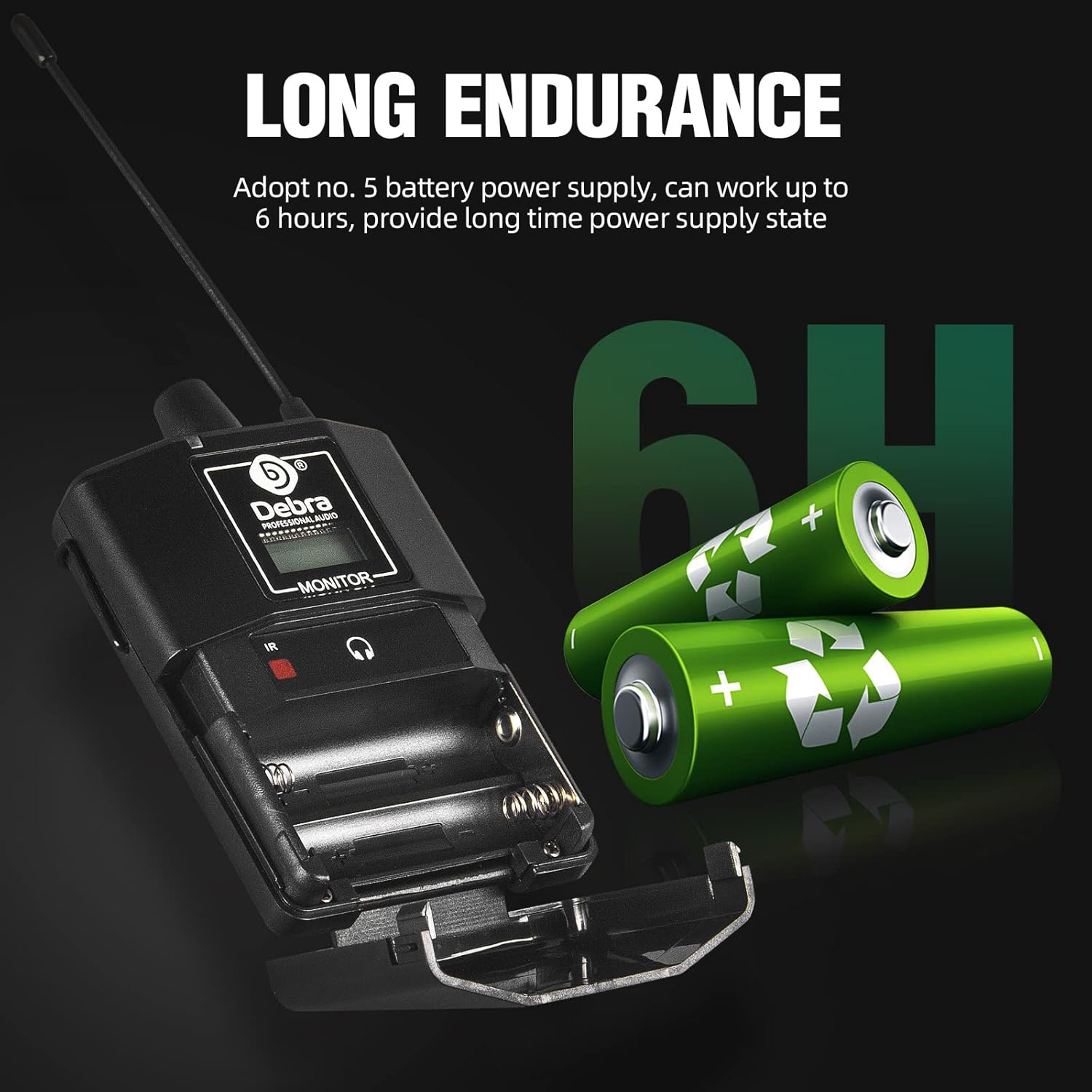
Image 4.1: Bodypack receiver battery installation.
5. Operating Instructions
5.1. Powering On/Off
- Transmitter: Press the POWER button on the front panel to turn the unit on or off. The LCD display will illuminate.
- Bodypack Receiver: Press and hold the power button on the bodypack receiver until the display illuminates.
5.2. Frequency Selection and Synchronization
- On the transmitter, use the SET button and arrow keys to navigate and select a desired frequency from the 100 available channels.
- Ensure the bodypack receiver is within range of the transmitter. The bodypack will automatically synchronize with the transmitter's frequency. The RF indicator on both units should show a stable signal.

Image 5.1: Frequency switching on the transmitter.
5.3. Adjusting Monitoring Levels
- Transmitter: Adjust the HP LEVEL knob on the front panel for the headphone output.
- Bodypack Receiver: Use the volume control on the bodypack to adjust the listening level through your in-ear headphones.
5.4. Bluetooth Pairing (if applicable)
- Activate Bluetooth on the transmitter (refer to the display for Bluetooth signal light).
- Enable Bluetooth on your audio device (e.g., smartphone).
- Select the ER-102 from the list of available devices to pair.
6. Maintenance
- Cleaning: Use a soft, dry cloth to clean the exterior of the transmitter and bodypack receiver. Avoid using liquid cleaners or solvents.
- Battery Replacement: Replace AA batteries in the bodypack receiver when the battery indicator shows low power. For optimal performance, use fresh batteries for each critical use.
- Storage: Store the system in a cool, dry place away from direct sunlight and extreme temperatures when not in use.
- Antenna Care: Handle the antennas carefully to prevent bending or damage.
7. Troubleshooting
| Problem | Possible Cause | Solution |
|---|---|---|
| No sound from bodypack receiver |
|
|
| Intermittent signal or static |
|
|
| Distorted audio |
|
|
8. Specifications

Image 8.1: ER-102 system specifications and dimensions.
| Feature | Detail |
|---|---|
| Model Name | ER-102 |
| Frequency Range | 510 MHz - 580 MHz (100 channels) |
| Modulation Method | π/4-DQPSK |
| Sampling Ratio | 48KHz |
| Transmission Rate | 204.8Kbps |
| Dynamic Range | > 90dB |
| Total Harmonic Distortion | < 0.1% |
| Delay Time of Audio Transmission | < 3ms |
| S/N Ratio | > 96dB |
| Frequency Response | 30 ~ 20KHz |
| RX Sensitivity | < -94dBm |
| Effective Distance | Up to 800 feet (unobstructed), best within 500-600 feet |
| Bodypack Power Supply | 2 x AA Batteries (up to 6 hours endurance) |
| Connectivity Technology | Wireless (UHF, Infrared) |
| Bluetooth Version | 5.0 |
| Material | Metal, Plastic |
| Item Weight (Bodypack) | 100 Grams (3.53 ounces) |
9. Warranty and Support
For warranty information and technical support, please refer to the documentation included with your purchase or contact D Debra Audio customer service. Keep your purchase receipt as proof of purchase for any warranty claims.
This wireless monitoring system can be connected to an unlimited number of bodypack receivers. If you would like to purchase additional bodypack receivers separately, please contact D Debra Audio customer support for assistance.


